

Bring new life to your old Apple computer!
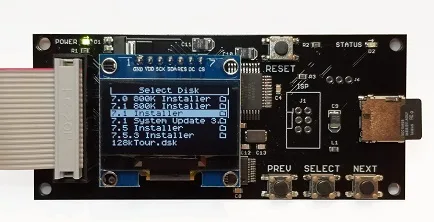
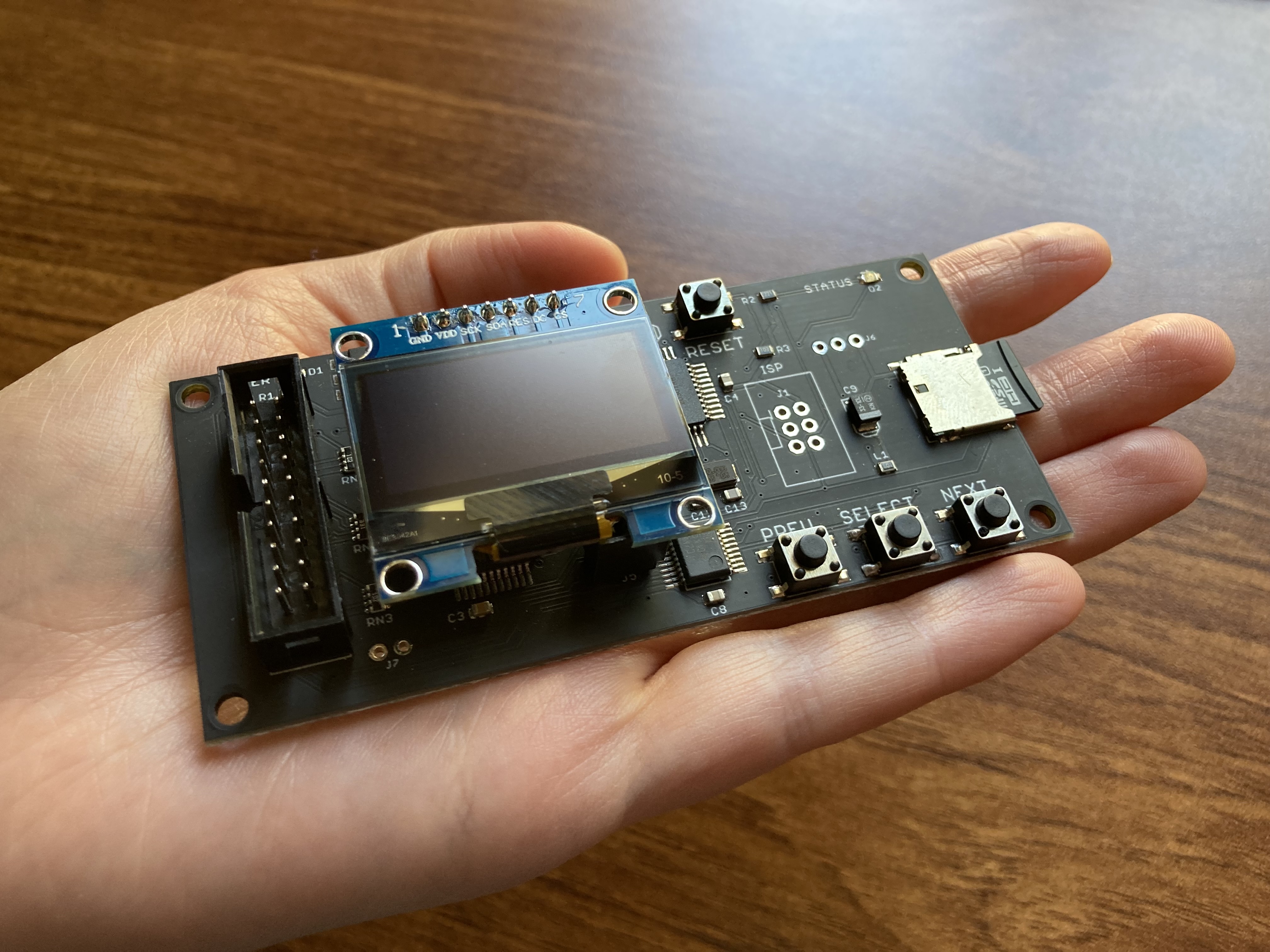
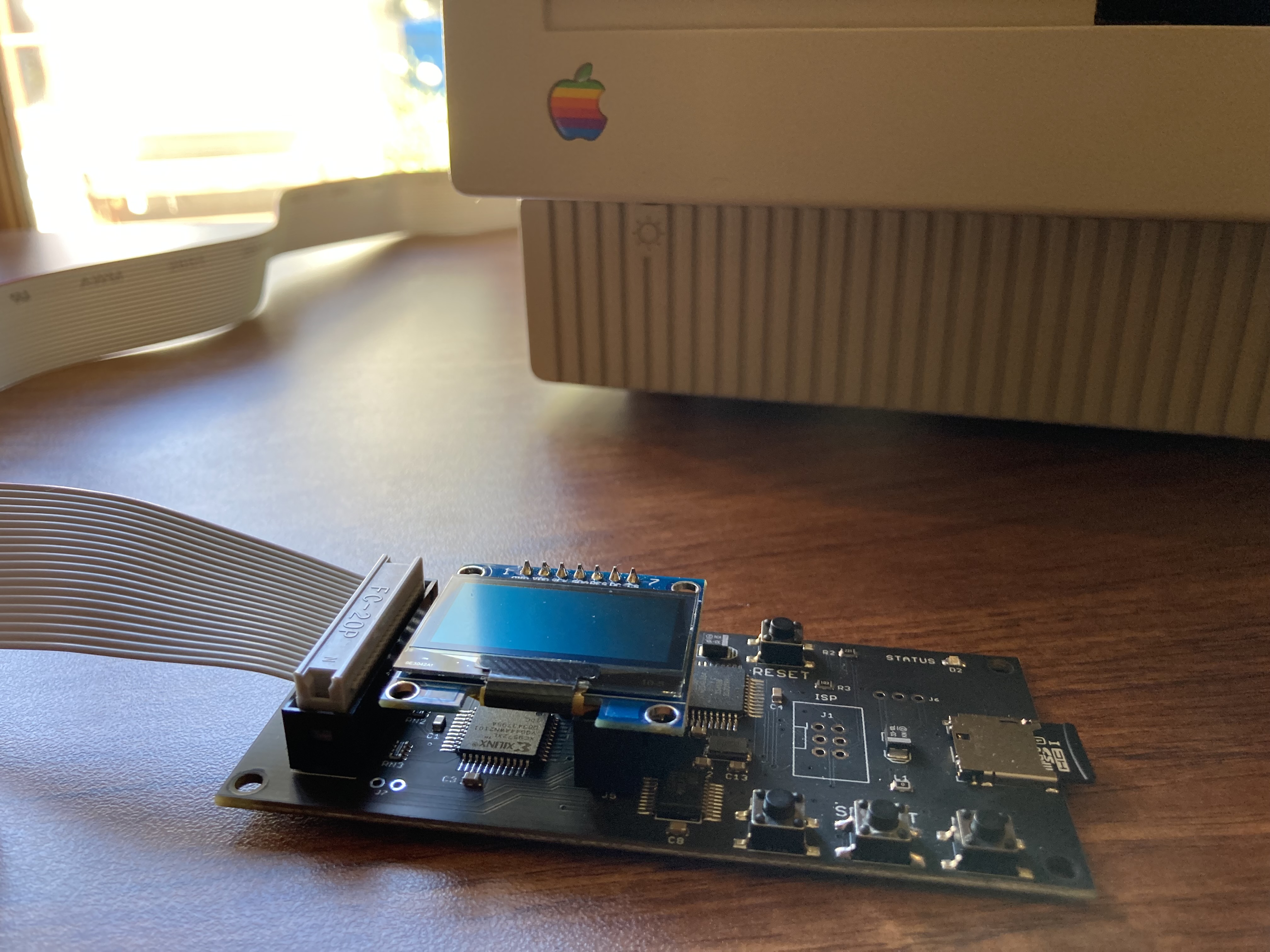
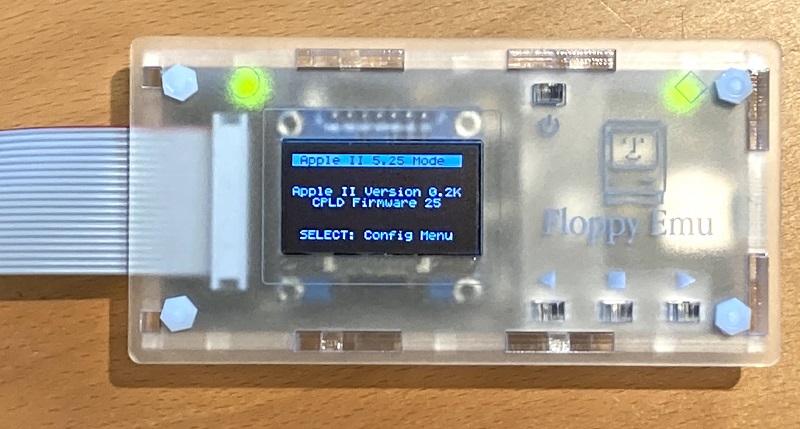
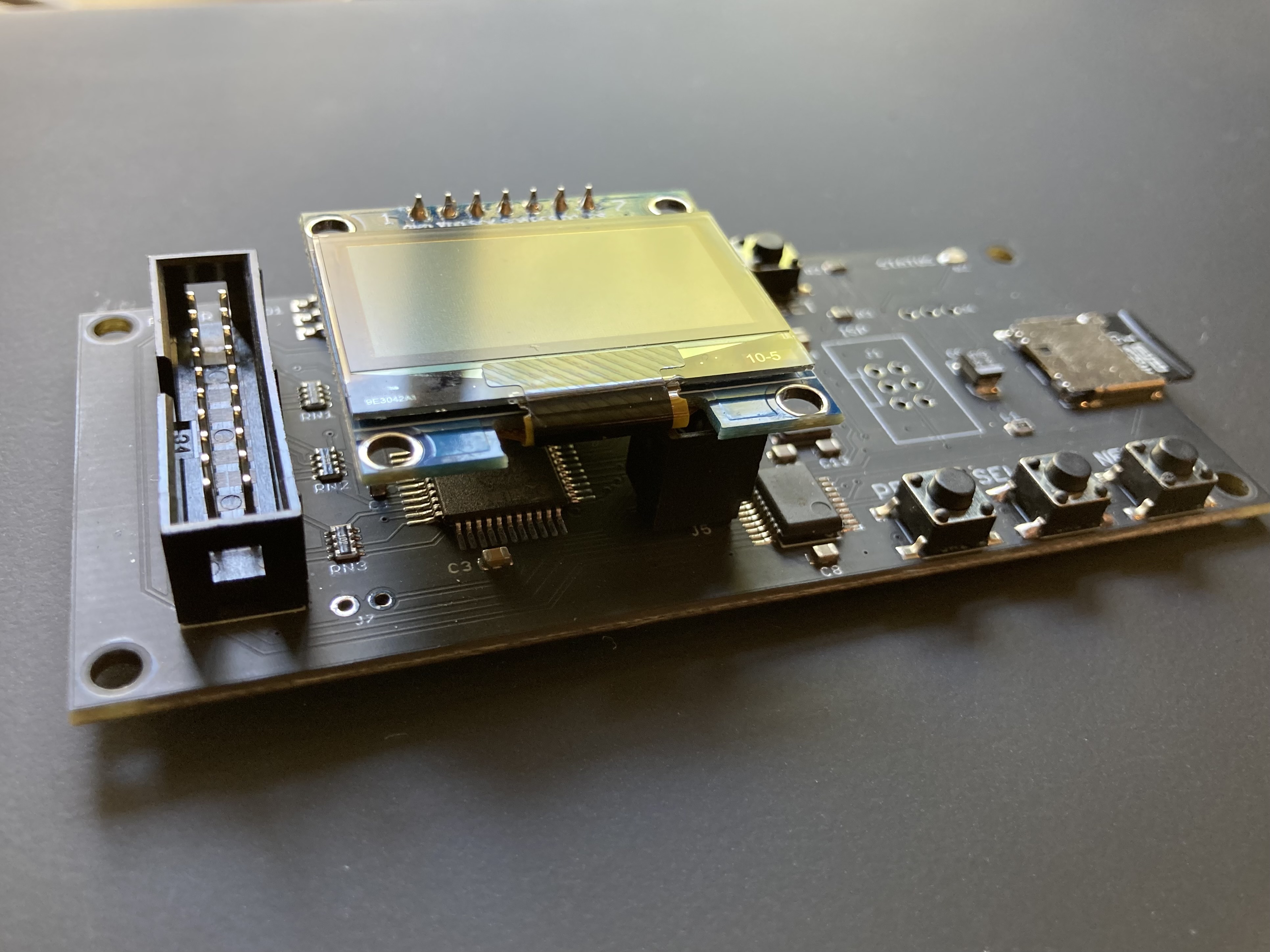
Floppy Emu is a floppy and hard disk emulator for classic Apple II, Macintosh, and Lisa computers. It uses an SD memory card and custom hardware to mimic an Apple floppy disk and drive, or an Apple hard drive. The Emu behaves exactly like a real disk drive, requiring no special software or drivers.

“Highly recommended.”
– Apple2Online
“A great device.”
– Blondihacks
“A boon for classic Mac collectors.”
– RetroMacCast
Bring new life to your old Apple computer! Floppy Emu is a specialized floppy and hard disk emulator for classic Apple computers. It uses a removable SD memory card and custom hardware to mimic an Apple floppy disk and drive, or an Apple hard drive. The Emu behaves exactly like a real disk drive, requiring no special software or drivers.
The BMOW Floppy Emu is perfect for booting your favorite games and software, or transferring files between vintage and modern machines. Just fill your SD card with disk images, plug in the Emu board, and you’ll be up and running in seconds.
Parts Sold Separately
For Apple IIc
Just For Fun
Usage Demonstration Video

Documentation

Instruction Manual and User Guide: PDF
日本語マニュアルはこちらから(2021/2/22更新): PDF
Setup Guide: PDF
Case assembly instructions: instructions
Instruction Manual and User Guide for previous generation Model B: PDF
日本語マニュアルはこちらから(2021/2/22更新): PDF
Setup Guide: PDF
Case assembly instructions: instructions
Instruction Manual and User Guide for previous generation Model B: PDF
Features
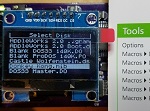
- Displays a menu UI for choosing from the disk images stored on the removable SD memory card
- Reads and writes emulated 140K, 400K, 800K, or 1.4MB floppy disk images, or hard disk images up to 2GB
- Compatible with all Apple II models, the original Macintosh 128K through the Mac II series and Power Mac, and Lisa 2
- Connects to external (DB-19 D-SUB) or internal (20 pin ribbon header) floppy drive connector
- Supports all major types of Apple disk images
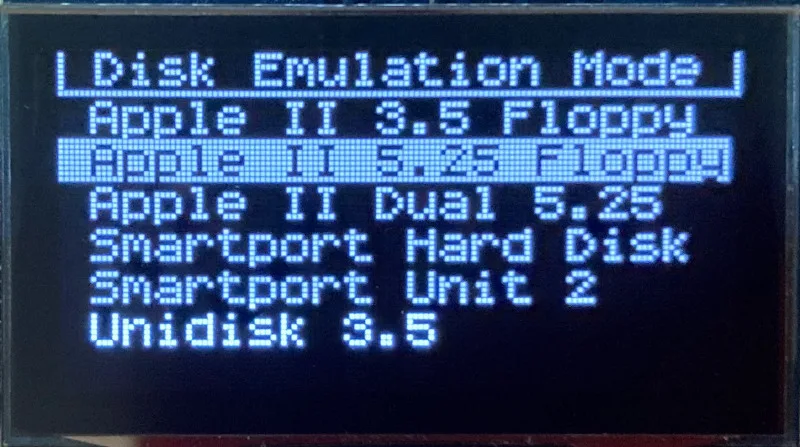
Apple II Floppy – Emulates 5.25 inch 140K floppy disks on any Apple II series system, as well as 3.5 inch 800K floppies on compatible Apple II models. An optional Dual 5.25 Floppy mode emulates two drives at the same time. Disk image files may be in .DSK, .DO, .PO, .2MG, .NIB (5.25 inch only) or .WOZ (5.25 inch only) formats. Disk images are compatible with common Apple II emulation tools such as AppleWin and Ciderpress.
Apple II Hard Disk – Emulates up to four simultaneous Smartport hard disks, each up to 32 MB (when formatted as ProDOS) or 2 GB (when formatted as HFS). Smartport disks are compatible with the Apple IIgs, Apple IIc (ROM version 0 or newer), Apple IIc+, and Apple II+ or IIe with a Yellowstone or Liron disk controller card.
For Apple II use, Floppy Emu connects to the built-in 19-pin disk connector on the Apple IIgs, IIc, and IIc+, or to a 20-pin or 19-pin connector on a separate disk controller card for other Apple II models. See the instruction manual for details on drive numbering and boot priority.
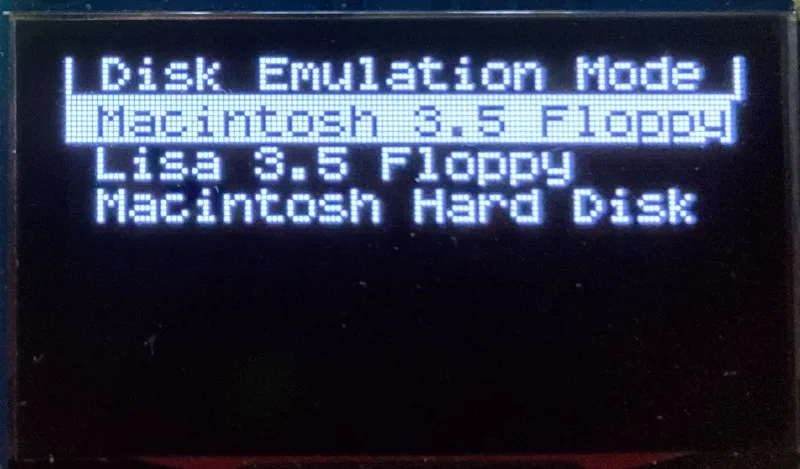
Macintosh Floppy – Supports 400K, 800K, and 1.4MB floppy disk images, in raw .dsk, Disk Copy 4.2, or MOOF formats. Disk image files are the same format as those used with popular software-based Mac emulators like Mini vMac. Compatible with the original Macintosh 128K through the Mac II series and Power Mac.
Macintosh Hard Disk / CD-ROM – HD20 hard disk / CD-ROM emulation is compatible with the Macintosh 512K, 512Ke, Plus, SE, (SE/30 when used with the Mac ROM-inator II), Classic, Classic II, Portable, IIci, IIsi, or LC I. Supports bootable hard disk / CD-ROM images up to 2GB. CD-ROMs are treated as read-only hard disks. Disk image files are compatible with other popular Mac emulators.
Lisa Floppy – Emulates 400K and 800K floppy disks on the Lisa 2/5 and 2/10. Boot or mount native Lisa Office System disk images in Disk Copy 4.2 format, or use Macintosh disk images within the MacWorks environment.
| COMPUTER | DISK EMULATION MODES |
|---|---|
| Apple II | |
| Apple II, II+, IIe with Yellowstone disk controller |  5.25 inch floppy, Dual 5.25 inch floppy, 3.5 inch floppy, Smartport hard disk, Unidisk 3.5 5.25 inch floppy, Dual 5.25 inch floppy, 3.5 inch floppy, Smartport hard disk, Unidisk 3.5 |
| Apple II, II+, IIe with standard disk controller | 5.25 inch floppy, Dual 5.25 inch floppy[1] |
| Apple II, II+, IIe with Liron disk controller | Smartport hard disk, Unidisk 3.5 |
| Apple IIc | 5.25 inch floppy[2], Dual 5.25 inch floppy[3], Smartport hard disk[4], Unidisk 3.5[4] |
| Apple IIgs, IIc+ | 5.25 inch floppy, Dual 5.25 inch floppy, 3.5 inch floppy, Smartport hard disk, Unidisk 3.5 |
| Macintosh | |
| Macintosh 128K | 3.5 inch 400K floppy |
| Macintosh 512K | 3.5 inch 400K floppy, HD20 hard disk / CD-ROM[5] |
| Macintosh 512Ke, Plus, SE | 3.5 inch 400K/800K floppy, HD20 hard disk / CD-ROM |
| SE FDHD, Classic, Classic II, Portable, IIci, IIsi | 3.5 inch 400K/800K/1.4MB floppy, HD20 hard disk / CD |
| LC [6] | 3.5 inch 400K/800K/1.4MB floppy, HD20 hard disk / CD |
| SE/30, IIcx | 3.5 inch 400K/800K/1.4MB floppy, HD20 hard disk / CD[7] |
| IIx [6] | 3.5 inch 400K/800K/1.4MB floppy, HD20 hard disk / CD[7] |
| IIfx, IIvx, IIvi, LC-II, LC-III, LC 4xx, LC 5xx, Color Classic, Color Classic II, TV, Performa, Quadra, Centris, Power Mac [6] | 3.5 inch 400K/800K/1.4MB floppy |
| Lisa | |
| Lisa 2/5 and 2/10 | 3.5 inch 400K/800K floppy |
[1] Disk II Controller Card with 20-pin connector requires Dual 5.25 Adapter for dual drives
[2] requires internal motherboard connection or Internal/External Switcher for booting 5.25 inch disks, see instructions
[3] requires Internal/External Switcher
[4] requires IIc with ROM revision 0 or newer for Smartport and Unidisk 3.5 modes, see instructions for details
[5] Mac 512K also requires a boot floppy with HD20 Init for HD20 hard disk / CD-ROM mode
[6] uses internal disk connector on the computer’s motherboard
[7] requires Mac ROM-inator II for HD20 hard disk / CD-ROM mode
Technology
Interested in how Floppy Emu works under the hood? Check out the Floppy Emu Technology Design page.
FAQ
Can I boot from an emulated floppy or hard disk?
Yes you can!
Does this require a special driver, ROM, or INIT?
No software is required for standard floppy disk emulation on any system. Apple IIc requires ROM version 0 or later for Smartport hard drives and Unidisk 3.5 drives – ROM version 255 lacks support for these. For Macintosh HD20 / CD-ROM hard disk emulation, most supported Mac models require no software, though the Mac 512K requires Apple’s HD20 Init.
What types of disk image files are supported?
Apple II supports 140K floppy disk images in .DSK, .DO, .PO, .NIB, .WOZ, or .2MG format, 800K floppy disk images in .DSK, .DO, .PO, .2MG, and DiskCopy 4.2 format, or hard disk images up to 2 GB in .PO, .2MG, or .HDV format. The maximum size of a ProDOS volume is 32 MB, so larger hard disk images must be formatted as HFS. Macintosh supports 400K, 800K, or 1.4MB floppy disk images in raw .dsk format, DiskCopy 4.2 .image format, MOOF format, or hard disk images up to 2GB in raw format. Lisa supports 400K or 800K floppy disk images in DiskCopy 4.2 format.
Can I format the emulated disk?
Yes for most drive types and disk image types. However, instead of formatting the emulated disk, it’s normally preferable to use a pre-existing blank disk image. In-system formatting of the emulated disk is supported for all Macintosh disk image types, as well as Apple II Smartport hard disks, Unidisk 3.5, WOZ disk images, and NIB disk images. Formatting performance of floppy disk images may vary depending on your SD card’s write cache behavior. For best performance, use the Blank.WOZ or Blank.MOOF sample disk images that are included with the Floppy Emu firmware.
Can I back-up old floppies using tools like Copy II Plus or Disk Copy 4.2?
Yes, with some conditions. Many disk copy programs perform a simultaneous format-and-write of the destination floppy, which may create problems (see previous answer about formatting). For best results, use a destination disk image type that supports in-system formatting. See the manual for details.
Can the Emu work with copy-protected disks?
Most copy-protected disks in WOZ or MOOF format will work with the Floppy Emu, but there are some rare exceptions. The hardware is primarily designed to work with unprotected disks using standard sector and disk formats.
Can I emulate multiple disk drives at once?
Floppy Emu can store as many disk image files as your SD card will hold. For compatible Apple II models, the hardware supports dual 5.25 inch floppy drive emulation. For Apple II Smartport hard disk emulation, up to four hard disks may be active at the same time. For other computer models and disk types, only one disk can be “inserted” in the emulated drive at any given time.
Can I connect two Floppy Emus to the same computer?
Yes, if they’re attached to separate disk ports, or to separate connectors of a dual-connector disk controller. For compatible Apple II computers, a Floppy Emu board can also be placed in a daisy chain along with other disk drives. The Emu doesn’t have a daisy-chain output port, but the optional Daisy Chainer adds one. Daisy-chaining is not supported by the Lisa or Macintosh.
How can I copy documents from an old Apple II or Mac disk to a modern PC?
Use Floppy Emu to copy the documents from the original disk onto a blank disk image residing on the SD card, then put the SD card in your PC and use a disk image utility program like CiderPress or HFVExplorer to open the disk image and extract the files. See the manual for details.
More questions?
Please see the Floppy Emu user guide for complete details and instructions.
Firmware Downloads
Floppy Emu firmware versions are available with support for Apple II, Macintosh, or Lisa computers.
Install the firmware version for the type of computer you plan to use with your Floppy Emu.
Apple II
- Apple II firmware, for Floppy Emu Model C or B, normal version: 250225A
- Apple II firmware, for Floppy Emu Model C or B, SPDC version: 250225A-SPDC what’s this?
- Apple II firmware, for Floppy Emu Model A: 250225A-ModelA
Macintosh and Lisa
- Macintosh and Lisa firmware, for all Floppy Emu models: 240209M
Older Versions (try these if the latest version gives you problems)
Apple II, Model C or B, normal version: 240208A 231213A 230712A 230218A
Apple II, Model C or B, SPDC version: 240208A-SPDC 231213A-SPDC 230712A-SPDC 230218A-SPDC
Apple II, Model A: 240208A-ModelA 231213A-ModelA 230712A-ModelA 230218A-ModelA
Macintosh/Lisa, all models: 231212M 230309M 230203M 221221M
Apple II, Model C or B, SPDC version: 240208A-SPDC 231213A-SPDC 230712A-SPDC 230218A-SPDC
Apple II, Model A: 240208A-ModelA 231213A-ModelA 230712A-ModelA 230218A-ModelA
Macintosh/Lisa, all models: 231212M 230309M 230203M 221221M

FANTASTIC!!!!!!!!!!!!!!!!!!!!!!!!!!!!!!!!!!!!!!!
A device like this is desperately needed. There must be thousands of old Mac enthusiasts stuck with no good way to bridge internet disk images downloaded to PCs to their old Apple systems. I’d buy one from you in 2 seconds. It’d pay for at least some of your mortgage 🙂
Whoah, this is really cool! I have recently acquired a Macintosh SE and was hoping to get it working after hearing its HDD make unhappy noises. I saw the HxC floppy emulator a while back but I was disappointed to find out that it would never work with my old Mac. Your project has given me hope, though!
Absolutely amazed with your project. Congratulations. As the other comments mentioned, is a vital addon in case of old machines like mine, with the floppy unit out of order.
Kind regards from Madrid!
Hi Steve
Just to let you know that I received your floppy emu and I have to say it works like a charm! Thank you for the quick delivery to Gibraltar.
Best regards
Francis
A very happy customer 🙂
Just received my Mac Floppy Emu. Works great on my Mac SE/30.
One suggestion that you might want to consider in a future version… Ability to copy dsk image files within the Emu interface. I keep the blank800.dsk on the SD card, but I’d like to be able to make a copy of it on-the-fly and then use the copy, instead of taking the SD card and performing the copy elsewhere.
Hi!
I really like your project and just bought one Macintosh Floppy Emulator “used” on eBay in germany.
It really does work with my Mac 128k, great!
One question/suggestion though:
Is it possible to preselect one disk image so that it automatically gets inserted on power-up?
If this isn’t yet implemented, you could look for a text file containing the filename or even a list of preselected images.
The C64 SD-Card project SD2IEC does support this… 🙂
Good idea!
Where is a good place I can download Disk Images “dsk” for my macintosh plus? I use MacintoshGarden.org but all the files from there are “.SIT”. Does the floppy emu only recognize .DSK”?
DSK is not a normal floppy disk format for the Macintosh. The only DSK files I’ve found for the Mac are hard disk images. You can open SIT and SEA files by using the StuffIt for Windows or Mac. When you extract the images from SIT, make sure the image files have the .img file extension. Macintosh Floppy Emu can read .img files, but it won’t write to them. You can use the Disk Copy conversion tool that is linked on this page to convert the .img file to .DSK.
Thank you Bryan but I kind of need a visual. A YouTube video on how to covert my files from macintosh garden into a DSK would nice. I’m very eager to purchase the Mac Emu but i’d like to understand how to do this process before I buy the Emu. @Steve Chamberlin hope you’re reading!
I would love to have this but getting it to fit my Powerbook Duo might be a problem. Duo never had internal floppy disk drive (take that iMac!!) and the external drive support is via dock that uses propriety 20-pin square connector. There are large dock that do have internal disk drive but they are often over $100 on eBay, untested, and the dock are known to have bad power supply so I’d have to pay more on repairs just to make it work for files.
Anyone have any idea how or where could I get a cable that uses the square connector that was widely used in early Powerbooks?
Hi Eric,
you might want to build your own cable using a HDI-20 connector taken from an external 1.44 MB drive.
There is a few available on eBay.
http://www.ebay.com/itm/Vintage-Apple-Macintosh-HDI-20-External-1-4mb-Floppy-Disk-Drive-Tested-Works-/390812278432?pt=US_Vintage_Computing_Parts_Accessories&hash=item5afe3a1ea0
Nicolas
Why don’t you support the full 532 bytes per sector? Is there any limitation in your system architecture, or was ist just because 512 bytes equals one SD card block? In this case, one floppy disk sector could be stored in two SD card blocks. Of course this would waste some storage capacity, but with today’s 2GB cards it would be acceptable.
I’m assuming the reason for the 512 bytes has nothing to do the emulator, and everything to do with holding down to standards. HFS standard is 512 bytes per sector. Apple’s DiskCopy utility therefore supports the 512 bytes standard. While true that the 512 byte setting can be changed, it would then throw off the standard, and you might run into incompatibility problems with many other utilities that use DiskCopy’s disk image format.
The other way: 524 bytes per sector is the standard for 400k and 800k floppies and the format used by Apple’s DiskCopy utility. *.dc42 files have 524 bytes per sector, and they have to be stripped down to 512 bytes to be used with the emulator. This causes incompatibilities with LisaOS and MFS.
532 bytes is Apple’s block size for harddisks.
https://68kmla.org/wiki/index.php?title=DiskCopy_4.2_format_specification
The classic Mac OS uses 512 bytes of data per sector for both HFS and MFS – that can’t be changed. True, the disk stores a few additional bytes per sector, but they’re not data bytes and the OS doesn’t use them. They’re called “tag bytes” and are a hold-over from the days of the Lisa, but are basically unused by the Mac. DiskCopy stores the extra tag bytes for completeness’ sake, but if you check any Mac disk image you’ll see the tag bytes are just all zeroes.
DiskCopy images work with MacFloppyEmu just fine unchanged. I can download DiskCopy images right off the Apple site, and the emulator works with them. If however you want to write to the images, then you you have to convert the *.dc42 format to raw .dsk format, using the utility linked on this page. The emulator is advertised not to work with the Apple Lisa, but not because of the reasons with the sector size of the image file. So working with LisaOS would not be an issue.
I purchased the floppy emu a few weeks ago and I’ve use it with my two Mac 512k’s, works flawlessly. A fantastic product.
I just wanted to chime in a say that I just bought one of these… and it works great. I just had to reformat my SD card to Fat32 and MOST files show up and are accessible. I’ve been downloading games, but I think I might want to try and find some apps. I have an ImageWriter II that I want to make use of. 🙂
I bought your gadget just in time before it is out of stock.
I want to know how to convert 1.4MB image into 800K. My SE doesn’t support 1.4MB.
800K is a lower capacity disk format, so unfortunately there’s no simple conversion possible from 1.4MB. You can’t fit 1.4MB of data into 800K of space. Most software from the early Macintosh era was sold on both 800K and 1.4MB disks, so you’ll need to find the right disk image for the software you’re using. Or copy the files from a single 1.4MB disk onto two 800K disks, and use them that way.
I just got my Floppy Emu and love it, my Macintosh Plus is alive again!
Can anyone point me in the right direction where I can find a disk image that will work on my Macintosh Plus? I just got my Floppy Emu and I only have disk images that work on my 512 K Macintosh. I’ve tried the apple support page and Macintosh Garden and I’ve even tried a couple other sites I googled. Would be awesome if I get this Mac Plus back to life. Thank you guys!
The Plus will work with any disk image that the 512K does, as well as many more. Check the instructions included with your Floppy Emu for a link to an archive of some other disk images too. Most things from Macintosh Garden should work as well, for example all of the 800K system disk images at http://macintoshgarden.org/apps/macintosh-system-6x
Okay I downloaded the link you gave me. Now I have a “.sit”What should I use to extract it?
There are free utilities available for Windows, MacOSX and Linux that can unpack a Stuffit archive.
The easiest way to get started is with the link in the printed instructions that come with the Floppy Emu. This has a dozen or so disk images, already in the right format. All the 400K and 800K images should work with the Plus, like Dark Castle and MacPaint and System 6.
Stuff from Macintosh Garden can be harder. Often the files are .sit (StuffIt archive – similar to a zip file) or .sea (self-extracting archive, a program you have to run on a classic Mac). If you can find versions of the software you want in DiskCopy II format or raw image format, download those instead, as they’ll work directly with Floppy Emu and save you a LOT of work.
If the software you want is only available as a .sit file, there are programs for OS X and Windows that will directly uncompress a .sit archive, but I haven’t yet found one that I like. If you can find a good one, you could simplify things a little. Steven Hirsch, do you have a recommendation?
Otherwise to open a StuffIt archive, you’ll need a Mac emulator program like Mini vMac, a Mac ROM file, and a copy of the classic StuffIt program. There are several versions of the StuffIt program, which produce different version of .sit files. Newer versions of StuffIt can open older .sit files, but older StuffIts can’t open newer .sit files. The newest StuffIts won’t run on a Mac Plus, though, which can make things complicated. The basic method is to run an emulator like Mini vMac (my preference) or Basilisk II (if you need something newer), launch a copy of StuffIt, and use it to uncompress the .sit file. This will typically give you a DiskCopy II file, but it’s still inside the emulator. Use the Mini vMac plugins ImportFl and ExportFl (http://www.gryphel.com/c/minivmac/extras/importfl/index.html) to move files between the emulator and the host computer.
Unless I’m misremembering something, I believe I’ve used this:
hirsch@z87:/usr/local/bin32$ ./unstuff
unstuff 5.2.0.611 2001/06/28 15:24 – archive expander
Usage: unstuff [-option[=value]] [–option[=value]] (archives…)
-d= –destination=path destination directory for expanded files
-e= –eol=[unix|win|mac] text type for expanded files
–formats shows supported archive formats
-m= –macbinary=[off|auto|on] MacBinary output option for two-fork expanded files
-p= –password=password archive password
-q –quiet suppresses messages
-t= –text=[off|auto|on] text conversion for expanded files
-v –version shows version information
See unstuff.html for more information.
Unfortunately, I do not recall exactly where it came from. There is a version of Aladdin unstuff for Windows, AFAIK, but I’ve never used it.
Here’s a link for a free-as-in-beer Windows tool:
http://my.smithmicro.com/stuffit-expander-windows.html
I have not used it and cannot vouch for it one way or the other.
Hello,
I’m just received my Floppy Emu. i went out to Best Buy and purchased a cheap 8 gb SanDisk Ultra (40mb/s) . Brought it home, plugged it into my Mbpro Retina. Already pre-formatted FAT – so just copied some .dsk files to it and then put into my new Floppy Emu. Next, I plugged my Floppy Emu into my 1984 (April) original 128k Mac, and that was it. All the dsk files were easy to read/write to with no issue so far. I’m really excited about this. Lot to mess around with this weekend. Thank you so much!
Thanks for the great product and fast service! My floppy emu is working wonderfully. I love the lit LCD. The clear acrylic case took a little bit of assembling, but the finished product looks slick and professional.
Food for thought: As mentioned performance varies with SD card. What about attaching some SPI-Based RAM to the MCU? Open the disk images in RAM for read/write/format access. Then when the Emulator goes idle, or gets an eject command, it commences the write to the SD card at that point?
Good thought. I considered that approach, but eventually decided against it. Performance is mostly determined by the speed of the Macintosh floppy interface, and not the SD card. For reading, there wouldn’t be any noticeable benefit to caching the disk image in RAM. For writing, it might be anywhere from no benefit to perhaps 2x faster depending on the card. I decided it wasn’t really worth the extra complexity.
The kit arrived in good time given it travelled all the way to UK. It works well and I’m looking forward to putting it to good use. One thing, if thing it be, I wish I’d ordered the plastic case for it at the same time as the order. It makes me nervous sitting on the desk there in all it’s unprotected glory. But well done you for making it.
Keep the board off of metal surfaces and you’ll be fine. 🙂 I’ve used a pair of Emus without cases for about two years, so they’re pretty rugged in normal use. The case does add a nice touch of polish, though!
OK, thanks for that. I’ve just ordered a case in any event. It seems a good idea. I wish I had done so in the first place but no worries. A super piece of kit for those who like fooling around with old Macs, even if I don’t know why. Next project id capacitor replacement on an SE/30. Terrifying for someone with fingers as stubby as mine!
New Floppy Emus have the backlight enabled by default. For older ones, it varies depending on the board revision. For most boards, you can add a piece of wire at the location labeled R5 on the main board, or between LIGHT and GND on the LCD board. See more info here: https://www.bigmessowires.com/2014/04/04/floppy-emu-backlight/
I got the one I ordered for my Classic II yesterday! It works great, and looks fantastic in the clear case. I also got it set up in HD20 mode. My only comment is that I found the firmware updating instructions ambiguous — hold down next and prev buttons, then press and release reset… does that mean keep holding the next and prev buttons until the updating is done, or let go of them? At any rate, I got it to work, but I was a bit nervous about messing it up.
Well, the box kit arrived and after an ‘interesting’ time putting it together, what a darling it looks. I installed the HD20 software and it works a treat on the Classic. All in all a super piece of kit. One query, as the words read I can get HD20 mode running on an SE/30 if I install and boot from a drive containing HD20init. Is that correct? Either way, it’s great. Thanks for working it all out.
The HD20 Init is only for the Mac 128K and 512K, and the SE/30 doesn’t support HD20 mode at all. Sorry for the confusion – I’ve edited the compatibility paragraph to hopefully make this clearer.
Put together the new case, looks great! I Do have a tip for putting it together, masking tape, makes all the difference when you have to flip it over to tighten the screws!
Steve thank you for the HD20 firmware update, being about to run my Mac plus without using the noisy Apple HD20 is amazing!
Hi,
I curious if your floppy drive EMU could be adapted to work as a as though it was a prototype Macintosh 128k with a Twiggy floppy drive disk that I recently restored and archived.
I have 2 versions of the Twiggy Mac 128k’s motherboard ROM’s which will work on any standard production Macintosh 128k. I also have 13 archived twiggy disk images to test with.
Please let me know if you can help me with this project.
Thanks,
Adam Goolevitch
778-885-2312
If you can make Twiggy drives work with just a ROM swap in the Macintosh, then it’s likely that Floppy Emu could be modified to emulate the Twiggy drive. If you send me whatever technical info you have about the drive, the disk format, and the ROM, I’ll take a look at it.
I’m not getting it… Why would we want to emulate twiggy drives?
The only reason we are even emulating Sony drives is that 98-percent of content for the Lisa are only 400K disk images. If there were twiggy disk images floating about, then that would be one thing. But even then, it is easy to just copy the files from the twiggy disk image to the 400K disk image. We should actually be running away from twiggy drives and disk images.
Hi, I received Macintosh Floppy Emu #0302
Very professional PCB (not really big mess :-)! and wonderful firmsoftware !! Merci
Best regards,
Francis
#302 and growing!
Mine is #91… This and the CFFA boards for the Apple II are two of the finest hobbiest-produced products I’ve ever seen. It is amazing how much the MFE has been upgraded, despite not needing additional hardware to address these new features. It shows that Steve designed the product right when it came to future growth.
@Bryan March: it’s worthwhile to work with Twiggies because the Lisa 1 is a historic machine, of course! The software that ran on a Lisa 1—the first GUI environment for a personal computer ever made—will only run on a Lisa 1. There are differences between versions 1.0 and the versions that came later for the Lisa 2.
Twiggy disks are now 32 years old, and many are degrading or already useless. With the emulator, someone could easily boot up a disk utility like BLU and save some of their old media, or install a version of the Office System or the Workshop from images and use that to save their old documents.
There is plenty of Lisa software that hasn’t been backed up onto modern media yet. Twiggy-capable emulators would help.
Also, there definitely are Twiggy disk images floating around:
http://bitsavers.trailing-edge.com/bits/Apple/Lisa/twiggy/
http://bitsavers.trailing-edge.com/bits/Apple/Lisa/workshop_1.0/
http://bitsavers.trailing-edge.com/bits/Apple/Lisa/monitor/
Finally, there is as yet no way to “just copy the files from the twiggy disk image to the 400K disk image” other than stuff like:
– copy disk image to a real Twiggy using a Lisa 1.
– copy file from the Twiggy to a ProFile hard drive.
– plug the ProFile into a Lisa 2.
– copy file from the ProFile to a 400k drive.
and that’s assuming that the newer Lisa OS running on the Lisa 2 can read the old OS’s filesystem on the ProFile (the filesystem changed between versions). Don’t know whether that would actually work.
So, there are some good reasons to emulate Twiggy drives.
A Twiggy mode for Floppy Emu would certainly help Lisa 1 owners for backing up their disks. But I’m not sure it would really help with copying files to a 400K disk or disk image. You could make a Twiggy disk image with the Lisa 1, but then what would you do with that on your Lisa 2? Maybe somebody in the Lisa community could write a software utility to parse the contents of a Twiggy disk image, extract the Lisa filesystem contents, and create a new 400K disk image with those contents.
The 400k thing is really a red herring, but I remarked on it it since Bryan brought it up.
Lisa 1 and Lisa 2 are very similar computers with some interoperability, but from a conservation perspective, it’s probably more worthwhile to think of them as separate machines with separate filesystems, operating systems, and file formats.
There are probably not a lot of Lisa 1 owners out there who are just dying for a way to finally get their Twiggy docs on a 3.5″ 400k diskette. Even if there were, a Twiggy holds 870k, so it might be a tight fit.
Instead, the real value of a Twiggy emulator comes from things like:
(1) direct Twiggy->disk image backups
(2) making it easy to load/install software onto the Lisa from images, like BLU, the Office System, and the Workshop. This in turn really opens up the number of backup options people have available for their data.
(3) making it easy to create and test “experimental” disk images, in order to reverse-engineer the filesystem.
Item 3 cannot be done in an emulator, since no emulator exists yet for the Lisa 1. Of course, having an easy way to try out arbitrary boot disks in a Lisa would probably speed the development of viable emulators, too.