

Bring new life to your old Apple computer!
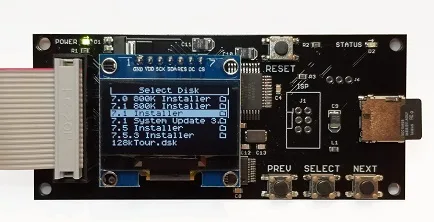
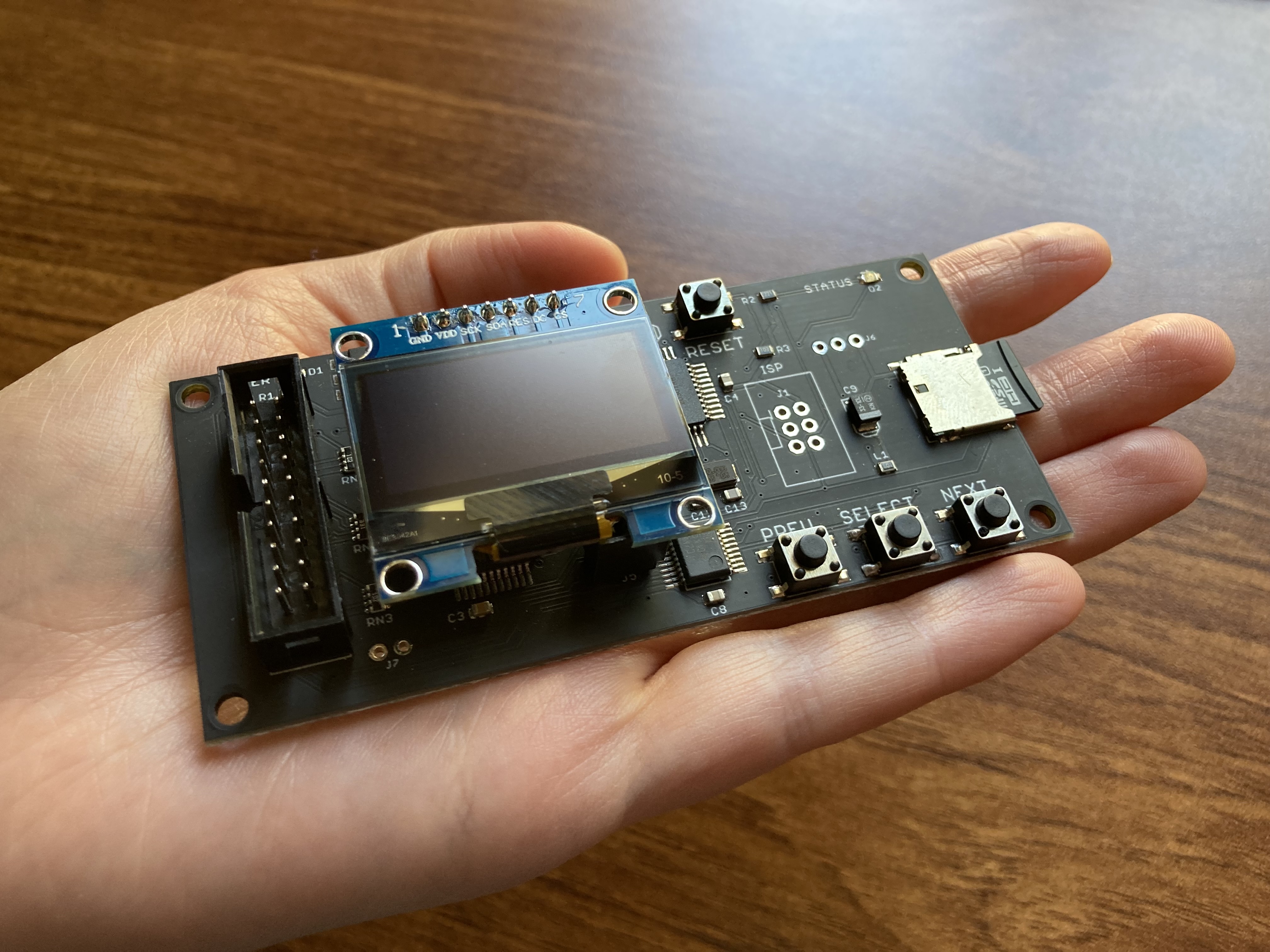
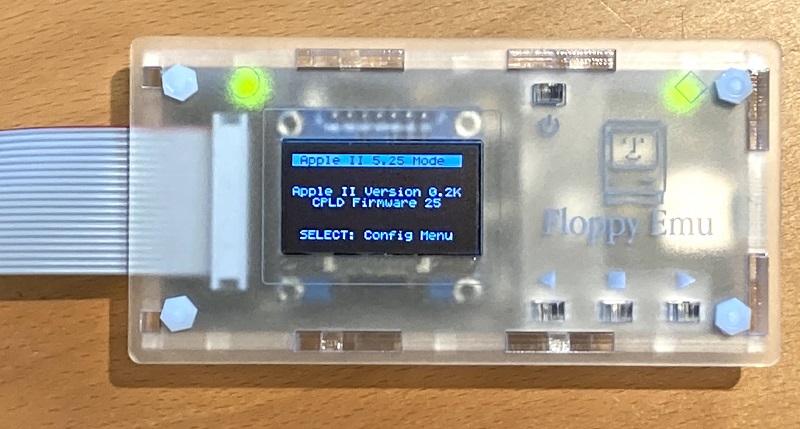
Floppy Emu is a floppy and hard disk emulator for classic Apple II, Macintosh, and Lisa computers. It uses an SD memory card and custom hardware to mimic an Apple floppy disk and drive, or an Apple hard drive. The Emu behaves exactly like a real disk drive, requiring no special software or drivers.
“Highly recommended.”
– Apple2Online
“A great device.”
– Blondihacks
“A boon for classic Mac collectors.”
– RetroMacCast
Bring new life to your old Apple computer! Floppy Emu is a specialized floppy and hard disk emulator for classic Apple computers. It uses a removable SD memory card and custom hardware to mimic an Apple floppy disk and drive, or an Apple hard drive. The Emu behaves exactly like a real disk drive, requiring no special software or drivers.
The BMOW Floppy Emu is perfect for booting your favorite games and software, or transferring files between vintage and modern machines. Just fill your SD card with disk images, plug in the Emu board, and you’ll be up and running in seconds.
Parts Sold Separately
For Apple IIc
Just For Fun
Usage Demonstration Video

Documentation
Instruction Manual and User Guide: PDF
日本語マニュアルはこちらから(2021/2/22更新): PDF
Setup Guide: PDF
Case assembly instructions: instructions
Instruction Manual and User Guide for previous generation Model B: PDF
日本語マニュアルはこちらから(2021/2/22更新): PDF
Setup Guide: PDF
Case assembly instructions: instructions
Instruction Manual and User Guide for previous generation Model B: PDF
Features
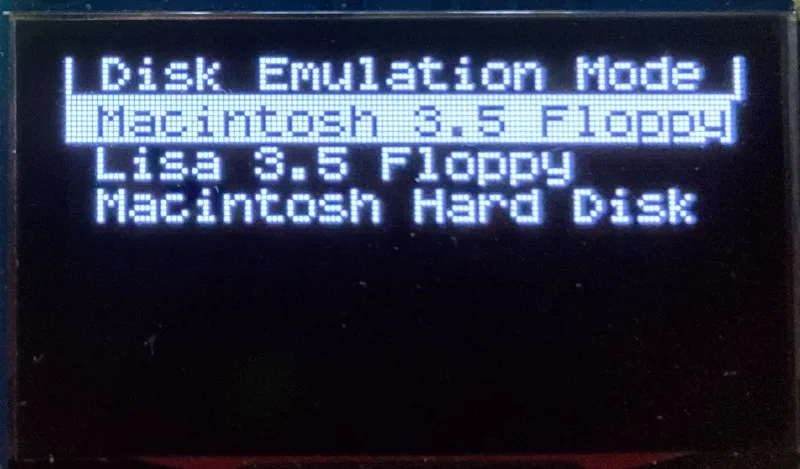
- Displays a menu UI for choosing from the disk images stored on the removable SD memory card
- Reads and writes emulated 140K, 400K, 800K, or 1.4MB floppy disk images, or hard disk images up to 2GB
- Compatible with all Apple II models, the original Macintosh 128K through the Mac II series and Power Mac, and Lisa 2
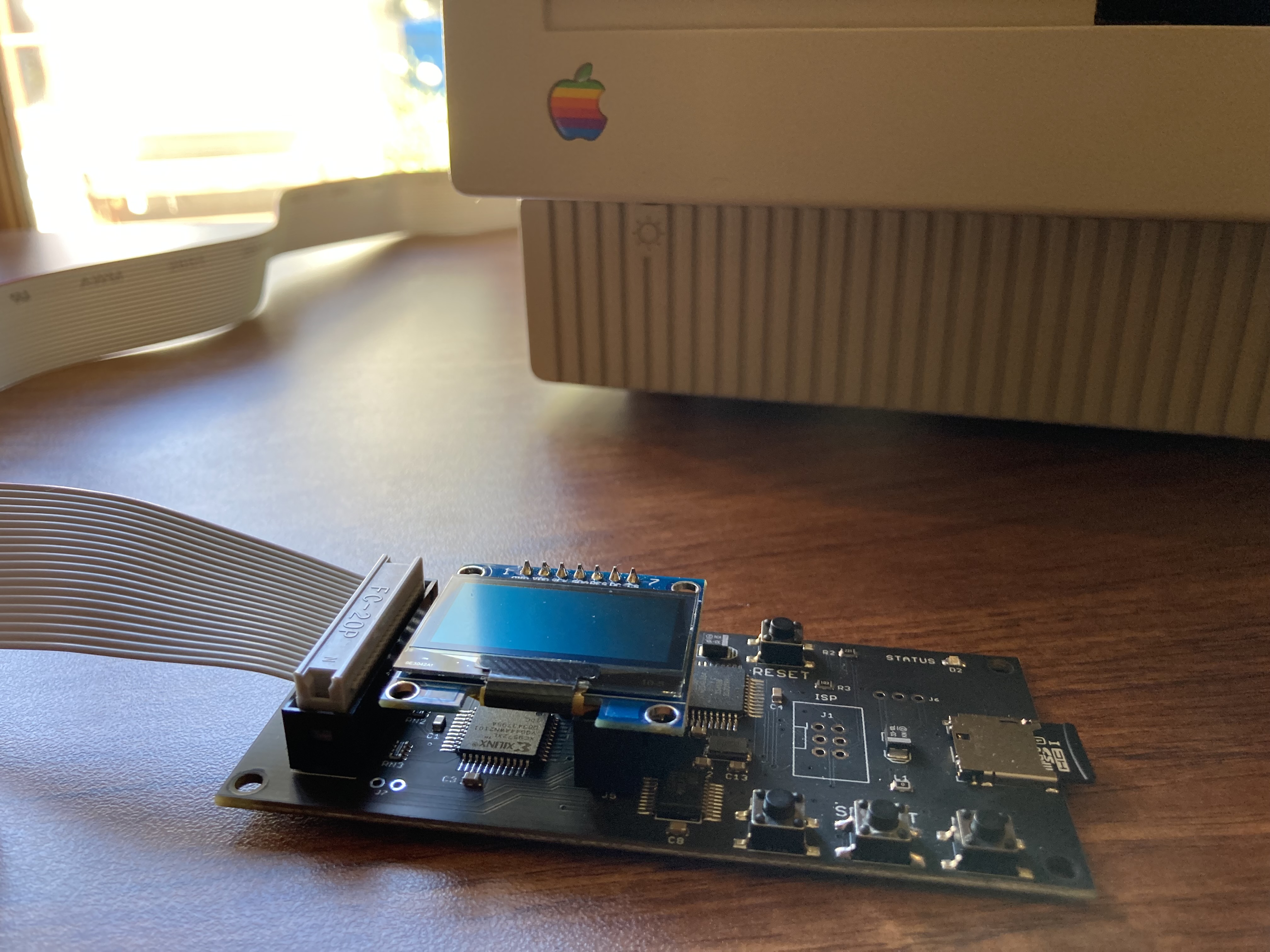
- Connects to external (DB-19 D-SUB) or internal (20 pin ribbon header) floppy drive connector
- Supports all major types of Apple disk images
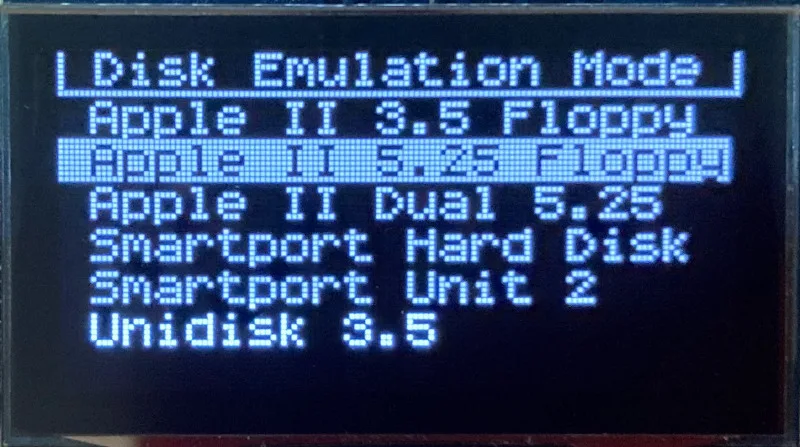
Apple II Floppy – Emulates 5.25 inch 140K floppy disks on any Apple II series system, as well as 3.5 inch 800K floppies on compatible Apple II models. An optional Dual 5.25 Floppy mode emulates two drives at the same time. Disk image files may be in .DSK, .DO, .PO, .2MG, .NIB (5.25 inch only) or .WOZ (5.25 inch only) formats. Disk images are compatible with common Apple II emulation tools such as AppleWin and Ciderpress.
Apple II Hard Disk – Emulates up to four simultaneous Smartport hard disks, each up to 32 MB (when formatted as ProDOS) or 2 GB (when formatted as HFS). Smartport disks are compatible with the Apple IIgs, Apple IIc (ROM version 0 or newer), Apple IIc+, and Apple II+ or IIe with a Yellowstone or Liron disk controller card.
For Apple II use, Floppy Emu connects to the built-in 19-pin disk connector on the Apple IIgs, IIc, and IIc+, or to a 20-pin or 19-pin connector on a separate disk controller card for other Apple II models. See the instruction manual for details on drive numbering and boot priority.
Macintosh Floppy – Supports 400K, 800K, and 1.4MB floppy disk images, in raw .dsk, Disk Copy 4.2, or MOOF formats. Disk image files are the same format as those used with popular software-based Mac emulators like Mini vMac. Compatible with the original Macintosh 128K through the Mac II series and Power Mac.
Macintosh Hard Disk / CD-ROM – HD20 hard disk / CD-ROM emulation is compatible with the Macintosh 512K, 512Ke, Plus, SE, (SE/30 when used with the Mac ROM-inator II), Classic, Classic II, Portable, IIci, IIsi, or LC I. Supports bootable hard disk / CD-ROM images up to 2GB. CD-ROMs are treated as read-only hard disks. Disk image files are compatible with other popular Mac emulators.
Lisa Floppy – Emulates 400K and 800K floppy disks on the Lisa 2/5 and 2/10. Boot or mount native Lisa Office System disk images in Disk Copy 4.2 format, or use Macintosh disk images within the MacWorks environment.
| COMPUTER | DISK EMULATION MODES |
|---|---|
| Apple II | |
| Apple II, II+, IIe with Yellowstone disk controller |  5.25 inch floppy, Dual 5.25 inch floppy, 3.5 inch floppy, Smartport hard disk, Unidisk 3.5 5.25 inch floppy, Dual 5.25 inch floppy, 3.5 inch floppy, Smartport hard disk, Unidisk 3.5 |
| Apple II, II+, IIe with standard disk controller | 5.25 inch floppy, Dual 5.25 inch floppy[1] |
| Apple II, II+, IIe with Liron disk controller | Smartport hard disk, Unidisk 3.5 |
| Apple IIc | 5.25 inch floppy[2], Dual 5.25 inch floppy[3], Smartport hard disk[4], Unidisk 3.5[4] |
| Apple IIgs, IIc+ | 5.25 inch floppy, Dual 5.25 inch floppy, 3.5 inch floppy, Smartport hard disk, Unidisk 3.5 |
| Macintosh | |
| Macintosh 128K | 3.5 inch 400K floppy |
| Macintosh 512K | 3.5 inch 400K floppy, HD20 hard disk / CD-ROM[5] |
| Macintosh 512Ke, Plus, SE | 3.5 inch 400K/800K floppy, HD20 hard disk / CD-ROM |
| SE FDHD, Classic, Classic II, Portable, IIci, IIsi | 3.5 inch 400K/800K/1.4MB floppy, HD20 hard disk / CD |
| LC [6] | 3.5 inch 400K/800K/1.4MB floppy, HD20 hard disk / CD |
| SE/30, IIcx | 3.5 inch 400K/800K/1.4MB floppy, HD20 hard disk / CD[7] |
| IIx [6] | 3.5 inch 400K/800K/1.4MB floppy, HD20 hard disk / CD[7] |
| IIfx, IIvx, IIvi, LC-II, LC-III, LC 4xx, LC 5xx, Color Classic, Color Classic II, TV, Performa, Quadra, Centris, Power Mac [6] | 3.5 inch 400K/800K/1.4MB floppy |
| Lisa | |
| Lisa 2/5 and 2/10 | 3.5 inch 400K/800K floppy |
[1] Disk II Controller Card with 20-pin connector requires Dual 5.25 Adapter for dual drives
[2] requires internal motherboard connection or Internal/External Switcher for booting 5.25 inch disks, see instructions
[3] requires Internal/External Switcher
[4] requires IIc with ROM revision 0 or newer for Smartport and Unidisk 3.5 modes, see instructions for details
[5] Mac 512K also requires a boot floppy with HD20 Init for HD20 hard disk / CD-ROM mode
[6] uses internal disk connector on the computer’s motherboard
[7] requires Mac ROM-inator II for HD20 hard disk / CD-ROM mode
Technology
Interested in how Floppy Emu works under the hood? Check out the Floppy Emu Technology Design page.
FAQ
Can I boot from an emulated floppy or hard disk?
Yes you can!
Does this require a special driver, ROM, or INIT?
No software is required for standard floppy disk emulation on any system. Apple IIc requires ROM version 0 or later for Smartport hard drives and Unidisk 3.5 drives – ROM version 255 lacks support for these. For Macintosh HD20 / CD-ROM hard disk emulation, most supported Mac models require no software, though the Mac 512K requires Apple’s HD20 Init.
What types of disk image files are supported?
Apple II supports 140K floppy disk images in .DSK, .DO, .PO, .NIB, .WOZ, or .2MG format, 800K floppy disk images in .DSK, .DO, .PO, .2MG, and DiskCopy 4.2 format, or hard disk images up to 2 GB in .PO, .2MG, or .HDV format. The maximum size of a ProDOS volume is 32 MB, so larger hard disk images must be formatted as HFS. Macintosh supports 400K, 800K, or 1.4MB floppy disk images in raw .dsk format, DiskCopy 4.2 .image format, MOOF format, or hard disk images up to 2GB in raw format. Lisa supports 400K or 800K floppy disk images in DiskCopy 4.2 format.
Can I format the emulated disk?
Yes for most drive types and disk image types. However, instead of formatting the emulated disk, it’s normally preferable to use a pre-existing blank disk image. In-system formatting of the emulated disk is supported for all Macintosh disk image types, as well as Apple II Smartport hard disks, Unidisk 3.5, WOZ disk images, and NIB disk images. Formatting performance of floppy disk images may vary depending on your SD card’s write cache behavior. For best performance, use the Blank.WOZ or Blank.MOOF sample disk images that are included with the Floppy Emu firmware.
Can I back-up old floppies using tools like Copy II Plus or Disk Copy 4.2?
Yes, with some conditions. Many disk copy programs perform a simultaneous format-and-write of the destination floppy, which may create problems (see previous answer about formatting). For best results, use a destination disk image type that supports in-system formatting. See the manual for details.
Can the Emu work with copy-protected disks?
Most copy-protected disks in WOZ or MOOF format will work with the Floppy Emu, but there are some rare exceptions. The hardware is primarily designed to work with unprotected disks using standard sector and disk formats.
Can I emulate multiple disk drives at once?
Floppy Emu can store as many disk image files as your SD card will hold. For compatible Apple II models, the hardware supports dual 5.25 inch floppy drive emulation. For Apple II Smartport hard disk emulation, up to four hard disks may be active at the same time. For other computer models and disk types, only one disk can be “inserted” in the emulated drive at any given time.
Can I connect two Floppy Emus to the same computer?
Yes, if they’re attached to separate disk ports, or to separate connectors of a dual-connector disk controller. For compatible Apple II computers, a Floppy Emu board can also be placed in a daisy chain along with other disk drives. The Emu doesn’t have a daisy-chain output port, but the optional Daisy Chainer adds one. Daisy-chaining is not supported by the Lisa or Macintosh.
How can I copy documents from an old Apple II or Mac disk to a modern PC?
Use Floppy Emu to copy the documents from the original disk onto a blank disk image residing on the SD card, then put the SD card in your PC and use a disk image utility program like CiderPress or HFVExplorer to open the disk image and extract the files. See the manual for details.
More questions?
Please see the Floppy Emu user guide for complete details and instructions.
Firmware Downloads
Floppy Emu firmware versions are available with support for Apple II, Macintosh, or Lisa computers.
Install the firmware version for the type of computer you plan to use with your Floppy Emu.
Apple II
- Apple II firmware, for Floppy Emu Model C or B, normal version: 250225A
- Apple II firmware, for Floppy Emu Model C or B, SPDC version: 250225A-SPDC what’s this?
- Apple II firmware, for Floppy Emu Model A: 250225A-ModelA
Macintosh and Lisa
- Macintosh and Lisa firmware, for all Floppy Emu models: 240209M
Older Versions (try these if the latest version gives you problems)
Apple II, Model C or B, normal version: 240208A 231213A 230712A 230218A
Apple II, Model C or B, SPDC version: 240208A-SPDC 231213A-SPDC 230712A-SPDC 230218A-SPDC
Apple II, Model A: 240208A-ModelA 231213A-ModelA 230712A-ModelA 230218A-ModelA
Macintosh/Lisa, all models: 231212M 230309M 230203M 221221M
Apple II, Model C or B, SPDC version: 240208A-SPDC 231213A-SPDC 230712A-SPDC 230218A-SPDC
Apple II, Model A: 240208A-ModelA 231213A-ModelA 230712A-ModelA 230218A-ModelA
Macintosh/Lisa, all models: 231212M 230309M 230203M 221221M

I just purchased a Model A + Universal Adapter + Acrylic case. 🙂
This is such a cool product, I think it is the creme de la creme of Apple retro storage devices. 🙂
the Video’s on YouTube sold me. Cannot wait to get my IIgs connected and booting 🙂
This is an amazing device! It helped bring my 128k Mac with a bad internal drive back to life. It’s really elegantly designed and I love the acrylic case.
Hi Steve,
I was recently listening to the RCR podcast (an episode from late last fall) and they talked a little bit about the FloppyEMU model B. Can’t remember who sneaked of it, but he said that the new version can emulate Apple II and Mac without a firmware change. Can you confirm if true? Maybe I misunderstood too…
Thanks
That’s not quite accurate. The newer model B can emulate all types of Apple II drives without the need for extra hardware, whereas the older model A requires a separate adapter if you need Apple II 3.5 inch disk support. See the compatibility table above for the complete details. Both models have separate firmware for Mac or Apple II support.
Thanks Steve
The episode 118 can be listened to here, at 55 minutes: http://host2.cyberears.com/29988.mp3
Paul really says there’s no firmware flash required, so his understanding is wrong!
Steve, do you know where I could buy a small(2-3 inches) disk cable to put on the board of the floppy emu to get the internal connector just outside the the emu case? I think it would need to be female to male.
Try DigiKey in their “rectangular cable assemblies” section. They have some 20-pin ribbon cables.
Question – given that one can only “mount” one disk image at a time, I’m wondering if the Emu can be used to do an Classic Mac OS installation to a real SCSI hard drive mounted in the Mac. I’m guessing the answer would be YES if there is an appropriate Disk Copy utility installed in the .DSK file one is booting. Restating the question, can I easily use the EMU to “image” a blank SCSI disk already installed in a Mac, as opposed to just booting the Mac.
Yes, you can do an OS install onto a hard disk, using disk images of the Apple installer floppies.
Have been waiting on these to come available. Hadn’t checked in a few days and just saw today they were available. Have a ][+, 2 //gs machines, a Mac Plus and Mac SE30 that I’d love to get booted back up again. Can’t wait til it arrives!
Just bought mine. Looking forward to getting it. Only thing I’m curious about, can you install a System to a Mac only using this? I.E. Can you ’emulate’ disk swaps without powering off the machine?
hello, i’m french and i use you floppy emul. Now i’m use it with the 2gs but with smartport, when i put 1,2,3 or 4 image disk, i have sometime “files not contiguous” what is the problem?
thanks.
The files must be in a contiguous range of sectors on the SD card, in order for optimal performance. If they’re not, you can delete all the files on the SD card and then copy them back. Or reformat the SD card, and then replace the files. A defragmenting tool should also work, but the other methods are easier. 🙂
Going to buy an Aplle //e ) Do you have shipment to Russia ? Also, will it work with AppleII clones like Franklin Ace machines ?
Yes, shipments can be sent to any country by US Postal Service First Class Package service. See the shipping rates on the product pages in the BMOW store. I don’t have any direct experience with the Franklin Ace, but in general if the computer is Apple II compatible then it should work.
I’ve been really happy with this unit. Allowed me to get my //gs back up and running again, which then turned into figuring out how to get the hard drive in it running again, and now a fully functional system again. Can’t wait to try it out on my old Macs… Great product, just wish I would have the patience to put the box together! LOL!
Hey, Steve I’ve been trying to get the emu to work on my Mac Plus, but to no avail. My Mac has a bad disk drive, and a disk icon with a question mark. When I try to boot from the 6.0.8.dsk, you see the icon change to a happy face, also see the track, and side numbers changing, then “idle” appears. But no boot. I’ve tried this with the other 800k or 400k .dsk images with the same results. Any ideas as to why no complete boot?
That’s hard to say without knowing the history of the machine – possibly it’s RAM-related? Send me an email or ask the Mac gurus as 68kmla.org for troubleshooting advice.
Ive had my Floppy Emu (Model B) for about a week now.
It is a MUST HAVE!
I previously had a MicroDrive, which was hard to put files on. Not with this! In disk emulation, all you have to do is drag the disk image to the folder. For HD, you have to open it in cider press. Still easier than the MD! And Micro SDs are EASY to find vs CF cards.
Its definitely faster than a regular old disk drive, but it is slower than a MicroDrive, which really doesn’t matter since coursing a 25 year old computer!
The only thing I wish it had was the ability to emulate the disk emulation and HD at the same time. I know, all you have to do is turn the computer off and on again, but still, it would then be perfect.
Instructions are a little unclear at a few spots, but after a day of trial and error, I finally figured it all out.
Overall, GREAT product!
Thanks, and let me know if there are specific sections of the instructions that need more fleshing out.
I know I probably shouldn’t post this on here and just email you, but its a question everyone might want to know the answer to.
When I plug the Floppy Emu into a 3.5 inch drive, my IIGS boots from the drive, NOT the Emu. This is when its on smart port mode. Even if I restart, it doesn’t pick up the HD, which boots if its directly plugged into the computer.
And by the way, looking in the Apple IIGS manual, it says the disk drive daisy chain should go 3.5 drive first, smart port(FEMU), and 5.25. If I wanted to use a 5.25 drive, would it still work fine if I plugged in a 5.25 drive, with the FEMU attached?
I might just be doing something wrong too.
Thanks!
*your using, not coursing
That’s right. Apple II systems can normally only boot from drive 1, not drive 2. When you have the Emu in Smartport mode and daisy-chained behind an Apple 3.5 drive, the Emu becomes slot 5, drive 2. You can use it as a data disk with that setup, but the IIGS won’t boot from it.
I was wondering if the IIcx, since it has a DB-19, can handle the Floppy EMU?
Yes, please see section 7 in the manual. Any Apple computer with an external DB-19 or internal 20-pin floppy disk connector should work.
Steve
I am pretty well sold on your Floppy Emu.
Can I be very basic and ask: will it work with an Apple ][ Europlus? Mine has been sitting quietly watching 16 later Apples/Macs pass it by and it would be great to get it going again if only to allow another generation to play Lemonade Stand and learn Economics from it like my 38 year old did at age 2!
Secondly do I gather it will run on my Mac Plus too? If I can get it out of its carry bag and start it too!
Howabout LC475?
Is ther anyt limit to the size of SD card – I have a 128 GB SD card which I use for storing movies with a compact flash on a USB card reader so I can download stuff for my older Macs from my MBP….?
Other wise getting it and setting it up to amuse me after my upcoming hip op!
Colin
Please see the manual (above) for full details. Yes, those machines are all supported. The LC475 will require an internal connection to its logic board, as described in the manual. For SD cards, smaller capacity cards are preferred and usually give slightly better performance.
Thanks Steve,
Well Friday afternoon has come and I am delighted to say that both my screen and Apple ][ powered up first time after 30+ years!
I know from using them 18 years ago with a 2e I had and foolishly loaned to a neighbours boys – who trashed it – that at least one of the Disk ][ drives isnt set up right but with Floppy Emu I can work without.
It will be interesting to try Visicalc and Supercalc again.
Cleaning to do now….. 30+ year grime on the A2M2010P Green requires attention.
So My order is in the box
Thanks
Hello again,
I just bought a Macintosh IIcx, and thought I give my Model B a try. Floppy mode works no problem, but when in hard disk mode, I can’t boot since I have internal hard drive. How can I make the EMU bootable? This was (of course) never issue with my Mac Plus.
Thanks,
Kristian
Some Macintosh models like the IIcx lack support for HD20-type hard disks. See the “Macintosh Hard Disk” section above for the list of compatible Mac models.
Ah, missed that one, thank you Steve.
If you ever come up with a SCSI-type-thing-a-ma-jigg — I’ll buy it instantly! 🙂
K
Hi again. Loving your Floppy Emu. However, I have hit a snag. Nothing wrong with the fantastic unit, more the machine I intend to use it with.
In short the only (safe-ish) way to use it in something like a Macintosh Colour Classic is to use it and try and peak at the LCD display, while the casing is off!!!
All that I’d need to fix this is a male to female Floppy ribbon cable (instead of the supplied female to female). Do you think it could be possible to make such a thing and maybe even add it as an option to buy one for us Colour Classic users? Or has someone else thought of this?
Thanks in advance.
Digikey sells 20-pin ribbon cables in many lengths and genders, although I’m not following how a different gender cable would be used. The supplied 20-pin cable (with the detachable 19-pin adapter) is the correct gender to fit the floppy connector on the Color Classic’s logic board. Since the CC doesn’t have an external DB-19 port, this is the only connection option for that machine.
I can only use the female internal floppy cable in the CC which really needs to be extended out. Since that goes deep inside the machine and to the edge connector. Meaning I had to use that cable inside the machine directly to the Emu since it wasn’t the correct gender (female cable supplied with the Emu and female from the edge connector). It’s hard to explain clearly but basically the only way I’d get it to work without an extra cable or gender changer is to plug tthe Emu directly into the cable that was plugged into the internal floppy drive, which gives little slack. That’s why a simple gender changer for either ribbon would work and would be simpler solution.
It just wasn’t a fun experience trying to read the display while barely a couple of inches way from a toasty death by CRT! xD
I might check Digikey out, hopefully postage won’t be too much of a problem. Just thought I’d suggest it anyway! Other Classic/Compact users probably wouldn’t have the problem being their floppy connector is on the mainboard.
The internal ribbon cable is designed to go directly from the computer’s logic board to the Emu. It’s not an extension cable for the pre-existing floppy cable, so there shouldn’t be any need for gender changers unless there’s something unique about the Color Classic that I’m not aware of. Here are some cables like you described, if you want to experiment:
https://www.digikey.com/product-search/en/cable-assemblies/rectangular-cable-assemblies/1573018?k=&pkeyword=&pv77=2384&pv77=2389&pv77=2426&pv77=2429&FV=1600022%2C1680002%2C117c0006%2Cfff40018%2Cfff8009a%2C700656&mnonly=0&newproducts=0&ColumnSort=1000011&page=1&stock=1&quantity=0&ptm=0&fid=0&pageSize=25
If you’re still stuck, please email me directly and I’ll do my best to help.
I just got my Floppy Emu rev. B – it’s great! I have a potentially stupid question, though. I’m using an Apple IIGS and I have four real drives – two 3.5’s and two 5.25’s. I understand this is normally the max for daisy chaining but the IIGS manual says you *can* daisy chain more drives, they’ll just appear in slot 2, which is the “overflow” slot.
Will this work in any configuration with the Floppy Emu? I briefly tried it last night and it didn’t seem to work, but I’m wondering if it just limits me to using one type of emulation.
Failing that, is there any way to remove one drive (so the Floppy Emu would be the fourth) but still be able to use all the emulation modes while in the daisy chain? Or can you only switch modes back and forth if you’re connected directly to the IIGS as the only drive?
The Floppy Emu can be daisy-chained or be directly connected to the IIGS as the only drive. If daisy chained, you need to observe the drive type ordering rules (described in the manual) as if Floppy Emu were a physical disk drive – 3.5 inch drives before smartport drives before 5.25 inch drives.
Hello, I have an original Macintosh 128k and I’d like to ask you a question: if I use my computer with the Floppy Emu, will I have to put a system diskette in the internal disk drive, or can I emulate having a system diskette plus a software disk, both mounted in the computer? That is, I’d like to know if I will really become “free” of having to use diskettes, or if I will still have to use a system disk always in the Mac internal disk drive. Other option would be to emulate a hard disk, containing both the operating system and all the softwares. But do you know if this original 128k Mac can understand a hard disk emulated by the Floppy Emu? Thanks.
You can boot a 128k from the Emu, but it can emulate only one drive at a time. If you want two, you’d have to use the internal floppy.
That’s right. You can also remove the emulated system disk after booting, and select a different software disk through the Emu’s menus, then the Mac will prompt you when you need to reinsert the original system disk. The Mac 128K doesn’t support the Floppy Emu’s hard disk mode: see “Macintosh Hard Disk” in the description above for the list of Mac models with the necessary hard disk support.
FANTASTIC!! I just got mine and just loaded up Hard Hat Mack and Lemonade Stand!!
Thanks so much for your quick shipment and awesome product!!!
Hi, i am fixing an old Hunter machine that seems to use powerpc and MAC floppy with unknown programm. i would like to ditch out the floppy drive to gain robustness on this machine because the floppys keep on breaking and the programm is becoming very rare and hard to find.
Is there a way to know if your unit could work. it uses a 3.5 sony floppy MP-F17W-10 which is meant for macs.
thanks for any help.
I’ve never heard of a Hunter machine, sorry.
sorry, some explications are necessary
It is a car alignement machine, manufactured by Hunter. model is K111, it uses a strange powerpc inside the main tower of the machine or maybe an old mac, and uses raw software directly onto the floppy (maybe assembler)
I came to the conclusion that its mac based because of the floppy drive meant for mac’s.
thanks for any guidance to see if the sony floppy can be swaped over your unit, assuming i can read one of the disquette and make an image of it on the SD card.
machine image
http://i598.photobucket.com/albums/tt64/coalvillep1/1085.jpg
Pat,
That Hunter machine uses standard MFM PC floppy drives. There are many floppy emulators out there that support those drives such as the HxC and Gotek clones.
Hi, i know at least 2 persons who did try with the gotek and they gave up after 10-12 month worth of work. What could realy go wrong with that ? i have many floppy drive from the same era, only the Sony one works on this machine. could it be that the machine recognise the drive in some way ?
otherwise it completely refuses to work.
thanks,
Hello! I bought it some times ago and it is working great! But there is one point: I did not see new files on the SD card. I copy file to the card on my macbook (mac os x 10.11) but then I connected the emu to apple ii I did not see some of them. It is not depending of format. For example I can see one DSK file and did not see another DSK file. Also PO and IMAGE format. What can be wrong?
Disk image files are displayed in the LCD menu if they’re compatible with the currently selected emulation mode and disk size. For example, 3.5 inch disk images won’t be displayed if the Emu is in 5.25 inch disk mode. The disk image file must also be in a supported format, with the expected file size and signature bytes for that format.
Thank you Steve! It\’s clear! But also i could not see some files what was at the card already. I get the emu with sd card, with software collection.
Hi Roman, I sent you a follow-up email for further support.
I’ve purchased a Floppy Emu Model B awhile back. I just got a chance and fired up the Apple ][. When I select Apple ][ from the menu then 5.25″ it lists no files in the directory listing.
When I load the SD card on my laptop all the files in that same directory list just fine anyone have an idea what I’m doing wrong?
Nice little device!
Marty
You’ll need to install the Apple II-compatible firmware for the Emu, if you haven’t already. Disk image files are displayed in the LCD menu if they’re compatible with the currently selected emulation mode and disk size. For example, 3.5 inch disk images won’t be displayed if the Emu is in 5.25 inch disk mode. The disk image file must also be in a supported format, with the expected file size and signature bytes for that format. Please see the manual for details.
How can I identify my Floppy emulator as a model a or b?
Thanks,
John
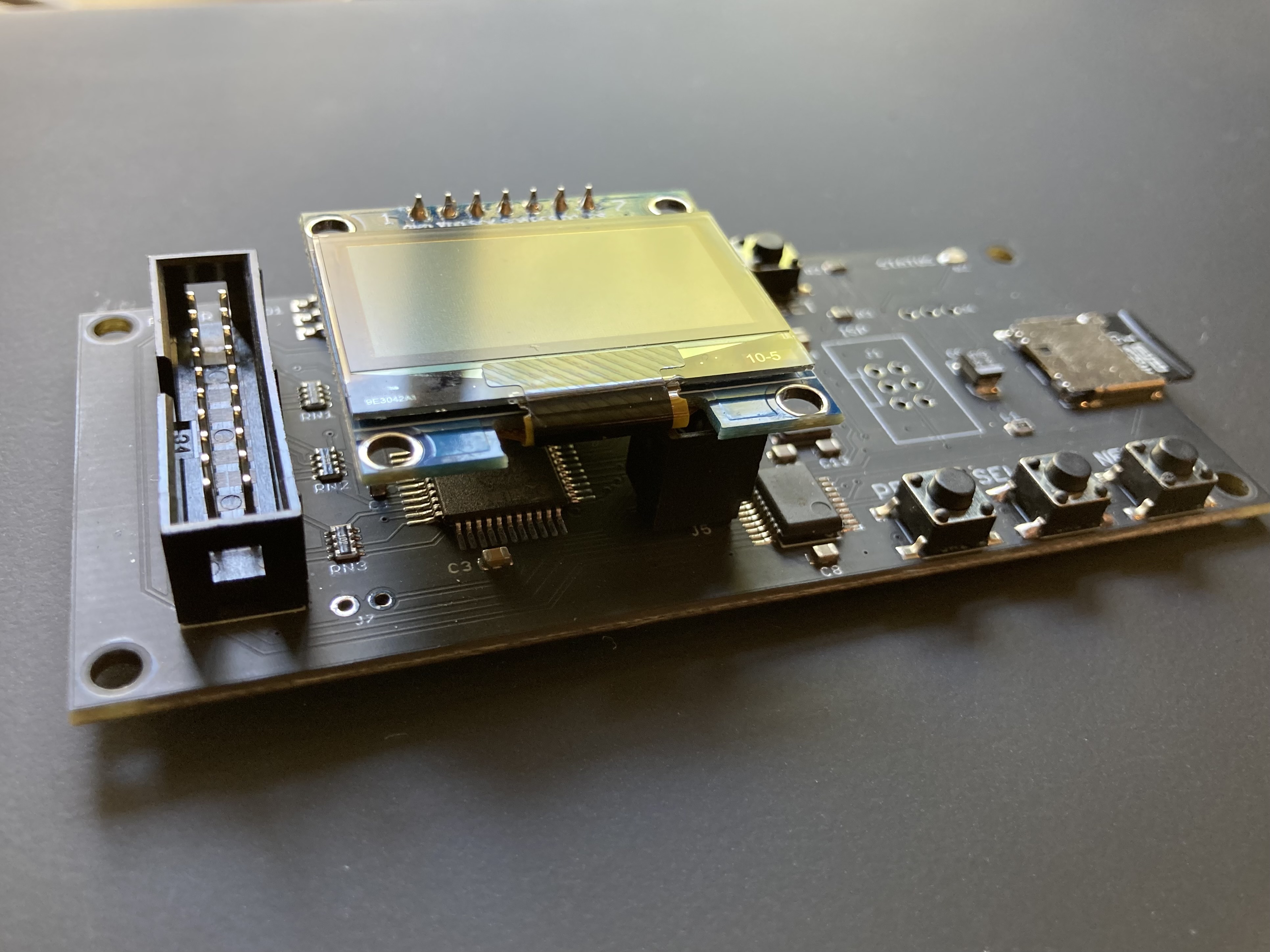
Model B uses micro-SD cards and says “Model B” on the bottom of the board.
Is there any way of operating the unit wirelessly or via gui in the same way as “UNISDISK Air”?