

Bring new life to your old Apple computer!
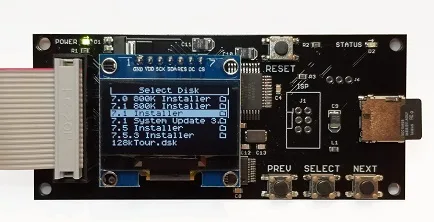
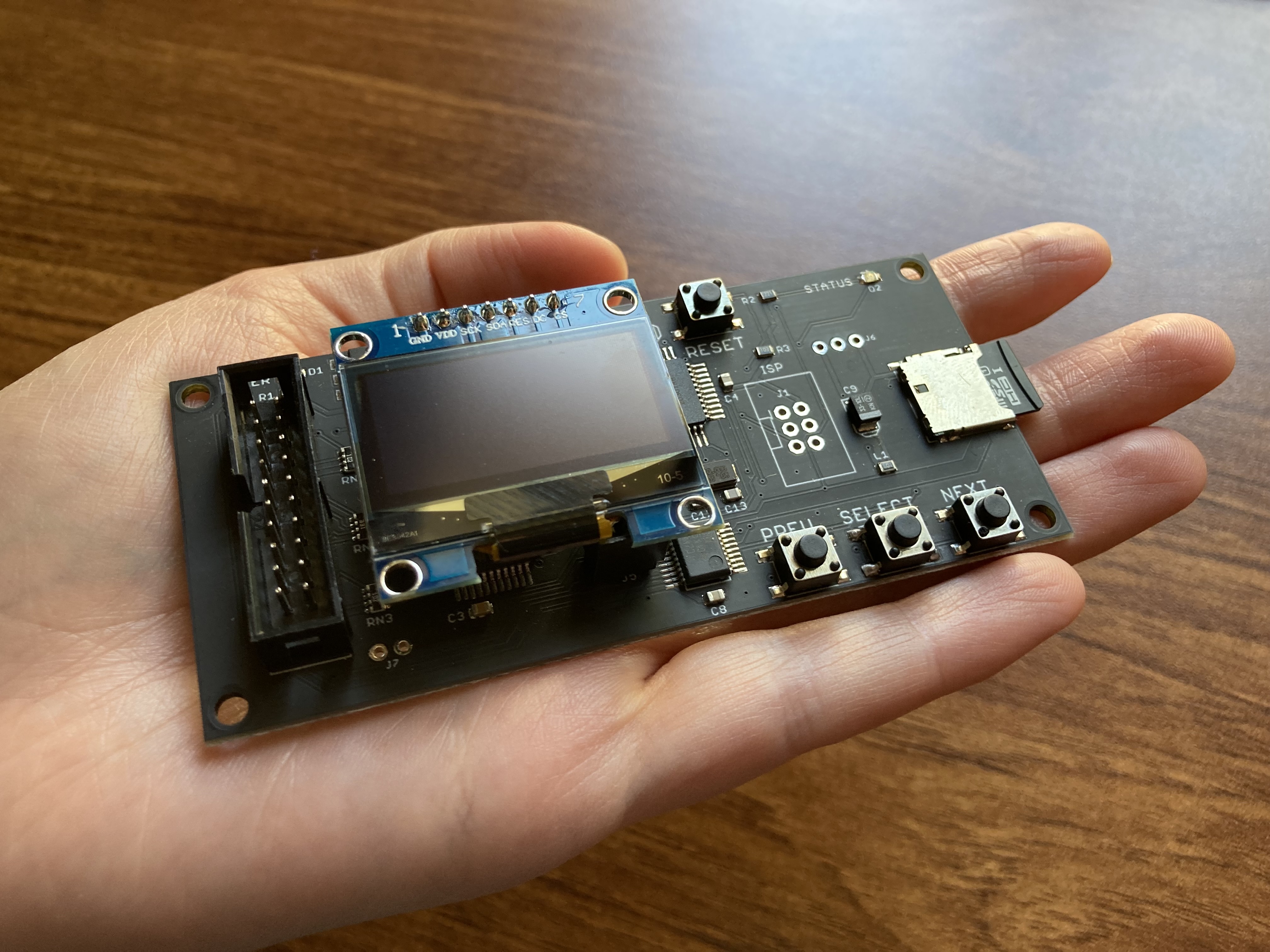
Floppy Emu is a floppy and hard disk emulator for classic Apple II, Macintosh, and Lisa computers. It uses an SD memory card and custom hardware to mimic an Apple floppy disk and drive, or an Apple hard drive. The Emu behaves exactly like a real disk drive, requiring no special software or drivers.
“Highly recommended.”
– Apple2Online
“A great device.”
– Blondihacks
“A boon for classic Mac collectors.”
– RetroMacCast
Bring new life to your old Apple computer! Floppy Emu is a specialized floppy and hard disk emulator for classic Apple computers. It uses a removable SD memory card and custom hardware to mimic an Apple floppy disk and drive, or an Apple hard drive. The Emu behaves exactly like a real disk drive, requiring no special software or drivers.
The BMOW Floppy Emu is perfect for booting your favorite games and software, or transferring files between vintage and modern machines. Just fill your SD card with disk images, plug in the Emu board, and you’ll be up and running in seconds.
Parts Sold Separately
For Apple IIc
Just For Fun
Usage Demonstration Video

Documentation
Instruction Manual and User Guide: PDF
日本語マニュアルはこちらから(2021/2/22更新): PDF
Setup Guide: PDF
Case assembly instructions: instructions
Instruction Manual and User Guide for previous generation Model B: PDF
日本語マニュアルはこちらから(2021/2/22更新): PDF
Setup Guide: PDF
Case assembly instructions: instructions
Instruction Manual and User Guide for previous generation Model B: PDF
Features
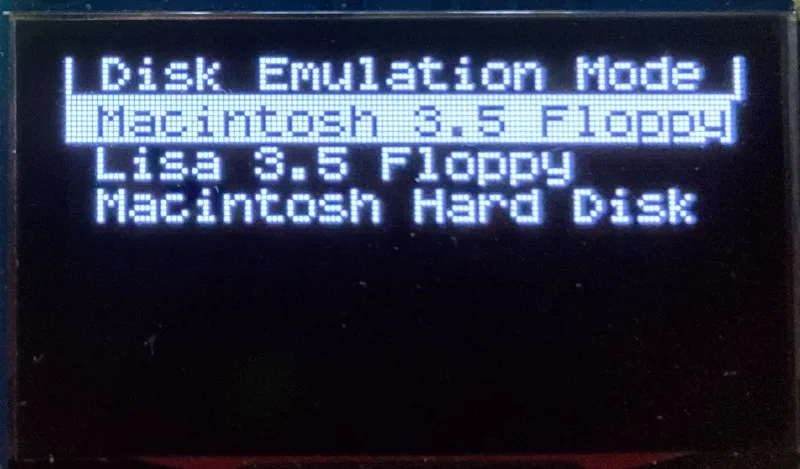
- Displays a menu UI for choosing from the disk images stored on the removable SD memory card
- Reads and writes emulated 140K, 400K, 800K, or 1.4MB floppy disk images, or hard disk images up to 2GB
- Compatible with all Apple II models, the original Macintosh 128K through the Mac II series and Power Mac, and Lisa 2
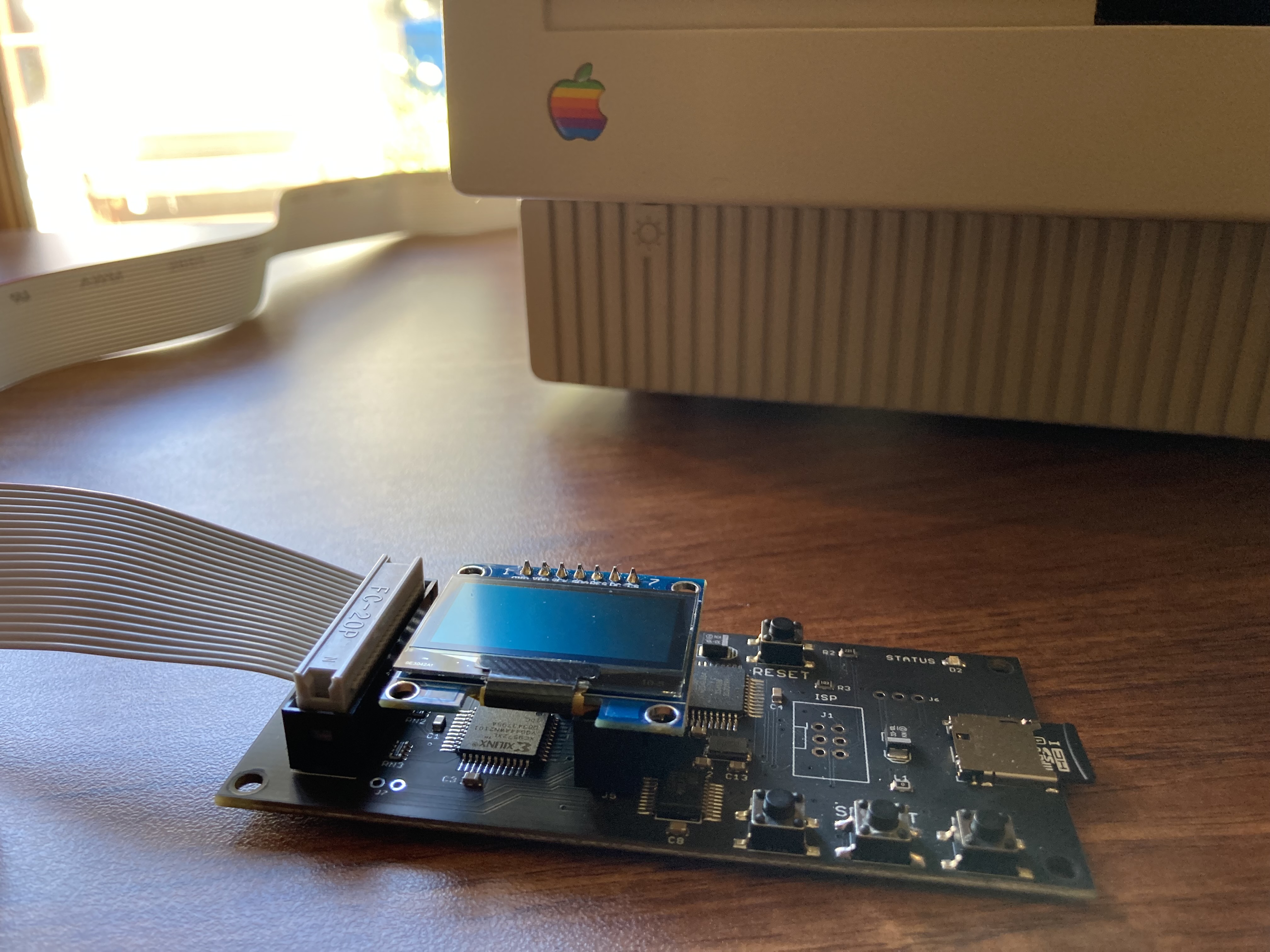
- Connects to external (DB-19 D-SUB) or internal (20 pin ribbon header) floppy drive connector
- Supports all major types of Apple disk images
Apple II Floppy – Emulates 5.25 inch 140K floppy disks on any Apple II series system, as well as 3.5 inch 800K floppies on compatible Apple II models. An optional Dual 5.25 Floppy mode emulates two drives at the same time. Disk image files may be in .DSK, .DO, .PO, .2MG, .NIB (5.25 inch only) or .WOZ (5.25 inch only) formats. Disk images are compatible with common Apple II emulation tools such as AppleWin and Ciderpress.
Apple II Hard Disk – Emulates up to four simultaneous Smartport hard disks, each up to 32 MB (when formatted as ProDOS) or 2 GB (when formatted as HFS). Smartport disks are compatible with the Apple IIgs, Apple IIc (ROM version 0 or newer), Apple IIc+, and Apple II+ or IIe with a Yellowstone or Liron disk controller card.
For Apple II use, Floppy Emu connects to the built-in 19-pin disk connector on the Apple IIgs, IIc, and IIc+, or to a 20-pin or 19-pin connector on a separate disk controller card for other Apple II models. See the instruction manual for details on drive numbering and boot priority.
Macintosh Floppy – Supports 400K, 800K, and 1.4MB floppy disk images, in raw .dsk, Disk Copy 4.2, or MOOF formats. Disk image files are the same format as those used with popular software-based Mac emulators like Mini vMac. Compatible with the original Macintosh 128K through the Mac II series and Power Mac.
Macintosh Hard Disk / CD-ROM – HD20 hard disk / CD-ROM emulation is compatible with the Macintosh 512K, 512Ke, Plus, SE, (SE/30 when used with the Mac ROM-inator II), Classic, Classic II, Portable, IIci, IIsi, or LC I. Supports bootable hard disk / CD-ROM images up to 2GB. CD-ROMs are treated as read-only hard disks. Disk image files are compatible with other popular Mac emulators.
Lisa Floppy – Emulates 400K and 800K floppy disks on the Lisa 2/5 and 2/10. Boot or mount native Lisa Office System disk images in Disk Copy 4.2 format, or use Macintosh disk images within the MacWorks environment.
| COMPUTER | DISK EMULATION MODES |
|---|---|
| Apple II | |
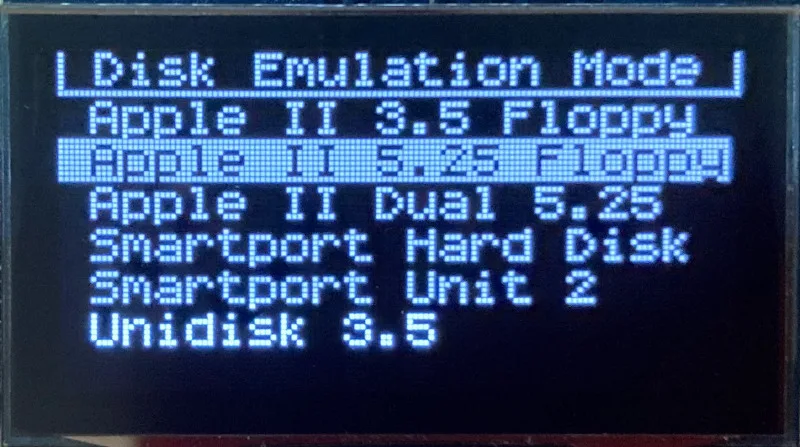
| Apple II, II+, IIe with Yellowstone disk controller |  5.25 inch floppy, Dual 5.25 inch floppy, 3.5 inch floppy, Smartport hard disk, Unidisk 3.5 5.25 inch floppy, Dual 5.25 inch floppy, 3.5 inch floppy, Smartport hard disk, Unidisk 3.5 |
| Apple II, II+, IIe with standard disk controller | 5.25 inch floppy, Dual 5.25 inch floppy[1] |
| Apple II, II+, IIe with Liron disk controller | Smartport hard disk, Unidisk 3.5 |
| Apple IIc | 5.25 inch floppy[2], Dual 5.25 inch floppy[3], Smartport hard disk[4], Unidisk 3.5[4] |
| Apple IIgs, IIc+ | 5.25 inch floppy, Dual 5.25 inch floppy, 3.5 inch floppy, Smartport hard disk, Unidisk 3.5 |
| Macintosh | |
| Macintosh 128K | 3.5 inch 400K floppy |
| Macintosh 512K | 3.5 inch 400K floppy, HD20 hard disk / CD-ROM[5] |
| Macintosh 512Ke, Plus, SE | 3.5 inch 400K/800K floppy, HD20 hard disk / CD-ROM |
| SE FDHD, Classic, Classic II, Portable, IIci, IIsi | 3.5 inch 400K/800K/1.4MB floppy, HD20 hard disk / CD |
| LC [6] | 3.5 inch 400K/800K/1.4MB floppy, HD20 hard disk / CD |
| SE/30, IIcx | 3.5 inch 400K/800K/1.4MB floppy, HD20 hard disk / CD[7] |
| IIx [6] | 3.5 inch 400K/800K/1.4MB floppy, HD20 hard disk / CD[7] |
| IIfx, IIvx, IIvi, LC-II, LC-III, LC 4xx, LC 5xx, Color Classic, Color Classic II, TV, Performa, Quadra, Centris, Power Mac [6] | 3.5 inch 400K/800K/1.4MB floppy |
| Lisa | |
| Lisa 2/5 and 2/10 | 3.5 inch 400K/800K floppy |
[1] Disk II Controller Card with 20-pin connector requires Dual 5.25 Adapter for dual drives
[2] requires internal motherboard connection or Internal/External Switcher for booting 5.25 inch disks, see instructions
[3] requires Internal/External Switcher
[4] requires IIc with ROM revision 0 or newer for Smartport and Unidisk 3.5 modes, see instructions for details
[5] Mac 512K also requires a boot floppy with HD20 Init for HD20 hard disk / CD-ROM mode
[6] uses internal disk connector on the computer’s motherboard
[7] requires Mac ROM-inator II for HD20 hard disk / CD-ROM mode
Technology
Interested in how Floppy Emu works under the hood? Check out the Floppy Emu Technology Design page.
FAQ
Can I boot from an emulated floppy or hard disk?
Yes you can!
Does this require a special driver, ROM, or INIT?
No software is required for standard floppy disk emulation on any system. Apple IIc requires ROM version 0 or later for Smartport hard drives and Unidisk 3.5 drives – ROM version 255 lacks support for these. For Macintosh HD20 / CD-ROM hard disk emulation, most supported Mac models require no software, though the Mac 512K requires Apple’s HD20 Init.
What types of disk image files are supported?
Apple II supports 140K floppy disk images in .DSK, .DO, .PO, .NIB, .WOZ, or .2MG format, 800K floppy disk images in .DSK, .DO, .PO, .2MG, and DiskCopy 4.2 format, or hard disk images up to 2 GB in .PO, .2MG, or .HDV format. The maximum size of a ProDOS volume is 32 MB, so larger hard disk images must be formatted as HFS. Macintosh supports 400K, 800K, or 1.4MB floppy disk images in raw .dsk format, DiskCopy 4.2 .image format, MOOF format, or hard disk images up to 2GB in raw format. Lisa supports 400K or 800K floppy disk images in DiskCopy 4.2 format.
Can I format the emulated disk?
Yes for most drive types and disk image types. However, instead of formatting the emulated disk, it’s normally preferable to use a pre-existing blank disk image. In-system formatting of the emulated disk is supported for all Macintosh disk image types, as well as Apple II Smartport hard disks, Unidisk 3.5, WOZ disk images, and NIB disk images. Formatting performance of floppy disk images may vary depending on your SD card’s write cache behavior. For best performance, use the Blank.WOZ or Blank.MOOF sample disk images that are included with the Floppy Emu firmware.
Can I back-up old floppies using tools like Copy II Plus or Disk Copy 4.2?
Yes, with some conditions. Many disk copy programs perform a simultaneous format-and-write of the destination floppy, which may create problems (see previous answer about formatting). For best results, use a destination disk image type that supports in-system formatting. See the manual for details.
Can the Emu work with copy-protected disks?
Most copy-protected disks in WOZ or MOOF format will work with the Floppy Emu, but there are some rare exceptions. The hardware is primarily designed to work with unprotected disks using standard sector and disk formats.
Can I emulate multiple disk drives at once?
Floppy Emu can store as many disk image files as your SD card will hold. For compatible Apple II models, the hardware supports dual 5.25 inch floppy drive emulation. For Apple II Smartport hard disk emulation, up to four hard disks may be active at the same time. For other computer models and disk types, only one disk can be “inserted” in the emulated drive at any given time.
Can I connect two Floppy Emus to the same computer?
Yes, if they’re attached to separate disk ports, or to separate connectors of a dual-connector disk controller. For compatible Apple II computers, a Floppy Emu board can also be placed in a daisy chain along with other disk drives. The Emu doesn’t have a daisy-chain output port, but the optional Daisy Chainer adds one. Daisy-chaining is not supported by the Lisa or Macintosh.
How can I copy documents from an old Apple II or Mac disk to a modern PC?
Use Floppy Emu to copy the documents from the original disk onto a blank disk image residing on the SD card, then put the SD card in your PC and use a disk image utility program like CiderPress or HFVExplorer to open the disk image and extract the files. See the manual for details.
More questions?
Please see the Floppy Emu user guide for complete details and instructions.
Firmware Downloads
Floppy Emu firmware versions are available with support for Apple II, Macintosh, or Lisa computers.
Install the firmware version for the type of computer you plan to use with your Floppy Emu.
Apple II
- Apple II firmware, for Floppy Emu Model C or B, normal version: 250225A
- Apple II firmware, for Floppy Emu Model C or B, SPDC version: 250225A-SPDC what’s this?
- Apple II firmware, for Floppy Emu Model A: 250225A-ModelA
Macintosh and Lisa
- Macintosh and Lisa firmware, for all Floppy Emu models: 240209M
Older Versions (try these if the latest version gives you problems)
Apple II, Model C or B, normal version: 240208A 231213A 230712A 230218A
Apple II, Model C or B, SPDC version: 240208A-SPDC 231213A-SPDC 230712A-SPDC 230218A-SPDC
Apple II, Model A: 240208A-ModelA 231213A-ModelA 230712A-ModelA 230218A-ModelA
Macintosh/Lisa, all models: 231212M 230309M 230203M 221221M
Apple II, Model C or B, SPDC version: 240208A-SPDC 231213A-SPDC 230712A-SPDC 230218A-SPDC
Apple II, Model A: 240208A-ModelA 231213A-ModelA 230712A-ModelA 230218A-ModelA
Macintosh/Lisa, all models: 231212M 230309M 230203M 221221M

Wow, absolutely godsmacked.
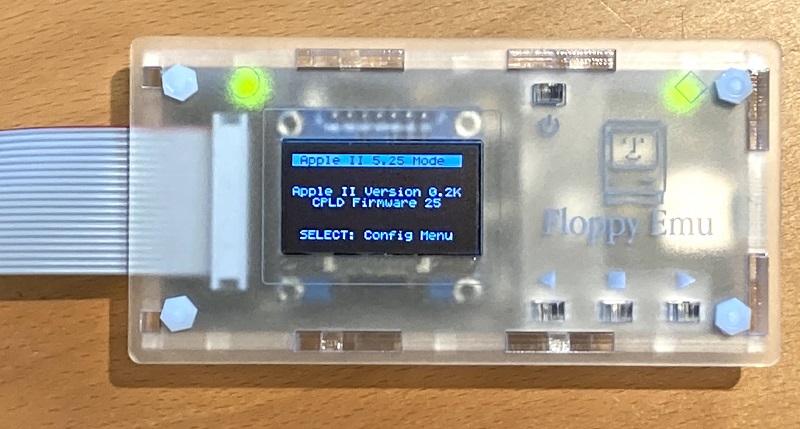
Here’s a very happy, just new owner. Excellent design. I left the paper on the acrycl case around the mac icon, looks better IMHO.
A floppy emu must be sold/sent to Steve Wozniak, much better than this flash pci memory biz he’s now in .. At least he’s gonna get good internet speeds down under in Aussie land.
Can’t wait until a universal apple ][, unidisk, mac, hd20 (or hd8192 :)) emulation is fully functional. Or I’ll just have to buy another one 🙂
THANK YOU FOR YOUR EFFORT, YOU MADE BY DAY, PROBABLY MONTH+ !
Hi Byron, please send me an email with the details and I’ll look into it. With some Macs, you can’t boot from the HD20, but you can mount the HD20 after booting from another disk. I think this is the case with the IIsi, though I’d need to double-check. The Classic 2 might be the same way?
The Floppy Emu works great!
Started a YouTube series using it with a Mac 512k:
https://youtu.be/PBz25fWz5ds
If you restart the computer with CTRL+Apple+RESET, the currently inserted Floppy Emu disk will remain “inserted” in the virtual disk drive. But if you turn the computer off, then on, the Floppy Emu loses power and resets, and will return to the disk selection menu.
A few people have suggested saving the name of the current disk in Emu’s internal EEPROM, and automatically re-inserting it the next time the Emu starts up. I’m not sure if that would be helpful, or annoying, and whether it would be appropriate for Mac disks, Apple II disks, or both. Any opinions? For now I’ve elected to keep it simple and not do any automatic re-insertion of old disks.
Hi Steve,
This is Steve 🙂
I have a few questions for you. I upgraded my emu firmware for the Mac+Lisa firmware this week.
1- if I plan/want to use it with an Apple IIc/IIgs eventually, Is there a simple way to switch from one emulation to another?
2- do I need to update both files each tine, or only the second step is enough?
3- pictures of the case do not show the built-in 19 pin DB-9 side, but I suppose it fits well. Going to order one now.
Also, I never tried it, but is it possible to use folders with the emu on the SD card? Could simplify images management for different system types.
Thanks
To switch between the Apple II and the Mac+Lisa, you will need to switch which firmware is installed on the Floppy Emu. Yes, you need to update both firmware files (one is for the CPLD chip and one for the AVR microcontroller). Updating the firmware takes about 1 minute.
Yes, you can use folders to organize the floppy disk images on the SD card.
Here’s a photo of the acrylic case used with an Emu board with the built-in DB19 floppy connector: https://www.bigmessowires.com/wp-content/uploads/2014/10/20141024_200728.jpg
Hi Steve,
I was not sure if the CPLD firmware were identical or different for each usage.
What would be cool is if we could put both CPDL/AVR firmware in a specific folder (say appleii and mac folder) and from there having a way to trigger a process (ex: hit reset/select) and have the device able to initiate the firmware swap in an automated way. I guess the board is not “smart” enough to do this…
Thanks for the picture of the case. I placed my order yesterday with one of the new universal cable, even if I may not have a real requirement for it. Could be used for my IIgs ROM3, but it also have the CFFA3000 card inserted. Maybe I’ll be able to use both item for transferring data from one to the other.
Maybe eventually you’ll be able to emulate other floppies (Atari, Commodore)…
Hi again Steve,
Any chance the Floppy Emu will do something like this:
https://www.facebook.com/photo.php?fbid=1468153686815336&set=gm.10154084940178677&type=1
Both an Apple III? It needs to be connected in place of the Internal FDD, because the Apple III is hardwired in ROM to both from this drive only. I want it 🙂
I don’t know much about the Apple III, but from what I read in that Facebook post, it sounds like the Floppy Emu should work if you use the Emu’s Apple II firmware and this special cable: https://www.tindie.com/products/option8/apple-iii-disk-ii-cable/
I’ll give it a chance on an Apple III and let you know what it does.
If I want to use the Apple III Disk II Cable in the link with your Universal Adapter Extension Cable, I guess I should order the female version of the former cable. Does that make sense?
The Apple III Disk II Cable is only 13″ long and need to be connected internally in the Apple III (to boot from), which mean the EMU will either be on the back of the computer (not ideal) or I’ll have the cable running trough the cover, and it becomes ugly (or a Big Mess of Wires, your choice!).
I’m not certain, but it looks like you could combine the male version of that Apple III cable with the detachable part of the normal Floppy Emu extension cable (or any 20-pin ribbon cable) to make a single longer cable. It’s a little confusing, but I think the female version of the Apple III cable is meant to go directly between the Apple III and the drive electronics, whereas the male version is meant to be connected to a second cable.
First, I need to confess it was late 911pm for me) when I wrote my previous comment, and my brain was not at its best. I wrote “the female version” while I really meant “the male version”.
The other thing I have not realized is the fact that your standard cable already had a detachable DB-19 board. I was under the impression that the ribbon cable was soldered to the DB-19 pins. I have the cable in front of me now, and I can see it clearly.
That said, you’re right. I will order a male Apple III Disk II Cable and I should be able to connect and boot from the Floppy EMU on my Apple III.
The female Apple III Disk II Cable can probably be connected directly to the Floppy EMU 20 pin socket on the PCB. But the 13″ length will make it very weird to use.
Did you attend Kansas Fest this year?
I got mine in today and I love it. One question: I am using it with a Apple //gs ROM03, if I am in Smartport mode and hooked directly to the system, it boots fine. If I hook into the 3.5 drive and try to boot, it doesn’t work. Would the Universal Adapter Extension Cable help with this or is it the way things are? I did update the firmware to the apple 2 firmware before using. Other than that small issue, I love it. I was able to move some files I haven’t seen for years to my PC using floppy emu and ciderpress. Thank you for making it.
I’m pretty sure that behavior is normal and is a limitation of the Apple II hardware. When booting, the Apple II can only check drive 1 for a slot, not drive 2. When you connect the Floppy Emu daisy-chained to a 3.5 drive, then the 3.5 drive will be slot 5 drive 1 and the Emu will be slot 5 drive 2. So the computer checks the 3.5 drive, sees that there’s no disk there (or not a bootable disk), and gives up. If you use that configuration and boot from a 3.5 inch floppy, then you should still be able to access the Floppy Emu as a second disk. You’ve made me curious whether there’s any work-around for this. If you connected a second 3.5 drive and then the Floppy Emu, I think the two 3.5 drives would be slot 5 drives 1 and 2, and then the Emu would be slot 2 drive 1, which might be bootable. Or you could install a separate disk controller card, and connect either the 3.5 drive or the Emu to that, so that it can be drive 1 for that slot.
The Apple IIgs only scans the $Cx00 slot ROMs on boot, the connecting of 2 3.5″ drives will not work. I would check out ProBOOT to see if it can do it: http://www.sheppyware.net/apple-ii-software/proboot.html
Yes, it requires an extra 3.5″ boot disk to store ProBOOT if you don’t have any other mass storage.
The firmware update on my latest Emu has been plagued with the “wrong CPLD” error, though on my older (purple) board, it worked with no issue. I copied both the .xvf and .bin files to the SD at the same time, booted my Mac Classic II with the Emu connected, and then shut down, leaving the safe to power down dialog up so that the Emu had power, but the Mac OS wasn’t running.
As soon as I complete the first part of the update (the .xvf file) I get the frowny “wrong CPLD” error–that is, before I’ve even had the chance to run part two. I ran part two, and the things seem fine, but if I hit the reset (or power down and back up, which is what happens because of the status of the Mac as mentioned above) I get the frowny face again.
I’ve gone back to the non-hd20 firmware with no issues and tried again with the same result.
Any idea why it might not be working?
Seeing “wrong cpld” after installing the first part is normal, because the two halves of the firmware aren’t in sync yet. Is it possible you installed the first part twice, but the second part not at all? This is a common mistake, since the two parts require similar but not identical buttons to initiate. This would explain the behavior you’re seeing.
Yea, I also was surprised when I switched the floppy emu to the Apple II firmware to see the CPDL error on screen. But once I did the second part it worked and never complain again.
I just received my Floppy Emu and it is working great. One question: In Smartport mode I have created four 32MB ProDOS images named smart0.po through smart3.po. The machine can boot from it but only sees two drives (slot 5 drives 1 and 2). Should it be able to see the other two drives?
There was a blog post here (https://www.bigmessowires.com/2015/07/13/smartport-firmware-update/) that said that the Smartport drives should appear as slot 5 drives 1 and 2 and slot 2 drives 1 and 2. But slot 2 on an Apple //c is the modem serial port.
This is an Apple //c with revision 0 firmware and I am using the latest apple-II-0.1J3-F6 Floppy Emu firmware.
Are all four of your ProDOS images displayed on the Floppy Emu’s LCD screen? On my //c with ROM 0 and apple-II-0.1J3-F6, it works as described, mounting 4 Smartport drives on S5 D1 and D2 and S2 D1 and D2. I’m not sure about the serial port mapping… maybe the ROM dynamically maps extra drives to a different slot, depending on whether the serial port is in use?
Yes, all four images are shown. Serialports are not connected to anything.
Accessing S2,D1 and D2 gives NO DEVICE CONNECTED.
I’ll try booting with a different disk image – this is the ProDOS User’s Disk and maybe it does something when it runs it’s startup program. I can try a plain ProDOS image.
I’m testing by running Apple II System Utilities v3.1 (which is on the first Smartport volume), and selecting the “list volumes” option. It shows the names of all four volumes, and the slots and drive numbers for each. I suppose it’s possible that you’ll get different results depending on what boot disk is used for the first Smartport volume – sorry I can’t say for sure.
I fired up the System Utilities disk and I am now able to access all 4 drives, both from the application and from BASIC. I can get to the drives from BASIC by setting PREFIX but I didn’t see a way to find out what slot and drive numbers the last two drives are associated with (if any). I’ll experiment some more, but it looks like this will work and I am all set. Thanks for the help!
I think the issue was the ProDOS version. It works fine when booted from ProDOS 2.0.3, and the four drives are mapped to slot 6 and slot 2.
All I can say is wow!!! I purchased the universal floppy emulator. Now granted, I personally only one a mac. But I have several friend that have some apples, so I thought it would be a great investment to go all in. I could not be happier. The quality of this is great! I have used it for my Mac Quadra 650 (for files only), But where I really think it shines, is using it as a HD for the Mac Plus! Thanks so much for a terrific piece of hardware…
According to this statement: ◾Reads and writes emulated 140K, 400K, 800K, or 1.4MB floppy disk images, or hard disk images up to 2GB
The floppy EMU can write disk images as well. I was wondering if this true? Or am I misreading the statement.
That means the emulated disks are readable and writable by the Mac or Apple II, as opposed to being read-only disks like a CD-ROM. But the Floppy Emu does not create new disk image files on the SD card, if that’s what you’re wondering. To create and edit disk images on a Windows or OSX computer, you can use tools like HFVExplorer or Ciderpress – see the FAQ above.
This is a great product! With my Mac Plus (which has a Micro Mac Accelerator installed) I am able to mount floppies from the EMU. But no matter what I do I can never get the Hard Disk part to work. I installed the firmware properly as the device works. Is it possible the firmware needs to be installed again? Every time I go into HD20 mode the screen says something like “disabled” or “write mode changed 6 (or 7, or 2)”.
I make disk files and floppies using HFV Explorer on Windows…. Is there a boot sequence I should follow? Do you have any tips?
I’ve heard from a Mac SE owner that his accelerator causes similar errors in HD20 mode – some kind of accelerator incompatibility it seems. Can you try removing the accelerator from your Mac Plus?
Thank you for replying. Today I did more digging and I found two pre-made hd20 disks that when inserted booted up the Plus. Without the Control Panel and Extension the Plus sees the upgrade as a 020. But this showed promise… I could not seem to format a disk, but that was with the upgrade turned on. I found a way to convert a disk into HFS, and once I turned off the “instruction cache” in the upgrade control panel, the disk mounts! Next is to make a disk and see if the Plus will format it.
Than you for the tip! Floppy mode works great with the upgrade turned on. What exactly am I doing by turning it off; what makes that work?
Hi Steve,
This item Apple Disk Drive A/B Switch and Cable, $15, it just allow to connect the drives to one cable, and use one at a time, but do not allow daisy chain or use both the EMU and the real floppy simultaneously. Do I get it correctly?
That’s right. The A/B cable is useful for owners of Lisas or Macs with only a single internal floppy connector. If your Mac has both an internal and an external floppy connector, then you don’t need it.
I ordered my Floppy Emu on Friday June 5 and it arrived Monday June 8 which I thought was incredibly fast from the southern California to Maine over the weekend. I bought it for my MacPlus and my MacSE. It is amazing for the Macs.
Is there anything like this that will run programs to my apple II+?
Hi Patrick, Floppy Emu is compatible with the entire Apple II series including the II+. See the user manual and feature list, above, for more details.
Hi guys,
I have come across a very interesting disk, which appears to be something that Larry Kenyon wrote. It is a test disk for the Sony 400k drive, with programs dating from July 1983. It looks as though this was used for the original configuring, testing, and variable speed control for the “new” Sony 400k drives that had not yet been approved by Steve Jobs at this point (still going for the Twiggy drives on the Macintosh).
You can actually control the different speeds of the sony drive, like a software gear shift.
This is a very exciting discovery. Perhaps this would be a useful utility for the Floppy EMU for the orignal Mac?
Let me know if you would like me to send you photos, or a copy of the disk or disk image to check it out.
Best regards,
Adam
Under Apple II it says “requires firmware update”. If I want to switch this between a Mac Plus and an Apple IIc, do I need to keep reflashing the firmware, or does the firmware update support both?
The two firmware (Mac/Lisa vs Apple II) are totally different and you need to reflash for each type of machine.
Thank Steve! I’m number #612!! Hopefully will be able to help Steve get more of them into the hands of other vintage computer hobbyists! I’m a member of a non-profit group, the Vintage Computer Federation http://www.vintagecomputerfederation.org/ we do a number of shows around the country, and are affiliated with addtional shows around the globe. So it couldn’t hurt working with us. 🙂
Model B #801 arrived today. Case is a work of art and floppy emu works great on my //e so far. Easy setup and operation. Forgot to update firmware for Apple II at first, but update was easy. Default is Mac. Super fast shipping.
Hello,
I just got my model B, I’m trying to get the firmware updated to run on my IIe Platinum. I have tried several 4gb microSD cards (smallest I could find,) and the device does not recognize them, despite all of them being formatted FAT-32. The screen reads a big question mark, with “No SD card? Card Error 10:5” when I try to boot it. I am trying to troubleshoot it and I am at a loss as for why it isn’t recognizing the cards. Any advice?
Another person recently had the same problem, and was able to resolve it by trying a different sd card. Or if there appears to be a hardware problem, you can return the board for a repair. I’m traveling this week with limited internet, but I’ll send you some specific suggested sd card models when I return home on Friday.
Cute and useful, good combination!
My Model-B has been up and running for about a week now! Together with my Mac Plus it has become the centrepiece of my establishment. I love it!
Hi Mike D, following up on your question: the card I’m currently using for the “vintage software collection” is a Kingston 4GB class 4 SD card, and the UPC code is 740617120639. The Floppy Emu should work with pretty much any SD or SDHC card, though. If you’ve tried several different cards and they all show a message saying “No SD card? Error 10:5”, then please contact me at the “more questions” email address above, for more troubleshooting or to arrange a return.
Found that SanDisk Ultra microSDHC UHS-I @8gb works as well. Just got my butt handed to me on Karateka and Conan. Nice product. Thanks!
Do you have something that works in the opposite direction? I have a vintage macintosh plus that i will be upgrading to G4. I want to be able to use the internal 800K or 1.44MB floppy drive but i need a device to control the drive with the 19-pin interface that connects to the host with USB. Do you make something like that?
I don’t, sorry. Can’t you use a standard USB floppy drive with the G4?
Thanks anyway, i wanted to avoid using an external mechanical eject drive for posterity reasons (I want the floppy bay to be useful) and i found a good solution that others may be interested in if they are doing the same build.
I actually opted for the Iomega LS120 (SuperDisk) drive as it can be modulated to read / write as little as 800KB and as much as 120MB. Plus, it has an auto-eject feature similar to that of the Macintosh. It is an IDE interface so i will be using an IDE to USB adapter. Thanks anyway!!
Great Product!!!!
I have been waiting a long time for a device like this. This is defiantly the crown jewel accessory for my retro Apple and Mac collection.
Is it possible to upgrade the firmware to allow multiple floppy images at the same time (like to have a boot disk and data disk mounted simultaneously)
Is there a way to connect an external LED for the access light? I’d like to try 3D printing my own case, that resembles (or fits into) either an Mac external floppy enclosure or an Apple II enclosure.
The hardware is designed to emulate one disk at a time. There’s no plug-and-play connection for external LEDs, but a few people have soldered extra wires to the PCB for similar purposes.
Apple II emulation of 3.5 inch disks is now also working on the Apple IIc+, with the newest firmware.
Hi there, I love your device and am so glad to see someone supporting our old hardware.
I tried to update the firmware on my model A, and something went wrong. Restarting, I couldn’t get past the error screen, and on a second restart I no longer get anything on the screen. The power light is on, but the screen is blank and the status light does not blink.
I have tried a bunch of button presses and combinations but to no effect. Is there a way for me to revive this unit?
Thanks!
Hi Jay, sorry to hear about your trouble. I sent you a follow-up support by email.