

Bring new life to your old Apple computer!
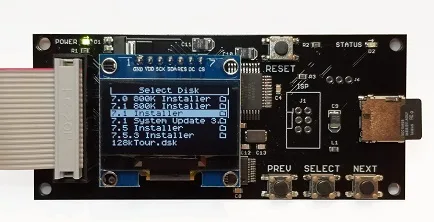
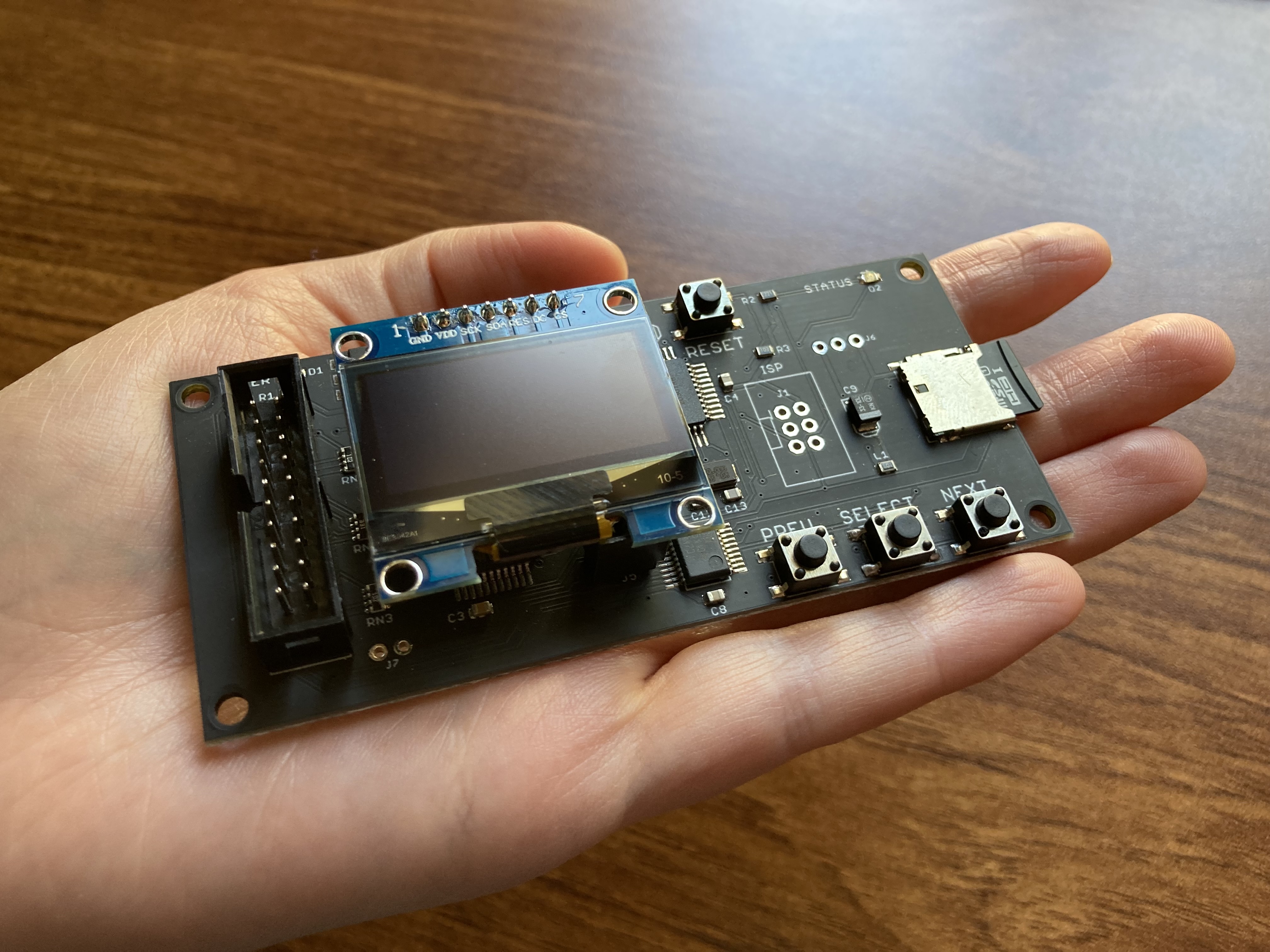
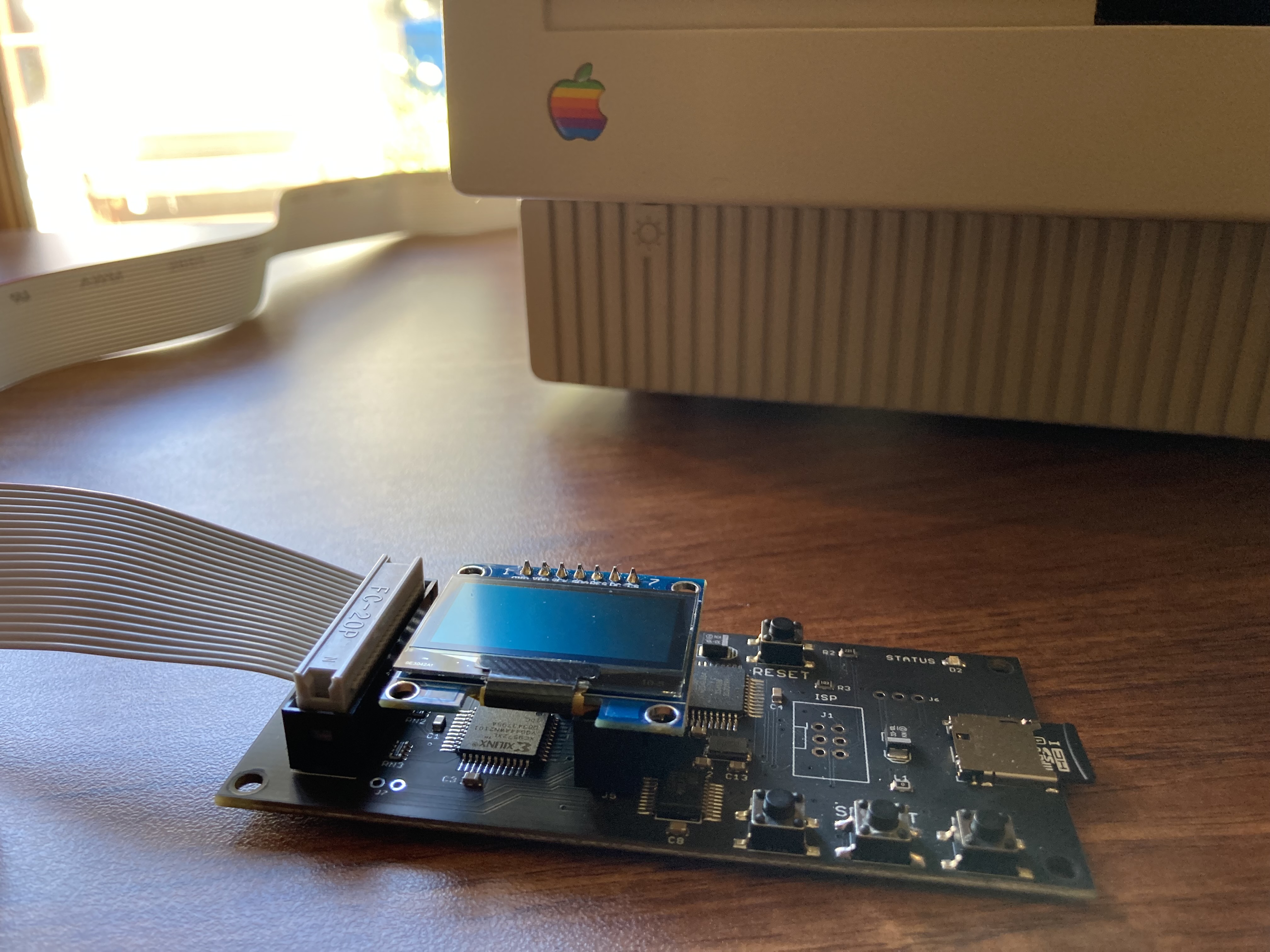
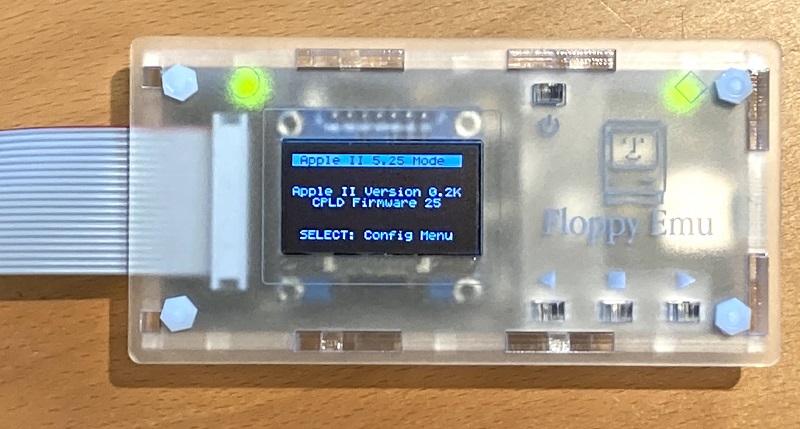
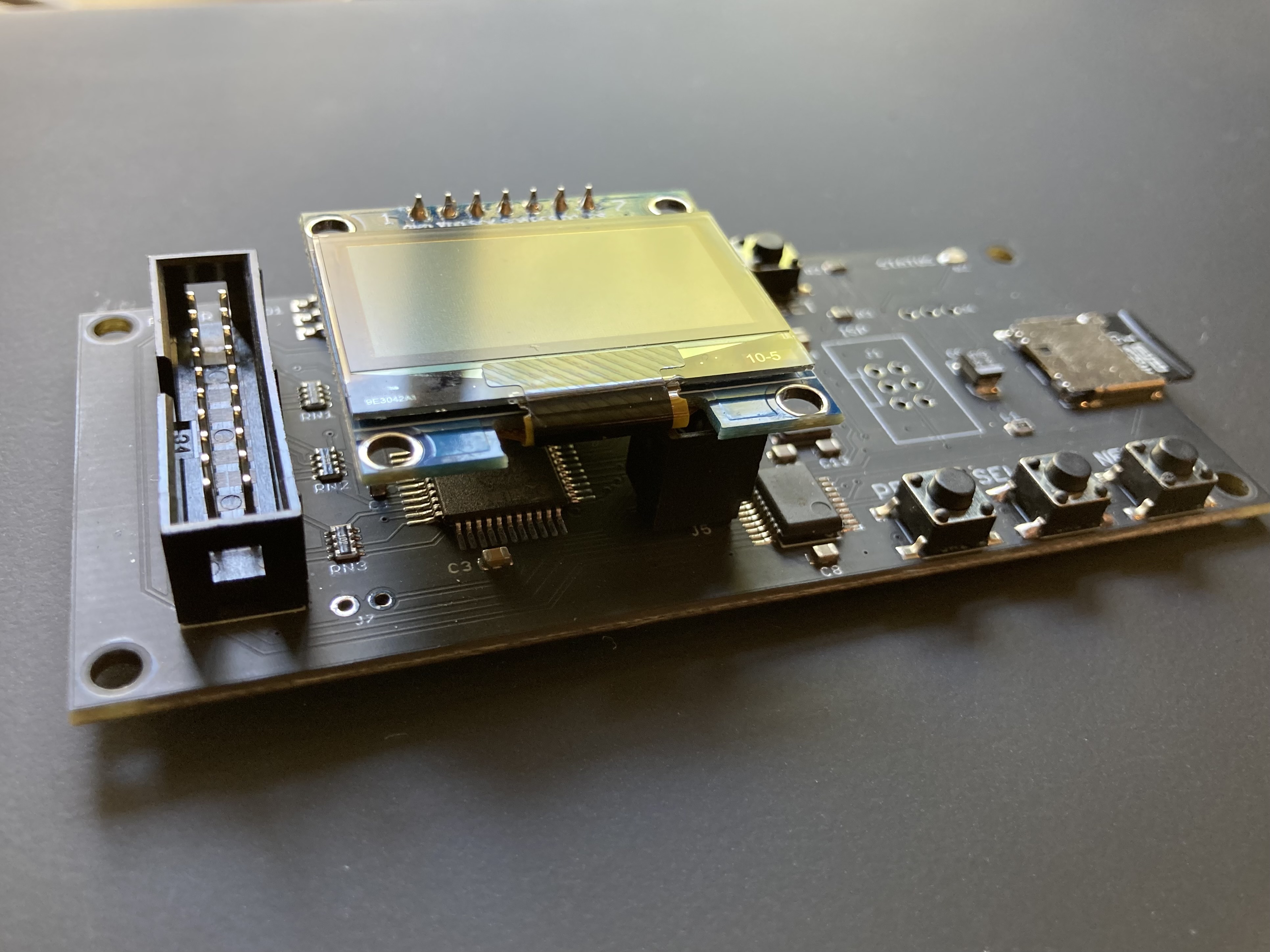
Floppy Emu is a floppy and hard disk emulator for classic Apple II, Macintosh, and Lisa computers. It uses an SD memory card and custom hardware to mimic an Apple floppy disk and drive, or an Apple hard drive. The Emu behaves exactly like a real disk drive, requiring no special software or drivers.

“Highly recommended.”
– Apple2Online
“A great device.”
– Blondihacks
“A boon for classic Mac collectors.”
– RetroMacCast
Bring new life to your old Apple computer! Floppy Emu is a specialized floppy and hard disk emulator for classic Apple computers. It uses a removable SD memory card and custom hardware to mimic an Apple floppy disk and drive, or an Apple hard drive. The Emu behaves exactly like a real disk drive, requiring no special software or drivers.
The BMOW Floppy Emu is perfect for booting your favorite games and software, or transferring files between vintage and modern machines. Just fill your SD card with disk images, plug in the Emu board, and you’ll be up and running in seconds.
Parts Sold Separately
For Apple IIc
Just For Fun
Usage Demonstration Video

Documentation

Instruction Manual and User Guide: PDF
日本語マニュアルはこちらから(2021/2/22更新): PDF
Setup Guide: PDF
Case assembly instructions: instructions
Instruction Manual and User Guide for previous generation Model B: PDF
日本語マニュアルはこちらから(2021/2/22更新): PDF
Setup Guide: PDF
Case assembly instructions: instructions
Instruction Manual and User Guide for previous generation Model B: PDF
Features
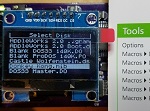
- Displays a menu UI for choosing from the disk images stored on the removable SD memory card
- Reads and writes emulated 140K, 400K, 800K, or 1.4MB floppy disk images, or hard disk images up to 2GB
- Compatible with all Apple II models, the original Macintosh 128K through the Mac II series and Power Mac, and Lisa 2
- Connects to external (DB-19 D-SUB) or internal (20 pin ribbon header) floppy drive connector
- Supports all major types of Apple disk images
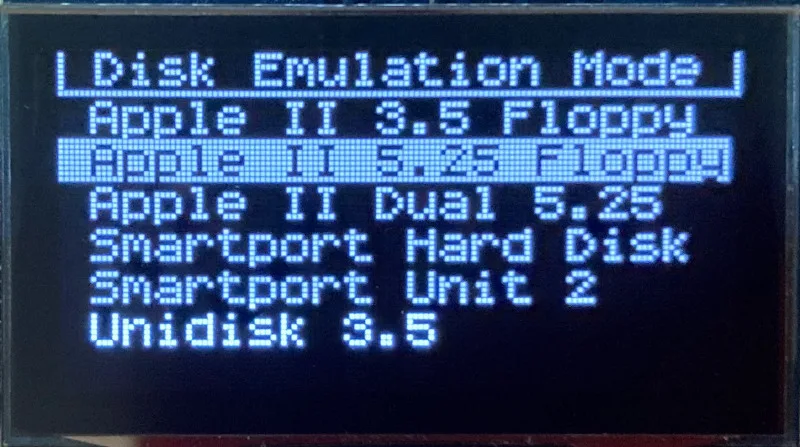
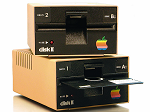
Apple II Floppy – Emulates 5.25 inch 140K floppy disks on any Apple II series system, as well as 3.5 inch 800K floppies on compatible Apple II models. An optional Dual 5.25 Floppy mode emulates two drives at the same time. Disk image files may be in .DSK, .DO, .PO, .2MG, .NIB (5.25 inch only) or .WOZ (5.25 inch only) formats. Disk images are compatible with common Apple II emulation tools such as AppleWin and Ciderpress.
Apple II Hard Disk – Emulates up to four simultaneous Smartport hard disks, each up to 32 MB (when formatted as ProDOS) or 2 GB (when formatted as HFS). Smartport disks are compatible with the Apple IIgs, Apple IIc (ROM version 0 or newer), Apple IIc+, and Apple II+ or IIe with a Yellowstone or Liron disk controller card.
For Apple II use, Floppy Emu connects to the built-in 19-pin disk connector on the Apple IIgs, IIc, and IIc+, or to a 20-pin or 19-pin connector on a separate disk controller card for other Apple II models. See the instruction manual for details on drive numbering and boot priority.
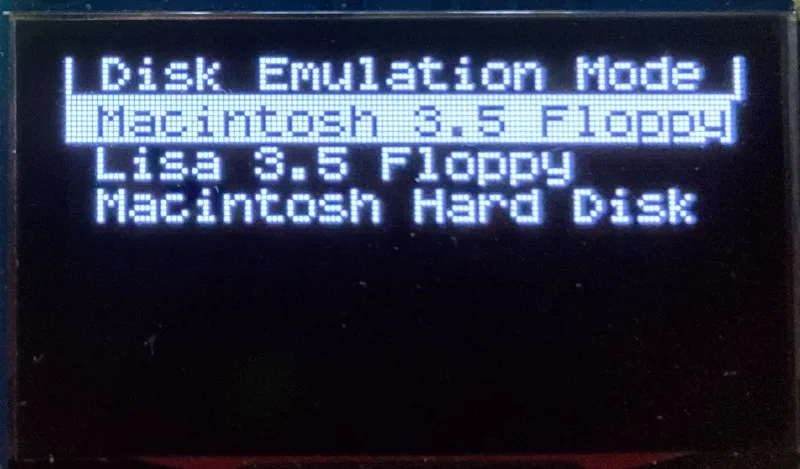
Macintosh Floppy – Supports 400K, 800K, and 1.4MB floppy disk images, in raw .dsk, Disk Copy 4.2, or MOOF formats. Disk image files are the same format as those used with popular software-based Mac emulators like Mini vMac. Compatible with the original Macintosh 128K through the Mac II series and Power Mac.
Macintosh Hard Disk / CD-ROM – HD20 hard disk / CD-ROM emulation is compatible with the Macintosh 512K, 512Ke, Plus, SE, (SE/30 when used with the Mac ROM-inator II), Classic, Classic II, Portable, IIci, IIsi, or LC I. Supports bootable hard disk / CD-ROM images up to 2GB. CD-ROMs are treated as read-only hard disks. Disk image files are compatible with other popular Mac emulators.
Lisa Floppy – Emulates 400K and 800K floppy disks on the Lisa 2/5 and 2/10. Boot or mount native Lisa Office System disk images in Disk Copy 4.2 format, or use Macintosh disk images within the MacWorks environment.
| COMPUTER | DISK EMULATION MODES |
|---|---|
| Apple II | |
| Apple II, II+, IIe with Yellowstone disk controller |  5.25 inch floppy, Dual 5.25 inch floppy, 3.5 inch floppy, Smartport hard disk, Unidisk 3.5 5.25 inch floppy, Dual 5.25 inch floppy, 3.5 inch floppy, Smartport hard disk, Unidisk 3.5 |
| Apple II, II+, IIe with standard disk controller | 5.25 inch floppy, Dual 5.25 inch floppy[1] |
| Apple II, II+, IIe with Liron disk controller | Smartport hard disk, Unidisk 3.5 |
| Apple IIc | 5.25 inch floppy[2], Dual 5.25 inch floppy[3], Smartport hard disk[4], Unidisk 3.5[4] |
| Apple IIgs, IIc+ | 5.25 inch floppy, Dual 5.25 inch floppy, 3.5 inch floppy, Smartport hard disk, Unidisk 3.5 |
| Macintosh | |
| Macintosh 128K | 3.5 inch 400K floppy |
| Macintosh 512K | 3.5 inch 400K floppy, HD20 hard disk / CD-ROM[5] |
| Macintosh 512Ke, Plus, SE | 3.5 inch 400K/800K floppy, HD20 hard disk / CD-ROM |
| SE FDHD, Classic, Classic II, Portable, IIci, IIsi | 3.5 inch 400K/800K/1.4MB floppy, HD20 hard disk / CD |
| LC [6] | 3.5 inch 400K/800K/1.4MB floppy, HD20 hard disk / CD |
| SE/30, IIcx | 3.5 inch 400K/800K/1.4MB floppy, HD20 hard disk / CD[7] |
| IIx [6] | 3.5 inch 400K/800K/1.4MB floppy, HD20 hard disk / CD[7] |
| IIfx, IIvx, IIvi, LC-II, LC-III, LC 4xx, LC 5xx, Color Classic, Color Classic II, TV, Performa, Quadra, Centris, Power Mac [6] | 3.5 inch 400K/800K/1.4MB floppy |
| Lisa | |
| Lisa 2/5 and 2/10 | 3.5 inch 400K/800K floppy |
[1] Disk II Controller Card with 20-pin connector requires Dual 5.25 Adapter for dual drives
[2] requires internal motherboard connection or Internal/External Switcher for booting 5.25 inch disks, see instructions
[3] requires Internal/External Switcher
[4] requires IIc with ROM revision 0 or newer for Smartport and Unidisk 3.5 modes, see instructions for details
[5] Mac 512K also requires a boot floppy with HD20 Init for HD20 hard disk / CD-ROM mode
[6] uses internal disk connector on the computer’s motherboard
[7] requires Mac ROM-inator II for HD20 hard disk / CD-ROM mode
Technology
Interested in how Floppy Emu works under the hood? Check out the Floppy Emu Technology Design page.
FAQ
Can I boot from an emulated floppy or hard disk?
Yes you can!
Does this require a special driver, ROM, or INIT?
No software is required for standard floppy disk emulation on any system. Apple IIc requires ROM version 0 or later for Smartport hard drives and Unidisk 3.5 drives – ROM version 255 lacks support for these. For Macintosh HD20 / CD-ROM hard disk emulation, most supported Mac models require no software, though the Mac 512K requires Apple’s HD20 Init.
What types of disk image files are supported?
Apple II supports 140K floppy disk images in .DSK, .DO, .PO, .NIB, .WOZ, or .2MG format, 800K floppy disk images in .DSK, .DO, .PO, .2MG, and DiskCopy 4.2 format, or hard disk images up to 2 GB in .PO, .2MG, or .HDV format. The maximum size of a ProDOS volume is 32 MB, so larger hard disk images must be formatted as HFS. Macintosh supports 400K, 800K, or 1.4MB floppy disk images in raw .dsk format, DiskCopy 4.2 .image format, MOOF format, or hard disk images up to 2GB in raw format. Lisa supports 400K or 800K floppy disk images in DiskCopy 4.2 format.
Can I format the emulated disk?
Yes for most drive types and disk image types. However, instead of formatting the emulated disk, it’s normally preferable to use a pre-existing blank disk image. In-system formatting of the emulated disk is supported for all Macintosh disk image types, as well as Apple II Smartport hard disks, Unidisk 3.5, WOZ disk images, and NIB disk images. Formatting performance of floppy disk images may vary depending on your SD card’s write cache behavior. For best performance, use the Blank.WOZ or Blank.MOOF sample disk images that are included with the Floppy Emu firmware.
Can I back-up old floppies using tools like Copy II Plus or Disk Copy 4.2?
Yes, with some conditions. Many disk copy programs perform a simultaneous format-and-write of the destination floppy, which may create problems (see previous answer about formatting). For best results, use a destination disk image type that supports in-system formatting. See the manual for details.
Can the Emu work with copy-protected disks?
Most copy-protected disks in WOZ or MOOF format will work with the Floppy Emu, but there are some rare exceptions. The hardware is primarily designed to work with unprotected disks using standard sector and disk formats.
Can I emulate multiple disk drives at once?
Floppy Emu can store as many disk image files as your SD card will hold. For compatible Apple II models, the hardware supports dual 5.25 inch floppy drive emulation. For Apple II Smartport hard disk emulation, up to four hard disks may be active at the same time. For other computer models and disk types, only one disk can be “inserted” in the emulated drive at any given time.
Can I connect two Floppy Emus to the same computer?
Yes, if they’re attached to separate disk ports, or to separate connectors of a dual-connector disk controller. For compatible Apple II computers, a Floppy Emu board can also be placed in a daisy chain along with other disk drives. The Emu doesn’t have a daisy-chain output port, but the optional Daisy Chainer adds one. Daisy-chaining is not supported by the Lisa or Macintosh.
How can I copy documents from an old Apple II or Mac disk to a modern PC?
Use Floppy Emu to copy the documents from the original disk onto a blank disk image residing on the SD card, then put the SD card in your PC and use a disk image utility program like CiderPress or HFVExplorer to open the disk image and extract the files. See the manual for details.
More questions?
Please see the Floppy Emu user guide for complete details and instructions.
Firmware Downloads
Floppy Emu firmware versions are available with support for Apple II, Macintosh, or Lisa computers.
Install the firmware version for the type of computer you plan to use with your Floppy Emu.
Apple II
- Apple II firmware, for Floppy Emu Model C or B, normal version: 250225A
- Apple II firmware, for Floppy Emu Model C or B, SPDC version: 250225A-SPDC what’s this?
- Apple II firmware, for Floppy Emu Model A: 250225A-ModelA
Macintosh and Lisa
- Macintosh and Lisa firmware, for all Floppy Emu models: 240209M
Older Versions (try these if the latest version gives you problems)
Apple II, Model C or B, normal version: 240208A 231213A 230712A 230218A
Apple II, Model C or B, SPDC version: 240208A-SPDC 231213A-SPDC 230712A-SPDC 230218A-SPDC
Apple II, Model A: 240208A-ModelA 231213A-ModelA 230712A-ModelA 230218A-ModelA
Macintosh/Lisa, all models: 231212M 230309M 230203M 221221M
Apple II, Model C or B, SPDC version: 240208A-SPDC 231213A-SPDC 230712A-SPDC 230218A-SPDC
Apple II, Model A: 240208A-ModelA 231213A-ModelA 230712A-ModelA 230218A-ModelA
Macintosh/Lisa, all models: 231212M 230309M 230203M 221221M

I’m pleased to hear that it worked for the two of you, but it does NOT work for me. I used the Eric Helgeson recommended method below just last night in fact, and it does NOT prevent fragmentation on my SD card after a single file was copied (32MB, Total Replay). Note that I did everything on my M1 Max 16″ MacBook Pro running macOS Sonoma.
1. Exclude the SD Card from Spotlight: System Settings -> Siri & Spotlight -> Spotlight Privacy…
• Exclude the SD Card
• Disable .DS_Store creation on removable drives
2. Open Terminal & Run this: defaults write com.apple.desktopservices DSDontWriteUSBStores -bool true
3. Use Terminal to copy file to SD card WITHOUT attributes:
• cp -X filename.hdv /Volumes/MYSDCARD
When I do that on a BlueSCSIv2, the log file says this:
—- WARNING: file /HD6-TotalReplayv5.2.hdv is fragmented, see https://github.com/BlueSCSI/BlueSCSI-v2/wiki/Image-File-Fragmentation
—- WARNING: This image does not appear to be a valid Macintosh Device image. See: https://github.com/BlueSCSI/BlueSCSI-v2/wiki/Disk-Images
—- Image ready
This is NOT exclusively a BlueSCSI problem! The same issue plagues me when I copy files to my SD cards for the FloppyEMU or MacSD too. BlueSCSI SD cards have an ExFAT format, whereas MacSD and FEMU use FAT32, but that doesn’t matter when I do the file copy using my M1 Max 16″ MBP running Sonoma. Fragmentation still occurs. Well… UNLESS I do the copy on my Intel Mac (running macOS Monterey, but I don’t think the OS matters).
It’s a genuine pain in the donkey, let me tell you!
Upon further testing, it would seem like neither Copy // plus 8.1 nor Locksmith 6.0B can reliably copy the disk. Many times it works, but I’ve found that sometimes the copy will have a track that is entirely bad, even if the copy program was able to successfully verify the write. It feels like a bug in FloppyEMU that can be fixed. Often that’s track 1 but sometimes it’s other tracks. For now I have to do a full disk verify with Locksmith 6.0B and fix the bad tracks to ensure I have a perfectly working copy.
I’ve struggled with the “File not contiguous” issue for the last year using flash cards with 50 or so Apple II disk images on them. Reformatting the card and copying the files back was really hit or miss with my Apple Silicon Mac. I was also unable to find any good defrag tools for Linux or MacOS – discussions online about such tools are always met with unhelpful “You don’t need to defrag!” sentiments. …Thanks internet. :/
The solution I’ve found is to run a Windows 11 VM using Parallels, and defragging the flash cards using https://www.ccleaner.com/defraggler
So far I’ve had 100% success with this approach. Might be a better option for some instead of tweaking MDS settings and such.
Hi Dustin,
Just to confirm: So you copy the files on macOS, then run the defragger in windows?
Cheers.
Yes, Ross, you copy files to the SD card, then (quite sady) use your Windows install to run Defraggler, which fixes it every time. EVERY SINGLE TIME. It fixes it so fast and easily that I am rather ticked off there’s not a single macOS compatible defragger solution to achieve that. It upset me so much that I wrote to the author of iDefrag, Alastair Houghton, about the matter. FAT32 and ExFAT support never made it into his product even back in the day when it was selling. He told me he did have prototype FAT32 support, but it never made it into iDefrag. And he said he never added ExFAT support because Microsoft wanted $10,000 for the info needed to implement support!
Alastair now works for Apple. He suggested I file a bug report about the matter to Apple, and he gave me a tip about using the “sudo fs_usage” command in the Terminal to log every single SD card access, then try copying the file so as to make a set of logs for my bug report to Apple. I did just that, doing a Finder copy and also the “cp -X” copy command in the Terminal which is supposed to do file copies WITHOUT attributes. Sure enough, the log file showed no less than 3 writes even for a ridiculously small 1.44MB disk image to the SD card! Blasted macOS! UUUGGHH!
Why other people NEVER have this problem matters NOTHING to those of us who are plagued with it, not only with FloppyEMU, but also BlueSCSI and MacSD too. At least MacSD will handle the issue more gracefully by lighting an LED and then setting about to defrag slowly over time. But BlueSCSI and FloppyEMU come to a halt until files are defragged.
Anyway, Alastair was gracious and helpful, asking me to give him the file number for my bug report so he could ask an Apple engineer to take a look at it. I submitted that a few days ago. Not sure what will happen now, but it’s clearly an issue on Apple Silicon Macs running the most recent versions of macOS. I confirmed it on nearly all versions of Sonoma, and even after upgrading to Sequoia this weekend, I found the problem still happens. My only recourse is to use an Intel iMac at the office or use a PC and defraggler to defrag. Gone are the good old days when we never had these problems.
With all that said, please don’t misinterpret my words. I love my two FloppyEMUs and have the greatest respect and appreciate for Steve Chamberlin who brought them into this world. Steve is a wonderful person, and I know he’s just as frustrated about these sort of problems as I am. But for now, our hands are tied and we simply must resort to these less than ideal workarounds to deal with the problem until such a time that Apple addresses it.
I’m no FAT32 expert, but I think 3 writes even for a 1.44MB disk image might be normal and not necessarily a sign that fragmentation occurred. Based on some brief Googling, in a FAT32 disk partition you’ll find at a minimum:
So in order to copy a new file into the root directory, the computer would need to update the free cluster count, the root directory, and the file’s data clusters: three separate parts of the disk.
James or others who are struggling with this, the next time this happens to you, could I ask you to make an image of your SD card using your favorite imaging tool and send it to me? I’m curious how it is fragmented. But it’s important that this be an example of fragmentation that happens to you with a “fresh” SD card, where you have never deleted any files, where you have disabled Spotlight and are copying without extended attributes, and are copying files one at a time.
Steve,
While I can of course make an image of my SD card, I can tell you right now that when I copy a file to the SD card on my Apple SIlicon Mac, I always put it into a Windows machine, open Defraggler and check it. Sure enough, it tells me that the one file copied (and nothing else) is fragmented, and it usually tells me the number of fragments are 3 or 4 (for that one file copied). But if I use Windows to delete that one fragmented file, then recheck the card with Defraggler, the fragmentation becomes 0% because the fragmented file is was deleted.
Then if I do a file copy of the same exact file from my Intel iMac running macOS Monterey (or from a Windows PC), then go to Windows, and run Defraggler on the SD card, it shows 0% fragmentation. Which of course means the FloppyEMU won’t complain and all will be well.
I don’t mind making my logs public here because there’s no sensitive info inside, but the logs are useful to show you and everyone else exactly what my Macs are doing during the file copies to SD card:
https://www.dropbox.com/scl/fi/7yh5k4ozr63f8uwswftiv/JamesWages_FileFragLogs.zip?rlkey=8zmmn0pr40mkgvskh5voc9lyv&dl=0
Note that testing was done with my SD card used in a BlueSCSI, but like I said, the same thing happens with the SD cards used in my FloppyEMUs too. The only difference is that my BlueSCSI SD card is ExFAT formatted, and my FEMU SD cards use FAT32.
Anyway, when you open that ZIP archive, you will see 4 text files, and the filename tells you which Mac, CPU, and OS was used, and whether the file copy to SD was done in the Finder or via the Terminal using “cp -X”. Note also that my iMac file copy resulted in no fragmentation, but all 3 attempts using my M1 Max 16″ MacBook Pro (with Sonoma or Sequoia) resulted in fragmentation.
Just thinking loud:
If OS X “insists” on fragmenting the image files written to the SD card, bypass OS X and directly write to the SD card. In more technical terms: Don’t mount the SD card, use a tool that accesses the entire SD card as block device and handles the FAT filesystem all by itself. That tool should avoid fragmentation.
Probably, that tool does not have to be written from scratch.
GNU mtools (https://www.gnu.org/software/mtools/) can already handle FAT media and images, and there is even a graphical frontend to mtools (https://mtoolsfm.sourceforge.net/). Like most GNU software, it runs on Linux and many other Unix derivates, so it will probably already run on OS X. Mtools does not say a word about fragmentation, but I do not see a reason why it should fragment files on an empty, freshly formatted SD card.
For Windows, a tool like WinImage (Shareware, https://www.winimage.com/) should do the trick. Again, it handles FAT on its own, and again, it should not have any reason to fragment files on an empty, freshly formatted image of an SD card. WinImage works with image files of the media. I would image an empty SD card, then write FloppyEMU images to the SD card image, and finally write the SD card image back to the card. That way, Windows won’t have any influence on how and where the FloppyEMU images are written to the SD card.
Amazing little device! Loaded the Mac firmware, connected it to the external floppy disk port on the Macintosh SE, selected a hard drive or floppy disk image and it just works. It’s exactly what every retro-computing Apple enthusiast needs. I don’t know what else I could ask. Thanks for designing and selling it!
Hi BMOW, I have a floppy emu, internal tap and switcher working flawlessly with my apple IIc, I absolutely love it. Congrats on a great product. My question is about connecting and actual Smartdisk or the newer Smartport2SD. I know the FEMU can emulate a Smartdisk, but should I want to try an actual Smartdisk unit or a modern Smartport2SD, should I remove the internal tap and the switcher, or is it ok to connect it on the 20pin ribbon cable connector installed for the FEMU? Thanks!
I can’t speak specifically to other third-party products, but in general other Smartport devices should work the same as Floppy Emu’s Smartport HD mode with respect to the Apple IIc Switcher.
Thank you, Steve. For an actual Smartport device, with a DB19 cable, should I remove the external BMOW adapter and leave the dupont cable floating?
I personally appreciate today’s questions by Felipe Cordova because I also own a BMOW Drive Switcher, which works wonderfully with my FloppyEMU, but I recently acquired Kay Koba’s SPIISD for a video review and, honestly, I’ve been wondering the same exact thing as Felipe.
I know it’s hard to speak about non-BMOW products but “interoperability” and guesstimated compatibility info is extremely helpful and appreciated.
For example, the FloppyEMU can be set to SmartPort Hard Disk mode, and there’s a BMOW Drive Switch DIP switch setting for that, which basically sets the IIc to its stock condition, I think, as if no Drive Switcher were installed at all. But if you set your FEMU to 5.25” floppy disk mode and want to boot, you must the move the Drive Switcher’s DIP SW to the other position.
The SPIISD from Keri’s Mac Mods is only a SmartPort drive, from what I understand, so it seems logical to me that I would need to set my BMOW Drive Switcher’s DIP SW to be in the setting used to boot a FEMU setup as a SmartPort Hard Disk. I have not tested it yet, but that’s my best guess.
However, the big question is, what happens if you accidentally leave your Drive Switcher set to the other DIP SW position that allows booting from an externally attached floppy drive like an FEMU setup to 5.25” drive mode, but you actually have the SPIISD (or even a genuine Smartport spinning platter hard disk) attached? Will something fry or be damaged?
With the switch in the straight-through state, it’s as if the Switcher is not installed – all signals are passed through normally. Moving the switch swaps the drive enable signals between the internal and external drive. It should not harm anything if you have it on the wrong setting, it will just address the wrong drive.
Iam trying to set up my //gs with a hard drive image on the FEMU as the boot drive and a 3.5 UniDisk attached. I have been able to do this with the FEMU as the boot drive and a 5.25 floppy drive but not with the UniDisk. I have tried with the FEMU attached to the computer with the UniDisk attached the FEMU or the UniDisk attached to the computer with the FEMU attached to it. I have also attached them with the Daisy Chainer in both positions. What is the correct setup? Thanks.
Hi Brian, please contact me through the customer support link and we can try to troubleshoot the problem with your computer.
Hi there,
Love my flopoy emu (“Macintosh Floppy emu, model B, version 1.5”) which works flawlessly with my old Macs. Just got a working Apple IIc and I wanted to install the AppleII firmware. I keep getting the error “firmware.xvf”. Is my EMU not compatible?
Check to make sure you’re following the installation instructions that are included with the specific firmware version that you’re installing, and not the instructions from an earlier version. If you continue to have trouble, you can use the customer support link to get in touch.
I’ve made an HDI-20 to IDC-20 adapter to use the FloppyEMU with my Powerbook 2300c, but the Powerbook locks up and continuously throws a disk error saying disk is locked, but oddly it looks like the adapter works perfectly fine with a Powerbook 100 series. Thomas Quemar has the same exact issue, works on 100 series, but disk locked error on the duo 2300c. Any idea why that might be the case?
The Mac Powerbooks and Duos are not officially supported by the Floppy Emu, sorry. You may be able to DIY a custom cable but I don’t have any experience with what may be required.
I just purchased the current version of the Floppy EMU and case. I received the Floppy EMU package in the mail today.
I have Macintosh Color Classic and according the compatibility chart:
IIfx, IIvx, IIvi, LC-II, LC-III, LC 4xx, LC 5xx, Color Classic, Color Classic II, TV, Performa, Quadra, Centris, Power Mac [6] 3.5 inch 400K/800K/1.4MB floppy
[6] uses internal disk connector on the computer’s motherboard
I am looking at the Macintosh Color Classic Logic Board (motherboard) and there is no internal disk connector on the board. How can I connect the Floppy EMU to my Macintosh Color Classic?
Thank you.
C.Hayes
The Color Classic has a drive cable permanently attached to the motherboard, so you can plug the other end of that cable into the Floppy Emu.
Steve,
Thank you for responding.
I do not see either drive cable permanently attached to the Color Classic motherboard or even a connector to attach a drive cable to the Color Classic motherboard. I have 3 Mac Color Classic motherboards and none of them have a cable of any kind permanently attached them.
Do you have a photo or diagram of the Color Classic motherboard showing the location where the drive connector is permanently attached to the Color Classic motherboard?
It looks like the Floppy EMU will be of no use tom me sinceI do have an Apple II series computer anymore. I only have the Macintosh Color Classic, which is the reason I purchased the Floppy EMU. I thought it would be easier to get files and application trransferred to/installed on my Color Classic.
Thank you.
C. Hayes
The Color Classic’s floppy cable, SCSI cable, and drive power cables are all part of the wiring harness that the motherboard slides into inside the case. This floppy cable can be unplugged from the CC’s existing 3.5 floppy drive and plugged into the FE. If you need personalized support for a non-standard situation, you can use the Customer Support link to get in touch for 1-on-1 help.
Thank you. I will check it out.
C. Hayes
Hi Steve,
Thanks for the amazing product. I’ve been having a lot of fun with my enhanced Apple IIe thanks to the Floppy Emu! Unfortunately I have also been having the “file not contiguous” error appear every time I add a new file to the SD card using my M4 Pro 16″ Macbook Pro. I read through all the comments here and just tried combining all the suggestions:
1. Disable Spotlight for the SD card
2. Turn off .DS_Store creation for mounted drives using the `defaults` command
3. Delete all files off the card
4. Add a `.metadata_never_index` file to the card
5. Copy back all the disk images that were already on the card
6. Boot up a game on the Floppy Emu successfully
7. Plug the card back into my Macbook and add another 140k disk image with `cp -X`
Unfortunately I still get “file not contiguous” 😩
I totally appreciate you following along with the issue and explaining your reasoning for the way you set it up, it’s totally reasonable. I may just have to set up a windows or Linux VM to make adding files easier!
Great product. On my recently acquired Mac SE, the internal floppy drive wasn’t working. And I wanted a backup hard disk , solid state, with no moving parts. Floppy Emu met both of my needs.
@Nick Clyde
I’ve written so much in public and private on this topic I am mostly likely universally hated, especially by those who claim to never have “file not contiguous” problems. Those folks who never, ever have problems either use Intel Macs or Intel PCs. I look forward to the day they all have Apple Silicon like we do so they too can share our never ending pain and suffering.
And yes, it is painful. I am not over-exaggerating. Nothing works. So many people have given me long lists of steps, but as you found out, it’s all in vain. THE ONLY THING THAT WORKS is to use a silly PC and the Defraggler app, which thankfully is free. I really hate that. I honestly do. People who use PCs a lot cannot understand this. But the fact is, I’ve been a Mac-only guy since 1984. Yes, I’ve touched DOS and Windows PCs, enough to know why I don’t want one. 🙂 They are all PeeSees to me. He he.
What we absolutely need is a degragger app for modern macOS which can defrag FAT16, FAT32 and ExFAT formatted SD cards. No such app exists, and yes, I’ve checked under every stone out there. I found one Mac app that had the potential to work, but when I wrote the author, he said he now works for Apple and therefore cannot add new functionality to his old App, and he added that back in the day when he thought about adding ExFAT support, stupid Microsoft wanted $10,000 just to grant him that right. Utterly crazy. Could be different these days, but not a single Mac developer out there seems to care.
Why doesn’t anyone care? Because in this world of SSDs, everybody has the notion that defragger apps aren’t needed, which in my mind is stupid. If they aren’t needed, why then does the PC app named Defraggler exist? It’s very existence proves them all wrong.
You know, I hear a lot of people talking about AI taking over the world. I laugh myself silly over that because AI still isn’t smart enough to write Mac apps. I can’t tell it to write a defragger app that will defrag ExFAT, FAT32 and FAT16 SD cards. Many, I wish it could. I’m willing to take the risk on it becoming SkyNet.
Anyway, that’s yet another rant from me. I can’t stop talking about it because it’s made my life a living hell. I use not only FloppyEMU, but multiple BlueSCSI and MacSD devices too. Only MacSD is smart enough to slowly defrag cards over time, but even it is pretty slow at that task. Everything else just throws and error and shuts down when it encounters file fragmentation on the card, even if it is only a silly stinking file! Arrggg!
Whoever comes up with a macOS solution to this problem will be praised until the end of time. Wish that could be me, not for the praise, but so my life could be easier.
Best wishes,
James Wages
Just recently got a brand new Mac Studio with Apple Silicon so decided to give it a try. Put in the SD Card. Checked the Spotlight privacy exclusion which detected the exclusion for the MicroSD. Copied the files off the MicroSD. Deleted all the files. Copied all files back on the MicroSD. Popped it in FloppyEmu and tried at least 7-8 disks in different folders. Not a single one had non-contiguous problem. Whatever problem you have, James, seems unrelated to Apple Silicon. Might be related to BlueSCSI?
@James Lee
Regardless of some folks such as yourself coming along and citing no problems at all, I assure you, I have consistent and repeatable problems across Apple Silicon Macs which largely don’t exist when I copy copies to my SD cards using Intel Macs or Intel PCs. But I am not alone on this. I’ve had other fellow Apple Silicon users chime in with the same issues as myself. And it doesn’t matter if the SD card is for a BlueSCSI, MacSD, FloppyEMU or anything else. The resulting fragmentation on Apple Silicon remains, and that is true even if others report no issues. But again, I am not alone on this. We can try to rip out our hair all day trying to answer the unanswerable question about why only SOME Apple Silicon users experience zero fragmentation EVER, but I don’t want to dwell on that because that doesn’t magically fix the problems that I an others are having.
The sad fact is that those of us plagued with the problem must resort to the Defraggler app on a PC, each and every time we copy even a single file to SD card, when using Apple Silicon Macs. Defraggler works every time it is used, but when you copy a new file to SD card in the future, you must use it again, and that’s the problem for those of us who exclusively use Macs. We need a macOS edition defragger app that can defrag FAT32 and ExFAT.
Hi James. I’m an all Mac user, and I just wanted to provide the data point that it works on all (two) of my Macs, one Intel and one Apple Silicon. Your messages seem to imply that a FloppyEmu doesn’t work for those with Macs, and I’m just providing a counter example. My last message was that It worked on a brand new Apple Silicon Mac, and all I had to do was disable Spotlight on the MicroSD. My message is really targeted for others, so I apologize for addressing it to you. I don’t doubt that you’re having problems with your set up, and my Macs working is certainly not going to change that.
I can confirm this problem is very real. I’ve a M3 Mac and it happens regularly. I still encounter it even with Spotlight disabled (just less often).
My standard work around to avoid the problem is to:
1) Prepare all the files in a folder on my Mac.
2) Format the SD card.
3) Copy all the files over in one batch.
This works virtually all the time for me, however it is time consuming.
Deleting individual files and then copying new files to the SD card is a sure way to create the problem for me.
Just my 2c.
I recently found myself owning an Apple IIgs with floppies and a hard drive. In my youth, I had an Apple IIe with two floppies. The IIgs SCSI hard drive from 1987 failed almost immediately. I replaced it with a BlueSCSI card. But now I realize I need to boot from virtual floppies to run the programs of yore. It seems like Floppy Emu will solve for this. Can I use BlueSCSI to emulate the hard drive and Floppy Emu to emulate the floppy drives at the same time?
There’s no connection between the Floppy Emu and Blue SCSI. You can use both, so long as your SCSI card does not require the same slot as your disk controller.
I am the proud owner of a fairly new FloppyEmu and a fairly old Apple IIgs. I have some old physical Apple II Dos 3.3 5.5″ floppies that contain data (no apps). I can use the FloppyEmu to simulate a DOS 3.3 boot disk to boot a program. I would like my physical 5.5″ floppy to act as drive 2, so I can read the data off the physical floppy. I read the Daisy Chain Daydreams blog post and realize this is not possible…without the Daisy Chainer Disk Coupler (yay!), which is sold out (oh no!). Surly there must be one more Daisy Chain Disk Coupler laying around the house. 🙂
If there a none left, do you have any ideas on how I can use the data on the 5.5″ floppies with DOS 3.3 programs?
The Daisy Chainer is no longer available, but you can install a second disk controller card in the IIgs so that you can use two drives simultaneously. They are commonly available on eBay.
Thank you so much for the support. I ordered a disk controller. 🙂
So The screen wont come on and one of the chips is really hot and I don’t know what to do to get it working again
Just got my Floppy-Emu today it took me less that 15 minutes to assemble and get it running on my //e. Lots of great programs on the SD card. Super easy to update the firmware.
Thank you for helping keep our Apples fresh and crunchy “-)
I downloaded the current version for the Floopy-Emu and when I try to do the flash update, I get error message.
Can’t fine file ? ___ Lighter
So I have followed the instructions and wonder if the file is corrupted. Will try to DL again and see what happens.
Make sure the femu.bin file is in the root of the SD card.
Figure out my problemw ith the error message.
Hi Steve,
I paired the Floppy Emu with a BTT TF Cloud card I got from AliExpress, and flashed it with the Alternative BTT TF Cloud V1.0 Firmware (AFW). This tiny device sits in the TF slot between the Floppy Emu and the TF card, and it provides an FTP server, so you can easily access your files on the TF card from another computer using FileZilla.
The ESP firmware does have some limitations (for example, it only supports a single FileZilla connection at a time), but it works very well overall. No need to remove the TF card anymore to add or delete disk images — super convenient!
I will probably write my own firmware with a neat interface when i get some time.
You should probably try it and eventually sell those tiny device on your website or integrate the functionality on your floppy emu device.
F.
I bought a Floppy Emu and haven’t been able to get it working. I’m using the DB-19 adapter and updated it to the latest Macintosh firmware.
I’ve tested it on a Mac 512, 512K, Classic, and Classic II.
When I connect the Floppy Emu to the Classic, any disk image says it needs to be initialized. If I try to initialize a blank disk image, it reports a write error.
What am I doing wrong?
Mauricio, I emailed you from the customer support account so we can troubleshoot your issue.
Would you have any interest in making one of these for like the 500 series powerbooks with the zif cable connection? Might be too much of a niche item?
I don’t believe there is any source of the HDI-20 cables that would be necessary (other than cutting up on old Powerbook drives).
https://www.facebook.com/groups/735824034641967/posts/1184207013136998/
I found this piece on the pin outs of the cable as well as the plug type needed.
in most cases of these hard to get cables, DIY is your only source.
best you get a high quality soldering station, one with a small nib and heat control. and a small holding vise used for electronics.
Hello Steve,
I’ve had a FloppyEmu Model B since late 2014. Its LCD screen seems to be on its way out. So I wanted to ask if replacing it with another PCD8544 is my only option, or if there are other alternatives.
Thanks in advance for your thoughts on this.
See the Model B instruction manual section 3.3 on LCD Screen Adjustment: https://www.bigmessowires.com/femu-instructions-b.pdf In particular, try each of the two methods described in the section “Contrast Fluctuations, Garbage on Screen, Missing Lines, or Blank Screen” to resolve LCD problems. If that doesn’t help, you can replace the LCD with an identical module. Check eBay or other vendors for a Nokia 5110 LCD with 84×48 resolution and 7-pin SPI interface.
My bad, it’s a Model A (1.3)
The floppy emu is amazing. My Dad’s old hard drive for his Macintosh SE was failing, and the floppy emu was able to easily emulate a new hard disk and copy all the files from the failing hard drive.
The floppy emu worked better than I expected, copying all the files without any issues. It was very easy to set up.
Overall, the floppy emu was worth every penny. Thank you Big Mess of Wires for such a high-quality product.
Recently, after over year of non use, I went to use my Rev B floppy emu and whilst it loaded the previous file that I had used, which was Defender, the screen was completely blank.
I removed the screen from the pcb and put it back together, but it was still blank.
The solution was to resolder the small pads where the screen connectors contact the pcb. All working perfectly now.
Hopefully this will help someone with a similar issue.
Sorry to report that the fragmented file problem is not specific to Apple silicon. I use a 2018 MacBook Pro (Intel). I should mention that I’m not a heavy Floppy Emu user so I don’t have much data, just enough to provide a counter example.
I never had this problem previously. Then I went a couple of years without using the Floppy Emu. During this period of non-use I performed regular MacOS updates, and it is currently has the latest Sonoma update. I used the Floppy Emu on my Apple IIe several times using an SD card previously prepared long ago on this same MacBook Pro using an older version of MacOS (I don’t remember which one) and it worked fine. Then I added files to the SD card on the new version of Sonoma last week, and newly added files are fragmented.
Reaching back to the dusty corners of my mind for how to resolve disk fragmentation (without a defragging program) and before reading anything about this problem online, I backed up the contents of the SD card, reformatted it, and copied the contents back. Everything worked fine in the Floppy Emu until I added one more file, and that file was fragmented.
Based on this, I’m confident that this is not an Apple Silicon problem but rather a MacOS problem that appeared in a version of MacOS in late 2024, because the first report here of persistent fragmentation problems (rather than occasional fragmentation problems which are to be expected) was by James Wages in December 2024.
Cory Engel,
Eric Helgeson, creator of BlueSCSI, released a new Defrag app for modern MacOS computers this year (2026) that I confirmed works on my FloppyEMU SD cards:
https://tinkerdifferent.com/threads/new-defrag-utility-in-2026.5102/
Great news James. Though for the life of me I can’t decode how to launch it. Call me crazy but I thought avoiding Terminal like the plague was the prime directive of having a GUI.
Cory Engel,
Darn. I was able to get the private beta to work just fine on my Apple Silicon MBP, but I tried to use the software in the thread I linked for you yesterday on my Intel iMac, but I can’t get it to work either. I asked Eric Helgeson to provide an update in that thread. Hopefully he will do so within the next 24 hours.
Cory Engel (and everyone else),
Eric H. has provided an Intel build and I have just now provided exact steps:
https://tinkerdifferent.com/threads/new-defrag-utility-in-2026.5102/#post-46730
The CPLD went bad on me so I had to replace it. Afterwards, the message CPLD Empty persisted even after seemingly successfully doing a firmware flash. I fixed it by using the old firmware install method with an xvf file from the old GitHub repo. After the CPLD flashed with “success”, the .bin file threw an error but after adding a recent unified .bin was added to the flash card, it all installed fine. Seemingly the new .bin are not always flashing the CPLD. Hope that helps anybody in the same situation.
Apple II, Model A: 230218A-ModelA (https://www.bigmessowires.com/femu-230218A-ModelA.zip.zip)
should be https://www.bigmessowires.com/femu-230218A-ModelA.zip
The Floppy Emu is a terrific product! Has any work been done to enhance compatibility with the Macintosh LC Apple IIe PDS card? The last comment was from 2017 and I see that it still isn’t on the officially supported list. Thanks!
It’s never been officially tested with the Apple IIe card for LC because I don’t have one, but I believe it should work with the card as a 5.25 inch disk emulator.