

Bring new life to your old Apple computer!
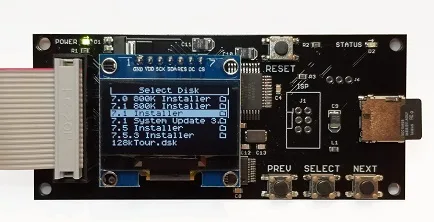
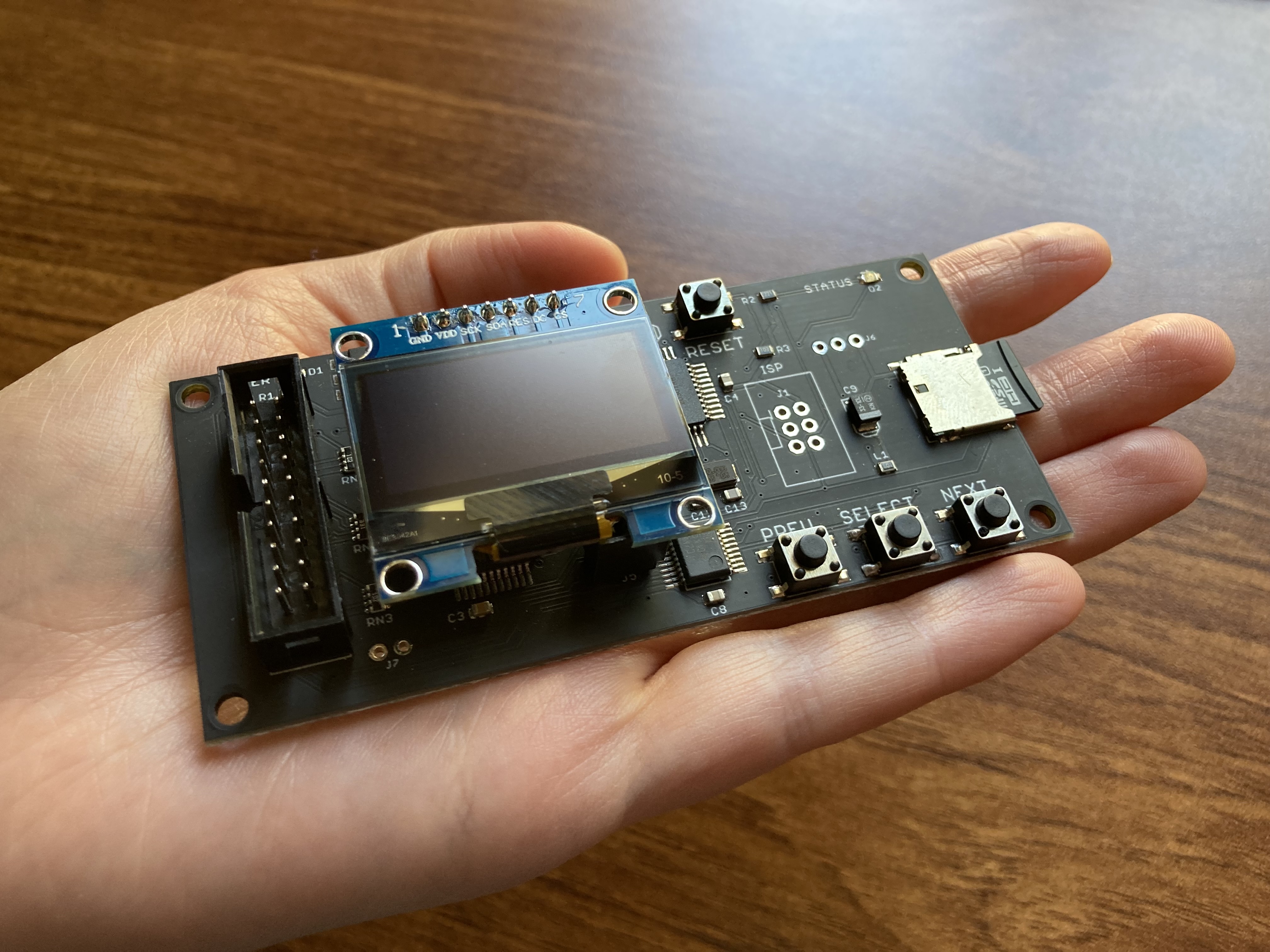
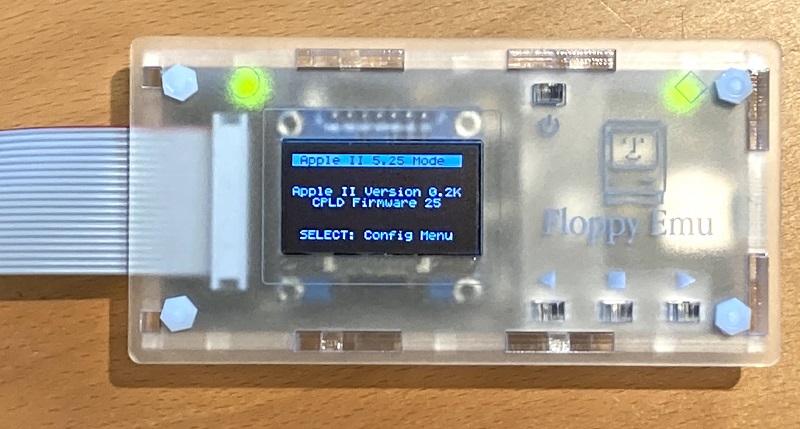
Floppy Emu is a floppy and hard disk emulator for classic Apple II, Macintosh, and Lisa computers. It uses an SD memory card and custom hardware to mimic an Apple floppy disk and drive, or an Apple hard drive. The Emu behaves exactly like a real disk drive, requiring no special software or drivers.

“Highly recommended.”
– Apple2Online
“A great device.”
– Blondihacks
“A boon for classic Mac collectors.”
– RetroMacCast
Bring new life to your old Apple computer! Floppy Emu is a specialized floppy and hard disk emulator for classic Apple computers. It uses a removable SD memory card and custom hardware to mimic an Apple floppy disk and drive, or an Apple hard drive. The Emu behaves exactly like a real disk drive, requiring no special software or drivers.
The BMOW Floppy Emu is perfect for booting your favorite games and software, or transferring files between vintage and modern machines. Just fill your SD card with disk images, plug in the Emu board, and you’ll be up and running in seconds.
Parts Sold Separately
For Apple IIc
Just For Fun
Usage Demonstration Video

Documentation

Instruction Manual and User Guide: PDF
日本語マニュアルはこちらから(2021/2/22更新): PDF
Setup Guide: PDF
Case assembly instructions: instructions
Instruction Manual and User Guide for previous generation Model B: PDF
日本語マニュアルはこちらから(2021/2/22更新): PDF
Setup Guide: PDF
Case assembly instructions: instructions
Instruction Manual and User Guide for previous generation Model B: PDF
Features
- Displays a menu UI for choosing from the disk images stored on the removable SD memory card
- Reads and writes emulated 140K, 400K, 800K, or 1.4MB floppy disk images, or hard disk images up to 2GB
- Compatible with all Apple II models, the original Macintosh 128K through the Mac II series and Power Mac, and Lisa 2
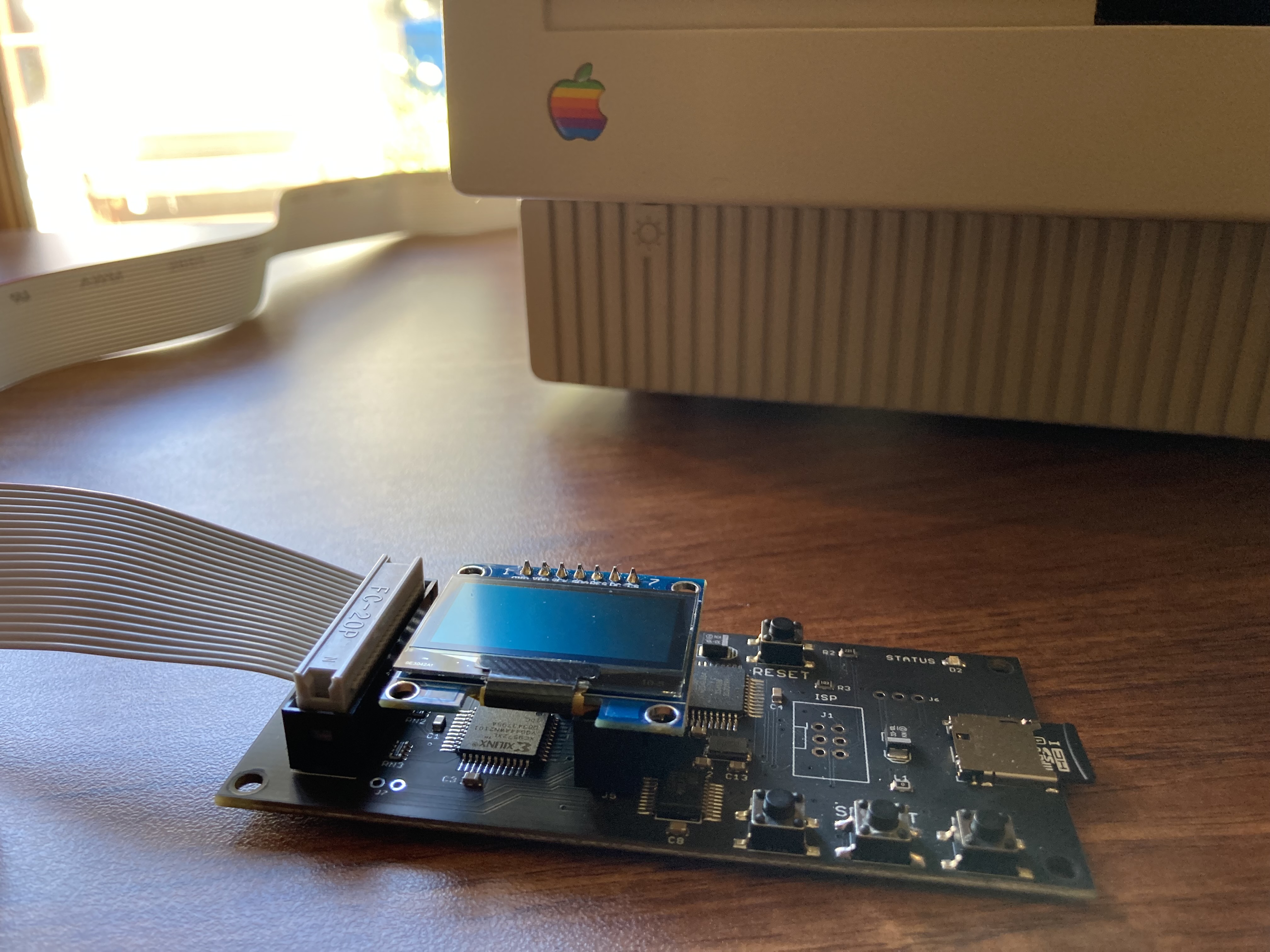
- Connects to external (DB-19 D-SUB) or internal (20 pin ribbon header) floppy drive connector
- Supports all major types of Apple disk images
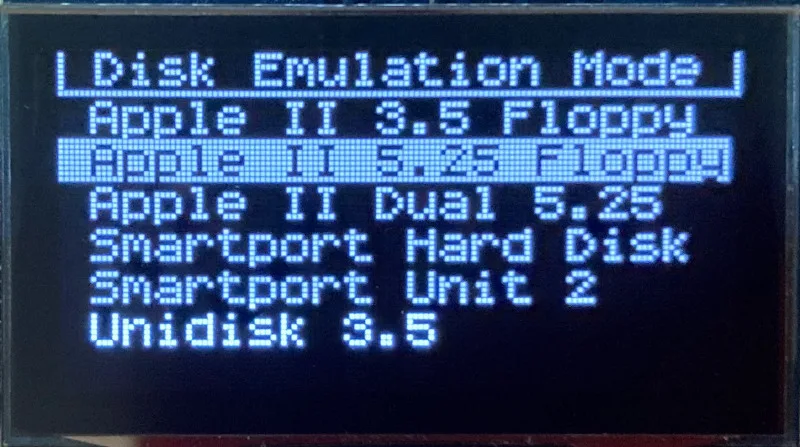
Apple II Floppy – Emulates 5.25 inch 140K floppy disks on any Apple II series system, as well as 3.5 inch 800K floppies on compatible Apple II models. An optional Dual 5.25 Floppy mode emulates two drives at the same time. Disk image files may be in .DSK, .DO, .PO, .2MG, .NIB (5.25 inch only) or .WOZ (5.25 inch only) formats. Disk images are compatible with common Apple II emulation tools such as AppleWin and Ciderpress.
Apple II Hard Disk – Emulates up to four simultaneous Smartport hard disks, each up to 32 MB (when formatted as ProDOS) or 2 GB (when formatted as HFS). Smartport disks are compatible with the Apple IIgs, Apple IIc (ROM version 0 or newer), Apple IIc+, and Apple II+ or IIe with a Yellowstone or Liron disk controller card.
For Apple II use, Floppy Emu connects to the built-in 19-pin disk connector on the Apple IIgs, IIc, and IIc+, or to a 20-pin or 19-pin connector on a separate disk controller card for other Apple II models. See the instruction manual for details on drive numbering and boot priority.
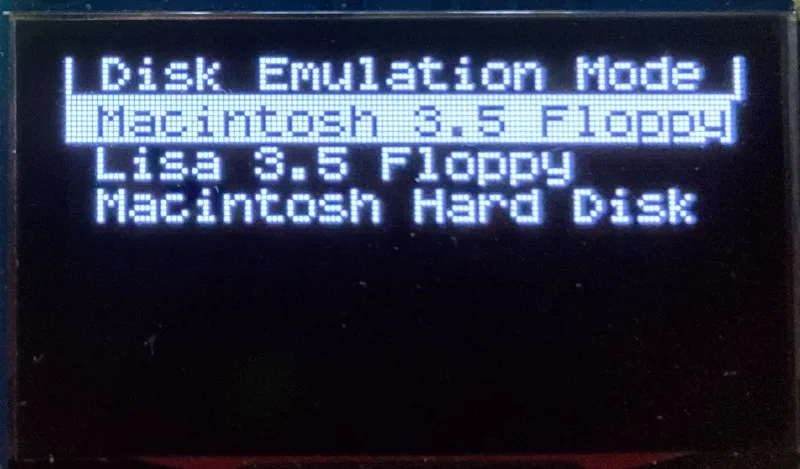
Macintosh Floppy – Supports 400K, 800K, and 1.4MB floppy disk images, in raw .dsk, Disk Copy 4.2, or MOOF formats. Disk image files are the same format as those used with popular software-based Mac emulators like Mini vMac. Compatible with the original Macintosh 128K through the Mac II series and Power Mac.
Macintosh Hard Disk / CD-ROM – HD20 hard disk / CD-ROM emulation is compatible with the Macintosh 512K, 512Ke, Plus, SE, (SE/30 when used with the Mac ROM-inator II), Classic, Classic II, Portable, IIci, IIsi, or LC I. Supports bootable hard disk / CD-ROM images up to 2GB. CD-ROMs are treated as read-only hard disks. Disk image files are compatible with other popular Mac emulators.
Lisa Floppy – Emulates 400K and 800K floppy disks on the Lisa 2/5 and 2/10. Boot or mount native Lisa Office System disk images in Disk Copy 4.2 format, or use Macintosh disk images within the MacWorks environment.
| COMPUTER | DISK EMULATION MODES |
|---|---|
| Apple II | |
| Apple II, II+, IIe with Yellowstone disk controller |  5.25 inch floppy, Dual 5.25 inch floppy, 3.5 inch floppy, Smartport hard disk, Unidisk 3.5 5.25 inch floppy, Dual 5.25 inch floppy, 3.5 inch floppy, Smartport hard disk, Unidisk 3.5 |
| Apple II, II+, IIe with standard disk controller | 5.25 inch floppy, Dual 5.25 inch floppy[1] |
| Apple II, II+, IIe with Liron disk controller | Smartport hard disk, Unidisk 3.5 |
| Apple IIc | 5.25 inch floppy[2], Dual 5.25 inch floppy[3], Smartport hard disk[4], Unidisk 3.5[4] |
| Apple IIgs, IIc+ | 5.25 inch floppy, Dual 5.25 inch floppy, 3.5 inch floppy, Smartport hard disk, Unidisk 3.5 |
| Macintosh | |
| Macintosh 128K | 3.5 inch 400K floppy |
| Macintosh 512K | 3.5 inch 400K floppy, HD20 hard disk / CD-ROM[5] |
| Macintosh 512Ke, Plus, SE | 3.5 inch 400K/800K floppy, HD20 hard disk / CD-ROM |
| SE FDHD, Classic, Classic II, Portable, IIci, IIsi | 3.5 inch 400K/800K/1.4MB floppy, HD20 hard disk / CD |
| LC [6] | 3.5 inch 400K/800K/1.4MB floppy, HD20 hard disk / CD |
| SE/30, IIcx | 3.5 inch 400K/800K/1.4MB floppy, HD20 hard disk / CD[7] |
| IIx [6] | 3.5 inch 400K/800K/1.4MB floppy, HD20 hard disk / CD[7] |
| IIfx, IIvx, IIvi, LC-II, LC-III, LC 4xx, LC 5xx, Color Classic, Color Classic II, TV, Performa, Quadra, Centris, Power Mac [6] | 3.5 inch 400K/800K/1.4MB floppy |
| Lisa | |
| Lisa 2/5 and 2/10 | 3.5 inch 400K/800K floppy |
[1] Disk II Controller Card with 20-pin connector requires Dual 5.25 Adapter for dual drives
[2] requires internal motherboard connection or Internal/External Switcher for booting 5.25 inch disks, see instructions
[3] requires Internal/External Switcher
[4] requires IIc with ROM revision 0 or newer for Smartport and Unidisk 3.5 modes, see instructions for details
[5] Mac 512K also requires a boot floppy with HD20 Init for HD20 hard disk / CD-ROM mode
[6] uses internal disk connector on the computer’s motherboard
[7] requires Mac ROM-inator II for HD20 hard disk / CD-ROM mode
Technology
Interested in how Floppy Emu works under the hood? Check out the Floppy Emu Technology Design page.
FAQ
Can I boot from an emulated floppy or hard disk?
Yes you can!
Does this require a special driver, ROM, or INIT?
No software is required for standard floppy disk emulation on any system. Apple IIc requires ROM version 0 or later for Smartport hard drives and Unidisk 3.5 drives – ROM version 255 lacks support for these. For Macintosh HD20 / CD-ROM hard disk emulation, most supported Mac models require no software, though the Mac 512K requires Apple’s HD20 Init.
What types of disk image files are supported?
Apple II supports 140K floppy disk images in .DSK, .DO, .PO, .NIB, .WOZ, or .2MG format, 800K floppy disk images in .DSK, .DO, .PO, .2MG, and DiskCopy 4.2 format, or hard disk images up to 2 GB in .PO, .2MG, or .HDV format. The maximum size of a ProDOS volume is 32 MB, so larger hard disk images must be formatted as HFS. Macintosh supports 400K, 800K, or 1.4MB floppy disk images in raw .dsk format, DiskCopy 4.2 .image format, MOOF format, or hard disk images up to 2GB in raw format. Lisa supports 400K or 800K floppy disk images in DiskCopy 4.2 format.
Can I format the emulated disk?
Yes for most drive types and disk image types. However, instead of formatting the emulated disk, it’s normally preferable to use a pre-existing blank disk image. In-system formatting of the emulated disk is supported for all Macintosh disk image types, as well as Apple II Smartport hard disks, Unidisk 3.5, WOZ disk images, and NIB disk images. Formatting performance of floppy disk images may vary depending on your SD card’s write cache behavior. For best performance, use the Blank.WOZ or Blank.MOOF sample disk images that are included with the Floppy Emu firmware.
Can I back-up old floppies using tools like Copy II Plus or Disk Copy 4.2?
Yes, with some conditions. Many disk copy programs perform a simultaneous format-and-write of the destination floppy, which may create problems (see previous answer about formatting). For best results, use a destination disk image type that supports in-system formatting. See the manual for details.
Can the Emu work with copy-protected disks?
Most copy-protected disks in WOZ or MOOF format will work with the Floppy Emu, but there are some rare exceptions. The hardware is primarily designed to work with unprotected disks using standard sector and disk formats.
Can I emulate multiple disk drives at once?
Floppy Emu can store as many disk image files as your SD card will hold. For compatible Apple II models, the hardware supports dual 5.25 inch floppy drive emulation. For Apple II Smartport hard disk emulation, up to four hard disks may be active at the same time. For other computer models and disk types, only one disk can be “inserted” in the emulated drive at any given time.
Can I connect two Floppy Emus to the same computer?
Yes, if they’re attached to separate disk ports, or to separate connectors of a dual-connector disk controller. For compatible Apple II computers, a Floppy Emu board can also be placed in a daisy chain along with other disk drives. The Emu doesn’t have a daisy-chain output port, but the optional Daisy Chainer adds one. Daisy-chaining is not supported by the Lisa or Macintosh.
How can I copy documents from an old Apple II or Mac disk to a modern PC?
Use Floppy Emu to copy the documents from the original disk onto a blank disk image residing on the SD card, then put the SD card in your PC and use a disk image utility program like CiderPress or HFVExplorer to open the disk image and extract the files. See the manual for details.
More questions?
Please see the Floppy Emu user guide for complete details and instructions.
Firmware Downloads
Floppy Emu firmware versions are available with support for Apple II, Macintosh, or Lisa computers.
Install the firmware version for the type of computer you plan to use with your Floppy Emu.
Apple II
- Apple II firmware, for Floppy Emu Model C or B, normal version: 250225A
- Apple II firmware, for Floppy Emu Model C or B, SPDC version: 250225A-SPDC what’s this?
- Apple II firmware, for Floppy Emu Model A: 250225A-ModelA
Macintosh and Lisa
- Macintosh and Lisa firmware, for all Floppy Emu models: 240209M
Older Versions (try these if the latest version gives you problems)
Apple II, Model C or B, normal version: 240208A 231213A 230712A 230218A
Apple II, Model C or B, SPDC version: 240208A-SPDC 231213A-SPDC 230712A-SPDC 230218A-SPDC
Apple II, Model A: 240208A-ModelA 231213A-ModelA 230712A-ModelA 230218A-ModelA
Macintosh/Lisa, all models: 231212M 230309M 230203M 221221M
Apple II, Model C or B, SPDC version: 240208A-SPDC 231213A-SPDC 230712A-SPDC 230218A-SPDC
Apple II, Model A: 240208A-ModelA 231213A-ModelA 230712A-ModelA 230218A-ModelA
Macintosh/Lisa, all models: 231212M 230309M 230203M 221221M

I tried adding the macintosh lisa firmware on the floppy emu c and now it’s only a blank screen with a flashing status light. I think it’s bricked. How do I fix it?
If you’re still having trouble, please use the Customer Support link at upper-right for 1-on-1 help with individual issues. You may need to repeat the firmware update process a second time if the first time didn’t complete normally.
How to connect BMOW Floppy Emu Model C to apple Lisa computer at rear adapter?
Lisa computers don’t have an external 19-pin floppy disk port. the Floppy Emu’s 20-pin flat ribbon cable should be disconnected from the DB-19 adapter, and connected to the 20-pin internal disk port on the Lisa’s logic board. You’ll need to disconnect the internal floppy drive, or you can use an A/B Switch to swap between both.
I have the Emu C and it works awesome! I’ve used it with a IIGS and IIe. On to my question; on the IIe, doing a Ctrl+OA+Reset resets the computer but the blinking green load LED on the EMU C just keeps blinking and the IIe never boots up. If I power-cycle the computer, it boots up fine for any of the disk images I have selected. Is this normal? Is there a better power-on reset procedure to use so I don’t have to power-cycle the whole computer?
The Floppy Emu doesn’t know whether your computer is starting from a cold boot or is resetting with a keypress or PR#6, the disk behavior is all the same. If you’re still having trouble, please use the Customer Support link at upper-right for 1-on-1 help with individual issues.
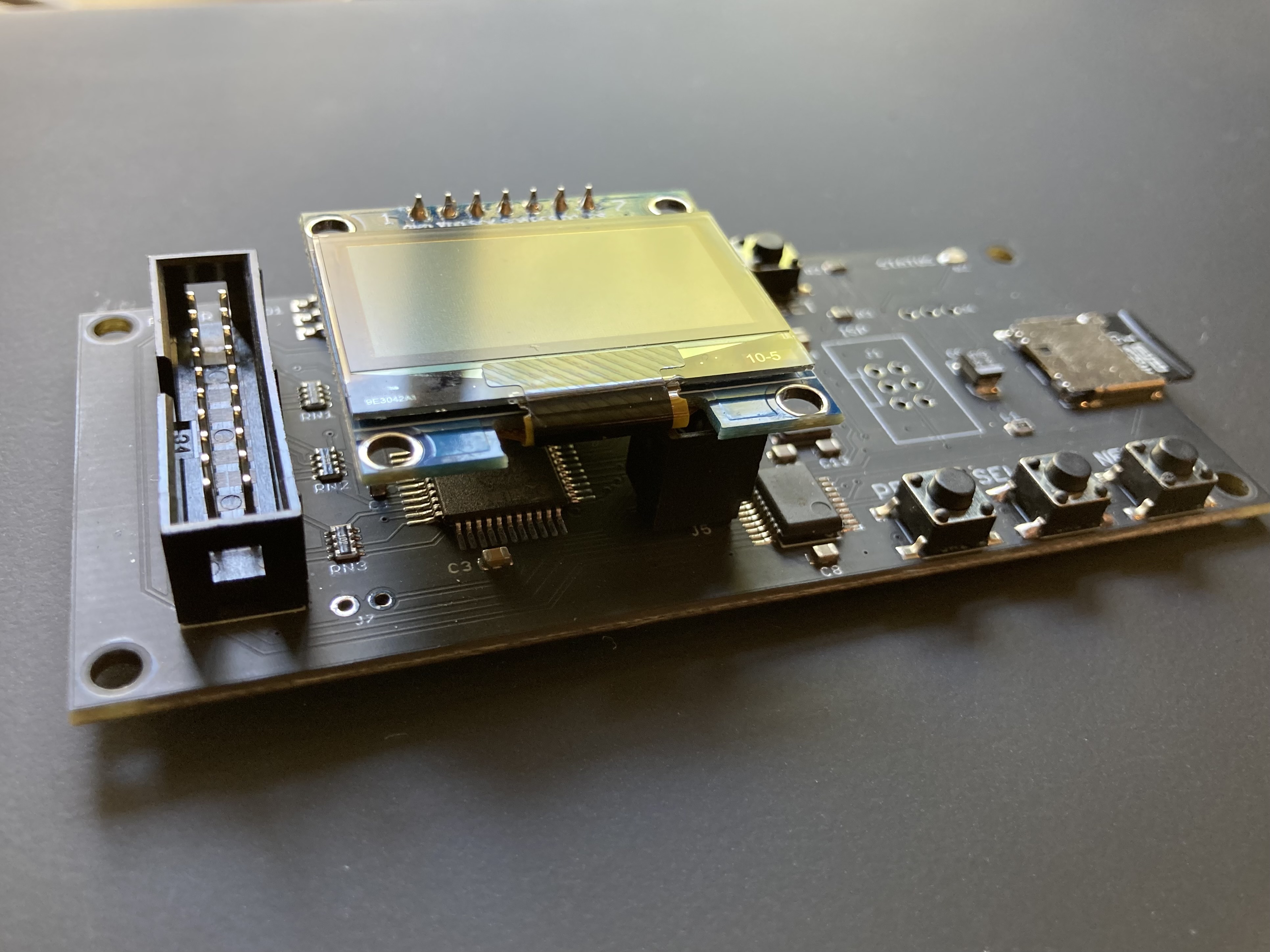
I received my floppy emu about a month ago, and while it came 100% intact somehow while in the case the display broke (splintered glass fracture). I’m looking into ordering a replacement through amazon and I can only seem to find very similar looking displays like “SSH1106 OLED LCD Display LCD Module for Arduino AVR PIC STM32” but not the exact same display… are these pretty much all the same component, just with slight branding/layout?
If you’re looking for a DIY replacement, you can check the signal labels on each pin versus the labels on the original part. As long as it’s a 1.3 inch OLED with SPI interface, it’s probably compatible. There are hundreds of vendors selling similar OLED modules so you can take your pick.
Is there any plan to scroll longer files names like a ticker tape? The character width is limiting and it is hard to pick images that they all start with the same name save for a disk number at the end of the name.
This would be a real quality of life improvement for the device.
For long filenames that only differ at the end like disk 1/2/3, the firmware shows the first 15 letters, two dots, and the last 4 letters. This keeps the disk number visible so you’ll immediately know which one you’re picking. A ticker tape could be nice in combination, if there’s critical information in the middle of the filename.
I was just wondering how to connect this to a Macintosh color classic. The compatibility list says that its compatible, but my color classic has no floppy disk port.
In side of your Color Classic, Mr. or Ms. Anonymous, close to the really high voltage stuff is a receptacle that would accommodate a floppy disk emulator. I know. I tried it with one of mine. Decided it was not very practical owing to the facts that I had to leave the back off (very hazardous) and forego the use of the Classic’s real floppy disk drive.
Yes the Color Classic and many other Mac models require an internal connection to the logic board, since they don’t have an external floppy port. Section 2 of the Floppy Emu instruction manual covers some options for external and internal connections. For the CC in particular, an extension ribbon cable is helpful, since the built-in ribbon cable is permanently attached to the logic board. You can route this through a vent in the case, or cut a new hole in the case, so you don’t need to run with the back off. The available Apple Disk Drive A/B Switch enables using both the Floppy Emu and the original floppy drive, if you want to keep both options.
Thanx, Steve. I had another look at my CC and do not see a ventilation opening of suitable size, but if a person had the skill for cutting an opening in the case through which an extension cable could be thread, this certainly would work.
Thanks for the reply. I think I may route the cable through the back panel if I really need to. Might be able to 3d print a custom one. I was planning on buying a 2c and getting a floppy emu and switcher so I guess I could just get a second switcher and cable to use the emu with both.
Thanks for the reply. I think I may route the cable through the back panel if I really need to. Might be able to 3d print a custom one. I was planning on buying a 2c and getting a floppy emu and switcher so I guess I could just get a second switcher and cable to use the emu with both.
Steve, Michael+j+Sprague, et al.:
Based on the previous few comments, I wish to add a possible solution. If you have a Color Classic MYSTIC (LC575 motherboard), then Kay Koba’s Floppy Floppy is the solution to allow convenient use of a FloppyEMU while giving you use of the internal floppy drive too. You can’t use both at once, but a toggle switch allows you to choose which you want to use, and a custom 3D printed back panel makes it easy to mount the switch and the cable connector for the FloppyEMU. Color Classic II compatibility is apparently underway too.
https://en.infinityproducts.co.jp/product-page/smc-flappy-floppy-floppyemu-and-internal-floppy-drive-switcher-kit
I am trying to update the firmware on a model C. I downloaded femu-221118A, copied the femu.bin to the root, and did the firmware update button sequence, and I get “Floopy Emu Bootloader” and then “Could Not open ? femu.bin”.
I got it… it has to be in Floppy emu mode, firmware doesnt work in HDD mode!
Maybe it is just me, an old Apple II’er since Rev.0 thru IIe, IIgs and the CFFA emulator. I love the 221118A firmware update since I have the 2.4″ screen with my Emu, but I still find navigation a hit-n-miss exercise.
I’m using 5.25″ Dual Disk Mode. I had to spend far too much time just in figuring out the button sequence to assign a disk image to Disk 1 and another to Disk 2. It seemed as big a hassle (many button presses) to switch to another disk image on one of the drives. For many, this may seem very intuitive but not to me. The CFFA card is far more easy to use and less button cryptic.
So has any step by step examples been written up yet?
Thanks for a nice product, Steve.
I flashed my EMU to Macintosh mode. It is set to 3.5 disk emulation. I have it connected and it powers up. I will select the boot image I want from the list as the computer is at the ? icon. Select the image and nothing happens. Will not boot up. I have tried this on various Macs. Any ideas?
hi, i think you are a little to fast – do what the display messages say to switch of Mac and start again – i think you have to switch off and switch on the Mac – maybe 2 to 3 times ! to boot in right image
first connect the EMU to the Mac ! – then switch on the Mac – then choose the emulation, then switch of Mac again and startup Mac to choose the boot image – then switch of and startup the Mac again ( every time the text says this in the display
i hope this helps , greetings
With regard to the previous comment… Although the LCD does say to switch off the Mac, and while I used to do that religiously in the past, recently I have found that pressing the reset button in the upper left corner of buttons accomplishes the same thing the vast majority of the time and it’s easier on the Mac to press that button instead of switching the power off and on multiple times.
I have a FloppyEmu on an Apple IIe, and it works great! I’d love to be able to use hard drive images, though. Would I need to get a new controller card (mine seems to be a plain vanilla Disk 2 controller)?
Chris,
Yes. You will need a card that supports “Smartport”. Apple released a “3.5 Disk Controller” also known as a Liron card that can be used to add a Smartport to your iie. They are rare, and costly. You can use the “Yellowstone” card (can be purchased here) for a lot less and the FEmu could emulate a HDD on it. I wanted a dedicated SmartDrive, and went with a ReactMicro Turbo card. So I can use the FloppyEmu to copy data to the HDD.
Hi, I just recieved and brand new FloppyEmu, and I connected it up to my 2e which has the 19 pin connector floppy controller, and I get nothing..the screen on the FloppyEmu is blank and the machine just sits doing nothing. Any suggestions?
It sounds like the Floppy Emu may not be receiving power. For individual issues that need customer support and troubleshooting, please use the “Customer Support” link at upper-right of the page to contact BMOW directly.
I just received my Floppy EMU and am attempting to set it up for a Mac SE.
My Mac has a 20 MB HD installed. There is not a floppy drive in the computer.
After updating the firmware, I am getting a “Check PIN – Default” error with a frowny face.
Please assist to resolve this issue.
Thanks,
Robert
Hi Robert, this is a self-test error and it means the Floppy Emu is seeing some invalid disk I/O signals from the computer. I replied to the email you sent so I can assist with 1-on-1 troubleshooting.
I believe I figured out the issue with my Floppy Emu.
It appears to be missing the Mac 800K floppy emulation files
I only have the Mac HD options on the SD card.
Where might I find the Floppy emulations to copy onto the SD?
Thx
How do I “insert” a second disk for a multi-disk game?
> How do I “insert” a second disk for a multi-disk game?
I also wonder about this. Playing around with the Moof collection, some games doesn’t eject the disk properly when asking for the second disk. Is there a way to force eject the current disc from the Floppy Emu itself?
For a Macintosh, the computer controls disk ejection. To eject a floppy disk and choose a different one, select “Eject” from the Mac’s Finder menu, or use the disk menus in whatever software you’re running. Some early Mac programs (including some in the MOOF collection) were written in a way that assumes the disk is in the internal drive, and won’t work correctly if run from an externally-connected drive like the Floppy Emu. Dark Castle is one such example, I discussed it previously here: https://www.bigmessowires.com/2021/08/31/dark-castle-bugs/
Aha, that explains it. Thanks!
I found a possible workaround yesterday: while in Finder, from the File menu, eject the first disk and then insert the second disk (repeat if the game has more disks). Then start the game. It will eject the disk properly and ask for the first disk again. There will be a lot of disk swapping, but it works. Might disrupt the gameplay too much so maybe it’s not too useful…
For the “internal drive only” Macintosh games, you can open the computer’s case and connect the Floppy Emu cable directly to the motherboard. Combined with an A/B Switch, you can retain use of the original floppy drive too. Fortunately there aren’t very many games like this, and they’re mostly early 400K disk titles from 1984-1985.
Is is possible to use the Floppy Emu in Mac HD emulation mode with a working internal 800K floppy drive on a Mac SE?
The Floppy Emu will only boot the SE if the physical floppy drive is disconnected from the logic board.
i would appreciate any suggestions. Thx
Yes, internal floppy plus external HD20 is a common setup. You may have a hardware problem somewhere that’s causing the internal and external drives to interfere with each other.
I have a rebuilt Mac SE with a 120MB internal hard drive and a 1.44MB internal FDD and I plan to buy such a great device. But before that I would like to know if it’s possible to run a 800K or 1.44MB floppy emulation on such a Floppy Emu, use all three drives at the same time and transfer data from the Emu (previously copied from a Windows PC to the SD card) to the Mac’s hard drive?
The BMOW Floppy Emu can emulate several different types of disk drive, but only one type at any given time. You can use it in combination with other floppy drives or hard drives, and transfer files back and forth between them like you would with any other external drive.
Just wanted to say that I recently got both an Apple IIe Platinum Edition and a Floppy Emu. What a great product! I’ve been having a blast playing around with this machine and the floppy emulation works great.
Hey Steve, looks like the latest firmware (femu-230203M) bricks my Model A FloppyEMU. I was able to restore by going back a few versions and incrementally trying newer versions. Was able to reproduce it going from good -> latest(bad). The last version that worked is the previous femu-221221M available from https://www.bigmessowires.com/femu-221221M.zip
Just FYI!
Nick I suspect this is an LCD issue. I sent you a follow-up email to your gmail address.
At first.where is conntact method (e-mail)
Well.
I have a problem while make image file.
Using back up of blank DOS3.3 dsk file.
Unable to write.
Meet I/O error.
Check file attribute on PC.
How to write to dsk?
SD memorycard is shipping from you.
Help me!
Sorry to hear you’re having some trouble. Please use the Customer Support link (at top-right of the page) to contact BMOW about individual support questions, and include information about the computer you’re using, the connection method, and your order number or specific hardware purchased. We’ll be happy to walk you through it.
First, let me. say that the Floppy EMU is fantastic, but I’d like to tell a cautionary tale of my false economy.
tl;dr Get a case right away to protect the somewhat fragile display, and if you are using it on the Apple IIC, the drive switcher is worth every penny!
I have a 3d printer (and a laser cutter, but it’s broken) so I saved a few bucks and didn’t buy a case. I also didn’t print one right away. I’m new to the Apple II retrohobby, and I had one floppy from a friend, and the Floppy EMU allowed me to explore a lot right away.
I stored it in a box with some apple mice, and suddenly it stopped working the display was blank. Steve quickly answered my support question with some good troubleshooting steps and quickly suspected the display was dead, and said he’d ship me a new one if I confirmed the rest was working. I did confirm that, but I also noticed the glass was broken, so it was clearly my fault, I told Steve and ordered an equivalent replacement on Amazon. Problem solved! Also, I cheaped out at first and didn’t get the drive switcher. Many, Many titles will not boot off external drives (even if your rom supports it) and I got tired of removing the cover to plug the floppy EMU into the main drive connector. I ordered the drive switcher, and once again problem solved! I wish I had bought both the case and the switcher with my original order and I could have saved on some shipping….
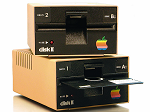
You might be interested in putting the Floppy EMU into an old Disk II case…seen in this link. I did and love it.
https://www.applefritter.com/content/custom-enclosure-floppy-emu
how to load Total replay with Apple iic ?
I already copied the Total Replay v5.0.hdv to the root directory and configured the load menue to smartport but nothing happened
Hi! I’ve come into an unusual problem after flashing my rev c from the Apple ][ firmware back to the Macintosh vers.230203M. No matter what I try it reads an image a few sectors then does nothing but fail to load a bootable disk image. I am not sure if I somehow over wrote my SD card accidentally while making a copy on the A2 side or if my Mac Plus is shorting out in the most wonderful way.
Is there a link to download a fresh image of the SD card that I got with the emu so I could format the card and try starting over?
Thanks!
For individual issues that need customer support and troubleshooting, please use the “Customer Support” link at upper-right of the page to contact BMOW directly. The Apple IIc needs to have a ROM version that supports Smartport HD operation – please see the instruction manual section 5 “Smartport Hard Disk Emulation”.
TomB please use the “Customer Support” link at upper-right of the page to contact me and I’ll help you troubleshoot.
hi,
can’t load the Settings Menu, i tried pressing “SELECT” but nothing
For individual issues that need customer support and troubleshooting, please use the “Customer Support” link at upper-right of the page to contact BMOW directly.
Hi Steve,
I’m have the same problem that Nick posted in March 29th, 2023 10:16 pm.
LCD stopped working, showing some options only when I press SELECT + NEXT after a Reset.
Hi Steve,
I know it’s been probably said a million times but this deserves shouting from the rooftops: The Floppy Emu is the single best device that happened to Apple retro computing (IMHO of course.)
Mine arrived just three days ago but it has just worked really well for hours and, despite its name, the hard drive support is also working great.
One question/idea, though: Would it be possible to add an FDD + HDD smartport mode (or is it already there and I just can’t figure it out?)
Thank you for all the work that has gone into this, it’s just a joy.
Best regards,
Thomas
The Floppy Emu emulates one type of disk drive at a time, which you can choose in the mode selection menu. There isn’t a combined HDD + FDD capability, sorry.
I’m trying to use the floppyemu with model C, firmware 230712A with my IIGS or IIc, in SmartPort Hard Disk mode. I have a game saved, I get the message ‘checksum errors’ on the floppyemu, and everything freezes. but it not happen with Yellowstone Disk Controller…
If it supports the 3.5 inch 400K/800K/1.4MB floppy emulation mode, is there a way to backup the installed hard drive, or will I only be able to transfer files under 1.4MB?
@Larry you may have some hardware issues; you can use the Customer Support link at upper-right for one-on-one troubleshooting assistance. @Brian it’s not really practical to back up an entire hard drive onto 1.4 MB floppy disk images. If your Mac is one of the models that also supports Floppy Emu’s HD20-type hard disk emulation, that would be feasible. See https://www.bigmessowires.com/floppy-emu/#compatibility But if your main goal is to backup an existing HD rather to import new files and new disk images, the Floppy Emu may not be the best fit for your needs.
MAy I know why my previous comment was removed from here?
I can see Apple II in the compatibility list, Can I consider that Apple II Europlus is compatible too?
tks
best regards
David
Yes, the Apple II Europlus an J-Plus are compatible too.
Any problems or restrictions using your products on a Rev 0 Apple II or Rom 0 Iic? Specifically Floppy EMU or Yellowstone?
Gary Foote, I have an Apple IIc with ROM 0 and can boot Total Replay as a SmartPort drive just fine, without any hacks or modifications. However, ROM 0 does not support booting from any external floppy, the Floppy EMU included. Meaning, you cannot set your FEMU to a *.po disk and boot from that on a ROM 0 IIc UNLESS you also purchase the BMOW “Internal/External Drive Switcher for Apple IIc”, or purchase ROMX by MG (ReActiveMicro), or purchase ROM Xc (ReActiveMicro). I have all 3 of those optional gadgets coming my way soon and will ultimately do a video about them on my channel.
Thanks, but I am more interested in running a Floppy EMU or Yellowstone on an Apple II rev 0. Does that work?