

Bring new life to your old Apple computer!
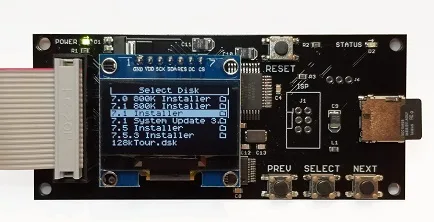
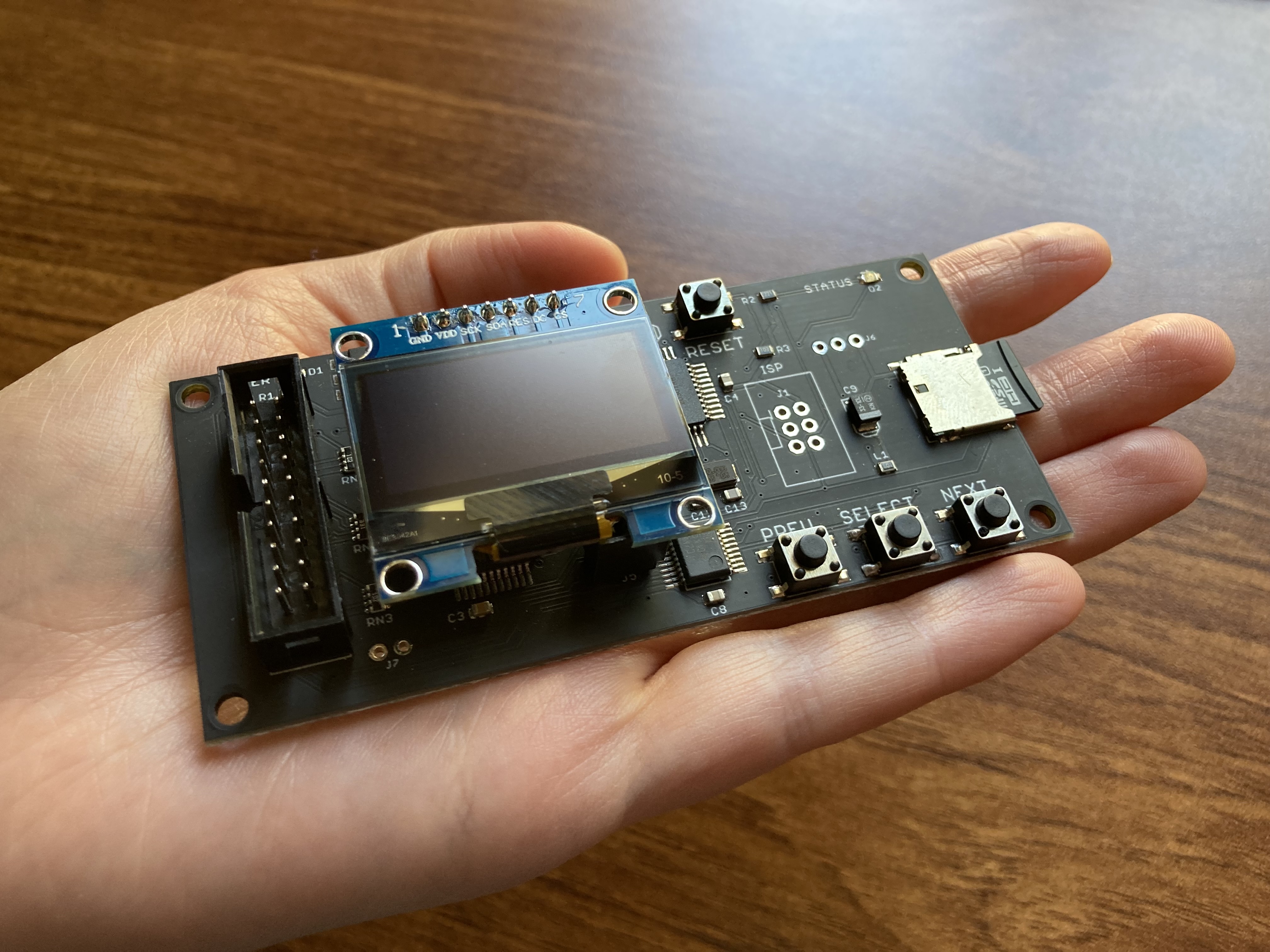
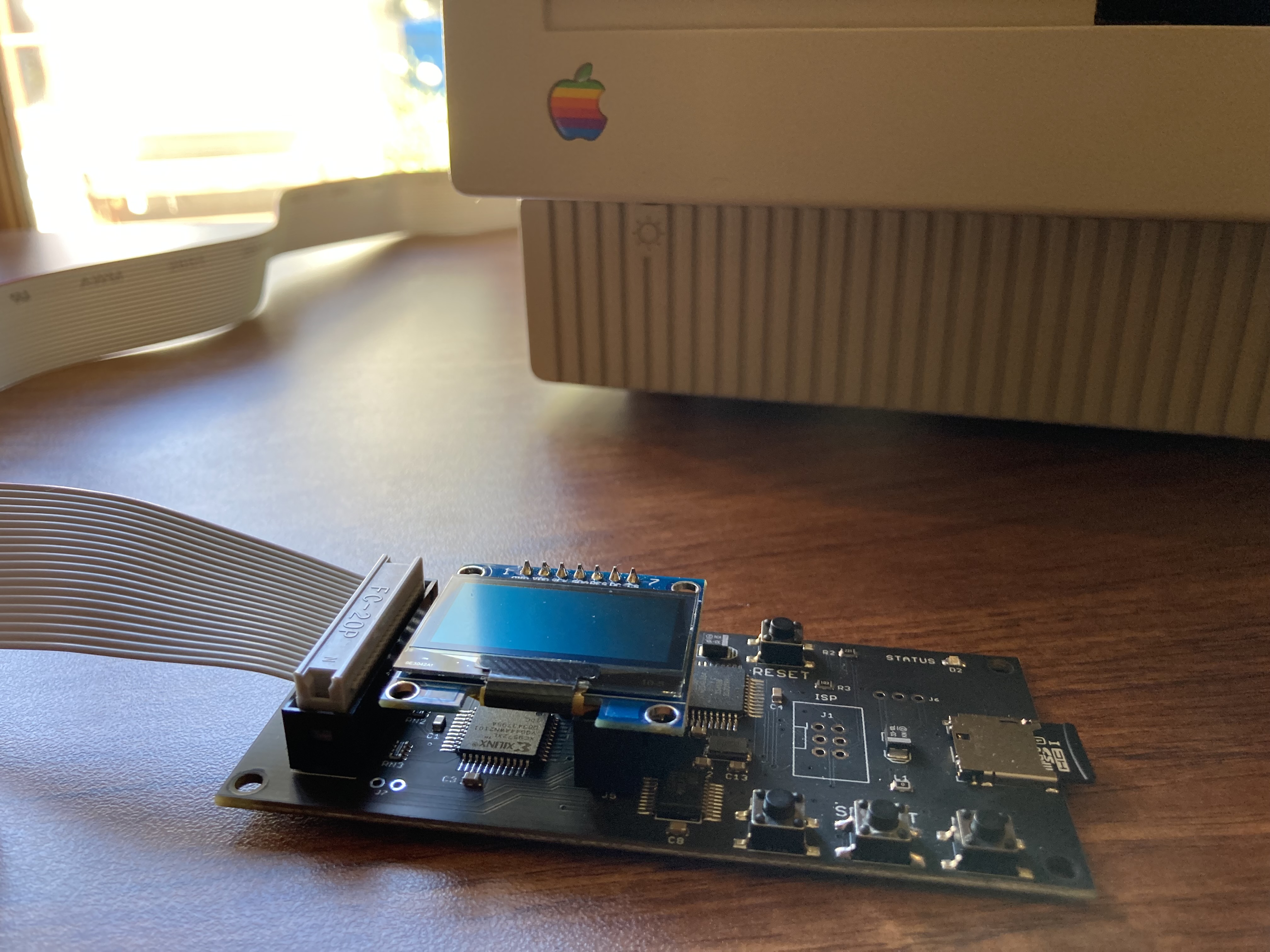
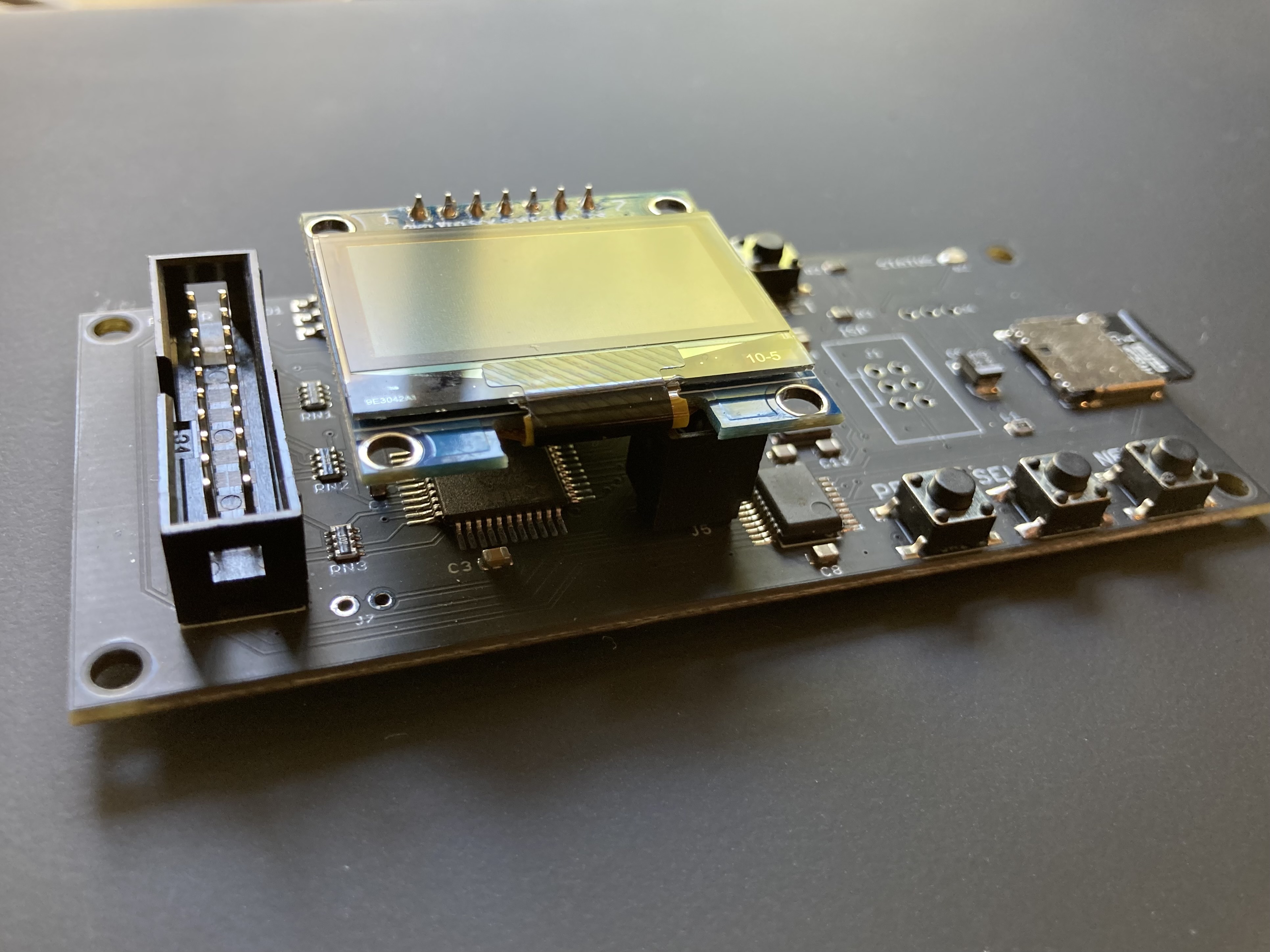
Floppy Emu is a floppy and hard disk emulator for classic Apple II, Macintosh, and Lisa computers. It uses an SD memory card and custom hardware to mimic an Apple floppy disk and drive, or an Apple hard drive. The Emu behaves exactly like a real disk drive, requiring no special software or drivers.

“Highly recommended.”
– Apple2Online
“A great device.”
– Blondihacks
“A boon for classic Mac collectors.”
– RetroMacCast
Bring new life to your old Apple computer! Floppy Emu is a specialized floppy and hard disk emulator for classic Apple computers. It uses a removable SD memory card and custom hardware to mimic an Apple floppy disk and drive, or an Apple hard drive. The Emu behaves exactly like a real disk drive, requiring no special software or drivers.
The BMOW Floppy Emu is perfect for booting your favorite games and software, or transferring files between vintage and modern machines. Just fill your SD card with disk images, plug in the Emu board, and you’ll be up and running in seconds.
Parts Sold Separately
For Apple IIc
Just For Fun
Usage Demonstration Video

Documentation
Instruction Manual and User Guide: PDF
日本語マニュアルはこちらから(2021/2/22更新): PDF
Setup Guide: PDF
Case assembly instructions: instructions
Instruction Manual and User Guide for previous generation Model B: PDF
日本語マニュアルはこちらから(2021/2/22更新): PDF
Setup Guide: PDF
Case assembly instructions: instructions
Instruction Manual and User Guide for previous generation Model B: PDF
Features
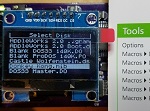
- Displays a menu UI for choosing from the disk images stored on the removable SD memory card
- Reads and writes emulated 140K, 400K, 800K, or 1.4MB floppy disk images, or hard disk images up to 2GB
- Compatible with all Apple II models, the original Macintosh 128K through the Mac II series and Power Mac, and Lisa 2
- Connects to external (DB-19 D-SUB) or internal (20 pin ribbon header) floppy drive connector
- Supports all major types of Apple disk images
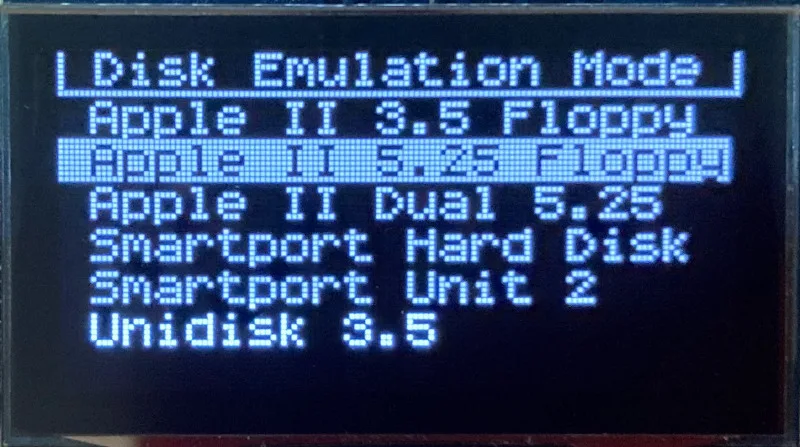
Apple II Floppy – Emulates 5.25 inch 140K floppy disks on any Apple II series system, as well as 3.5 inch 800K floppies on compatible Apple II models. An optional Dual 5.25 Floppy mode emulates two drives at the same time. Disk image files may be in .DSK, .DO, .PO, .2MG, .NIB (5.25 inch only) or .WOZ (5.25 inch only) formats. Disk images are compatible with common Apple II emulation tools such as AppleWin and Ciderpress.
Apple II Hard Disk – Emulates up to four simultaneous Smartport hard disks, each up to 32 MB (when formatted as ProDOS) or 2 GB (when formatted as HFS). Smartport disks are compatible with the Apple IIgs, Apple IIc (ROM version 0 or newer), Apple IIc+, and Apple II+ or IIe with a Yellowstone or Liron disk controller card.
For Apple II use, Floppy Emu connects to the built-in 19-pin disk connector on the Apple IIgs, IIc, and IIc+, or to a 20-pin or 19-pin connector on a separate disk controller card for other Apple II models. See the instruction manual for details on drive numbering and boot priority.
Macintosh Floppy – Supports 400K, 800K, and 1.4MB floppy disk images, in raw .dsk, Disk Copy 4.2, or MOOF formats. Disk image files are the same format as those used with popular software-based Mac emulators like Mini vMac. Compatible with the original Macintosh 128K through the Mac II series and Power Mac.
Macintosh Hard Disk / CD-ROM – HD20 hard disk / CD-ROM emulation is compatible with the Macintosh 512K, 512Ke, Plus, SE, (SE/30 when used with the Mac ROM-inator II), Classic, Classic II, Portable, IIci, IIsi, or LC I. Supports bootable hard disk / CD-ROM images up to 2GB. CD-ROMs are treated as read-only hard disks. Disk image files are compatible with other popular Mac emulators.
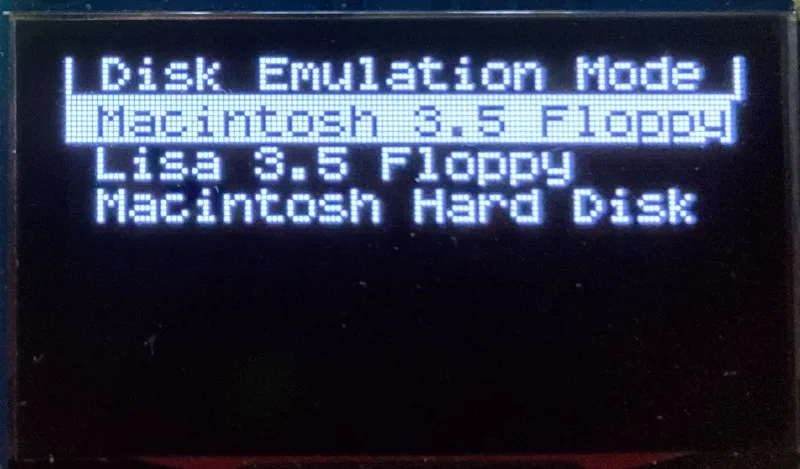
Lisa Floppy – Emulates 400K and 800K floppy disks on the Lisa 2/5 and 2/10. Boot or mount native Lisa Office System disk images in Disk Copy 4.2 format, or use Macintosh disk images within the MacWorks environment.
| COMPUTER | DISK EMULATION MODES |
|---|---|
| Apple II | |
| Apple II, II+, IIe with Yellowstone disk controller |  5.25 inch floppy, Dual 5.25 inch floppy, 3.5 inch floppy, Smartport hard disk, Unidisk 3.5 5.25 inch floppy, Dual 5.25 inch floppy, 3.5 inch floppy, Smartport hard disk, Unidisk 3.5 |
| Apple II, II+, IIe with standard disk controller | 5.25 inch floppy, Dual 5.25 inch floppy[1] |
| Apple II, II+, IIe with Liron disk controller | Smartport hard disk, Unidisk 3.5 |
| Apple IIc | 5.25 inch floppy[2], Dual 5.25 inch floppy[3], Smartport hard disk[4], Unidisk 3.5[4] |
| Apple IIgs, IIc+ | 5.25 inch floppy, Dual 5.25 inch floppy, 3.5 inch floppy, Smartport hard disk, Unidisk 3.5 |
| Macintosh | |
| Macintosh 128K | 3.5 inch 400K floppy |
| Macintosh 512K | 3.5 inch 400K floppy, HD20 hard disk / CD-ROM[5] |
| Macintosh 512Ke, Plus, SE | 3.5 inch 400K/800K floppy, HD20 hard disk / CD-ROM |
| SE FDHD, Classic, Classic II, Portable, IIci, IIsi | 3.5 inch 400K/800K/1.4MB floppy, HD20 hard disk / CD |
| LC [6] | 3.5 inch 400K/800K/1.4MB floppy, HD20 hard disk / CD |
| SE/30, IIcx | 3.5 inch 400K/800K/1.4MB floppy, HD20 hard disk / CD[7] |
| IIx [6] | 3.5 inch 400K/800K/1.4MB floppy, HD20 hard disk / CD[7] |
| IIfx, IIvx, IIvi, LC-II, LC-III, LC 4xx, LC 5xx, Color Classic, Color Classic II, TV, Performa, Quadra, Centris, Power Mac [6] | 3.5 inch 400K/800K/1.4MB floppy |
| Lisa | |
| Lisa 2/5 and 2/10 | 3.5 inch 400K/800K floppy |
[1] Disk II Controller Card with 20-pin connector requires Dual 5.25 Adapter for dual drives
[2] requires internal motherboard connection or Internal/External Switcher for booting 5.25 inch disks, see instructions
[3] requires Internal/External Switcher
[4] requires IIc with ROM revision 0 or newer for Smartport and Unidisk 3.5 modes, see instructions for details
[5] Mac 512K also requires a boot floppy with HD20 Init for HD20 hard disk / CD-ROM mode
[6] uses internal disk connector on the computer’s motherboard
[7] requires Mac ROM-inator II for HD20 hard disk / CD-ROM mode
Technology
Interested in how Floppy Emu works under the hood? Check out the Floppy Emu Technology Design page.
FAQ
Can I boot from an emulated floppy or hard disk?
Yes you can!
Does this require a special driver, ROM, or INIT?
No software is required for standard floppy disk emulation on any system. Apple IIc requires ROM version 0 or later for Smartport hard drives and Unidisk 3.5 drives – ROM version 255 lacks support for these. For Macintosh HD20 / CD-ROM hard disk emulation, most supported Mac models require no software, though the Mac 512K requires Apple’s HD20 Init.
What types of disk image files are supported?
Apple II supports 140K floppy disk images in .DSK, .DO, .PO, .NIB, .WOZ, or .2MG format, 800K floppy disk images in .DSK, .DO, .PO, .2MG, and DiskCopy 4.2 format, or hard disk images up to 2 GB in .PO, .2MG, or .HDV format. The maximum size of a ProDOS volume is 32 MB, so larger hard disk images must be formatted as HFS. Macintosh supports 400K, 800K, or 1.4MB floppy disk images in raw .dsk format, DiskCopy 4.2 .image format, MOOF format, or hard disk images up to 2GB in raw format. Lisa supports 400K or 800K floppy disk images in DiskCopy 4.2 format.
Can I format the emulated disk?
Yes for most drive types and disk image types. However, instead of formatting the emulated disk, it’s normally preferable to use a pre-existing blank disk image. In-system formatting of the emulated disk is supported for all Macintosh disk image types, as well as Apple II Smartport hard disks, Unidisk 3.5, WOZ disk images, and NIB disk images. Formatting performance of floppy disk images may vary depending on your SD card’s write cache behavior. For best performance, use the Blank.WOZ or Blank.MOOF sample disk images that are included with the Floppy Emu firmware.
Can I back-up old floppies using tools like Copy II Plus or Disk Copy 4.2?
Yes, with some conditions. Many disk copy programs perform a simultaneous format-and-write of the destination floppy, which may create problems (see previous answer about formatting). For best results, use a destination disk image type that supports in-system formatting. See the manual for details.
Can the Emu work with copy-protected disks?
Most copy-protected disks in WOZ or MOOF format will work with the Floppy Emu, but there are some rare exceptions. The hardware is primarily designed to work with unprotected disks using standard sector and disk formats.
Can I emulate multiple disk drives at once?
Floppy Emu can store as many disk image files as your SD card will hold. For compatible Apple II models, the hardware supports dual 5.25 inch floppy drive emulation. For Apple II Smartport hard disk emulation, up to four hard disks may be active at the same time. For other computer models and disk types, only one disk can be “inserted” in the emulated drive at any given time.
Can I connect two Floppy Emus to the same computer?
Yes, if they’re attached to separate disk ports, or to separate connectors of a dual-connector disk controller. For compatible Apple II computers, a Floppy Emu board can also be placed in a daisy chain along with other disk drives. The Emu doesn’t have a daisy-chain output port, but the optional Daisy Chainer adds one. Daisy-chaining is not supported by the Lisa or Macintosh.
How can I copy documents from an old Apple II or Mac disk to a modern PC?
Use Floppy Emu to copy the documents from the original disk onto a blank disk image residing on the SD card, then put the SD card in your PC and use a disk image utility program like CiderPress or HFVExplorer to open the disk image and extract the files. See the manual for details.
More questions?
Please see the Floppy Emu user guide for complete details and instructions.
Firmware Downloads
Floppy Emu firmware versions are available with support for Apple II, Macintosh, or Lisa computers.
Install the firmware version for the type of computer you plan to use with your Floppy Emu.
Apple II
- Apple II firmware, for Floppy Emu Model C or B, normal version: 250225A
- Apple II firmware, for Floppy Emu Model C or B, SPDC version: 250225A-SPDC what’s this?
- Apple II firmware, for Floppy Emu Model A: 250225A-ModelA
Macintosh and Lisa
- Macintosh and Lisa firmware, for all Floppy Emu models: 240209M
Older Versions (try these if the latest version gives you problems)
Apple II, Model C or B, normal version: 240208A 231213A 230712A 230218A
Apple II, Model C or B, SPDC version: 240208A-SPDC 231213A-SPDC 230712A-SPDC 230218A-SPDC
Apple II, Model A: 240208A-ModelA 231213A-ModelA 230712A-ModelA 230218A-ModelA
Macintosh/Lisa, all models: 231212M 230309M 230203M 221221M
Apple II, Model C or B, SPDC version: 240208A-SPDC 231213A-SPDC 230712A-SPDC 230218A-SPDC
Apple II, Model A: 240208A-ModelA 231213A-ModelA 230712A-ModelA 230218A-ModelA
Macintosh/Lisa, all models: 231212M 230309M 230203M 221221M

Gary, your previous message said “Rev 0 Apple II or Rom 0 Iic” which is why I replied about the IIc. I cannot reply about any other Apple II because I only own an Apple IIc and a IIe Card. The FloppyEMU is actually nicer with the IIe card installed in my Color Classic Mystic because I can boot from a SmartPort drive or *.po disk just fine. But someone else will need to chime in to answer your question about other Apple II series machines.
I’m not aware of any issues with the Rev 0 Apple II and Floppy Emu, though I don’t own a Rev 0. The Floppy Emu is a disk drive emulator and so it doesn’t have any direct dependency on the computer’s ROM – it’s the disk controller that matters. In the case of the Apple IIc the two issues are interrelated, and it behaves as JDW described.
As for Yellowstone, that’s covered elsewhere. The instruction manual covers the behavior difference between Apple IIe enhanced usage versus Apple IIe unenhanced, II+, and earlier models. I think the same notes should apply to the Apple II Rev 0, but I don’t know of any Rev 0 owners who have tried it.
Hi there,
I am helping an old man from my town to upgrade his old Macintosh Performa 580CD running on system software 7.6.1 currently. All his data is currently being stored in his system or floppy drives. I really want to help him by moving his data from the old mac to some newer Mac or other system. I want to know your Floppy EMU will be able to act like a floppy drive so that we can move data onto it? and also, is it possible to connect it via DB25 port at the back of the Mac and perform the job to avoid dismantling the system?
The person I am trying to help is a paralegal in our small town and the data on his system is worth saving as those are legal files and records of his customers.
If the only way to connect Floppy EMU is to connect it internally, then is it possible that in some future designs, the data transferred onto the EMU can be further transferred via bluetooth to any new mac (may be via an app installed on the new mac) this will eliminate the need to open the system every time to access the card and EMU (it will be a nice addition to the board).
I hope to find a solution and believe you could help me. Please drop me an email of your response.
Thanks.
Hi Amandeep, you’re looking at a development post from 12 years ago. Info about the current generation Floppy Emu Model C is at https://www.bigmessowires.com/floppy-emu/ and you can read the instruction manual at https://www.bigmessowires.com/femu-instructions.pdf . Floppy Emu is a floppy disk drive emulator. The DB25 port is for SCSI devices. You may also wish to investigate SCSI emulator options such as Zulu SCSI.
I bought the Floppy EMU not long ago. Is there a (probably 3D printed) case for the plug to connect to the Apple IIgs. I don’t like that it’s a raw board that the cable connects to, that you have to hold on to.
I’ve used this 3D printed model for the DB 19 cover: https://www.thingiverse.com/thing:4859916
Hi all, I’m having an issue that I keep getting “checksum error” when trying to write data in any mode other than the 5.25″/dual 5.25″. Never had tried those before, but I recently got an Yellowstone card (Slot 7) and started playing with those. Apple IIe enhanced, card and FloppyEmu both with latest firmware. Any ideas?
Powered up my 1984 vintage Mac 512Ke for the first time in 10 years, reflashed the BMOW emulator, hit reset, and the Mac booted up just fine from the dsk images on the SD card.
I recently bought an AppleSqueezer and I used the Floppy Emu to mount the provided as_disk.po file to install the required software. All was well, I copied the files that I needed and then shut down the computer. Upon turning it back on I unmounted the image from the hard drive emulation list and then rebooted again.
Upon rebooting I keep getting this message all the time and I can’t load any more hard drive images after that.
“AS.DISK” (in device .DEV2) is damaged and cannot be used. You must eject it or initialize it.
When you select the “as.disk” icon on the desktop you can’t click eject in the top menu option.
I wiped the SD card on my dan II SD hard drive card and re-installed GSOS.
This time I loaded “AS_DISK.po” onto the DAN II hard drive card. I copied the required files and rebooted & unmounted the image but no message, unlike when using Floppy EMU. please help.
I’ve read through comments others have made concerning the color classic. Since I had already opened the one I’m working on and saw the floppy cable situation I bought a A/B switch and hooked to it with my recent Floppy EMU purchase. I still can’t get the thing to see the Floppy EMU. Just get the floppy missing icon flashing and no activity showing on the Floppy EMU for any of the compatible boot disks. I’ve only ever booted this Color Classic from a SCSI zip drive years ago as the internal HD and Floppy weren’t working. I swapped out the HD and at least get the error that it needs 7.1 or later (presumably because the system on the HD doesn’t have a 401 enabler) so I know that is detected. This board had previously been recapped years ago and everything else looks good and as said previously ran from the SCSI. Starting to think the floppy drive isn’t bad and there’s other issues with the board that prevented the floppy from working. Just checking to see if there was any other gotcha I’ve missed here with getting it to boot to the Floppy EMU before digging into other electrical issues. Love the Floppy EMU! Using it on several other 68K boxes with the standard external connection.
For post-sales customer support issues, please use the Customer Support link to get in touch for 1-on-1 help. Thanks!
Hi, dumb question…
I see on the screenshots that on one hand, on the LCD screen it shows you can select the mode.
But then you also need to flash one specific firmware?
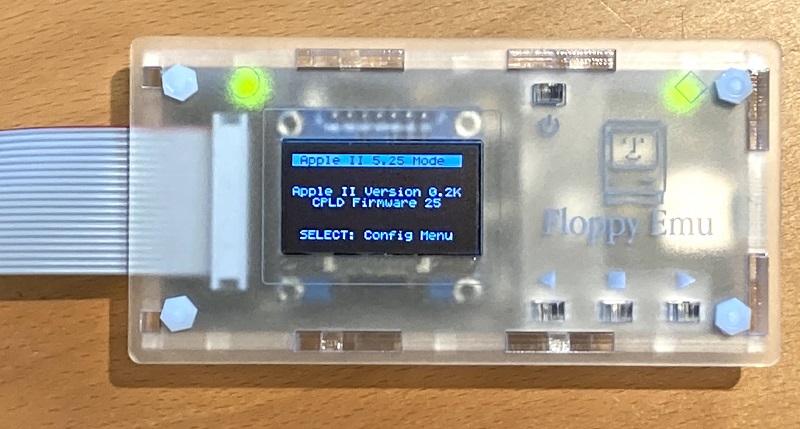
There are two versions of the firmware – one for the Apple II family and one for the Macintosh and Lisa. Within each version of the firmware, there’s a menu where you can select the specific type of disk drive within that family that you’d like to emulate.
Just sharing something that worked for me. Sometimes we want to backup a real floppy to a Floppy Emu image. This has been covered on some sections on the manual. This topic is not easy to find around (including Youtube). Most references recommend slow methods of copy (files, or disks by sector).
I wanted to simply use Locksmith 6 (or 7) Fast Backup, very easy and quick. I would get some errors while writing the image. While experimenting, I found a way:
1) Used .WOZ as target,
2) Activate the option to verify after write (so it writes each track and checks it right after before moving to the next one). Just type “V” and enter on prompt before copying.
I copied some disks doing this, all worked flawlessly and I could boot and run programs on those images.
I hope this helps other people around the Apple II retro community
Locksmith copies within 20-25 seconds, which is much faster than slow backup and reduces stress on disk drives: it will run several tracks at once, avoiding stop and go that happens if slow copy is used.
PS: I didn’t try other images, I had no images on the Floppy Emu. Perhaps they work.
Floppy Emu Model C with firmware 240208A (normal version).
I don’t really understand how to use this. Nothing mounts on my IIgs. I just want to transfer files from my mac to my IIgs hard drive. I bought the version with the disk images already on it and even though I select to mount them, nothing mounts on my gs.
For 1-on-1 help with customer support issues, you can email sales@bigmessowires.com with a detailed description of your computer system and the problem behavior or error messages. Thanks!
The problem behavior on my IIgs is none of the files show up from the device even though it appears to be working correctly.
Hi, this is the comments section of the public blog. For 1-on-1 help with customer support issues, please email sales@bigmessowires.com. Thanks!
I understand. I was hoping for community advice or support.
Hello,
maybe I am totally wrong at this place …
My problem is: none of the Apple computers I have anymore, but only a 5.25 Floppy drive and my old disk.
I wont to read them on PC windows 7 or older.
How can I emulate via hardware/software adapter these 5.25 floppies on the USB-connetion of the Windows computer.
Alex
Hello,
I have the wonderful FloppyEmu with latest Apple II firmware and I can load and boot every single image in my IIGS disk except one: the demo “KernKompetenz” from NinjaForce.
The same demo runs flawlessy from a real 3.5″ floppy disk but not from the 2MG file booted from FloppyEmu. It is an awesome tech demo, on par with the best ones from Amiga scene and I think they did some nasty programming tricks pushing the IIGS to the limits not only on graphic and sound but also on data transfer.
For sure a good software to test the FloppyEmu compatibility 😀
Hello,
How to connect floppy emu cable for lisa 2?
Can you show Me in YouTube?
The Floppy Emu can use the same 10 x 2 rectangular connector with ribbon cable as the Lisa 2’s original 3.5 inch floppy drive – just disconnect the original floppy drive and plug the cable into the Floppy Emu instead. In this case, you don’t need the 19-pin D-SUB adapter, which is needed for some Macintosh and Apple II models.
Hello- I was wondering if the Floppy Emu could use these rainbow ribbon cables: https://www.ebluejay.com/Ads/item/6945036. I have a Floppy Emu and recently bought your disk switcher. The Floppy Emu seemed to work fine by itself on my Apple II with a Disk II card and the rainbow cables. But when I set up the switcher with all rainbow cables, I fried my Floppy Emu (smoke and all). I have since ordered another, but am curious about the potential wiring diagrams and/or attachments to the switch. Any thoughts? Thanks for your help.
The cable itself should be OK but unfortunately it sounds like the cable on the Disk II controller card was probably connected backwards or offset by one row of pins. The disk II card doesn’t have any shroud or polarity key to ensure it’s correct, and if it’s incorrect then +12V voltages and reverse-biased voltages are applied to many Floppy Emu pins at once, damaging the device. I’ve included a warning and photos in the Floppy Emu quickstart instructions and in the owner’s manual, but unfortunately this still trips up people sometimes. Please reach out through the “Contact BMOW” link on this page for 1-on-1 help via email.
Alex-In order to read the Apple II floppy disks with your Windows PC you need to convert them to a disk image file (.dsk or .do for DOS3.3, or .po for ProDOS).
I used a product named KYROFLUX about 7 years ago, kyroflux.com check it out. Kryoflux is a small PCB that connects to an old, slightly modified, old floppy drive and provides a USB connection to your Windows or Mac computer. I used Kryoflux PCB and their Kryoflux software with an old Panasonic 5-1/4″ floppy drive with my Windows 10 PC to create disk images of all my Apple II DOS3.3 and DOS3.2 disks. I found it worked exceedingly well for me.
Once you have your disk images you can use freeware products like the AppleWin emulator for Windows and CiderPress.
They have versions that work with Windows 7 and Windows 8.1 thru 11 in their Downloads section.
Also in the Downloads section are PDF documents showing how to modify a old floppy drive.
There may be other similar products out there by now. I hope this helps.
RE: Rainbow cables. Turns out, I had a bad cable. Tested a bunch of them, and definitely one that wasn’t working properly. All good now, but I have to wait for my new Floppy Emu to test images (power comes on, and I can navigate the menus, but nothing will load).
Seems like a great device! Will it work on my Apple II clone, the ITT 2020?
And where do I get images I can use?
Most Apple clones should work fine with the Floppy Emu, although I haven’t heard any specific reports about the ITT. BMOW offers a Vintage Software SD card with a starter set of disk images, or you can download images from the web – section 9.1 of the instruction manual has a list of suggested sites.
Hi I just got my floppy EMU. Great device. However, I’m having some issues now. I’m using this on a Mac Plus. Everything was working fine but I wanted to transfer over some games to the hard disk image which I did using HFVExplorer and Parallels. I then got a file not contiguous error so based on the manual, I reformatted the SD card using Disk Utility on my MBP (MS-DOS FAT and master boot record). I then copied over all the files back to the SD. Now, I get strange behavior. The 3.5 disk images show up ok on the EMU but the folder that should contain the hard drives no lists System 7.1 over and over like 100 times but in parentheses it says 6.0.8. So basically it’s just listing “System 7.1” but when you choose it the mac boots into 6.0.8. I’ve tried formatting multiple times and a couple different SD cards and getting the same problem. I also tried reinstalling the firmware. I noticed one thing though is that when copying to these SD cards (any of them), after a single copy, the finder on the MBP will say Zero disk space. I then have to eject and re-insert the card to perform another copy. Whether I do a single copy of the femu.bin, the “Hard Disks” folder and the “Macintosh stuff” folder or I copy them one at a time (after several eject-insert cycles) it doesn’t matter. I still can’t seem to see any of the hard disks in the “Hard Disks” folder. The folder contains the stock 3.2, 6.0.8 and 7.1 dsk files and my modified file called “Area51 System 7.1.dsk”. But none of them shows up except the 7.1 but it’s not really 7.1 but 6.08. Any thoughts?
For 1-on-1 help with individual customer support problems, please email sales@bigmessowires.com. It sounds like the FAT on your SD card is corrupted or the card may be defective. Thanks!
While I don’t have the symptoms that Area51 describes, I noticed that recently _a lot_ of files copied over fail as not contiguous, whereas before I never had this issue. This is with previous and current firmware (240208A).
The SD cards I use are good quality and worked fine before with FloppyEmu.
I tried troubleshooting by using the SD Card Formatter utility (both quick and full), to no avail.
I believe this may be a change in macOS: previous files were copied onto the SD cards with either Ventura(13) or Sonoma(14) (not sure), the problems seemed to start with my recent upgrade to Sequoia (macOS 15) and seem to affect only files copied under it.
Change in write-caching behavior of the OS?
There were reported issues reading SD cards in Sequoia, so maybe more SD related code has changed.
Those of you finding your SD card files are frequently “not contiguous,” tell us if you are using an Apple Silicon Mac.
I’ve been faced with that problem ever since I acquired my M1 Mac 16” MBP, and it occurs regardless of macOS version. It never occurs when copying files on my Intel Macs. And it happens even if I copy over one small file. But here’s the thing, it’s not exclusive to the FloppyEMU. It happens with my SD cards for MacSD and even my ExFAT formatted cards for BlueSCSI.
So it’s an SD card problem that pertains to using FAT32 or ExFAT formats on the SD cards.
When copying even a single tiny file, Apple Silicon Macs seem to be so fast they written hidden file data at the time of your file transfer, thereby causing the non-contiguous file problem. And sadly, you can’t stop macOS from writing hidden files to SD cards even though those files aren’t needed or wanted.
It’s been a huge problem for me for a very long time, and at some point using an Intel Macs as a workaround isn’t going to be feasible for most people.
I haven’t run into this problem on my M1 Macbook Air (running 13.4), although I more often use a Windows PC for writing my SD cards. In any case, fragmentation is a result of how the computer writes files to the SD card and is independent of the Floppy Emu or the Emu’s firmware, and of the SD card brand or quality. The computer doesn’t care if files are fragmented on an SD card, but some embedded hardware devices do care.
There are several causes of file fragmentation, but the one you describe here may be caused by the Mac writing Spotlight index data at the same time it writes the file itself. Have you tried disabling Spotlight for the SD card? On your Mac go to System Settings -> Siri & Spotlight -> Spotlight Privacy… and add the SD card there. Unfortunately I don’t think MacOS remembers, so you will have to do this each time you mount the SD card on your Mac. I have also read that you can add a file to your SD card (or any other volume) named .metadata_never_index, and Spotlight will ignore the volume.
JDW,
indeed, the previous (problem-free) files were written from an Intel-based Mac. Switch to Sequoia coincided with a new M3 MacBook Air.
Good catch.
I assume you are referring to ._ files? Blocking ._ files from being written solve this, maybe via BlueHarvest app? Erasing them after being written would no good since the main files would be fragmented already.
Will try BH (I bought ita while back) and report back.
Andreas & Steve,
Killing Spotlight indexing as you describe was never a fix for me. I’ve spent probably 50 hours searching online about this problem, coming up with nothing. I’ve long felt I was the lone man on this planet who can’t write files to SD cards for BlueSCSI, FloppyEMU or MacSD on Apple Silicon Macs, mainly because Google search results show NOBODY else talking about this. Crazy. So glad to see I am not alone today. Believe me, I’ve tried everything and nothing works. NOTHING. My only recourse is to use an Intel Mac, and when those are gone from my home, I shall be in a world of hurt. I am a PC-free home too, so it’s not like I can just use one of my PCs either. It’s a serious problem, but as I said before, and as Steve C. said too, this problem is NOT specific to FloppyEMU. Instead it impacts all FAT32 and ExFAT formatted SD cards.
So either Apple needs to stop writing those stupid hidden files to SD cards, or the vintage computing world will need to turn to something other than Windoze formats for SD cards, choosing superior file formats which handle fragmentation far more intelligently. Or devices need to be modified to fix fragmentation on the fly. MacSD does this, but it takes time.
Andreas, simply double click your hard drive icon (“Macintosh HD”) and you should see folders named Applications, Library, System, Users, and maybe only that. Now press Shift-CMD-period. Boom! You see all manner of grayed out files some of which start with a period, but not all. Now check your SD card. Press Shift-CMD-period repeatedly to toggle hidden files on and off. You can now see the mess macOS writes to SD cards. I absolutely hate that. I hate it! Those files are completely unnecessary on SD cards and really clutter up the files on the SD card, even at times when those hidden files do no harm. Honestly, we need a Write Apple Feedback campaign in the tech world to get them to put a stop to that foolishness post haste!
For now, we Apple Silicon users must suffer.
I think there are ways out. (Note: I don’t own any Apple computer.)
Plan A:
You could throw hardware at the problem. Get any Raspberry Pi, a matching SDcard for the Raspi, and a USB card reader. Install any Linux on the Raspi (NOOBS may help), connect the Raspi to your home network, and connect the USB card reader to the Raspi. Transfer your files to the Raspi, then on the Raspi copy or move them to the SD card that you want to use for the floppy emu.
You can control the Raspi using almost any USB keyboard and HDMI TV or monitor, but even better, you can run it headless and use VNC or SSH instead. RTFM.
Plan B:
Use virtual hardware. I don’t know about Apple Silicon, but virtualisation software like VirtualBox, VMware, and the like allows to run a second operating system in parallel. Good virtualisation software allows to pass through an entire USB device from the real hardware to the virtual machine. The trick here would be almost the same as with the Raspi. Install any Linux in a virtual machine, pass the entire USB card reader to the virtual machine, and again copy the files to the Linux VM, then to the SD card inside the VM. Eject the SD card before returning the card reader to the host system.
Plan C:
There is software for Mac OS to remove hidden files. I learned that from trying to solve a similar problem with some of the customers of one of our customers at work, but I don’t have any experience with that software.
https://discussions.apple.com/thread/252896362 – the basic problem
http://www.zeroonetwenty.com/blueharvest/ – 30 day free trial, 14.95 USD for up to three Macs.
https://apps.apple.com/us/app/usbclean/id907406031?mt=12 – 4.99 USD, no free trial.
Tux2000,
There is no Plan C. You can’t delete hidden files after the fact and magically fix the damage done WHILE those hidden files were being written to the SD card. It is the act of those files being written, not their existence, that lies at the root of the problem.
Realistically, most people won’t go with Plan B. It’s no different than telling people, “you need to backup your data or risk losing it.” Most people take the risk. Laziness? Sure. But when it comes down to it, I am not sure that virtualization would even work. Because once you “pass your SD card reader to your virtual machine,” can you 100% guarantee macOS won’t lay his dirty little hands on it? I suspect it will because the Mac sees it. And like I said before, doing all the tricks to prevent Spotlight from doing its indexing dirty work on SD cards doesn’t prevent the problem.
As for Plan A, that plan has never been implemented. When it is, I look forward to seeing it in action.
Plan D would be for all manufacturers of SD card products (FloppyEMU, MacSD, BlueSCSI, ZuluSCSI, etc.) to stop using FAT32 or ExFAT and instead use a file format that has not file continuity issues whatsoever. But maybe there are licensing issues, or perhaps technical issues that prevent that from happening? Not sure if developers embrace FAT32 or ExFAT because they are just free, or if there are other reasons.
For now, we only have Plan E: use an old Intel Mac to write files to SD cards. Hidden files still get written, mind you. But for whatever reason, when you write files to the SD card on an Intel Mac, one at a time (which is still a pain), all is well in the end.
Maybe there’s something else unique to your computer setup that’s contributing to this problem? Among Floppy Emu users, I’ve only heard from maybe 3-4 people who are consistently running into fragmentation problems on their SD card even after trying the solutions in the instruction manual, which makes me believe it can’t be as simple as all Apple-silicon Macs having this issue, otherwise there would be many more such reports.
I just tried to reproduce SD card fragmentation on an M1 MacBook Air (MacOS 13.4) and couldn’t do it. I used a 4 GB class 10 micro SD card of the type that’s used for the BMOW Vintage Software collection. Using a USB-C to USB-A adapter and an Anker SD card reader, I made two new directories on the SD card and wrote 44 floppy disk images of assorted sizes in several batches of 5 or 10 at a time, as well as 7 hard disk images of sizes 20 to 140 MB. There was no fragmentation in any of them and they all mounted without any problems in the Floppy Emu. This information isn’t going to solve your problems, but maybe it can help point you towards some other clues of what might be different on your computer that’s contributing to file fragmentation.
I’m not aware of anything about FAT32 or exFAT that makes them especially prone to file fragmentation, and any type of filesystem can have fragmented files. The reason that devices such as the Floppy Emu require contiguous unfragmented files is for performance. If we know that a file occupies a contiguous range of physical sectors on the SD card, then the device’s microcontroller can read and write all the sectors very quickly with a single SD card operation. But if the file is fragmented, then each fragment must be read and written in a separate operation, interspersed with additional operations to read portions of the FAT to determine where each fragment is located. This type of access can be several times slower than reading from a contiguous file.
Thanks, Steve.
Since you mentioned SD cards, I should add that I continue to use the same SD cards that both my Model B & Model C FloppyEMU’s originally shipped with.
On my M1 Max 16″ MBP running Sonoma, the active apps I have running at all times, which are not from Apple, are LittleSnitch and DropBox, but neither of those should have anything to do with the SD card file-writing problem. Itsycal is a menubar calendar app I use as well, but it shouldn’t be doing anything until I click on it. I keep Time Machine disabled, so I know it’s not that.
It was somewhat of a relief to me to hear that Andreas also faced the same problem when he switched to an M3 MBA because I now know I’m not alone. But the mystery is why most people who use Apple Silicon, such as yourself, don’t have the issue. It’s true for BlueSCSI and MacSD too, because neither Eric H. or Yianni (YMK) have had a lot of people reporting the problem. Very odd. Anyway, thank you for the info.
Hi Steve,
Love the products! The thread here is too long to read, so sorry if this is duplicated. For the FloppyEmu, although I totally love the UI, I was wondering if there was some way to add an additional alternate user interface. I’m hoping to reduce clutter on my desk… it’s very cluttered.
I’m inspired by both the ADTPro and BlueSCSI. I am sure you are familiar, but for those who are not… For ADTPro, they are able to load the program over audio (cassette port) or through RS232 serial. For BlueSCSI, they have a control panel that can send custom commands over the SCSI interface.
For FloppyEmu, we would want a common method that work for both Apple IIs and Macs. If there were some way to send a command over a serial interface (obviously adding a serial port to FloppyEmu and using a port on the computer), or even cleaner, through the floppy interface, then a program could use that interface. That program could be placed on the “boot” volume, then when needed, it could control swapping floppies or mounting disk images.
If you have any interest, I could volunteer some time.
I assume that the omission of the Macintosh II form the Compatibility table was just an oversight? And I assume that it has the same features available as the SE or the IIx if a FDHD upgrade kit has been added (which upgraded the ROM to the same as the IIx)?
I’m not positive about the Mac II capabilities, but I believe it’s 400K/800K floppies and it lacks HD20 hard disk support.
Hello,
I’m on an M3 Pro based Mac running Sequoia 15.2 (24C101) and I’m also experiencing the “files not contiguous” problem. The results from deleting all the files then copying them back is a little bit random sadly. Sometimes it simply results in the problem ‘moving’ to other files. It’s a frustrating one. I’m going to try to copy the files using the Termial and seeing if that makes a difference.
It’s a great product apart from this issue though.
Cheers,
Ross.
Hi Ross,
I experiment the same. The problem is happening when you extract the sdcard from the Pi switched on. You have to switch it off to close all the files properly.
Hi Ross,
I experiment the same. The problem is happening when you extract the sdcard from the Floppy Emu switched on. You have to switch it off to close all the files properly.
James – does disabling creation of macOS’ “hidden files” help? I found this article:
https://service.alaska.edu/TDClient/36/Portal/KB/ArticleDet?ID=219
It mentions this command to prevent creation of those “DS_Store” on removable USB media (like a usb sd card reader?):
defaults write com.apple.desktopservices DSDontWriteUSBStores -bool TRUE
I just got the FloppyEmu and am experiencing the non-contiguous problem as well. This is on Sequoia running on Intel Mac. I would say around 80% of the tries, the files became non-contiguous, even when copied after freshly formatted. This happens on multiple SD cards, and re-formatting them first before copying doesn’t help. Even a SD format followed by copying a single disk frequently results in the problem.
I will try other workarounds, but unfortunately this makes the device almost unusable.
Have you tried disabling Spotlight for the SD card? On your Mac go to System Settings -> Siri & Spotlight -> Spotlight Privacy… and add the SD card there. Unfortunately I’m not sure MacOS remembers, so you may have to do this each time you mount the SD card on your Mac. I have also read that you can add a file to your SD card (or any other volume) named .metadata_never_index, and Spotlight will ignore the volume. To confirm that no extra Spotlight files are being written by your Mac, you can press Shift-CMD-period to toggle display of hidden files on and off. It won’t help to delete hidden files after the fact, you need to prevent them from being written in the first place. Another alternative could be to use a Windows or Linux PC to copy new disk images to the SD card, or use VirtualBox to run Windows or Linux on your Mac and copy the files from there.
For those who are consistently getting their files fragmented after copying them to the SD card from MacOS Sequoia, what kind of files are they and how exactly are you copying them? Are they floppy disk images, or hard disk images? If hard disk images, what size are they?
This is just a wild guess, but maybe a recent update to MacOS replaced some portion of its file system code with a multi-threaded implementation, so that if you copy multiple files at once, each file gets a separate thread, leading to the possibility of interleaving sectors between the copied files. If that’s the case, then you would need to do two things to prevent MacOS from causing trouble:
1. Disable MacOS Spotlight indexing on the SD Card, using one of the methods described previously. And also:
2. Copy files to the SD card one at a time.
Hi Steve,
I just did some quick tests. I do think turning off Spotlight (via Settings) does improve things. I wasn’t able to reproduce the issue after turning that on. However, my testing was brief so it may have been luck.
The files I’m using are small (8k) .sit files and larger disk images (800k). I’ve also seen the problem with text files. I don’t think the file type matters. Seen the issue with files copied by the Finder and cp in Terminal. So it isn’t that. I’ve seen the problem when just copying single files at a time. The workflow which showed the problem was: delete old file, replace with the new one. Error would appear. There would have been tiny size differences between the old and new files.
I would love somebody else to test the Spotlight workaround and confirm my brief testing.
Let me know if there are specific tests you want me to try.
Cheers,
Ross.
Just wanted to report I have been experiencing the same “files not contiguous” on my FloppyEmu – but I’m using older 2018 Mac Mini (Intel CPU) and running macOS 14 Sonoma.
I have same issue on BlueSCSI with a different card (it takes full size SD cards). With serial console connected to the BlueSCSI, I see warnings about my bluescsi images being fragmented via serial terminal.
I didn’t think to ask here – I had posted question about this Apple II Enthusiasts facebook group, and several people chimed in saying they had the same issue.
I use the SD Card Association formatter tool. The latst SD card association tool for some reason also shows external thunderbolt disks and I nearly formatted my external drive out of habit clicking through the motions, since I have to do this operation so often.
I might manage my images on a PC – I have a cheap mini PC (smaller than my mac mini) for the occasional bit of windows software I need to run.
Friends, I get email notifications of new comments posted here, so I of course read the SD card file fragmentation discussion this morning, and David send me an email too. I felt compelled to explain to all of you what I explained to him by email.
First off, non-contiguous file errors still plague me. I’m pretty vocal about talking about it online, and sometimes people offer suggestions. It plagues me on BlueSCSI, FloppyEMU and MacSD too — anything with an SD card that uses the FAT32 or ExFAT formats.
Eric Helgeson of BlueSCSI recently advised me of the official BlueSCSI way of avoiding the problem, as described here:
https://github.com/BlueSCSI/BlueSCSI-v2/wiki/Image-File-Fragmentation#mac-os
I tried it. It didn’t work for me with my FloppyEMU files though. It happens far more on my FloppyEMU because on my BlueSCSI and MacSD devices, once I have my 2GB drive images on the SD card, I add new files inside those images using Basilisk II. I seldom add new disk images to the SD card. The problem doesn’t happen when you add files INSIDE a disk image already on the card. It happens when you write new images to the SD card.
The non-contiguous file problem affects me no matter than filesize or type that I copy to the SD card. Mostly, I just want to copy 400K, 800K or 1.44MB *.dsk images to the FloppyEMU’s SD card using my modern Mac. I have two FloppyEMU units. On my FEMU dedicated to Apple II, I copy 140kb files almost exclusively, and yes, I copy them one at a time (as painful as that often is). But even a single 140kB file copied to the SD card end up throwing the dreaded “non-contiguous” error on my FloppyEMU. You want to rip your hair out when those things happen!
Anyway, I told Eric Helgeson that the approach presented in the URL he sent to me (the one I mentioned above) didn’t help me. Eric then offered the following method, which I’ve not had time to try, but I would encourage you who have the problem to try it and see if it helps (although I must admit it’s a fiddly mess):
================
# Create a 140kb file
$ dd if=/dev/random of=HD1small.hda bs=1k count=140
140+0 records in
140+0 records out
143360 bytes transferred in 0.002378 secs (60285955 bytes/sec)
# Show the Apple file system attributes:
$ xattr HD1small.hda
com.apple.provenance
# Copy to the SD card, excluding extended attributes (same as removing just one less step):
$ cp -X HD1small.hda /Volumes/UNTITLED
-or-
# Delete the attributes
$ xattr -c HD1small.hda
# Provenance is special, have to do it separately
$ xattr -d com.apple.provenance HD1small.hda
Then copy normally.
================
Eric said the above method has been tested by him on an M4 Mac, and apparently many people on Discord have said it works too.
At the end of the day though, I love simplicity. Doing all these hacky things just to get a file working on your FloppyEMU isn’t simple. Simple is clicking on a file on your modern computer, then dragging it atop the SD card, then releasing the mouse button. All without fragmentation, of course. That is my definition of SIMPLICITY. That’s what I want, to be honest. But for now, we must experiment with these HACKS.
Anyway, please try what I wrote above and see if it helps.
—James Wages
Thanks for the comments. I’m limited in what I can do because all of this fragmentation is happening within MacOS before the SD card ever touches the Floppy Emu, but I’m trying to understand what’s happening so that I can suggest a MacOS work-around. Unfortunately (or fortunately) my MacOS systems aren’t experiencing this problem, so I have to rely on other people’s reports.
@Ross, I think you are experiencing the “classic” version of fragmentation that may occur when you delete some files from the SD card and then copy new files to the card. This can happen under any operating system, but fortunately it’s easy to correct by recopying all the files to your SD card, as suggested in the Floppy Emu manual and in the BlueSCSI doc that James linked to.
The more aggressive version of this problem apparently only appears on certain recent-model MacOS computers and can not be fully solved by recopying all the files to the SD card. The cause is unclear (at least to me) but may be some combination of MacOS’s simultaneous writing of Spotlight indexing files, .DS_Store files, extended attributes files, and/or simultaneous writing of multiple files being copied at once.
James, could you confirm that you tried all of Eric’s and my suggestions *at the same time*? Without knowing whether multiple things are causing the fragmentation, testing any one of those potential fixes individually might not be enough. The ideal test would be 1) freshly-formatted SD card, and 2) Spotlight indexing disabled for the card, and 3) .DS_Store creation disabled on removable drives, and 4) copying without extended attributes using cp -X.
I can’t see how the second method enclosed in ====== markers is different than the method in the BlueSCSI doc – they are both recommending the same process using cp -X to exclude extended attributes.
As far as I’m aware, this “aggressive” fragmentation problem on certain MacOS computers only appeared about 6 months ago, and before that I had only ever heard of the more common version caused when files are deleted from a filesystem and other files re-added. Since MacOS Spotlight, .DS_Store, and extended attributes are all technologies that have been around much longer than 6 months, I’m a little skeptical that the explanation is as simple as something like “turn off .DS_Store”. I could certainly be wrong, but my bet is on some kind of multi-threading change or other low-level change in the MacOS filesystem code that appeared in the most recent MacOS version. Or perhaps only M3 and M4 Macs are fast enough to expose a pre-existing timing issue in the filesystem code, or it requires the combination of the latest MacOS and and M3/M4 CPU. Just my wild guess.
I found a utility “fswatch” (installed via homebrew) that may give me some info on what is accessing the SD card. There are all kinds of weird files being created – haven’t seen anything deleted yet which would be a nice smoking gun. This is command I am running:
$ fswatch -0 -t -x /Volumes/FLOPPYEMU | xargs -0 -n 1 -I {}
I’m going to leave this running for a while and see what happens to the SD card as I move things back and forth.
I also noticed Backblaze, Google Drive, Dropbox – they all want to “backup” the SD card when its inserted in the system. I wonder if booting into Safe Mode or some other means of disabling these utilities will implicate them in whats happening. They could me making their own “hidden files”.
Well, I’m happy to report that after adding the SD Card to Spotlight Privacy, I copied 8 files to the drive and none of them experienced a non-contiguous error! It’s a small sample so far, but definitely an improvement over 1 of 8. Thanks for the suggestion. This is probably worth adding to the instructions above or in the pdf manual for Mac users.
Btw, on Sequoia, Siri is no longer combined with Spotlight. The sequence is:
System Settings > Spotlight > Search Privacy
And yes it did remember the SD card location and name.
So I haven’t had a non-contiguous error since, so now it’s just all about having fun with the device. Great device! I’m now able to archive disks and restore broken disks, as well as just use it to load programs. Copying a disk off FloppyEmu works perfectly.
In terms of copying disks to the floppy emu, I tried using Locksmith 6.0 Fast backup as someone on this thread suggested, but it didn’t work very well as some corruption happens. When I tried Copy II Plus 8.2 using copy disk to the blank woz file provided here, it would give me an error on every track. However, I found that the disk copies anyway and have yet to find an issue with the copies.
Why does Copy II Plus will reports errors in this case? Is it due to some checksum issue or Floppy Emu is not emulating exactly of what a regular floppy drive returns? Or timing issue?
I successfully used Locksmith 6 and 7 to perform a copy with fastbackup to copy a real disk to a floppyemu image. In order to succeed, you MUST enable verification, so as each copies and writes each track, it verifies it before moving to the next one. I think the small delay in the verify step is what makes it work. If verify is off, it fails.
In order to enable this, you need to use the V command (must be capital V). Just type 12V (for copying from drive 1 to drive 2 with verify enabled), 21V, etc whatever drive configuration you want to use.
I used a blank.woz file as a target (like the ones provided by Steve). Didn’t try other formats, they might work, please let us know if it does.
Yeah I did turn on verification with V for Locksmith 6.0 copying to the blank.woz file from this site. Unfortunately the results were inconsistent. I get a little bit of corruption/differences in the copies.
Images made with Copy II plus 8.2, on the other hand, consistently worked. The only thing that concerns me is that it only reports errors so the verification step is not succeeding.
Will probably need to experiment more.
Well, that’s two of us who have had success by disabling Spotlight. Seems significant.