

Bring new life to your old Apple computer!
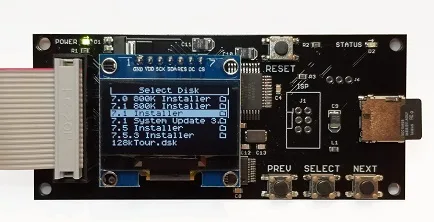
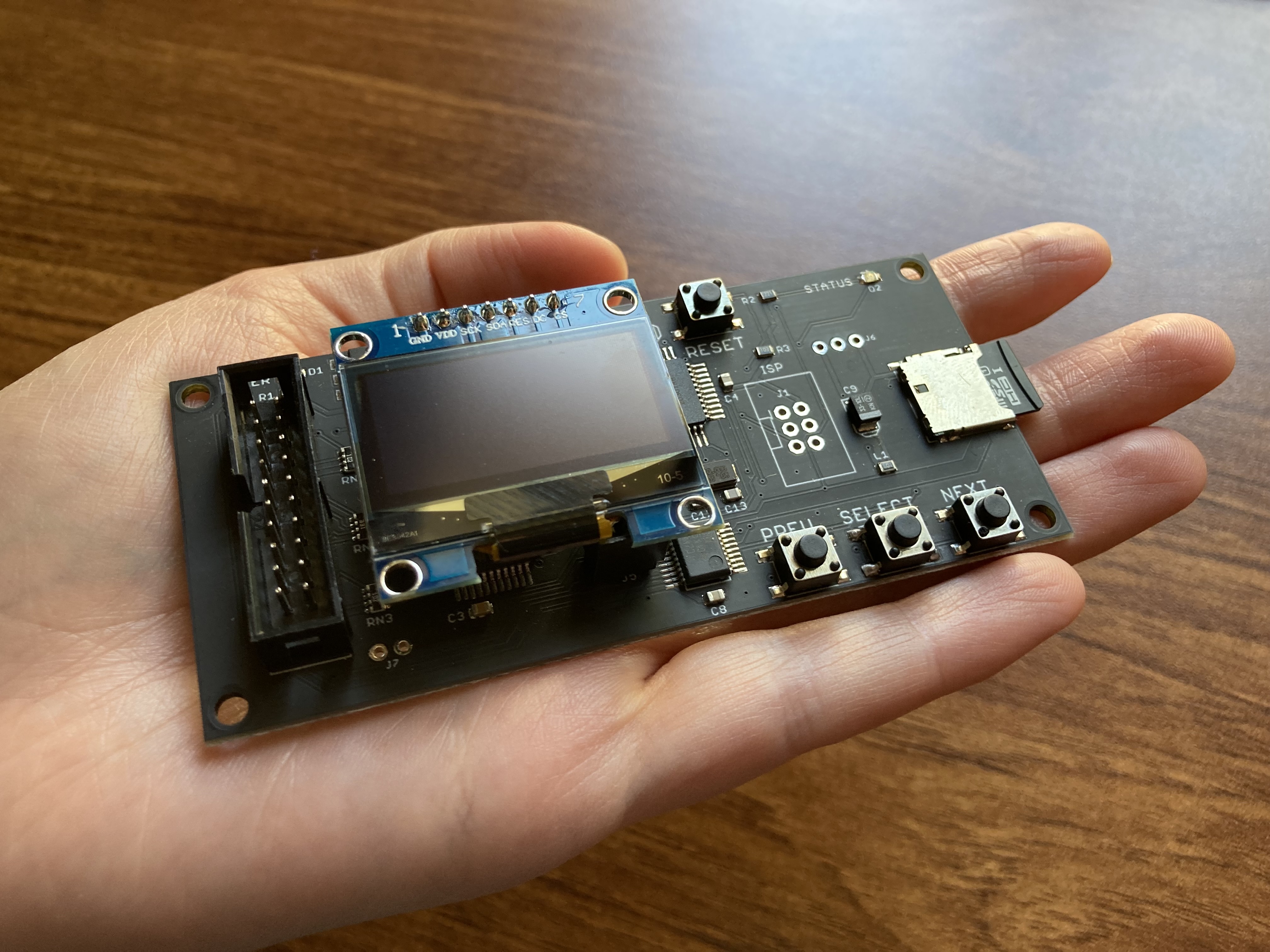
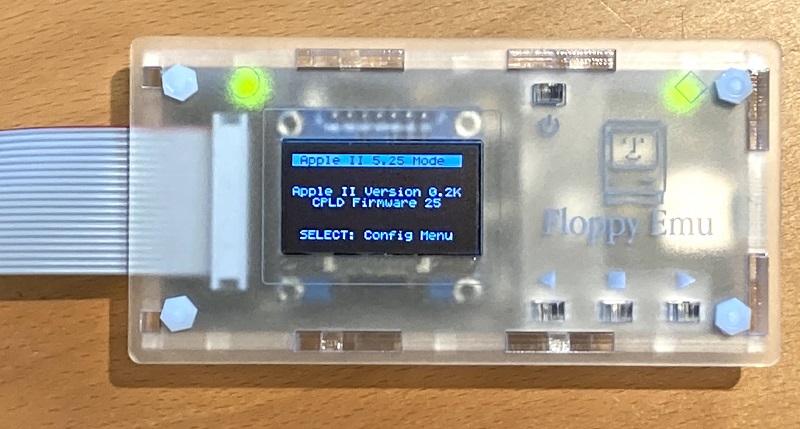
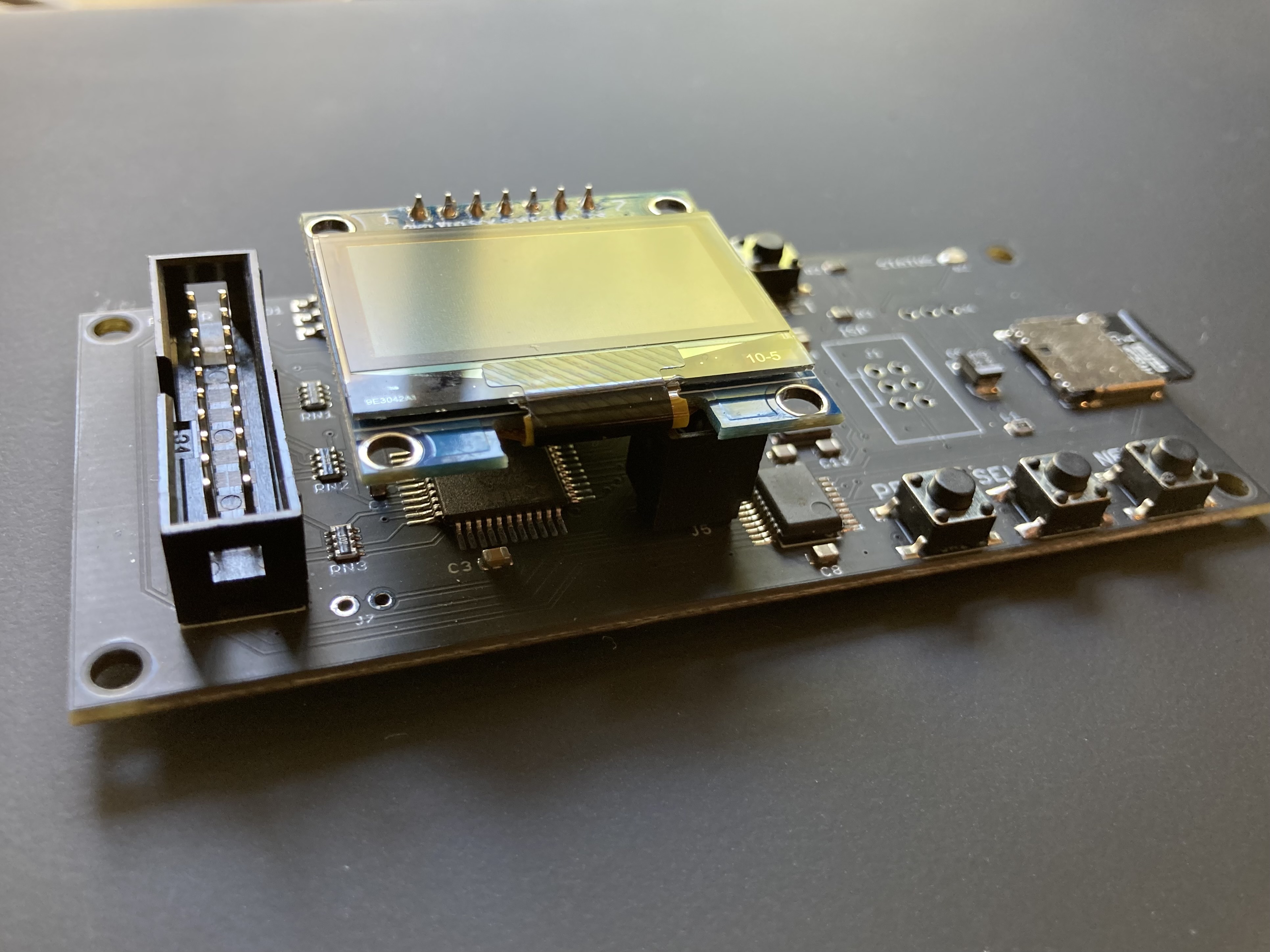
Floppy Emu is a floppy and hard disk emulator for classic Apple II, Macintosh, and Lisa computers. It uses an SD memory card and custom hardware to mimic an Apple floppy disk and drive, or an Apple hard drive. The Emu behaves exactly like a real disk drive, requiring no special software or drivers.
“Highly recommended.”
– Apple2Online
“A great device.”
– Blondihacks
“A boon for classic Mac collectors.”
– RetroMacCast
Bring new life to your old Apple computer! Floppy Emu is a specialized floppy and hard disk emulator for classic Apple computers. It uses a removable SD memory card and custom hardware to mimic an Apple floppy disk and drive, or an Apple hard drive. The Emu behaves exactly like a real disk drive, requiring no special software or drivers.
The BMOW Floppy Emu is perfect for booting your favorite games and software, or transferring files between vintage and modern machines. Just fill your SD card with disk images, plug in the Emu board, and you’ll be up and running in seconds.
Parts Sold Separately
For Apple IIc
Just For Fun
Usage Demonstration Video

Documentation
Instruction Manual and User Guide: PDF
日本語マニュアルはこちらから(2021/2/22更新): PDF
Setup Guide: PDF
Case assembly instructions: instructions
Instruction Manual and User Guide for previous generation Model B: PDF
日本語マニュアルはこちらから(2021/2/22更新): PDF
Setup Guide: PDF
Case assembly instructions: instructions
Instruction Manual and User Guide for previous generation Model B: PDF
Features
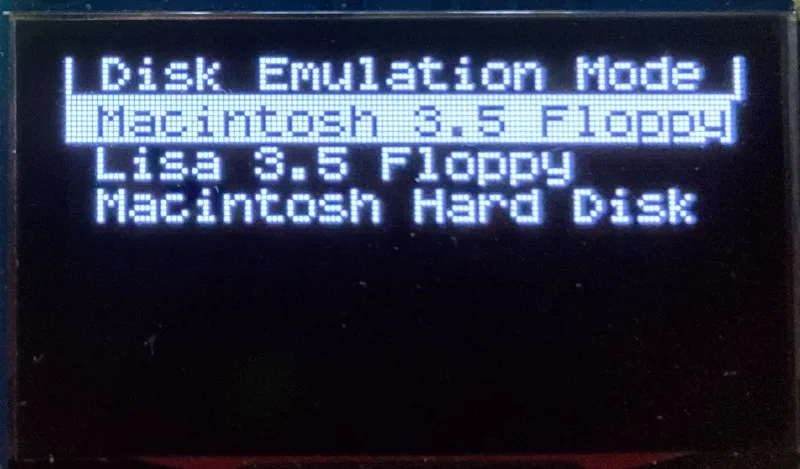
- Displays a menu UI for choosing from the disk images stored on the removable SD memory card
- Reads and writes emulated 140K, 400K, 800K, or 1.4MB floppy disk images, or hard disk images up to 2GB
- Compatible with all Apple II models, the original Macintosh 128K through the Mac II series and Power Mac, and Lisa 2
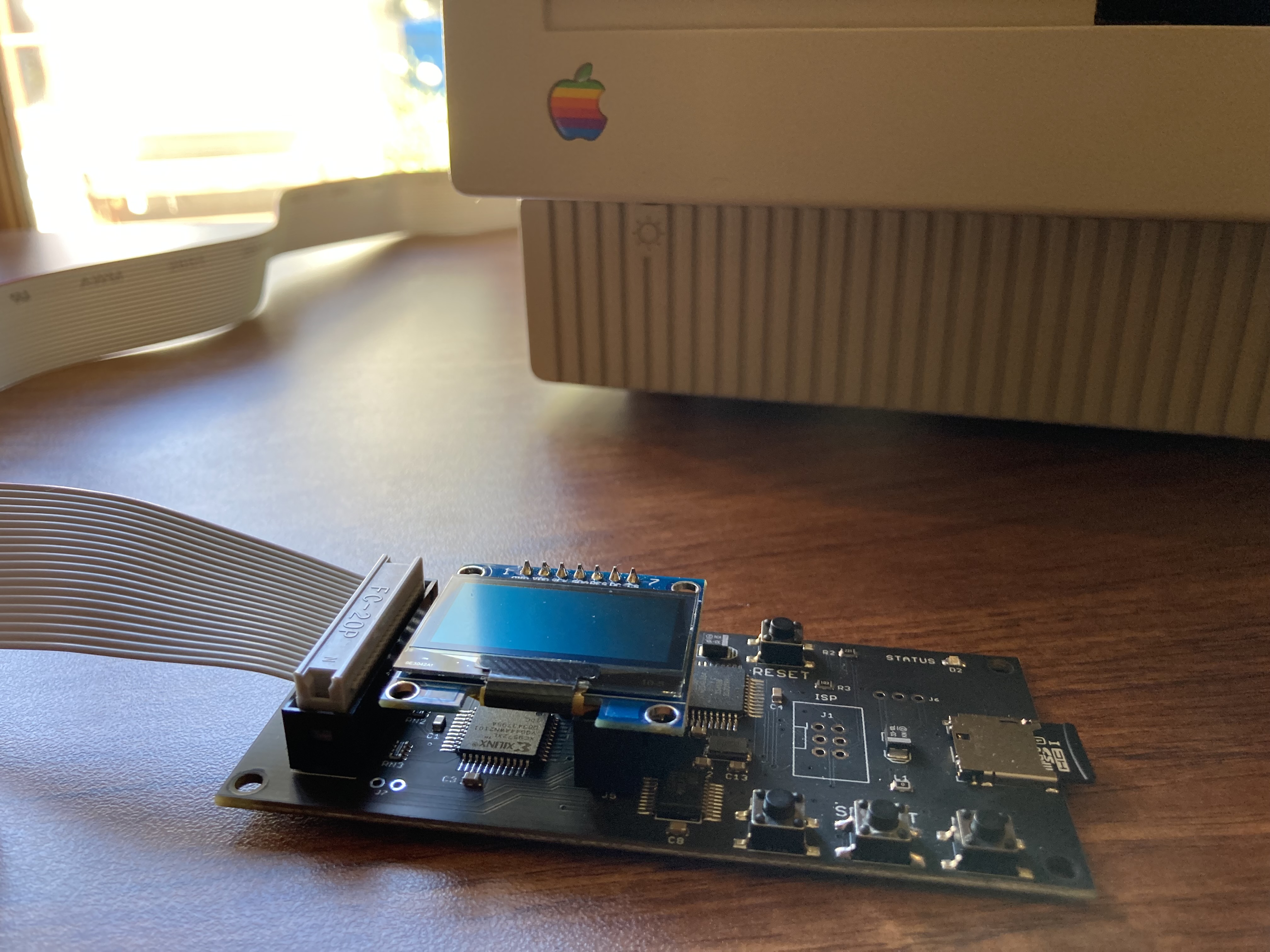
- Connects to external (DB-19 D-SUB) or internal (20 pin ribbon header) floppy drive connector
- Supports all major types of Apple disk images
Apple II Floppy – Emulates 5.25 inch 140K floppy disks on any Apple II series system, as well as 3.5 inch 800K floppies on compatible Apple II models. An optional Dual 5.25 Floppy mode emulates two drives at the same time. Disk image files may be in .DSK, .DO, .PO, .2MG, .NIB (5.25 inch only) or .WOZ (5.25 inch only) formats. Disk images are compatible with common Apple II emulation tools such as AppleWin and Ciderpress.
Apple II Hard Disk – Emulates up to four simultaneous Smartport hard disks, each up to 32 MB (when formatted as ProDOS) or 2 GB (when formatted as HFS). Smartport disks are compatible with the Apple IIgs, Apple IIc (ROM version 0 or newer), Apple IIc+, and Apple II+ or IIe with a Yellowstone or Liron disk controller card.
For Apple II use, Floppy Emu connects to the built-in 19-pin disk connector on the Apple IIgs, IIc, and IIc+, or to a 20-pin or 19-pin connector on a separate disk controller card for other Apple II models. See the instruction manual for details on drive numbering and boot priority.
Macintosh Floppy – Supports 400K, 800K, and 1.4MB floppy disk images, in raw .dsk, Disk Copy 4.2, or MOOF formats. Disk image files are the same format as those used with popular software-based Mac emulators like Mini vMac. Compatible with the original Macintosh 128K through the Mac II series and Power Mac.
Macintosh Hard Disk / CD-ROM – HD20 hard disk / CD-ROM emulation is compatible with the Macintosh 512K, 512Ke, Plus, SE, (SE/30 when used with the Mac ROM-inator II), Classic, Classic II, Portable, IIci, IIsi, or LC I. Supports bootable hard disk / CD-ROM images up to 2GB. CD-ROMs are treated as read-only hard disks. Disk image files are compatible with other popular Mac emulators.
Lisa Floppy – Emulates 400K and 800K floppy disks on the Lisa 2/5 and 2/10. Boot or mount native Lisa Office System disk images in Disk Copy 4.2 format, or use Macintosh disk images within the MacWorks environment.
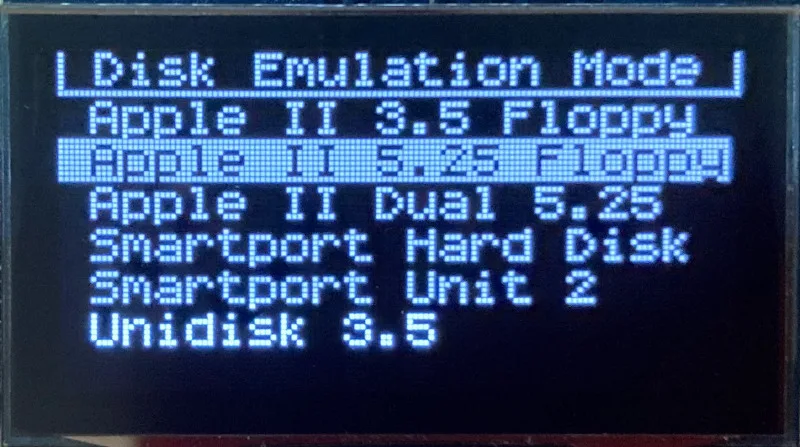
| COMPUTER | DISK EMULATION MODES |
|---|---|
| Apple II | |
| Apple II, II+, IIe with Yellowstone disk controller |  5.25 inch floppy, Dual 5.25 inch floppy, 3.5 inch floppy, Smartport hard disk, Unidisk 3.5 5.25 inch floppy, Dual 5.25 inch floppy, 3.5 inch floppy, Smartport hard disk, Unidisk 3.5 |
| Apple II, II+, IIe with standard disk controller | 5.25 inch floppy, Dual 5.25 inch floppy[1] |
| Apple II, II+, IIe with Liron disk controller | Smartport hard disk, Unidisk 3.5 |
| Apple IIc | 5.25 inch floppy[2], Dual 5.25 inch floppy[3], Smartport hard disk[4], Unidisk 3.5[4] |
| Apple IIgs, IIc+ | 5.25 inch floppy, Dual 5.25 inch floppy, 3.5 inch floppy, Smartport hard disk, Unidisk 3.5 |
| Macintosh | |
| Macintosh 128K | 3.5 inch 400K floppy |
| Macintosh 512K | 3.5 inch 400K floppy, HD20 hard disk / CD-ROM[5] |
| Macintosh 512Ke, Plus, SE | 3.5 inch 400K/800K floppy, HD20 hard disk / CD-ROM |
| SE FDHD, Classic, Classic II, Portable, IIci, IIsi | 3.5 inch 400K/800K/1.4MB floppy, HD20 hard disk / CD |
| LC [6] | 3.5 inch 400K/800K/1.4MB floppy, HD20 hard disk / CD |
| SE/30, IIcx | 3.5 inch 400K/800K/1.4MB floppy, HD20 hard disk / CD[7] |
| IIx [6] | 3.5 inch 400K/800K/1.4MB floppy, HD20 hard disk / CD[7] |
| IIfx, IIvx, IIvi, LC-II, LC-III, LC 4xx, LC 5xx, Color Classic, Color Classic II, TV, Performa, Quadra, Centris, Power Mac [6] | 3.5 inch 400K/800K/1.4MB floppy |
| Lisa | |
| Lisa 2/5 and 2/10 | 3.5 inch 400K/800K floppy |
[1] Disk II Controller Card with 20-pin connector requires Dual 5.25 Adapter for dual drives
[2] requires internal motherboard connection or Internal/External Switcher for booting 5.25 inch disks, see instructions
[3] requires Internal/External Switcher
[4] requires IIc with ROM revision 0 or newer for Smartport and Unidisk 3.5 modes, see instructions for details
[5] Mac 512K also requires a boot floppy with HD20 Init for HD20 hard disk / CD-ROM mode
[6] uses internal disk connector on the computer’s motherboard
[7] requires Mac ROM-inator II for HD20 hard disk / CD-ROM mode
Technology
Interested in how Floppy Emu works under the hood? Check out the Floppy Emu Technology Design page.
FAQ
Can I boot from an emulated floppy or hard disk?
Yes you can!
Does this require a special driver, ROM, or INIT?
No software is required for standard floppy disk emulation on any system. Apple IIc requires ROM version 0 or later for Smartport hard drives and Unidisk 3.5 drives – ROM version 255 lacks support for these. For Macintosh HD20 / CD-ROM hard disk emulation, most supported Mac models require no software, though the Mac 512K requires Apple’s HD20 Init.
What types of disk image files are supported?
Apple II supports 140K floppy disk images in .DSK, .DO, .PO, .NIB, .WOZ, or .2MG format, 800K floppy disk images in .DSK, .DO, .PO, .2MG, and DiskCopy 4.2 format, or hard disk images up to 2 GB in .PO, .2MG, or .HDV format. The maximum size of a ProDOS volume is 32 MB, so larger hard disk images must be formatted as HFS. Macintosh supports 400K, 800K, or 1.4MB floppy disk images in raw .dsk format, DiskCopy 4.2 .image format, MOOF format, or hard disk images up to 2GB in raw format. Lisa supports 400K or 800K floppy disk images in DiskCopy 4.2 format.
Can I format the emulated disk?
Yes for most drive types and disk image types. However, instead of formatting the emulated disk, it’s normally preferable to use a pre-existing blank disk image. In-system formatting of the emulated disk is supported for all Macintosh disk image types, as well as Apple II Smartport hard disks, Unidisk 3.5, WOZ disk images, and NIB disk images. Formatting performance of floppy disk images may vary depending on your SD card’s write cache behavior. For best performance, use the Blank.WOZ or Blank.MOOF sample disk images that are included with the Floppy Emu firmware.
Can I back-up old floppies using tools like Copy II Plus or Disk Copy 4.2?
Yes, with some conditions. Many disk copy programs perform a simultaneous format-and-write of the destination floppy, which may create problems (see previous answer about formatting). For best results, use a destination disk image type that supports in-system formatting. See the manual for details.
Can the Emu work with copy-protected disks?
Most copy-protected disks in WOZ or MOOF format will work with the Floppy Emu, but there are some rare exceptions. The hardware is primarily designed to work with unprotected disks using standard sector and disk formats.
Can I emulate multiple disk drives at once?
Floppy Emu can store as many disk image files as your SD card will hold. For compatible Apple II models, the hardware supports dual 5.25 inch floppy drive emulation. For Apple II Smartport hard disk emulation, up to four hard disks may be active at the same time. For other computer models and disk types, only one disk can be “inserted” in the emulated drive at any given time.
Can I connect two Floppy Emus to the same computer?
Yes, if they’re attached to separate disk ports, or to separate connectors of a dual-connector disk controller. For compatible Apple II computers, a Floppy Emu board can also be placed in a daisy chain along with other disk drives. The Emu doesn’t have a daisy-chain output port, but the optional Daisy Chainer adds one. Daisy-chaining is not supported by the Lisa or Macintosh.
How can I copy documents from an old Apple II or Mac disk to a modern PC?
Use Floppy Emu to copy the documents from the original disk onto a blank disk image residing on the SD card, then put the SD card in your PC and use a disk image utility program like CiderPress or HFVExplorer to open the disk image and extract the files. See the manual for details.
More questions?
Please see the Floppy Emu user guide for complete details and instructions.
Firmware Downloads
Floppy Emu firmware versions are available with support for Apple II, Macintosh, or Lisa computers.
Install the firmware version for the type of computer you plan to use with your Floppy Emu.
Apple II
- Apple II firmware, for Floppy Emu Model C or B, normal version: 250225A
- Apple II firmware, for Floppy Emu Model C or B, SPDC version: 250225A-SPDC what’s this?
- Apple II firmware, for Floppy Emu Model A: 250225A-ModelA
Macintosh and Lisa
- Macintosh and Lisa firmware, for all Floppy Emu models: 240209M
Older Versions (try these if the latest version gives you problems)
Apple II, Model C or B, normal version: 240208A 231213A 230712A 230218A
Apple II, Model C or B, SPDC version: 240208A-SPDC 231213A-SPDC 230712A-SPDC 230218A-SPDC
Apple II, Model A: 240208A-ModelA 231213A-ModelA 230712A-ModelA 230218A-ModelA
Macintosh/Lisa, all models: 231212M 230309M 230203M 221221M
Apple II, Model C or B, SPDC version: 240208A-SPDC 231213A-SPDC 230712A-SPDC 230218A-SPDC
Apple II, Model A: 240208A-ModelA 231213A-ModelA 230712A-ModelA 230218A-ModelA
Macintosh/Lisa, all models: 231212M 230309M 230203M 221221M

Yes, if you have a source of HDI-20 connectors it should be theoretically possible to DIY a one-off adapter.
How hard would it be to use one of these on both an Apple IIC and a Mac Plus? Or would it be easier to just get two so I don’t have to keep swapping the firmware?
Having two Emus would be the ultimate in convenience, but switching between an Apple II and Mac is pretty quick. I do it all the time with the ones I use for testing. You can view the firmware update instructions and video to get an idea of the process.
If you can afford it..yes, it would be better. If not, is not a big deal. I have just one Floppy Emu and use it constantly on several computers (a IIc and quite a few Macintosh from the 80s and 90s)
I only have one, but that is because I have stopped using my Apple //c in favor of “playing” with my recapped and upgraded Mac SE/30.
But Steve is the Thomas Edison of legacy computer usability and deserves all of our financial support; so I probably will buy another one when I take my Apple //c out again!
HI Steve,
I just tried updating the firmware so that I can use this on a Mac vs. a II that I was originally using it for and now it won’t start period, this was after flashing the first of the two files.
Thanks.
Sorry to hear you’re having trouble, Michael. For 1-on-1 customer support of individual issues, please get in touch directly using the “contact” link at upper-right, and I’ll do my best to help.
Hi Steve!
Love this product. I got the kit and it arrived in just a few days. The case is awesome and it was easy to setup with my Mac Plus. Instructions for updating the firmware for Mac were straightforward. I’m using it in hard drive mode. The one thing I can’t figure out is MacPaint won’t load. It says there’s not enough room left in memory. Any thoughts?
Thank you.
I don’t understand why files must be contiguous for the FloppyEmu to work. SD Cards do not have any moving parts that would delay in any form the access of non-contiguous files. If there is indeed a delay it cannot be significant, considering how fast modern SD Cards are and how slow the data transfer from a floppy is in comparison. This also does not seem to be an issue for any other Apple II Floppy emulator out there (wDrive, Floppy SD, CFFA3K).
Can’t this limitation be fixed in a future firmware update? It is very annoying to have to copy all files back in order to fix this once the collection has started to grow. Specially considering that it can happen again.
Once you have fixed it (“copy all files back”) it will not happen again unless you erase a file. Given the 2GB on the SD card, I don’t erase anything.
Hi MichaelLAX, unfortunately, it does not only happen when you delete files. It can also happen when you add new files. The new files will simply not work until you repeat the whole operation. Sometimes I just duplicate files until it works to avoid copying everything again, but it results in an unnecessary mess.
Contiguous files can be less convenient to deal with, I’m sorry if they’re causing you trouble. Non-contiguous files may be created when you erase a file and then add a new one. If you’re often seeing “non-contiguous” messages, try minimizing file erasures on the SD card. Maybe try moving or renaming unwanted files temporarily, then erasing a large number of them all at once later.
Using contiguous files makes SD card access substantially faster and more consistent. This is especially important for disk writes, and for 3.5 inch disk emulation. With non-contiguous files, the time to load or store a track’s worth of data from the SD card would vary depending on the level of file fragmentation of the disk image. A badly fragmented file might slow down SD access enough to cause disk-level emulation errors.
Hi Steve, thanks for chiming in. This issue happens to me even if I don’t delete files. I’m not sure if it is because I use MacOS and it tends to be less careful about placing new files on FAT file systems. But it happens often enough to be a nuisance, since I have not been able to avoid it completely and forces me to repeat the copying of images regularly. Do you have real use case measurements where the fragmentation caused delays significant enough to affect the emulation or is this only a theoretical situation?
I’m sorry you’re having trouble with fragmentation. That hasn’t been my experience – is it possible that you have some hidden system files on the SD card that are fragmented, from a previous use? I don’t know of any method that would cause fragmentation other than deleting files and later adding new ones into the gaps created by the deletion.
There are some 10 year old blog posts that touch on the challenges of SD card access speed versus emulated disk speed:
https://www.bigmessowires.com/2011/12/10/floppy-write-emulation-continued/
https://www.bigmessowires.com/2011/12/11/three-crazy-ideas/
More recently this was also an issue with emulation of formatting 5.25 inch Apple II disks, where success is directly determined by how quickly data can be written to the SD card, and some SD cards fail to keep up even when using contiguous files.
The basic problem is that memory cards are designed to have high average throughput, but it’s not consistently high, which presents a problem when emulating a rotating disk with a constant and predictable access time. The worst case for an SD card can actually be quite slow, either due to file fragmentation, or because the card’s internal control logic chose that moment to perform some housekeeping work. A more powerful system could work around these delays through a combination of read and write caching using background processes, maybe combined with other strategies too. In the case of the Floppy Emu, requiring contiguous files was an easy way to get a nice speedup and to make the access speed more consistent, while only presenting a minor inconvenience for normal use (hopefully).
That was an interesting read. Thanks for the background. But it seems like at least for the Apple II, the only critical use-case is formatting disk images. This would also explain, why other disk emulators have no issues with fragmentation: they don’t support formatting. Actually this is a very small limitation considering that blank images can be copied at any time instead. Adding new images to the SD card on the other hand is a very normal use-case and if doing this potentially causes a non-contiguous error message, I’d definitely prefer giving up the formatting capability. Maybe this could be added as some sort of setting? Or as an alternative firmware?
I’m pretty sure that I have formatted the SD-Cards and copied all files again but the problem still appears after adding some disk images afterwards, even without deleting any file. I can try again even though I’ve done it a couple of times already. I will keep track of the operations to see if I can spot another possible cause.
Hey Steve, The CC (Color Classic) doesn’t work correctly. I’m having the same issue as another guy on here. If you try to boot from Disk-Tools 7.5.3 you get a looping error “Disk initialization failed because the disk is locked!”. If you boot from Disk-Tools 7.1.1 you get a looping dialog asking you to init a disk. If you open “Disk First Aid” you will see some odd virtual disk. If you try to scan that disk, then quit the app the error goes away until you restart.
I’ve never seen this on any of my other computers. Very odd.
That specific error message seems to be a common Mac disk-related error in many settings, not specifically the Floppy Emu. Despite what the error says, it seems to be some kind of generic “a disk problem occurred” message. Here are a few references I found on the web:
https://www.voy.com/24978/4/1711.html
https://www.google.com/search?q=%22Disk+initialization+failed+because+the+disk+is+locked%22
How you guys able to plug your floppy emulators into your Mac Color Classics? My Mac Color Classic has a SCSI receptacle but no floppy receptacle. Is it somehow possible to plug a Floppy Emu into a SCSI port?
For Mac models without an external floppy port, the Floppy Emu can be plugged in directly on the logic board, in place of the built-in floppy drive. Section 2 of the instruction manual has the details. The CC has a very short floppy cable that makes this more difficult, so some people have added cable extenders like this one: https://www.digikey.com/en/products/detail/assmann-wsw-components/H3CKH-2018G/1043698
I thank you, Steve.
@”Michael Sprague” I made a MALE TO MALE cable to make it easy.
@”Steve” I’m not sure this is the issue as a normal floppy drive works fine. Its only FLoppyEmu where this happens. This is a re-capped MB, no PRAM battery.
Either way I got 7.1.1 installed at least by constantly skipping this dialog. For these computers an external SCSI2SD drive is better you just can’t install OS from that (so FloppyEmu is needed). However I’d love for someone to make a SCSI CD drive emulator so you could install a OS from a CD.
Hello, I got Floppy Emu mode C. I would like to load some disk images to my Macintosh 512k from Floppy Emu microSDcard and I am receiving this error:”disk image type not supported in the current emu mode”
What does it mean? How to fix it. I appreciate help.
/Greg
Please see Appendix A – Error Messages in the Floppy Emu instruction manual for more details about that message.
”disk image type not supported in the current emu mode”
— FloppyEmu comes setup for Apple computer. You need to switch it to Macintosh mode.
https://www.bigmessowires.com/femu-quickstart.pdf
Look at “Select the desired disk emulation mode.”
On a Mac such as the IIFx, when utlizing the internal motherboard floppy port for connection to the Floppy EMU, can the internal floppy drive still be utlized in some fasion so as to be able to save files from floppies to the F-EMU?
If the computer only has a single drive connector, then you’ll have to choose between the Floppy Emu or the real floppy drive. You can’t use both at the same time. Maybe the A/B switch would help? https://shop.bigmessowires.com/products/apple-disk-drive-ab-switch
Dear BMOW,
I have still no trace of the package sent 28 december and lastest tracking available is 30 december.
Bye
Steven,
How do I make Floppy EMU recognise a 140k .img file?
Where do I obtain documentation on Floppy Emu understanding of .2mg & .dsk image formats?
I presume that they are raw blocks of 256 byte sectors whithout headers and that Floppy Emu coverts them back to GCR on the fly adding in any necessary sector headers & crc.
Thanks
Peter
The file formats for disk images are general standards used by many emulator programs and products. If you’re designing your own, you can find technical references on the web. The 2MG format contains lots of metadata about the image. You’ll find some technical info about it here: https://apple2.org.za/gswv/a2zine/Docs/DiskImage_2MG_Info.txt PO is a 140K unadorned format that simply contains the contents of every sector on the disk, nothing else. The sectors appear in ProDOS block order. Floppy Emu assumes that any 140K disk image without a .PO filename extension is a DO disk image. This is also an unadorned format like PO, except the sectors appear in DOS 3.3 order. IMG doesn’t denote any specific disk image format, but could be a synonym for DO.
Peter,
I have had success by simply renaming an .img extension to .dsk. I don’t know what advice to give regarding floppy EMU using .2mg images. I am assuming your question about “.2mg & .dsk” images relates to files larger than 140k.
Steve,
first of all, thanks for this great product.
Is there an easy way to switch Smartport images, other than put the SD-card in my computer and rename the needed to boot from.
(ok, I can use several SD-cards 🙂 )
thanks
Stephan
Not for Smartport Hard Disk emulation mode, no. It’s meant to emulate a fixed disk that is always installed in the computer. The Unidisk 3.5 emulation mode is also a Smartport disk device, and it supports switching the disk at runtime from the menu like the other floppy disk emulation modes, but it’s specifically for 800 KB disk images.
maybe a feature for the future, selecting another directory with smartport images by pressing the keys.
I really want this device! Any reason this wouldn’t work on the disk controller card 655-0101-c? I have one connected to my dual drive DuoDisk 5.25″ unit (this is an enhanced //e). I see a comment above someone had an issue but I’m confused on what they’re actually saying.
Also, if it does work, what would I need to do to keep the DuoDisk and the floppy emu working at the same time?
Yes that disk controller works with the Floppy Emu. If you want to use both the Emu and the DuoDisk at the same time, you’ll need two separate disk controller cards for your computer.
I love the Floppy Emu! I know this is an extreme edge case, but on the Apple //c with flat panel display, the DB-19 adapter with 20-pin cable coming out at 90º is a tight squeeze under the connector panel for the flat panel display. I also had to angle the pins on the external drive switcher down in order to fit the jumper wire underneath. It’d be cool to see a variant of the external drive switcher DB-19 adapter that placed the 20-pin header and jumper connector a little bit further from the machine, or angled 180º so the cables come away from the machine, so it fits more comfortably with this (admittedly obscure) display.
This was WAY too easy! I had my Mac 128k booted up in less then 10 minutes! I recently spent at least a week trying to get a Linux based PDP-8I replica computer up and running. I didn’t even have to connect the keyboard to my Mac to get it set up. Excellent product!
I’m hoping it will make it easy to download old 68k software to the SD card plugged into my MacBook and then pop it into the EMU.
Well, I guess I was hoping for too much. I downloaded a “disk image” file to my MacBook and it ended up as a .sit file. Tried a couple of unstuffit utilities and they just duplicated the .sit file. Why aren’t these disk image files actually .img files? 😤
Some classic Mac software is distributed as a compressed program file (Stuffit) instead of as a disk image. Sometimes you can find both. Stuffit files are cumbersome to use on a modern computer, but it’s certainly possible. See section 9.2 of the instruction manual.
Oh, Mac 128K, so the versions of Stuffit included with your BMOW Floppy EMU are probably not old enough to run on a 128, if at all.
Which sit file are you trying to work with (the more details you provide, the less permutations we have to include in our solution)?
I use The Unarchiver version 4.3.3 from MacPaw on my High Sierra Mac to unstuff sit files
I could try it on your file if you identify it and let me know where I could download the sit version of it.
Michael, the file is here:
https://www.earlymacintosh.org/disk_images/1.1%20Write.sit
Unarchiver just keeps making duplicates of it.
There seems to be a bug with The Unarchiver. If you double click a .sit file, it just creates a new .sit file. But if you then double click that new .sit file, it correctly uncompresses it.
I agree with Steve, there seems to be a bug with this file: Using the downloaded file, 1.1 Write.sit, The Unarchiver results in 1.1 Write-1.sit. But again using The Unarchiver on this 1.1 Write-1.sit results in Write.Image.
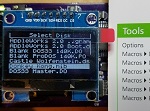
Have you ever given any thought to having the OLED screen scroll long filenames when the selection cursor is on one? Especially when keeping track of many, many old disk images, I find that sometimes it can be hard to remember which disk is which with only 20 characters of width to work with.
Great product!!
The SD card seems to be write protected when I tried adding. Woz images from my MacBook.. Would/could I just get another microsd card and copy the woz to it and it will boot? I really wanna play sabotage lol!.. I’m assuming just format the sd with fat32 and stick it in the emu.. And select it?
Thank u again… Love this! Similar to the sdrive-max I have for my atari 800xl and the gotek for my atari 1040ste!
You might have accidentally bumped the write-protect switch on the full-size SD adapter sleeve. Please get in touch using the “Contact BMOW” link above if you’re not able to get it working.
Someone may have already done this before, but I’ve just experimentally confirmed that the Floppy Emu’s HD20 emulation will work on the LC II – the ROM does have support for it.
The problem is getting access to the !ENBL2 line required for HD20 emulation (you can’t just plug it into the floppy connector and expect it to work, as the floppy connector has !ENBL1, which is not where the ROM expects to find the HD20). I did this by clipping onto a leg of the SWIM IC and wiring up the rest of my Floppy Emu’s lines using wire jumpers, which is not quite what you’d call a user-friendly solution.
…But it does work. 😀
I’m happy with my floppy_Emu bought last end of december, working as expected on a Classic…
Now i got an SE30 and need to know if it could just boot fine without his dead HD Quantum prodrive 40…?
Yes the SE/30 is supported, please see the compatibility chart in the instruction manual.
Hi Steve Thanx!
Unfortunately, when trying to fiddle inside the SE30 I discovered a broken Clinton CRT tube at the neck… I will wait until I may find an SE at an affordable price to swap the mother board. I am aware that in this case the RominatorII is mandatory for the SE30…
Now back on to the Classic, I am trying to find a solution to boot from the floppy-emu to update system 6.0.7 on the Quantum Prodrive 40 because I don’t have disk utility to check an external SCSI disk…
Sorry for my previous message sent as anonymous…
Would it be possible to add an option to the FloppyEmu to create/copy a disk image? It would be nice to create a new .woz file and then use a standard save/copy to put data in that image… without having to turn the machine off, pull the sd card, put it in another machine, create an image then go back to the Apple II.
hi steve, on an Apple IIe, in Smartport mode, i encounter a Fatal Error, Overrun, while running the Total Replay image from https://archive.org/download/TotalReplay/Total%20Replay%20v5.0-alpha.2.hdv
Any ideas what may have cause this?
I’ve heard some reports of problems with Total Replay, but I’m unsure what causes it.
This just in, the Floppy Emu in HD20 mode will also work on the IIvx/IIvi/Performa 600 with the same creative wiring job as the LC II. Always more to discover…
Hi People,
My Floppy Emu works perfectly with my GS which is running on dos 3.3. The app that i use is for editing an old forgotten Kurzweil synthesizer, to which the developer wrote the editor for this rack synth for the apple 2, and he wrote it in assembler which makes it go very fast for what I need it for.
Kudo on the work.
My question is I’m now looking at using the GS and its last incarnation of O.S (ver. 6.04 I believe), and I wanted to try to make the Floppy emu to work as a hard drive (smartport drive) where I can then boot off (32 megs) to have the other ‘partition have the 2gigs. I have both images that I downloaded.
I have tried to create a boot disk of 6.02 thats on the sd card, using the install app. when I use the prodos 4.2 image to install the boot disk (using easy install) when its finishing up the install it says that the disk is too small – by about 77kbites.
If I try to make a smart port hard drive – you need to change emulations to smart port, but then I can not boot up nor access any floppies.
Does anybody have 6.02 on a smart port hard drive image that I could get up and going.
I also want to do the booting off the first smart port drive (32meg) then reboot to the 2gig unit like its mentioned in the docs. But being I’m just learning about the apple OS, I’m at this time a bit above my head on the ways of the GS and how to make that possible. If it was an Amiga – I have no problems- It was my main computer until Commodore went belly up.
I’m figuring the ‘smartport 2’ option may be the way to do this, the other is buying the daisy chain coupler, and go about installing using 3.5″ floppy and floppy emu.
any suggestions would be welcomed, As it is I am more than satisfied with the product.
thanks
steve
Steve, if you bought the Vintage Software Collection SD Card (this is also included in the Floppy Emu Deluxe Bundle), there’s a pre-made 32 MB GSOS 6.02 disk image already included – no need to go through the whole installer process. I can’t speak to the difference versus 6.04. You can also download one from https://www.bigmessowires.com/2015/07/24/gsos-6-0-2-for-floppy-emu/ I’m not familiar with dual-booting GSOS from a 2 GB partition – as far as I know GSOS must boot from a 32 MB (max size) ProDOS partition.
Hi Steve – Just a minor point of clarification. The last official version of GSOS was 6.0.1. Some group of individuals have made subsequent modifications to the OS, fixing some items and adding some. The latest result of that community effort is 6.0.4. Ken
I believe I have the 6.04. The floppy emu has 6.01 and 6.02 listed in their SD card that came with the emulator, and my system came with v5.01.
And thank you for clarifying the official version. Its nice to see that at least the O.S is still alive somewhat.
I have a question – I booted a Mac SE with a functioning hard drive from the floppy emu and it worked well. The problem is now I cannot boot from the internal HD after unplugging the emu – I get the little disk with a question mark. Is this something you have seen before and might know how to correct it or should I dig further to see if the HD died while in floppy emu mode? I find this unlikely, but these machines are over 30 yrs old so who knows. Thanks – I love the emu, used it on a Mac plus too and it works well, but this glitch is stumping me.
The blinky ? means there’s no System file, either because the disk contents are hosed or the disk has mechanical problems. If it’s still the original SCSI drive from a Mac SE, there’s a high chance of mechanical problems especially if you hadn’t used the computer for a long time until recently. The drive can develop “stiction” problems where the head sticks to the platter, or other issues. Sometimes it helps if you let the computer warm up for a while, or power-cycle it a few times.
Have IIgs, and I need to change some files on the bootdisk image (5.25″) so when I’m in basic and need to delete a file , I get write protected coming up. Does floppy emu have write protect option? I looked everywhere in the menu, and manual. I was going to look on this listings, but there is no search engines to help with the search.
Please see section 8 in the instruction manual. If a padlock icon appears next to a disk image’s name, it means that disk image is read-only. This may be because the disk image file itself is read-only on the SD card (check the file properties in Windows or OSX), or because that type of disk image is inherently read-only, or because it’s a sparse disk image where empty sectors have been omitted.
Amazing!!!! The best solution for a respect Macintosh collector.
Was awesome to see all my vintage Apple computer running (again).
Congratulations for the BMOW Team!
Kind Regards;
Ederson
iZier Museum
Brazil