

Bring new life to your old Apple computer!
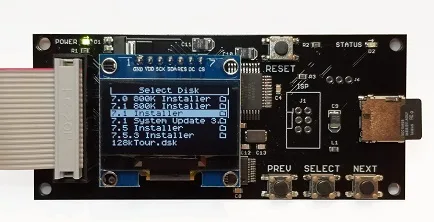
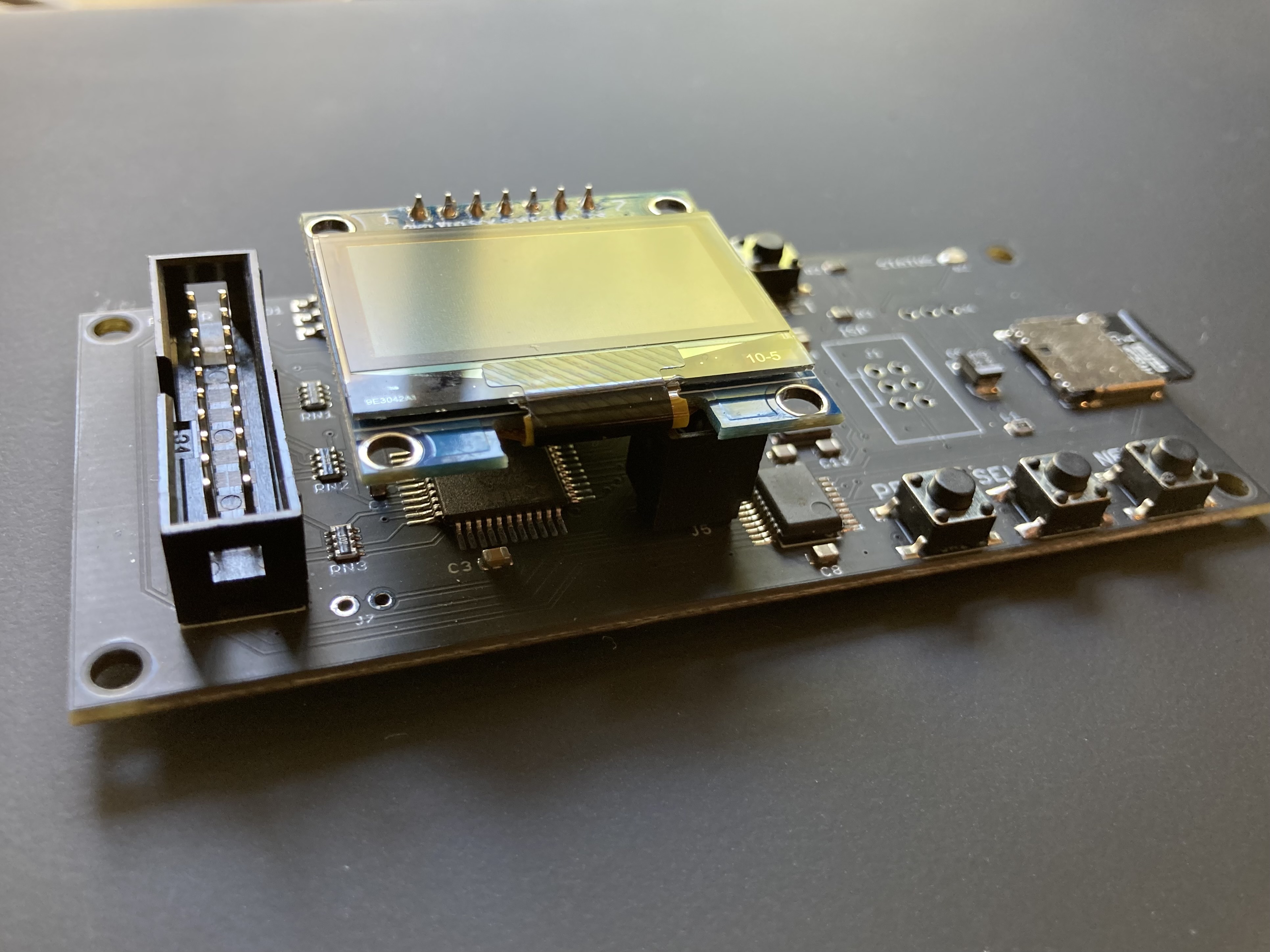
Floppy Emu is a floppy and hard disk emulator for classic Apple II, Macintosh, and Lisa computers. It uses an SD memory card and custom hardware to mimic an Apple floppy disk and drive, or an Apple hard drive. The Emu behaves exactly like a real disk drive, requiring no special software or drivers.

“Highly recommended.”
– Apple2Online
“A great device.”
– Blondihacks
“A boon for classic Mac collectors.”
– RetroMacCast
Bring new life to your old Apple computer! Floppy Emu is a specialized floppy and hard disk emulator for classic Apple computers. It uses a removable SD memory card and custom hardware to mimic an Apple floppy disk and drive, or an Apple hard drive. The Emu behaves exactly like a real disk drive, requiring no special software or drivers.
The BMOW Floppy Emu is perfect for booting your favorite games and software, or transferring files between vintage and modern machines. Just fill your SD card with disk images, plug in the Emu board, and you’ll be up and running in seconds.
Parts Sold Separately
For Apple IIc
Just For Fun
Usage Demonstration Video

Documentation
Instruction Manual and User Guide: PDF
日本語マニュアルはこちらから(2021/2/22更新): PDF
Setup Guide: PDF
Case assembly instructions: instructions
Instruction Manual and User Guide for previous generation Model B: PDF
日本語マニュアルはこちらから(2021/2/22更新): PDF
Setup Guide: PDF
Case assembly instructions: instructions
Instruction Manual and User Guide for previous generation Model B: PDF
Features
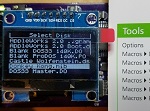
- Displays a menu UI for choosing from the disk images stored on the removable SD memory card
- Reads and writes emulated 140K, 400K, 800K, or 1.4MB floppy disk images, or hard disk images up to 2GB
- Compatible with all Apple II models, the original Macintosh 128K through the Mac II series and Power Mac, and Lisa 2
- Connects to external (DB-19 D-SUB) or internal (20 pin ribbon header) floppy drive connector
- Supports all major types of Apple disk images
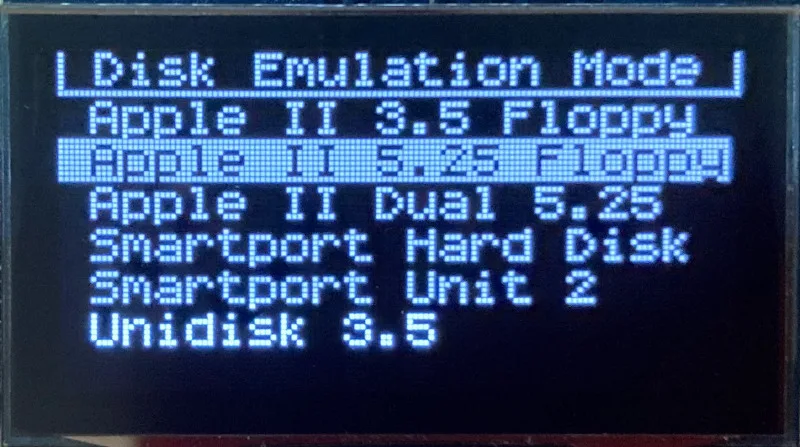
Apple II Floppy – Emulates 5.25 inch 140K floppy disks on any Apple II series system, as well as 3.5 inch 800K floppies on compatible Apple II models. An optional Dual 5.25 Floppy mode emulates two drives at the same time. Disk image files may be in .DSK, .DO, .PO, .2MG, .NIB (5.25 inch only) or .WOZ (5.25 inch only) formats. Disk images are compatible with common Apple II emulation tools such as AppleWin and Ciderpress.
Apple II Hard Disk – Emulates up to four simultaneous Smartport hard disks, each up to 32 MB (when formatted as ProDOS) or 2 GB (when formatted as HFS). Smartport disks are compatible with the Apple IIgs, Apple IIc (ROM version 0 or newer), Apple IIc+, and Apple II+ or IIe with a Yellowstone or Liron disk controller card.
For Apple II use, Floppy Emu connects to the built-in 19-pin disk connector on the Apple IIgs, IIc, and IIc+, or to a 20-pin or 19-pin connector on a separate disk controller card for other Apple II models. See the instruction manual for details on drive numbering and boot priority.
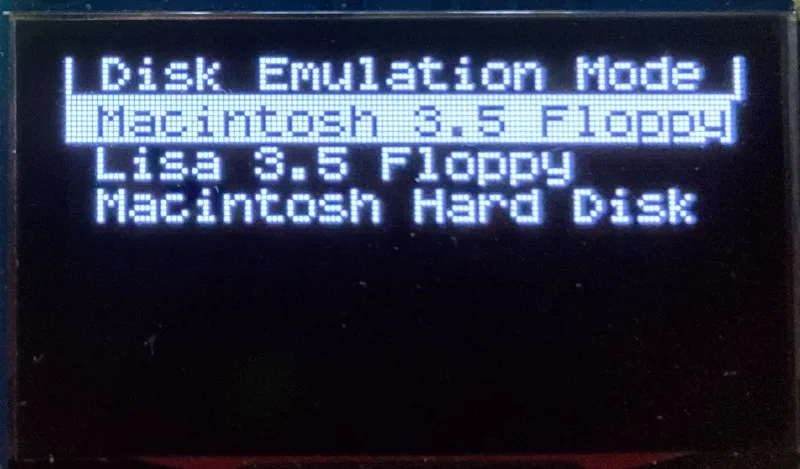
Macintosh Floppy – Supports 400K, 800K, and 1.4MB floppy disk images, in raw .dsk, Disk Copy 4.2, or MOOF formats. Disk image files are the same format as those used with popular software-based Mac emulators like Mini vMac. Compatible with the original Macintosh 128K through the Mac II series and Power Mac.
Macintosh Hard Disk / CD-ROM – HD20 hard disk / CD-ROM emulation is compatible with the Macintosh 512K, 512Ke, Plus, SE, (SE/30 when used with the Mac ROM-inator II), Classic, Classic II, Portable, IIci, IIsi, or LC I. Supports bootable hard disk / CD-ROM images up to 2GB. CD-ROMs are treated as read-only hard disks. Disk image files are compatible with other popular Mac emulators.
Lisa Floppy – Emulates 400K and 800K floppy disks on the Lisa 2/5 and 2/10. Boot or mount native Lisa Office System disk images in Disk Copy 4.2 format, or use Macintosh disk images within the MacWorks environment.
| COMPUTER | DISK EMULATION MODES |
|---|---|
| Apple II | |
| Apple II, II+, IIe with Yellowstone disk controller |  5.25 inch floppy, Dual 5.25 inch floppy, 3.5 inch floppy, Smartport hard disk, Unidisk 3.5 5.25 inch floppy, Dual 5.25 inch floppy, 3.5 inch floppy, Smartport hard disk, Unidisk 3.5 |
| Apple II, II+, IIe with standard disk controller | 5.25 inch floppy, Dual 5.25 inch floppy[1] |
| Apple II, II+, IIe with Liron disk controller | Smartport hard disk, Unidisk 3.5 |
| Apple IIc | 5.25 inch floppy[2], Dual 5.25 inch floppy[3], Smartport hard disk[4], Unidisk 3.5[4] |
| Apple IIgs, IIc+ | 5.25 inch floppy, Dual 5.25 inch floppy, 3.5 inch floppy, Smartport hard disk, Unidisk 3.5 |
| Macintosh | |
| Macintosh 128K | 3.5 inch 400K floppy |
| Macintosh 512K | 3.5 inch 400K floppy, HD20 hard disk / CD-ROM[5] |
| Macintosh 512Ke, Plus, SE | 3.5 inch 400K/800K floppy, HD20 hard disk / CD-ROM |
| SE FDHD, Classic, Classic II, Portable, IIci, IIsi | 3.5 inch 400K/800K/1.4MB floppy, HD20 hard disk / CD |
| LC [6] | 3.5 inch 400K/800K/1.4MB floppy, HD20 hard disk / CD |
| SE/30, IIcx | 3.5 inch 400K/800K/1.4MB floppy, HD20 hard disk / CD[7] |
| IIx [6] | 3.5 inch 400K/800K/1.4MB floppy, HD20 hard disk / CD[7] |
| IIfx, IIvx, IIvi, LC-II, LC-III, LC 4xx, LC 5xx, Color Classic, Color Classic II, TV, Performa, Quadra, Centris, Power Mac [6] | 3.5 inch 400K/800K/1.4MB floppy |
| Lisa | |
| Lisa 2/5 and 2/10 | 3.5 inch 400K/800K floppy |
[1] Disk II Controller Card with 20-pin connector requires Dual 5.25 Adapter for dual drives
[2] requires internal motherboard connection or Internal/External Switcher for booting 5.25 inch disks, see instructions
[3] requires Internal/External Switcher
[4] requires IIc with ROM revision 0 or newer for Smartport and Unidisk 3.5 modes, see instructions for details
[5] Mac 512K also requires a boot floppy with HD20 Init for HD20 hard disk / CD-ROM mode
[6] uses internal disk connector on the computer’s motherboard
[7] requires Mac ROM-inator II for HD20 hard disk / CD-ROM mode
Technology
Interested in how Floppy Emu works under the hood? Check out the Floppy Emu Technology Design page.
FAQ
Can I boot from an emulated floppy or hard disk?
Yes you can!
Does this require a special driver, ROM, or INIT?
No software is required for standard floppy disk emulation on any system. Apple IIc requires ROM version 0 or later for Smartport hard drives and Unidisk 3.5 drives – ROM version 255 lacks support for these. For Macintosh HD20 / CD-ROM hard disk emulation, most supported Mac models require no software, though the Mac 512K requires Apple’s HD20 Init.
What types of disk image files are supported?
Apple II supports 140K floppy disk images in .DSK, .DO, .PO, .NIB, .WOZ, or .2MG format, 800K floppy disk images in .DSK, .DO, .PO, .2MG, and DiskCopy 4.2 format, or hard disk images up to 2 GB in .PO, .2MG, or .HDV format. The maximum size of a ProDOS volume is 32 MB, so larger hard disk images must be formatted as HFS. Macintosh supports 400K, 800K, or 1.4MB floppy disk images in raw .dsk format, DiskCopy 4.2 .image format, MOOF format, or hard disk images up to 2GB in raw format. Lisa supports 400K or 800K floppy disk images in DiskCopy 4.2 format.
Can I format the emulated disk?
Yes for most drive types and disk image types. However, instead of formatting the emulated disk, it’s normally preferable to use a pre-existing blank disk image. In-system formatting of the emulated disk is supported for all Macintosh disk image types, as well as Apple II Smartport hard disks, Unidisk 3.5, WOZ disk images, and NIB disk images. Formatting performance of floppy disk images may vary depending on your SD card’s write cache behavior. For best performance, use the Blank.WOZ or Blank.MOOF sample disk images that are included with the Floppy Emu firmware.
Can I back-up old floppies using tools like Copy II Plus or Disk Copy 4.2?
Yes, with some conditions. Many disk copy programs perform a simultaneous format-and-write of the destination floppy, which may create problems (see previous answer about formatting). For best results, use a destination disk image type that supports in-system formatting. See the manual for details.
Can the Emu work with copy-protected disks?
Most copy-protected disks in WOZ or MOOF format will work with the Floppy Emu, but there are some rare exceptions. The hardware is primarily designed to work with unprotected disks using standard sector and disk formats.
Can I emulate multiple disk drives at once?
Floppy Emu can store as many disk image files as your SD card will hold. For compatible Apple II models, the hardware supports dual 5.25 inch floppy drive emulation. For Apple II Smartport hard disk emulation, up to four hard disks may be active at the same time. For other computer models and disk types, only one disk can be “inserted” in the emulated drive at any given time.
Can I connect two Floppy Emus to the same computer?
Yes, if they’re attached to separate disk ports, or to separate connectors of a dual-connector disk controller. For compatible Apple II computers, a Floppy Emu board can also be placed in a daisy chain along with other disk drives. The Emu doesn’t have a daisy-chain output port, but the optional Daisy Chainer adds one. Daisy-chaining is not supported by the Lisa or Macintosh.
How can I copy documents from an old Apple II or Mac disk to a modern PC?
Use Floppy Emu to copy the documents from the original disk onto a blank disk image residing on the SD card, then put the SD card in your PC and use a disk image utility program like CiderPress or HFVExplorer to open the disk image and extract the files. See the manual for details.
More questions?
Please see the Floppy Emu user guide for complete details and instructions.
Firmware Downloads
Floppy Emu firmware versions are available with support for Apple II, Macintosh, or Lisa computers.
Install the firmware version for the type of computer you plan to use with your Floppy Emu.
Apple II
- Apple II firmware, for Floppy Emu Model C or B, normal version: 250225A
- Apple II firmware, for Floppy Emu Model C or B, SPDC version: 250225A-SPDC what’s this?
- Apple II firmware, for Floppy Emu Model A: 250225A-ModelA
Macintosh and Lisa
- Macintosh and Lisa firmware, for all Floppy Emu models: 240209M
Older Versions (try these if the latest version gives you problems)
Apple II, Model C or B, normal version: 240208A 231213A 230712A 230218A
Apple II, Model C or B, SPDC version: 240208A-SPDC 231213A-SPDC 230712A-SPDC 230218A-SPDC
Apple II, Model A: 240208A-ModelA 231213A-ModelA 230712A-ModelA 230218A-ModelA
Macintosh/Lisa, all models: 231212M 230309M 230203M 221221M
Apple II, Model C or B, SPDC version: 240208A-SPDC 231213A-SPDC 230712A-SPDC 230218A-SPDC
Apple II, Model A: 240208A-ModelA 231213A-ModelA 230712A-ModelA 230218A-ModelA
Macintosh/Lisa, all models: 231212M 230309M 230203M 221221M

Just got my Floppy Emu and really excited to get started! I’m planning on using mine with both my Apple IIs and 68k Macs. I think I’m understanding the instructions on flashing the firmware, in that the SD card would only have one firmware installed at a time.
To save time on reloading the firmware on the SD card every time I want to switch, is it possible to keep two different SD cards, one for Apple II and another for Mac/Lisa, and swapping it out before doing the physical firmware procedure? Or am I misunderstanding how all of this works? Thanks!
You can use as many different SD cards as you’d like. The firmware files don’t need to be permanently on the SD card – they’re only needed when you want to update the Floppy Emu board’s installed firmware.
Steve: Sorry for my confusion, but in swapping the FEMU between my Apple //c and my Mac SE/30 must I refresh the SD card, or once flashed up to date, with it just know how to work with both?
Please take a look at section 3.1 in the instructions, and watch the firmware update video, this should help clear things up. The two primary chips on the Floppy Emu board have internal non-volatile storage for code and configuration data – this is the “firmware”. There’s one firmware version that turns the Floppy Emu into an Apple II drive, and another firmware version that turns it into a Macintosh or Lisa drive. To change the firmware, you place a couple of files on your SD card and then follow the update instructions (bundled with the firmware files). The Floppy Emu board then retains that firmware, and you can swap the SD card for a different one if you want, or remove the firmware files to free up a tiny amount of additional space on the SD card. If you want to switch to a different or newer or older firmware, then you’ll need to repeat the process again.
Yes, I have read 3.1 and watched the video.
But if the card can hold both firmwares at the same time and somehow it can tell which machine it is connected to: Apple ][ or Mac; then why doesn’t the FEMU ship with both firmwares installed at the factory?
Why does it come with Apple ][ firmware and the end user must install the Mac firmware?
I guess what Steve is explaining is that firmware is stored in the board directly in non-volatile storage chips, and it can hold just one or the other. The SD card is simply the media to help you get the appropriate firmware installed in the board, following the mentioned instructions.
@Steve, maybe Floppy Emulator revision D could include a switch and separate or bigger storage to hold both versions of the firmware or an updated version with the code as per the switch configuration 🙂
That’s right. It’s not only a question of storage space: the direction of some I/O pins also changes depending on whether the Apple II or Mac/Lisa firmware is installed. It means there’s a need to choose one firmware or the other. When you install the Mac/Lisa firmware to the Floppy Emu board, you’re replacing the Apple II firmware that was previously installed. It can’t be both Apple II and Mac/Lisa at the same time. A future device might handle this differently, perhaps with a switch like @Gus suggests. Most people use the Floppy Emu with a single computer or with a few computers of similar types, so they rarely or never need to worry about firmware changes. If you expect to change the firmware more often, the best approach is to do what @Aram suggested and keep two SD cards handy, so you can quickly install new firmware by just inserting the desired card and pressing the button combo to install the firmware.
MichaelLAX, you might want to do what I did. I purchased a second Floppy EMU. One, whose firmware is for Apple II (as it was delivered to me), and a second whose firmware I changed for use on my Mac Classic. You could do something similar with your Apple IIc and your Mac SE. It is not terribly difficult to flash firmware but I have saved myself the bother of flash, flash back, flash, etc.
MichaelLAX – I’m with you on that solution! The FEMU is inexpensive & coupled with the convenience of having not to constantly flash is well worth the cost of another FEMU. (And, if we’re to believe my wife, I’m lazy…) Fortunately, I use only Apple IIs so I haven’t run into that need so far.
I’m trying to use the floppyemu (model C, firmware 27) with my IIGS ROM01, in SmartPort Hard Disk mode. I have a liron card in slot 4, which is where my floppyemu is presently connected (in addition to a 3.5 and 5.25 drive connected to the builtin port). After power up, I get the message ‘CKSM CD != B0’ on the floppyemu, and everything freezes. What does this error mean?
Those are checksum errors, it means the Smartport packet received from the computer was corrupted. Most often this error is caused by poor cables, out-of-spec voltages, power supply noise, electrical noise, or some kind of hardware trouble. But in this case, it’s caused by using a Liron card on a IIGS with the CPU set to fast speed.
I need a bit of advice. I have a FloppyEmu connected to my Apple//c with Boot Drive selector. I am able to boot and load my games in 5.25 disk format. But my game 8bit-Slicks is too large to fit on one single 5.25 disk, so I decided to go for 3.5 disk in ProDos format (800K).
I verified that this disk boots correctly in AppleWin. But when I try to mount it with the FloppyEmu (having set the config to 3.5 disk), I get a message on the display saying: “800K Raw Data”. The computer does not attempt to boot the disk.
Something similar happens if I rename the file to SMART0.PO and try to mount as SmartPort Drive.
The Apple IIc doesn’t support normal 3.5 inch drives. Please see the compatibility table here: https://www.bigmessowires.com/floppy-emu/#compatibility If your IIc has ROM revision 0 or newer, you should be able to load an 800K disk with Floppy Emu’s Unidisk 3.5 emulation mode.
Crap… PEEK($FBBF) gives $FF… (original ROM).
Any chance I can get SmartPort to boot instead…?
Until such time as you purchase a new ROM and install it (and make the two motherboard modifications as noted in the ROM installation package)
Right, in order to use Smartport or Unidisk 3.5 emulation modes on an Apple IIc, it must have ROM version 0 or newer, as noted in the compatibility table. Please see “Smartport Hard Disk Emulation” in section 5 of the instruction manual for details. If necessary, you can purchase and install a 3rd-party ROM upgrade for the IIc. I described my experience with one such upgrade kit here: https://www.bigmessowires.com/2015/05/29/apple-iic-rom-upgrade/
Prof Steven Buggie sells them on eBay and gives lots of free stuff with it, too!
For those who prefer brand new EPROMs (ROM 3 or ROM 4):
https://www.ebay.com/itm/BRAND-NEW-Apple-IIc-ROM-3-Enhancement-Kit-Adds-UniDisk-3-5-Drive-Support/233191816128?hash=item364b50bbc0:g:xiAAAOSwgONa4SBn
or if you don’t care to contribute to eBay’s profit margin:
https://www.ebluejay.com/Ads/Item/4629688
Steve: Here is my setup:
My modern Mac mini communicates to my MacMini2,1 running OS X Tiger over WiFi using File Sharing.
My MacMini2,1 has a $29 USB 3.5 in 1.44MB floppy drive connected to in, so I can use SneakerNet to get dowloaded Legacy Mac software to my Mac SE/30 which is enhanced with your ROMinator II and Floppy EMU set to a 100MB HD through the Floppy port.
In the future, I will add an Ethernet Card to my Mac SE/30 or add an iPrint to it so that I can use Ethertalk between it and the MacMini2,1.
I consider it genius that you were able to reverse-engineer the HD20 and restore its functionality so that we have that capability with your FEMU and the Mac SE/30.
Now, I would like to get my Apple //c to communicate with my Mac SE/30.
It would be well work my purchase of another Floppy EMU so that I have them both connected to my SE/30 and //c if there was a way that a \”LocalTalk\” type of communication could be established between the two.
Are you working on any such project?
What year was this product first released?
Hello Steve,
I recently purchased a New/Old Se SuperDrive thet has a 200mg HD. Boy things sure have changed in the computing world since I purchased anSE for college 30years ago! Being 60 yrs old now, I don’t remember the computer being SO heavy back then! LOL.
Can I put system 6.? on floppy’s and install it that way, just like the old days or is it more complicated than that. I do have a Mac mini M1 if that helps. Thanks, Jim
Hi !
I just received my Floppy emu complete bundle, and it\’s so cool !! I finally have a simple and reliable way to transfer downloaded Macintosh softwares to my old Macintosh Classic (and the few other ones I\’ll surely have) !!
Thank You Steve !
Jim: Buy a Floppy EMU, you will not regret all of its value.
I purchased one for my Apple //c and then purchased a Mac SE/30 to play with just like I did 32 years ago and it contains floppy images for System 6 and many flavors of System 7.x.
But for conveniences sake, I purchased a two disk set of System 6 on 1.4HD from this source (he has them on 800K floppy if you prefer).
For an extra $5.00 he gave me the Network Software Installer 1.4.5 and a System 7 Network boot disk, as well:
https://www.ebay.com/itm/Apple-Macintosh-System-6-0-8-Complete-Set-of-1-4M-Install-Disks-for-Classic-Macs/154171910314
Have FUN!
Has anyone had problems with System 7.5.3 on the Floppy EMU? I just upgraded my 6.0.8 HD20 to 7.5.3 (using the Installers available on the FEMU; by the way the installer for 7.1 seems to be missing the Installer document and fails to work).
My SE/30 now crashes all the time even if: I keep it in 24-bit memory and/or Shift-Start so all extensions turned off. I won’t even let me copy a file to another folder without freezing.
And yes, I have the ROMinator II installed.
I have no such problems in System 6.0.8 in 24 or 32 bit mode (using Optima) — no problems at all.
Thank you.
Love the new Floppy EMU! Goal is to get my old BBS from the 80s on the internet. While my original floppy disks and drives amazingly still work, I didn’t want to rely on the floppies continuing to last, so being able to use the Floppy EMU to copy the disks over to is awesome. My drive controller is the older original model that doesn’t support daisy chaining, so I tracked down a newer controller. In the interim, I am using 2 floppy EMU units to handle the disks.
Video of the bbs boot up: !
https://www.youtube.com/watch?v=A1HvEdyWUvk
Hello,
Just got my FloppyEmu.
I’m planning on using mine with my Apple IIe
🙂
Thank You Steve !
For a future firmware version it would be great to have a shortcut to the favorites by pressing a button combo (PREV and NEXT button for example)
Not sure if this is a known problem or not. I’m trying to update from F25 to F29 on my model C Emu. I downloaded apple-II-0.2Q-F29-modelBC. I tried a dozen times to flash the CPLD, but the Emu immediately would flash the “?” mark while attempting to flash the CPLD. LED flashes, but it never goes beyond this point. I thought maybe the ZIP file was corrupt. So maybe F27 was still on-line, and sure enough apple-II-0.2Q-F27-modelBC was still downloadable. I successfully flashed to F27. I then attempted F29 again, and this time it worked.
So it looks like you must flash the Emu with all the updates, in-order, leading up to the latest update. Can’t just go from F25 to F29. Must go from F25 to F27, and then F27 to F29. So hopefully this may help someone who faces a problem like this.
Question.
Could I plug the floppy emu into port one on my disk II controller and plug my real drive into port 2 then use both? or copy from one to the other?
@Michael yes that’s fine. @groinksan there’s no limitation on updating directly between different firmware versions. A question mark on the display should be accompanied by an error message, most likely the SD card wasn’t properly detected.
Hi Steve!
A quick question. Is it possible to make my own cable to use my Floppy Emu on a PowerBook Duo as well? The pinouts are here (https://www.applerepairmanuals.com/the_manuals_are_in_here/Ports_Pinouts.pdf) – but since they are not exactly the same, the question would be, what needs to be connected and what not :). Thank you in advance for your feedback!
Regards,
Peter
I’m not sure you’ll find a source for those HDI-20 connectors without chopping up some old equipment. But if you do, the signals are basically the same as a regular 20 pin rectangular floppy disk connector except a few superfluous inputs like PWM and 12V aren’t present. Should work OK. See the pinout at the left side of this diagram: https://www.bigmessowires.com/wp-content/uploads/2015/03/disk-ab-switch-schematic.png
Thanks for that! I assume that J1 is the pinout of the Floppy Emu ribbon cable connector? Or is it the socket on the board? I will indeed chop up an old HDI-20 drive, as I have many of those that are gone beyond repair, so rather have sacrifice one for good floppy emulation on the Duo 🙂 Thanks again!
Yes, J1 is the pinout for a normal Macintosh 20 pin rectangular connector for any floppy drive or the Floppy Emu. You can also find this information in Guide to the Macintosh Family Hardware or other references.
Great device, i hope someday a menu to choose the hard disc images could be added.
I have several hard disc images on the sd card and when i have to switch removing the sd card inserting it on the pc renaming de files reinserting it on the femu is cumbersome.
It\’s difficult to use Floppy Emu with Macintosh Portable. The computer does not have a switch to turn it off. So, when I switch the mode between HD and floppy, the computer keeps asking me to Eject or Initialize the disk. I cannot get rid of this message in order to choose Special->Turn Off menu! I hope there was a switch on the board itself to turn it off in order to force the Macintosh Portable out of its loop!
Will Floppy EMU work with Apple IIe Plus to run Apple PASCAL UCSD P-System?
Do I need any additional hardware other than the Apple Disk II controller card?
How do I get the 5.25″ Apple0:, Apple1:, Apple2:, Apple3: disks onto the Floppy EMU SD card.
Thanks
Peter
BTW do you have a United Kingdom distributor
I don’t have any first-hand experience with Apple Pascal, but have heard from others that it works fine with the normal hardware. You’ll need to locate disk images on the web for the Pascal boot disks, or create them yourself. The Floppy Emu instruction manual has some information about disk images and suggested sources on the web. BMOW does not have any product distributors – all sales are made directly from the BMOW web store and shipped from the United States.
Steve,
Thanks for the prompt update on Apple Pascal on Floppy Emu.
Is there support for emulation of disk sizes other than the nominal 140k Apple 5.25″ disks?
In particular can it be configured to appear as a logical 247k 8″ IBM3740 (77 track x 26 spt x 128 byte) drive. I appreciate that it is an emulation of the GCR bit stream from the Disk II drive heads.
A 494 block (512 byte) emaulation would be more convenient for running UCSD P system as normal UCSD images are in 247k IBM3740 format so a block copy of the disk would be usefull. Given that it saves onto the SD card storage capcity is not an issue.
Thanks
Peter
Please see the documentation for supported disk types and sizes. Apple II emulation supports 5.25 inch floppy (nominally 140K but can be slightly more), 3.5 inch floppy (800K), and Smartport hard disk (up to 32MB). There’s no 8 inch floppy emulation. Block sizes depend on the disk image type. Most are fixed at 256 or 512 bytes, but some Apple II 5.25 inch disk image formats like NIB and WOZ encode a raw bitstream for each track rather than any fixed number of bytes per block.
I don’t know what would be necessary to hack UCSD to use such a thing, but I think FloppyEmu will without difficulty support 80 or 160 tracks of 4kB each each if the read/write track/sector code is modified to refrain from multiplying track numbers by four when computing head pulses, or can interpret track numbers as quarter-track indices. Alternatively, if the RWTS were hacked so that what UCSD would refer to as tracks 0-39 work normally, tracks 40-79 are a half-track above 0-39, and tracks 80-159 are a quarter-step above 0-79, that would allow it to be compatible with normal 5.25″ disk images as well as double- or quad-capacity images.
I am wondering if it would be possible to use the daisy chain accessory to have a floppyemu which connects to both a) my HDI-20 floppy drive\’s cable interface board (converts HDI-20 to 20-pin ribbon cable) and b) a DB-25 adapter. Picturing an HDI-20 floppy drive which has had the drive removed, a FloppyEMU placed inside and also has a cable dangling off with a DB-25 connector.
Hello, this is a great product! I recently got the VIDHD video adapter card and an A2io joystick add-on for my Apple //e Platinum. I have been randomly been getting an error message on the Floppy-Emu: “CHECK PIN CLK0-L” and I have to reboot in order to clear it. The Floppy-Emu has locked up a few times, but not as often as the “CHECK PIN CLK0-L” error. I just updated to 0.2R-F30 firmware and am really liking the dual 5.25″ feature! Any ideas on what I can do to resolve the error?
Will the new 3.5″ woz images be supported at some point? Lots of new games in the ‘wozaday’ collection specifically for the //gs.
While updating the firmware floppy emu screen went off.
Status flash light is flickering
power light is on.
I switched the apple IIgs off/on no change
I just wanted to chime in as well and ask if woz support on 3.5” disks would be possible as well. (Even better, dual 3.5” drive support, like the dual 5.25”). I am not sure how much software was protected in the 3.5” format, but some was for sure, and it would be great to add that support if possible, even if only for convenience. (I am also not sure how to actually convert a woz 3.5” to another file format such as .po.)
Thanks for adding the woz support and dual drives for the 5.25” as well, it has allowed me to get rid of the wdrive product and go strictly dual floppyemu drives (1 3.5”/ 2 5.25”) for my IIGS using your disk chainer hardware..
There are no current plans for 3.5 inch WOZ images, but maybe in the future. Right now I’m prioritizing my time on new product development.
Is there a way to connect my Floppy EMU to the Floppy Drive module connector on my Powerbook 1400c?
The Powerbooks don’t have a standard floppy connector so they’re not directly compatible with the Floppy Emu. I think the 1400c has the square-shaped high density floppy connector. You might be able to find a 1990s vintage HDI-20 to DB-19 floppy adapter somewhere at a surplus electronics vendor.
I believe you are thinking about the early Mac Powerbooks and their HD-20 floppy connector.
The PB1400c has modules that slide in and out of the powerbook: floppy, CD-ROM, Zip, MO, etc and I have an extra floppy unit which has the opposite connector that mates with the connector inside the Powerbook.
I am unaware of its wiring diagram however and if it is compatible with the Floppy EMU.
I’m not aware of any Powerbook models with a standard DB-19 floppy port. If I’m wrong and that’s what you have, then great. But if it’s some wacky Powerbook-specific connector with a physically different shape and size, then I’m afraid you’re out of luck.
\\\”Some wacky Powerbook specific connector\\\” – hahahahaha
You\\\’re pretty funny for an EE geek!
How many EEs does it take to screw in a lightbulb?
What is the proper configuration to connect the floppy emu and apple 3.5 drive in order to transfer files from the old floppy’s to the floppy emu
I’m trying to configure a DOS card in a 6100. I need some drivers and other software to be installed on the DOS side. I know the physical floppy can read DOS disk. I’m asking myself if there is a way for the Emu to read a DOS disk image somehow?
I guess no, but I’m trying
No MS-DOS, sorry. It’s designed to support Apple disk emulation.
Steve, I am a big Floppy EMU fan, I have four floppy EMUs of different vintages (one has a hand-written #0087 on it) and want to know the difference in capabilities of them all. Thank you BTW by continuing to add the awesome functionality of the Floppy EMU. I have looked high and low and can’t find any sort of comparison table. I have the following-
(From the screen following the Self-Test)
1. App Version 1.0L, CPLD Firmware 11 (I am assuming Model A?) – GREEN PCB with Version 1.3 printed on it
2. Apple II Vers. 0.1S, CPLD Firmware 6 (I am assuming Model A?) – BLUE PCB with Version 1.3 printed on it
3. FLOPPY EMU – MODEL B, Apple II Vers.0.1X, CPLD Firmware 21 (Can’t see PCB as in case)
4. FLOPPY EMU – MODEL C, Apple II Vers.0.2F, CPLD Firmware 21 (PCB with Version 1.7printed on it)
Model C is the current version of the Floppy Emu. The main differences between the models are the degree of Apple II compatibility, the SD card type, and the display. For an overview of what’s new in Model B and Model C relative to the previous models, see their descriptions in the BMOW store. https://www.bigmessowires.com/shop/product/floppy-emu-model-c/ https://www.bigmessowires.com/shop/product/floppy-emu-model-b/
All of those models can be updated to newer firmware, with bug fixes and additional features. See the firmware download section on this page, above.
Hi, Can I use Floppy emu to backup dedicated software (i.e. MAcPaint) from Floppy emu to my blank diskette on Macintosh 128k using Disk Copy? I have original MacPaint diskette, which is empty and I would like to restore MacPaint on it using Floppy Emu MacPaind disk image stored on MicroSd card. Thanks.
Yes you can use normal disk-copying software to copy from a Floppy Emu disk image to a physical 3.5 inch disk.
I own a vintage Macintosh PowerBook Duo 210. Is there any floppy disk emu that would work with this model or some sort of adapter that would make it work? That would be awesome if possible. Thank you.
The PowerBook Duos are not compatible, sorry. They have a weird proprietary floppy connector, HDI-20.
Steve: On March 21st, you commented:
“I’m not sure you’ll find a source for those HDI-20 connectors without chopping up some old equipment. But if you do, the signals are basically the same as a regular 20 pin rectangular floppy disk connector except a few superfluous inputs like PWM and 12V aren’t present. Should work OK. See the pinout at the left side of this diagram: https://www.bigmessowires.com/wp-content/uploads/2015/03/disk-ab-switch-schematic.png“