

Bring new life to your old Apple computer!
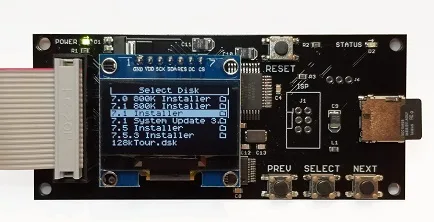
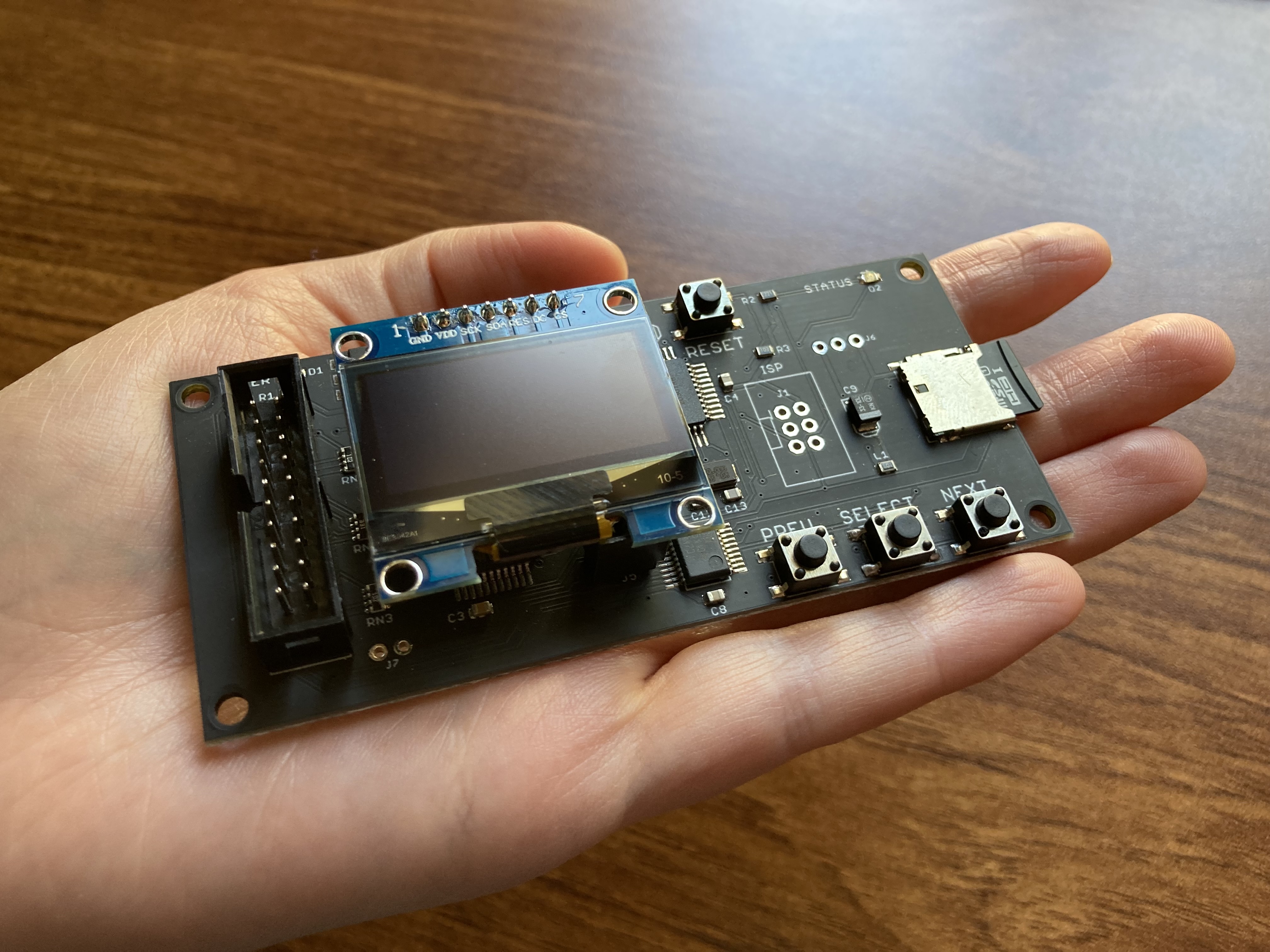
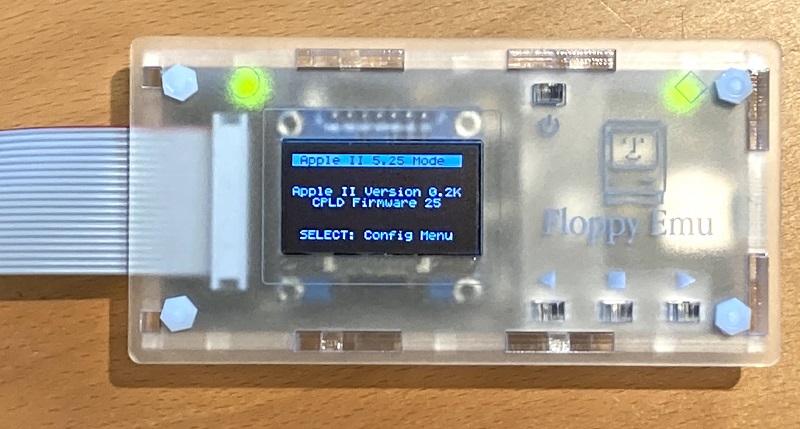
Floppy Emu is a floppy and hard disk emulator for classic Apple II, Macintosh, and Lisa computers. It uses an SD memory card and custom hardware to mimic an Apple floppy disk and drive, or an Apple hard drive. The Emu behaves exactly like a real disk drive, requiring no special software or drivers.

“Highly recommended.”
– Apple2Online
“A great device.”
– Blondihacks
“A boon for classic Mac collectors.”
– RetroMacCast
Bring new life to your old Apple computer! Floppy Emu is a specialized floppy and hard disk emulator for classic Apple computers. It uses a removable SD memory card and custom hardware to mimic an Apple floppy disk and drive, or an Apple hard drive. The Emu behaves exactly like a real disk drive, requiring no special software or drivers.
The BMOW Floppy Emu is perfect for booting your favorite games and software, or transferring files between vintage and modern machines. Just fill your SD card with disk images, plug in the Emu board, and you’ll be up and running in seconds.
Parts Sold Separately
For Apple IIc
Just For Fun
Usage Demonstration Video

Documentation

Instruction Manual and User Guide: PDF
日本語マニュアルはこちらから(2021/2/22更新): PDF
Setup Guide: PDF
Case assembly instructions: instructions
Instruction Manual and User Guide for previous generation Model B: PDF
日本語マニュアルはこちらから(2021/2/22更新): PDF
Setup Guide: PDF
Case assembly instructions: instructions
Instruction Manual and User Guide for previous generation Model B: PDF
Features
- Displays a menu UI for choosing from the disk images stored on the removable SD memory card
- Reads and writes emulated 140K, 400K, 800K, or 1.4MB floppy disk images, or hard disk images up to 2GB
- Compatible with all Apple II models, the original Macintosh 128K through the Mac II series and Power Mac, and Lisa 2
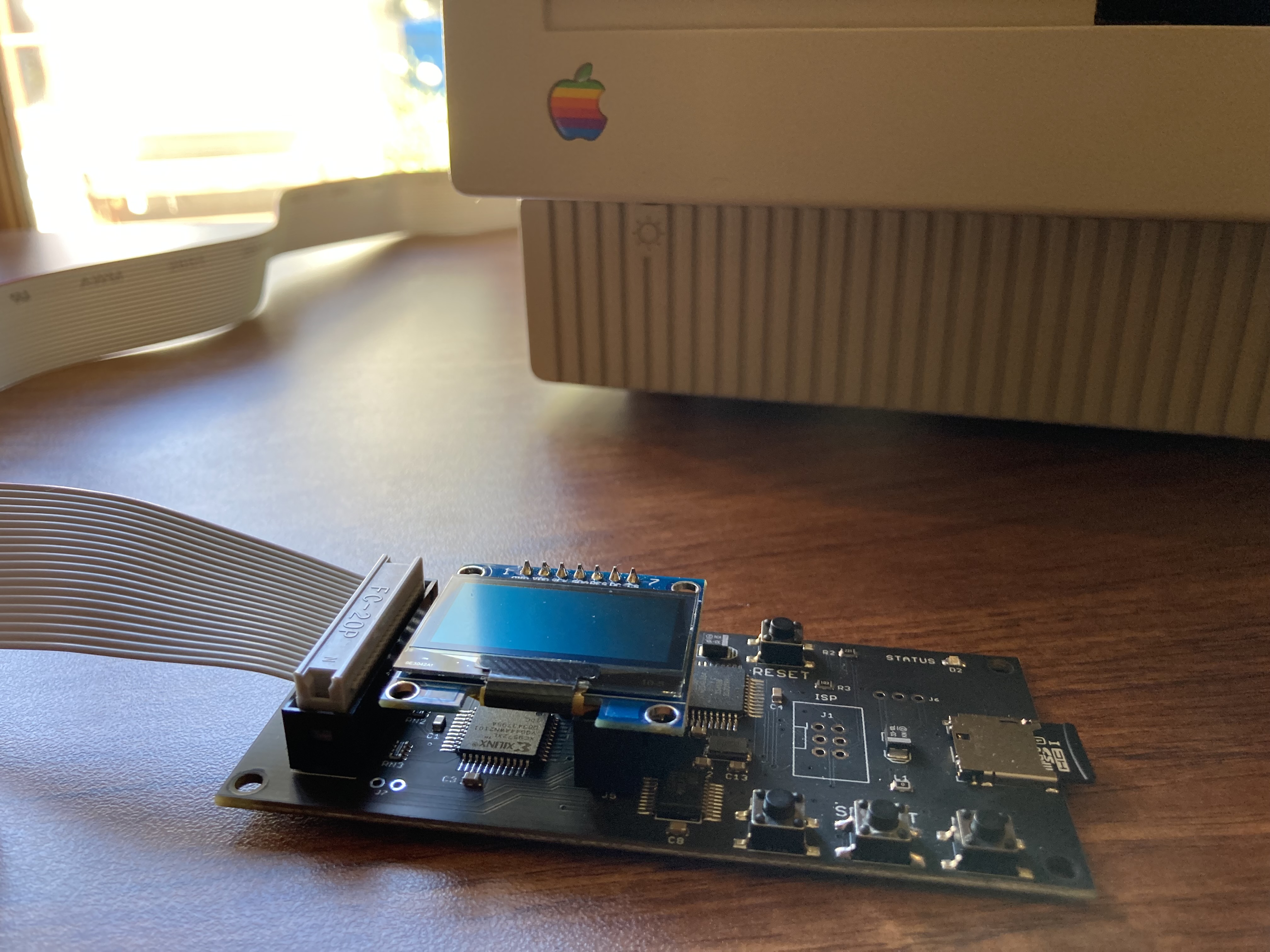
- Connects to external (DB-19 D-SUB) or internal (20 pin ribbon header) floppy drive connector
- Supports all major types of Apple disk images
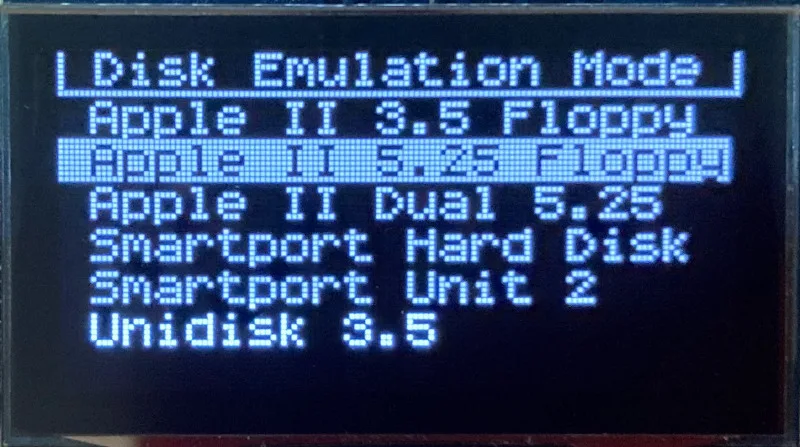
Apple II Floppy – Emulates 5.25 inch 140K floppy disks on any Apple II series system, as well as 3.5 inch 800K floppies on compatible Apple II models. An optional Dual 5.25 Floppy mode emulates two drives at the same time. Disk image files may be in .DSK, .DO, .PO, .2MG, .NIB (5.25 inch only) or .WOZ (5.25 inch only) formats. Disk images are compatible with common Apple II emulation tools such as AppleWin and Ciderpress.
Apple II Hard Disk – Emulates up to four simultaneous Smartport hard disks, each up to 32 MB (when formatted as ProDOS) or 2 GB (when formatted as HFS). Smartport disks are compatible with the Apple IIgs, Apple IIc (ROM version 0 or newer), Apple IIc+, and Apple II+ or IIe with a Yellowstone or Liron disk controller card.
For Apple II use, Floppy Emu connects to the built-in 19-pin disk connector on the Apple IIgs, IIc, and IIc+, or to a 20-pin or 19-pin connector on a separate disk controller card for other Apple II models. See the instruction manual for details on drive numbering and boot priority.
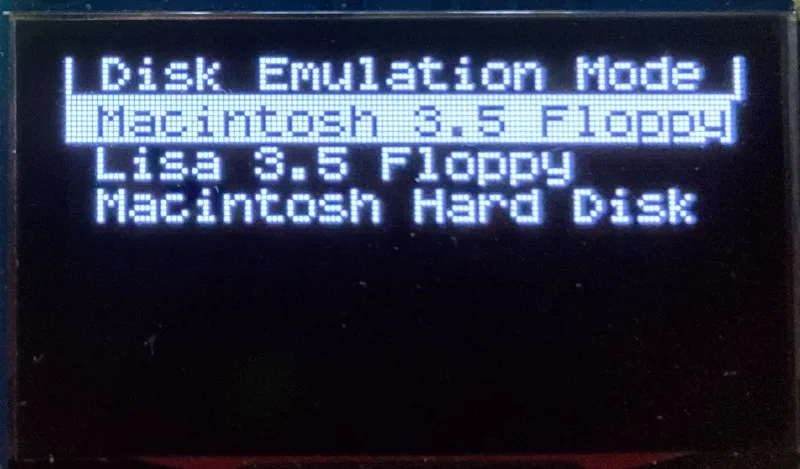
Macintosh Floppy – Supports 400K, 800K, and 1.4MB floppy disk images, in raw .dsk, Disk Copy 4.2, or MOOF formats. Disk image files are the same format as those used with popular software-based Mac emulators like Mini vMac. Compatible with the original Macintosh 128K through the Mac II series and Power Mac.
Macintosh Hard Disk / CD-ROM – HD20 hard disk / CD-ROM emulation is compatible with the Macintosh 512K, 512Ke, Plus, SE, (SE/30 when used with the Mac ROM-inator II), Classic, Classic II, Portable, IIci, IIsi, or LC I. Supports bootable hard disk / CD-ROM images up to 2GB. CD-ROMs are treated as read-only hard disks. Disk image files are compatible with other popular Mac emulators.
Lisa Floppy – Emulates 400K and 800K floppy disks on the Lisa 2/5 and 2/10. Boot or mount native Lisa Office System disk images in Disk Copy 4.2 format, or use Macintosh disk images within the MacWorks environment.
| COMPUTER | DISK EMULATION MODES |
|---|---|
| Apple II | |
| Apple II, II+, IIe with Yellowstone disk controller |  5.25 inch floppy, Dual 5.25 inch floppy, 3.5 inch floppy, Smartport hard disk, Unidisk 3.5 5.25 inch floppy, Dual 5.25 inch floppy, 3.5 inch floppy, Smartport hard disk, Unidisk 3.5 |
| Apple II, II+, IIe with standard disk controller | 5.25 inch floppy, Dual 5.25 inch floppy[1] |
| Apple II, II+, IIe with Liron disk controller | Smartport hard disk, Unidisk 3.5 |
| Apple IIc | 5.25 inch floppy[2], Dual 5.25 inch floppy[3], Smartport hard disk[4], Unidisk 3.5[4] |
| Apple IIgs, IIc+ | 5.25 inch floppy, Dual 5.25 inch floppy, 3.5 inch floppy, Smartport hard disk, Unidisk 3.5 |
| Macintosh | |
| Macintosh 128K | 3.5 inch 400K floppy |
| Macintosh 512K | 3.5 inch 400K floppy, HD20 hard disk / CD-ROM[5] |
| Macintosh 512Ke, Plus, SE | 3.5 inch 400K/800K floppy, HD20 hard disk / CD-ROM |
| SE FDHD, Classic, Classic II, Portable, IIci, IIsi | 3.5 inch 400K/800K/1.4MB floppy, HD20 hard disk / CD |
| LC [6] | 3.5 inch 400K/800K/1.4MB floppy, HD20 hard disk / CD |
| SE/30, IIcx | 3.5 inch 400K/800K/1.4MB floppy, HD20 hard disk / CD[7] |
| IIx [6] | 3.5 inch 400K/800K/1.4MB floppy, HD20 hard disk / CD[7] |
| IIfx, IIvx, IIvi, LC-II, LC-III, LC 4xx, LC 5xx, Color Classic, Color Classic II, TV, Performa, Quadra, Centris, Power Mac [6] | 3.5 inch 400K/800K/1.4MB floppy |
| Lisa | |
| Lisa 2/5 and 2/10 | 3.5 inch 400K/800K floppy |
[1] Disk II Controller Card with 20-pin connector requires Dual 5.25 Adapter for dual drives
[2] requires internal motherboard connection or Internal/External Switcher for booting 5.25 inch disks, see instructions
[3] requires Internal/External Switcher
[4] requires IIc with ROM revision 0 or newer for Smartport and Unidisk 3.5 modes, see instructions for details
[5] Mac 512K also requires a boot floppy with HD20 Init for HD20 hard disk / CD-ROM mode
[6] uses internal disk connector on the computer’s motherboard
[7] requires Mac ROM-inator II for HD20 hard disk / CD-ROM mode
Technology
Interested in how Floppy Emu works under the hood? Check out the Floppy Emu Technology Design page.
FAQ
Can I boot from an emulated floppy or hard disk?
Yes you can!
Does this require a special driver, ROM, or INIT?
No software is required for standard floppy disk emulation on any system. Apple IIc requires ROM version 0 or later for Smartport hard drives and Unidisk 3.5 drives – ROM version 255 lacks support for these. For Macintosh HD20 / CD-ROM hard disk emulation, most supported Mac models require no software, though the Mac 512K requires Apple’s HD20 Init.
What types of disk image files are supported?
Apple II supports 140K floppy disk images in .DSK, .DO, .PO, .NIB, .WOZ, or .2MG format, 800K floppy disk images in .DSK, .DO, .PO, .2MG, and DiskCopy 4.2 format, or hard disk images up to 2 GB in .PO, .2MG, or .HDV format. The maximum size of a ProDOS volume is 32 MB, so larger hard disk images must be formatted as HFS. Macintosh supports 400K, 800K, or 1.4MB floppy disk images in raw .dsk format, DiskCopy 4.2 .image format, MOOF format, or hard disk images up to 2GB in raw format. Lisa supports 400K or 800K floppy disk images in DiskCopy 4.2 format.
Can I format the emulated disk?
Yes for most drive types and disk image types. However, instead of formatting the emulated disk, it’s normally preferable to use a pre-existing blank disk image. In-system formatting of the emulated disk is supported for all Macintosh disk image types, as well as Apple II Smartport hard disks, Unidisk 3.5, WOZ disk images, and NIB disk images. Formatting performance of floppy disk images may vary depending on your SD card’s write cache behavior. For best performance, use the Blank.WOZ or Blank.MOOF sample disk images that are included with the Floppy Emu firmware.
Can I back-up old floppies using tools like Copy II Plus or Disk Copy 4.2?
Yes, with some conditions. Many disk copy programs perform a simultaneous format-and-write of the destination floppy, which may create problems (see previous answer about formatting). For best results, use a destination disk image type that supports in-system formatting. See the manual for details.
Can the Emu work with copy-protected disks?
Most copy-protected disks in WOZ or MOOF format will work with the Floppy Emu, but there are some rare exceptions. The hardware is primarily designed to work with unprotected disks using standard sector and disk formats.
Can I emulate multiple disk drives at once?
Floppy Emu can store as many disk image files as your SD card will hold. For compatible Apple II models, the hardware supports dual 5.25 inch floppy drive emulation. For Apple II Smartport hard disk emulation, up to four hard disks may be active at the same time. For other computer models and disk types, only one disk can be “inserted” in the emulated drive at any given time.
Can I connect two Floppy Emus to the same computer?
Yes, if they’re attached to separate disk ports, or to separate connectors of a dual-connector disk controller. For compatible Apple II computers, a Floppy Emu board can also be placed in a daisy chain along with other disk drives. The Emu doesn’t have a daisy-chain output port, but the optional Daisy Chainer adds one. Daisy-chaining is not supported by the Lisa or Macintosh.
How can I copy documents from an old Apple II or Mac disk to a modern PC?
Use Floppy Emu to copy the documents from the original disk onto a blank disk image residing on the SD card, then put the SD card in your PC and use a disk image utility program like CiderPress or HFVExplorer to open the disk image and extract the files. See the manual for details.
More questions?
Please see the Floppy Emu user guide for complete details and instructions.
Firmware Downloads
Floppy Emu firmware versions are available with support for Apple II, Macintosh, or Lisa computers.
Install the firmware version for the type of computer you plan to use with your Floppy Emu.
Apple II
- Apple II firmware, for Floppy Emu Model C or B, normal version: 250225A
- Apple II firmware, for Floppy Emu Model C or B, SPDC version: 250225A-SPDC what’s this?
- Apple II firmware, for Floppy Emu Model A: 250225A-ModelA
Macintosh and Lisa
- Macintosh and Lisa firmware, for all Floppy Emu models: 240209M
Older Versions (try these if the latest version gives you problems)
Apple II, Model C or B, normal version: 240208A 231213A 230712A 230218A
Apple II, Model C or B, SPDC version: 240208A-SPDC 231213A-SPDC 230712A-SPDC 230218A-SPDC
Apple II, Model A: 240208A-ModelA 231213A-ModelA 230712A-ModelA 230218A-ModelA
Macintosh/Lisa, all models: 231212M 230309M 230203M 221221M
Apple II, Model C or B, SPDC version: 240208A-SPDC 231213A-SPDC 230712A-SPDC 230218A-SPDC
Apple II, Model A: 240208A-ModelA 231213A-ModelA 230712A-ModelA 230218A-ModelA
Macintosh/Lisa, all models: 231212M 230309M 230203M 221221M

Michael, if you have original 512k Mac it should work but if I remember correctly original one has no support for 800k drive so you can only use single density 400k so try by using MFS formatted images first. Have you choosen emu mode correctly? My 512k Mac works flawlessly with Floppy Emu.
@Michael, Marcin is correct about the Mac 512K. Please send me full details via the Contact page if you’re still having troubles, and I’ll be glad to help.
It’s a must-have for owners of computers this item can be connected to. Thank you very much for developing this piece of hardware.
Me, using it on an Apple IIgs to moount floppy images created some years ago off of my 5.25″ 8-bit and 3.5″ 16-bit collection.
Also working with the Smartport functionality found in the Floppy Emu, using disk images created off of Apple II CD ROMs found in my collection. These CD ROMs often came with a number of partitions (up to 6 partitions usually), like “Generous Efforts of Many” and “Golden Orchard”. I ended up creating images of each partition separately to add it as smart|x].po…
Found a hint over at Bondihacks just to rename the .hdv extension to .po to get it recogniced by Floppy Emu. 😉
Regarding CD ROM use with Floppy Emu, it’s like you’ve added a SCSI CD ROM or Zip Drive to your computer.
Would like to see removable smartport media support mimicking a CD ROM or Zip Drive by the FloppyEmu, but as a non-hardware developer, I’ve no idea if it is possible at all. Keep up the good work on Floppy Emu!
Thanks to you both, Steve and Marcin for such a quick response. I know and understand the original Mac 512k’s only supported 400k disks. Wich it will not load. My goal was to play the original Dark Castle game on this very same machine and relive my childhood. I will get back on it this weekend and send full details. Thanks again for the response and support!
Michael, it’s possible. You need emulator like vmac, and you need to convert image from HFS to MFS as disk image. If it sounds to complicated I may try tommorow.
Michael, I have checked – you need to find 2x400k distribution of Dark Castle for Macintosh 512k, the original one was 800k floppy and it won’t work on 512k and even 512kE due to both – 800k floppy and RAM amount. If I will find it, Iwill ping you here. Cheers.
Yes we’ve been through several variations of case colors and designs! Shipping terms are explained on the store page. For this package I’d guess delivery sometime between March 31 and April 3.
Thanks !
I’m in France and got my Disk Emu in 4 days…
The Disk Emu is great, straight forward and practical ! I only wish the cable ribbon connected to the Disk II Interface would be facing the other side of the connecter (not to be stuck between card and connector) like it is for regular drives. But there’s maybe a good reason why it is this way …
Now of course all this would even get better with a Liron disk controller !!!
Any release date in mind ?
Also what is the biggest SD Card capacity usable ?
Many thanks again for this great product and the very fast expedition !
Xavier
Thanks, Steve! Shipping was super fast and I already have it with me! Will still have to wait until I return home to test it, but it’s with me 😀
I bought the Floppy Emu after fighting with old noisy SCSI drives and failing 800MB floppies, but trouble no more! I can enjoy my retro Mac Plus reliably in complete in silence. Emulating the HD20 hard drive emulation is fantastic and is very quick, almost as fast as a hard drive.
What a great job on this product, working perfectly so far.
I’m now in the middle of buying an Apple IIe so I can play with that using my Floppy Emu.
Hi Steve, after doing firmware update I guess it-s ok to delete the files from the root, right?
Also, if you want to switch computer models you have to re-flash every time?
Thanks!
Yes, that’s correct.
So awesome. Love it!
It sounds like maybe the top panel is bowed – is the board seated fully and flat on the bottom? If the side panel is too loose when the screw is untightened, try adding a piece of tape inside the case to hold the right side piece to the front or back piece. If you’re still having trouble or want to return the case, please send me a note at https://www.bigmessowires.com/contact/
Thanks, Steve.
I was thinking about securing everything with superglue, but I need to get everything working reliably first.
I’ll check for signs of warping, and do another assembly to see if I made any mistakes.
Steve,
I just updated the CPLD and AVR software on my Rev B. One suggestion: in the text file that comes along with the other two files, you may want to add a “what happens after the update” list, such as the LCD brightness resetting to default. It has been awhile since I had to adjust mine, so it took me a bit to dig through the PDF and find the procedure. Seeing you already have the text file in the archive, might as well put it in there. Not sure if the disk mode changes as well, but if it does reset after an update, I’d add that as well.
I’ve recently acquired a Macintosh Plus w/o an internal floppy drive. It’s been difficult to find an original Sony MP-F51W-23 800K floppy drive, while the Sony MP-F75W-01G 1.44MB models are much easier (and cheaper) to come by.
Is anywhere aware of whether the 1.44MB model will work in the Mac Plus? I know the Plus would still only be able to use 800K floppys, but that’s quite alright. Any info is much appreciated.
Not sure – I think it might work for 800K disks. Try asking on 68kmla.org, somebody there has probably tried it before.
there was ROM update for Macintosh Plus to work with Superdrive, otherwise it won’t work even on external drive with HD floppies. So 400/800k will work only. Same for 512k – only enhenced (so probably ‘e’ education) models will work with 800k floppies, as ROM needs to include procedures for working with another density/capacity drives.
Hi.
Just a follow up to my earlier posts about problems with the acrylic case.
After careful reassembly, it now seems to work as it should, i.e. the issue was –> me <–
(Not sure what I did differently this time around, though)
Anyway, thanks to Steve for his support emails.
Enjoying the Floppy Emu so far.
The only problem I’m having is with the system disks in the vintage software collection. They won’t mount on my Macintosh Plus and I get “FATAL ERROR SD read error” every time I try. Other disks mount fine.
I tried the disk images from the Mini vMac site and got the same results.
Are there any issues with updating the firmware on a regular basis to switch between Mac and Apple II? If there is a finite number of update cycles the firmware memory can tolerate or if there is risk in failed updates bricking the unit, I am wondering if it would be better to have two separate emus. Have any started to have trouble taking firmware updates after a number of cycles.
I wouldn’t worry. There’s no risk of bricking, as the firmware bootloader is in a protected memory region. The firmware memory is rated for a minimum of 10000 erase cycles, so you’re very unlikely to reach that in the device’s lifetime (or your lifetime). But you might be interested in this: http://dangerousprototypes.com/blog/2010/05/25/prototype-flash_destroyer/
ClipCopyPlus you can find it in this image under Finder.Extras http://www.whatisthe2gs.apple2.org.za/files/System_Addons.zip
Hi Steve,
I received the Floppy emu B & the Vintage Apple Software Collection SD Card on May 28 (3 weeks after my order).
I tested the device on a Mac Se, Mac SE30, and an Apple IIGS using the floppy mode. Everything is all right.
I am trying the Hard disk mode in a few days & hope it will be ok, too.
Once again thanks for your device.
Claudio
I got the Floppy Emu, and had trouble with many games images downloaded off the Internet not working with the Apple IIe. The trouble was not just images I had, but also the included Up n Down image included on the SD card of Apple software. What I found out was that I had plugged the floppy controller into slot 7. Apparently, the floppy controller needs to be plugged into slot 6 in order to work correctly. I wanted to share this here, in case anyone else runs into a similar issue.
Being new to Apple II collecting, this took me a little time to troubleshoot. Hopefully this info can help other out. 🙂 Happy gaming!
Yes, at its time it was known that the 5 1/4″ usually belongs to Slot 6, and the 3,5″ belongs to Slot 5. Apparently, the controller cards could be technically plugged into *any* slot, but works best with these numbers given.
Anyone tried using the model B with a 655-0101 controller? My IIe has a DuoDisk that doesn’t seem to work anymore. When I connect the Floopy EMO to my I/O controller card (via the 19pin adapter), it gets power just fine, but doesn’t let me boot to any of the media on the SD card. Thanks!
My first Mac (512K) got the MacPlus upgrade way back when, and the old beast still works. I have old single density diskettes that it can read and write, but no way to transfer their contents over to my Mac Mini that has a Basilisk II emulator running System 8. Am I reading correctly that with your Floppy Emu Deluxe Bundle, I can plug it into the external floppy port on my MacPlus and copy diskettes from the internal disk to the SD card on the Floppy Emu, then plug that into my Mac Mini and have the Basilisk emulation of System 8 read it?
Yes, that’s it.
Please use the “contact” link at upper-right for any post-sale support needs, if you have specific customer support problems. The web page comments aren’t monitored regularly and are more intended for general-interest feature-related inquiries.
I got my Floppy Emu a few days ago and it’s pretty cool but seems to have a weird (at least to me) problem. After a few minutes of running, the display gets all crazy. Garbled display, all black then all blank. Anything that causes it to re-draw the screen, like ejecting a floppy image, makes it look good again but it quickly messes up again.
It’s actually working fine all this time but the more messed up the display gets, the harder it becomes to use.
It seems to work fine at first but as it warms up, it gets worse.
Weirdly, it looks like it works perfectly when plugged into an internal port but goes mental when plugged into the external.
Has anyone seen something like this?
Yes, this sounds like the LCD mount may be loose, causing erratic behavior. Please see section 3.3 of the instruction manual for some tips that should help. I’ve replied directly to your email, if you need more help.
I’ve got the same garbled screen problem. I’ve also been getting SD card read errors every so often. I’ll try the mounting tips in the manual as and report back.
I busted out my model A the other day and got my mac plus (mentioned earlier in this page) back up and running. The CMS hard drive stopped working (RIP) so the EMU has become a Hard Drive Emulator only for the Plus. The thing is, no matter what I do, I can only get it to boot from a 30 MB HD20 image. When I make a large 2GB image and copy the contents of the computer to it, the mac will not see it. Is there something I need to “bless” it? In theory this should work…..
update (if anyone cares!), I discovered that app vMac and \”booted\” my 30mb disk image on my real mac, mounted my 2GB disk image, renamed it to the same disk name that my 30mb drive is called and copied the files in vmac. the 2GB dsk file booted! It seems that using HFV explorer to copy system files does not bring over all that the plus needs to boot I guess. Keeping the files in Mac os does the trick!
De ar sirs, do you deliver it in Brasil? Thanks
Yes, there are many Floppy Emu customers in Brazil. International shipments are sent by USPS First Class Package International service. However, typical shipping times to Brazil are very slow – as long as two or three months. If you need it faster, you may wish to use a reshipping service such as reship.com.
I downloaded the ‘femu-instructions.pdf’ above and read the ‘Contrast Fluctuations, Garbage on Screen, Missing Lines, or Blank Screen’ instructions and made absolutely sure those 4 metal tabs were locked-in and positioned correctly, but I still have garbage on my screen most of the time (not all, but most of the time) and sometimes the screen just goes blank. The root problem seems to be the design in that those soldered contact points aren’t making good contact with the PCB pads. If they were making great contact, I wouldn’t have these screen issues. Any advice on how to solve this problem once and for all? (Fiddling with those 4 tabs doesn’t work for me.) Thanks.
If it’s not working correctly and none of the suggested remedies help, please use the “Contact” link above to get in touch and request a warranty replacement.
I know, but returning it would cost me 2-way international shipping which I am desperately trying to avoid. Because you have a dedicated page in the FloppyEMU manual that talks about the problem with clear photos, it’s rather obvious the problem affects more than just a few select people. As such, by posting here, I was hoping that other users of the product might have come up with a DIY repair solution that I could try. If you have a potential solution I could try myself, Steve, I look forward to hearing it. If not, I’m open to hearing suggestions from other users of the FloppyEMU. Thanks!
I had problems with mine as documented above and a replacement was sent out that works well.
After reading the most recent comments I went back to my old display to have another look.
Under the microscope it looked like some of the solder joints that connect the headers to the display board might have cracked a little.
I touched them up with the iron and a little extra solder. I then put it back together and tested it out for a couple of hours.
So far, so good. Before it would sketch out after 5 or 10 minutes.
It might be a coincidence but….????
Thank you for sharing your experience, Mikol. I had thought about refreshing the solder myself, but I didn’t want to accidentally kill the screen entirely by doing that. Your experience indicates that it actually may improve or completely fix the situation. I’ll give that a try. It would be much cheaper for me to do that than pay for two-way international shipping.
Customers aren’t responsible for shipping costs for warranty repairs, and for hardware that’s no longer under warranty, replacement LCDs can be found on eBay for a few dollars. Each LCD is inspected and hand-adjusted prior to sale. The sensitive spot is the pressure-fit connector between the LCD module and the square red board. It has 8 tiny pins that flex slightly as they’re pushed against the contacts on the red board. If any pins are misaligned or are taller than others, it can cause intermittent display errors or a blank display. Tightening the four metal tabs puts more pressure on the pins and helps get a more reliable contact.
Steve and fellow FloppyEMU lovers! I am pleased to report that after applying fresh solder to the PCB pads that drive the LCD, ensuring to make each new solder blob a tad taller than the stock solder blobs, my FloppyEMU display is now perfect. Sadly, my fix wasn’t in time for my new video where I show off the FloppyEMU a little bit, but at least the display problem is fixed now. I hope this advice can help other FloppyEMU users in my shoes. BTW, you can see the FloppyEMU at about the midway point in my video here: https://youtu.be/hiN7mP9iQxA?t=1581
Cool, thanks for the tip!
Steve, skund like great advice, mine does that too. Could you give a little more detail on how/where to add more soler?
Very cool,
that was the next thing I was going to try but haven’t done it yet as it’s been working very well lately.
And yeah, these are all over eBay for almost nothing. I didn’t realise that they we so common. Good to know for future. I just searched for Nokia LCD and a bunch popped up.
Again, thanks for building this, I love it.
Walter, Mikol (and everyone else with the LCD problem),
Scroll up on this page and click the “PDF” text link to the right of “Instruction Manual” in the Documentation box, then scroll to page 6 (which sadly has no page numbers) and look for “Contrast Fluctuations, Garbage on Screen…” That shows you the LCD module and how the 4 little tabs should look on back. That module connects to the main PCB with 2 connectors and is easily removed.
To apply fresh solder, you will need needle-nose pliers to bend those 4 metal tabs you see in the photo in the Instruction Manual in such a way that you can pull off the LCD from that little PCB. It will then be obvious where the PCB pads are that you need to resolder. Before you resolder, obviously, you need a copper desoldering wick to remove the factory solder, then apply fresh solder in the shape of a little mountain on each pad. I suggest using very thin solder (most solder is a bit too thick, and you might apply too much using thick solder).
I took before/after photos: https://www.icloud.com/sharedalbum/#B0wGFssfGGrdABZ
Is there a reason why these things are up over 100 bucks now? I was thinking about getting a 2nd one until I saw the price and said nope.
I’m sorry you don’t find it’s a good value. The price of the Model B hasn’t increased and is the same as it’s always been, and there’s currently a Get 10 Give 10 promotion on the Deluxe Bundle – see the front page for details. In short, the hardware is priced at where it’s worth my while to continue making and supporting it. As you found with your Mac Portable RAM product, these niche designs require major time and effort.
In answer to Mike,
I bought the whole kit and found it well worth it given what each of these programs that are loaded were charged for back in the day.
Then have the ability to store more? Naa, well worth the money to me.
Steve,
I apologize if the answer is somewhere in the docs, I just haven’t find it.
Is it possible to do a simple a copy of the micro-sd to archive?
Thanks
You can copy the the Vintage Software Collection SD card on any modern PC, Mac, or Linux computer with an SD slot. It’s just a standard Windows-formatted (FAT32) volume.
@rami shaked, “nothing on the display” sounds like my problem. The backlight worked great, but the LCD was glitchy and sometimes displayed nothing at all. Fixing the little metal mounts as directed in the documentation did NOT solve my problem, but applying fresh solder did (see my earlier post about that). As to buttons not working, that too is covered in the documentation, specifically the button in the lower right corner. Loosening the nut isn’t ideal, so what I did was take a box cutter (razor blade knife) and cut out a little of the part of the transparent button extended piece that goes over the button in the lower right, that worked great to solve the problems I was having on that button, so it might help you as well.
James thanks,
i’m not sure that the buutons are not working because i cant see anything on the screen, so i’ll wait to solve the presentation problem first.
i’m not a soldering man so i’m afraid to mess it, i’ll wait for Steve response (i emailed him with a movie and hope he will find a way to helkp me).
right now most of the time it’s not working, from time to time it’s shows the text and after one or two boots it’s gonbe again.