

Bring new life to your old Apple computer!
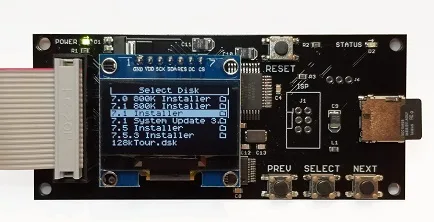
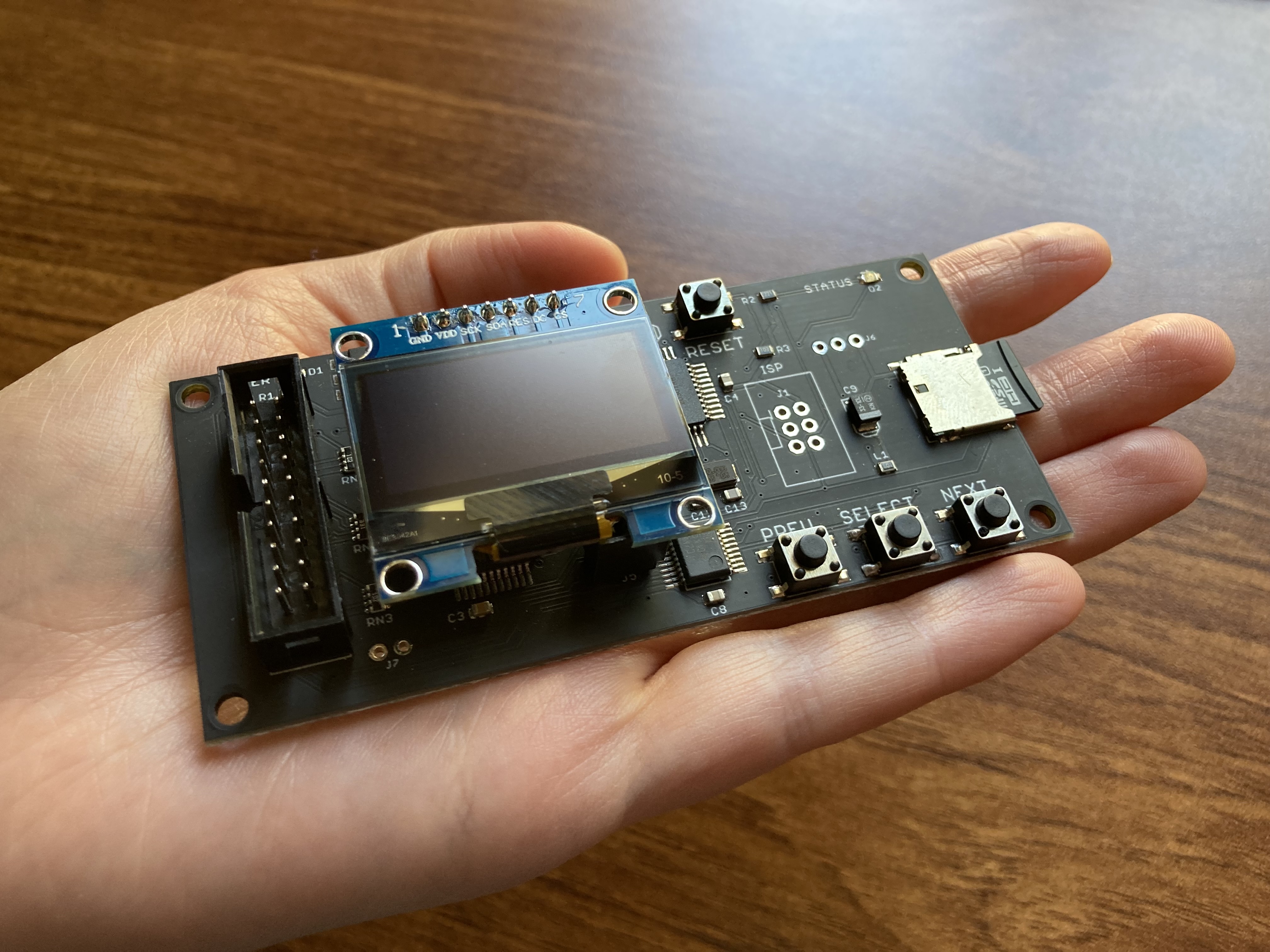
Floppy Emu is a floppy and hard disk emulator for classic Apple II, Macintosh, and Lisa computers. It uses an SD memory card and custom hardware to mimic an Apple floppy disk and drive, or an Apple hard drive. The Emu behaves exactly like a real disk drive, requiring no special software or drivers.

“Highly recommended.”
– Apple2Online
“A great device.”
– Blondihacks
“A boon for classic Mac collectors.”
– RetroMacCast
Bring new life to your old Apple computer! Floppy Emu is a specialized floppy and hard disk emulator for classic Apple computers. It uses a removable SD memory card and custom hardware to mimic an Apple floppy disk and drive, or an Apple hard drive. The Emu behaves exactly like a real disk drive, requiring no special software or drivers.
The BMOW Floppy Emu is perfect for booting your favorite games and software, or transferring files between vintage and modern machines. Just fill your SD card with disk images, plug in the Emu board, and you’ll be up and running in seconds.
Parts Sold Separately
For Apple IIc
Just For Fun
Usage Demonstration Video

Documentation

Instruction Manual and User Guide: PDF
日本語マニュアルはこちらから(2021/2/22更新): PDF
Setup Guide: PDF
Case assembly instructions: instructions
Instruction Manual and User Guide for previous generation Model B: PDF
日本語マニュアルはこちらから(2021/2/22更新): PDF
Setup Guide: PDF
Case assembly instructions: instructions
Instruction Manual and User Guide for previous generation Model B: PDF
Features
- Displays a menu UI for choosing from the disk images stored on the removable SD memory card
- Reads and writes emulated 140K, 400K, 800K, or 1.4MB floppy disk images, or hard disk images up to 2GB
- Compatible with all Apple II models, the original Macintosh 128K through the Mac II series and Power Mac, and Lisa 2
- Connects to external (DB-19 D-SUB) or internal (20 pin ribbon header) floppy drive connector
- Supports all major types of Apple disk images
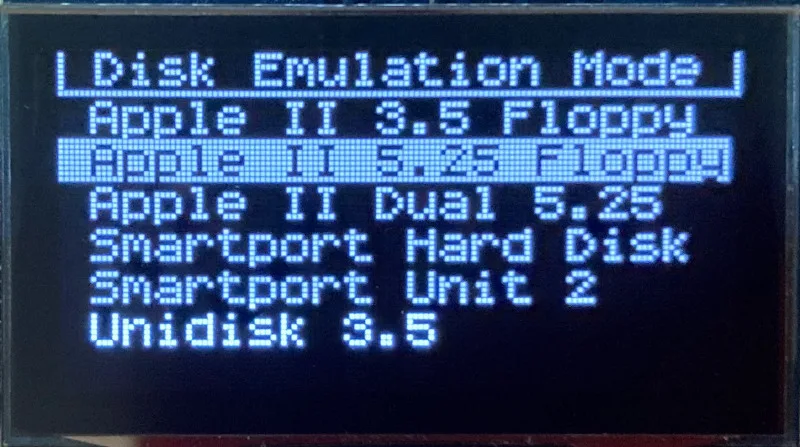
Apple II Floppy – Emulates 5.25 inch 140K floppy disks on any Apple II series system, as well as 3.5 inch 800K floppies on compatible Apple II models. An optional Dual 5.25 Floppy mode emulates two drives at the same time. Disk image files may be in .DSK, .DO, .PO, .2MG, .NIB (5.25 inch only) or .WOZ (5.25 inch only) formats. Disk images are compatible with common Apple II emulation tools such as AppleWin and Ciderpress.
Apple II Hard Disk – Emulates up to four simultaneous Smartport hard disks, each up to 32 MB (when formatted as ProDOS) or 2 GB (when formatted as HFS). Smartport disks are compatible with the Apple IIgs, Apple IIc (ROM version 0 or newer), Apple IIc+, and Apple II+ or IIe with a Yellowstone or Liron disk controller card.
For Apple II use, Floppy Emu connects to the built-in 19-pin disk connector on the Apple IIgs, IIc, and IIc+, or to a 20-pin or 19-pin connector on a separate disk controller card for other Apple II models. See the instruction manual for details on drive numbering and boot priority.
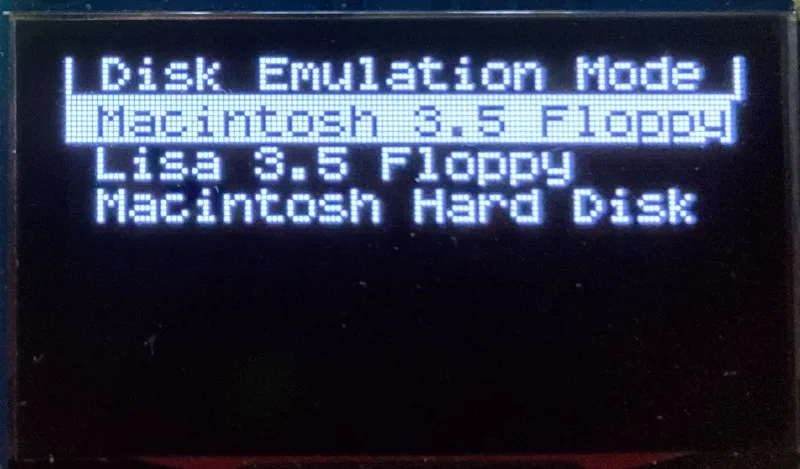
Macintosh Floppy – Supports 400K, 800K, and 1.4MB floppy disk images, in raw .dsk, Disk Copy 4.2, or MOOF formats. Disk image files are the same format as those used with popular software-based Mac emulators like Mini vMac. Compatible with the original Macintosh 128K through the Mac II series and Power Mac.
Macintosh Hard Disk / CD-ROM – HD20 hard disk / CD-ROM emulation is compatible with the Macintosh 512K, 512Ke, Plus, SE, (SE/30 when used with the Mac ROM-inator II), Classic, Classic II, Portable, IIci, IIsi, or LC I. Supports bootable hard disk / CD-ROM images up to 2GB. CD-ROMs are treated as read-only hard disks. Disk image files are compatible with other popular Mac emulators.
Lisa Floppy – Emulates 400K and 800K floppy disks on the Lisa 2/5 and 2/10. Boot or mount native Lisa Office System disk images in Disk Copy 4.2 format, or use Macintosh disk images within the MacWorks environment.
| COMPUTER | DISK EMULATION MODES |
|---|---|
| Apple II | |
| Apple II, II+, IIe with Yellowstone disk controller |  5.25 inch floppy, Dual 5.25 inch floppy, 3.5 inch floppy, Smartport hard disk, Unidisk 3.5 5.25 inch floppy, Dual 5.25 inch floppy, 3.5 inch floppy, Smartport hard disk, Unidisk 3.5 |
| Apple II, II+, IIe with standard disk controller | 5.25 inch floppy, Dual 5.25 inch floppy[1] |
| Apple II, II+, IIe with Liron disk controller | Smartport hard disk, Unidisk 3.5 |
| Apple IIc | 5.25 inch floppy[2], Dual 5.25 inch floppy[3], Smartport hard disk[4], Unidisk 3.5[4] |
| Apple IIgs, IIc+ | 5.25 inch floppy, Dual 5.25 inch floppy, 3.5 inch floppy, Smartport hard disk, Unidisk 3.5 |
| Macintosh | |
| Macintosh 128K | 3.5 inch 400K floppy |
| Macintosh 512K | 3.5 inch 400K floppy, HD20 hard disk / CD-ROM[5] |
| Macintosh 512Ke, Plus, SE | 3.5 inch 400K/800K floppy, HD20 hard disk / CD-ROM |
| SE FDHD, Classic, Classic II, Portable, IIci, IIsi | 3.5 inch 400K/800K/1.4MB floppy, HD20 hard disk / CD |
| LC [6] | 3.5 inch 400K/800K/1.4MB floppy, HD20 hard disk / CD |
| SE/30, IIcx | 3.5 inch 400K/800K/1.4MB floppy, HD20 hard disk / CD[7] |
| IIx [6] | 3.5 inch 400K/800K/1.4MB floppy, HD20 hard disk / CD[7] |
| IIfx, IIvx, IIvi, LC-II, LC-III, LC 4xx, LC 5xx, Color Classic, Color Classic II, TV, Performa, Quadra, Centris, Power Mac [6] | 3.5 inch 400K/800K/1.4MB floppy |
| Lisa | |
| Lisa 2/5 and 2/10 | 3.5 inch 400K/800K floppy |
[1] Disk II Controller Card with 20-pin connector requires Dual 5.25 Adapter for dual drives
[2] requires internal motherboard connection or Internal/External Switcher for booting 5.25 inch disks, see instructions
[3] requires Internal/External Switcher
[4] requires IIc with ROM revision 0 or newer for Smartport and Unidisk 3.5 modes, see instructions for details
[5] Mac 512K also requires a boot floppy with HD20 Init for HD20 hard disk / CD-ROM mode
[6] uses internal disk connector on the computer’s motherboard
[7] requires Mac ROM-inator II for HD20 hard disk / CD-ROM mode
Technology
Interested in how Floppy Emu works under the hood? Check out the Floppy Emu Technology Design page.
FAQ
Can I boot from an emulated floppy or hard disk?
Yes you can!
Does this require a special driver, ROM, or INIT?
No software is required for standard floppy disk emulation on any system. Apple IIc requires ROM version 0 or later for Smartport hard drives and Unidisk 3.5 drives – ROM version 255 lacks support for these. For Macintosh HD20 / CD-ROM hard disk emulation, most supported Mac models require no software, though the Mac 512K requires Apple’s HD20 Init.
What types of disk image files are supported?
Apple II supports 140K floppy disk images in .DSK, .DO, .PO, .NIB, .WOZ, or .2MG format, 800K floppy disk images in .DSK, .DO, .PO, .2MG, and DiskCopy 4.2 format, or hard disk images up to 2 GB in .PO, .2MG, or .HDV format. The maximum size of a ProDOS volume is 32 MB, so larger hard disk images must be formatted as HFS. Macintosh supports 400K, 800K, or 1.4MB floppy disk images in raw .dsk format, DiskCopy 4.2 .image format, MOOF format, or hard disk images up to 2GB in raw format. Lisa supports 400K or 800K floppy disk images in DiskCopy 4.2 format.
Can I format the emulated disk?
Yes for most drive types and disk image types. However, instead of formatting the emulated disk, it’s normally preferable to use a pre-existing blank disk image. In-system formatting of the emulated disk is supported for all Macintosh disk image types, as well as Apple II Smartport hard disks, Unidisk 3.5, WOZ disk images, and NIB disk images. Formatting performance of floppy disk images may vary depending on your SD card’s write cache behavior. For best performance, use the Blank.WOZ or Blank.MOOF sample disk images that are included with the Floppy Emu firmware.
Can I back-up old floppies using tools like Copy II Plus or Disk Copy 4.2?
Yes, with some conditions. Many disk copy programs perform a simultaneous format-and-write of the destination floppy, which may create problems (see previous answer about formatting). For best results, use a destination disk image type that supports in-system formatting. See the manual for details.
Can the Emu work with copy-protected disks?
Most copy-protected disks in WOZ or MOOF format will work with the Floppy Emu, but there are some rare exceptions. The hardware is primarily designed to work with unprotected disks using standard sector and disk formats.
Can I emulate multiple disk drives at once?
Floppy Emu can store as many disk image files as your SD card will hold. For compatible Apple II models, the hardware supports dual 5.25 inch floppy drive emulation. For Apple II Smartport hard disk emulation, up to four hard disks may be active at the same time. For other computer models and disk types, only one disk can be “inserted” in the emulated drive at any given time.
Can I connect two Floppy Emus to the same computer?
Yes, if they’re attached to separate disk ports, or to separate connectors of a dual-connector disk controller. For compatible Apple II computers, a Floppy Emu board can also be placed in a daisy chain along with other disk drives. The Emu doesn’t have a daisy-chain output port, but the optional Daisy Chainer adds one. Daisy-chaining is not supported by the Lisa or Macintosh.
How can I copy documents from an old Apple II or Mac disk to a modern PC?
Use Floppy Emu to copy the documents from the original disk onto a blank disk image residing on the SD card, then put the SD card in your PC and use a disk image utility program like CiderPress or HFVExplorer to open the disk image and extract the files. See the manual for details.
More questions?
Please see the Floppy Emu user guide for complete details and instructions.
Firmware Downloads
Floppy Emu firmware versions are available with support for Apple II, Macintosh, or Lisa computers.
Install the firmware version for the type of computer you plan to use with your Floppy Emu.
Apple II
- Apple II firmware, for Floppy Emu Model C or B, normal version: 250225A
- Apple II firmware, for Floppy Emu Model C or B, SPDC version: 250225A-SPDC what’s this?
- Apple II firmware, for Floppy Emu Model A: 250225A-ModelA
Macintosh and Lisa
- Macintosh and Lisa firmware, for all Floppy Emu models: 240209M
Older Versions (try these if the latest version gives you problems)
Apple II, Model C or B, normal version: 240208A 231213A 230712A 230218A
Apple II, Model C or B, SPDC version: 240208A-SPDC 231213A-SPDC 230712A-SPDC 230218A-SPDC
Apple II, Model A: 240208A-ModelA 231213A-ModelA 230712A-ModelA 230218A-ModelA
Macintosh/Lisa, all models: 231212M 230309M 230203M 221221M
Apple II, Model C or B, SPDC version: 240208A-SPDC 231213A-SPDC 230712A-SPDC 230218A-SPDC
Apple II, Model A: 240208A-ModelA 231213A-ModelA 230712A-ModelA 230218A-ModelA
Macintosh/Lisa, all models: 231212M 230309M 230203M 221221M
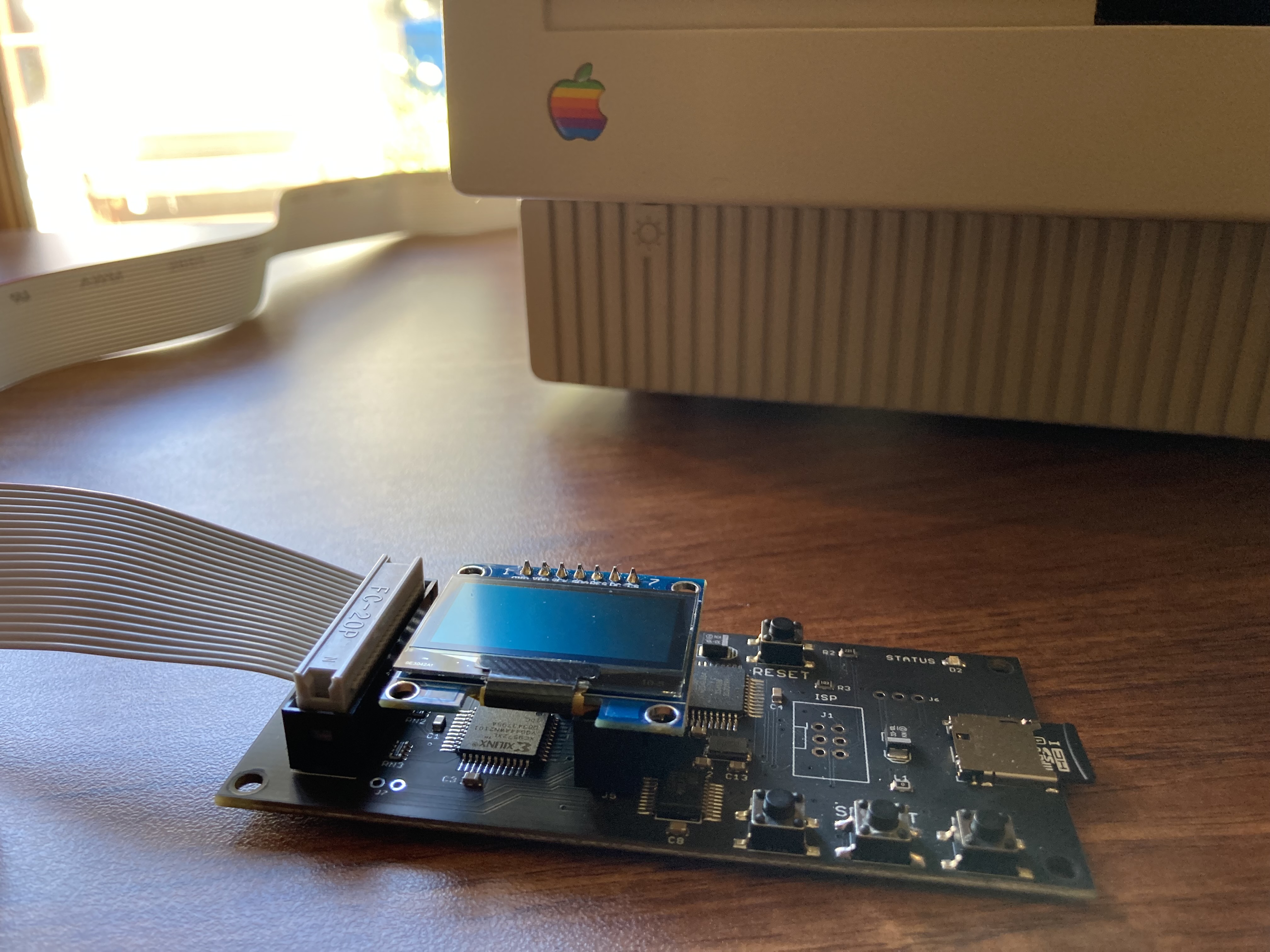
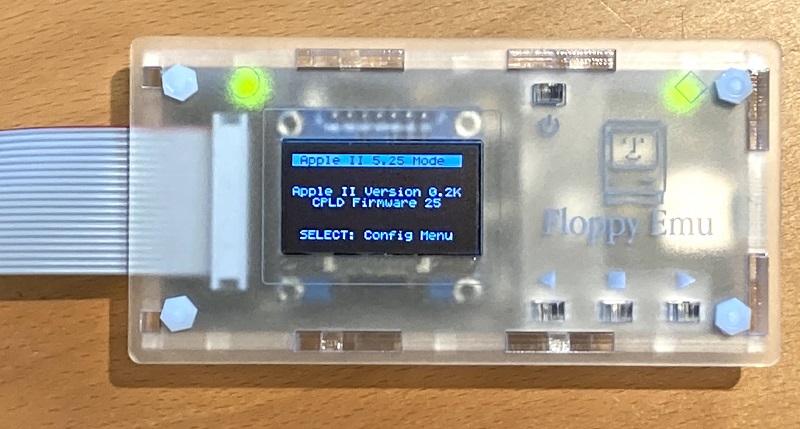
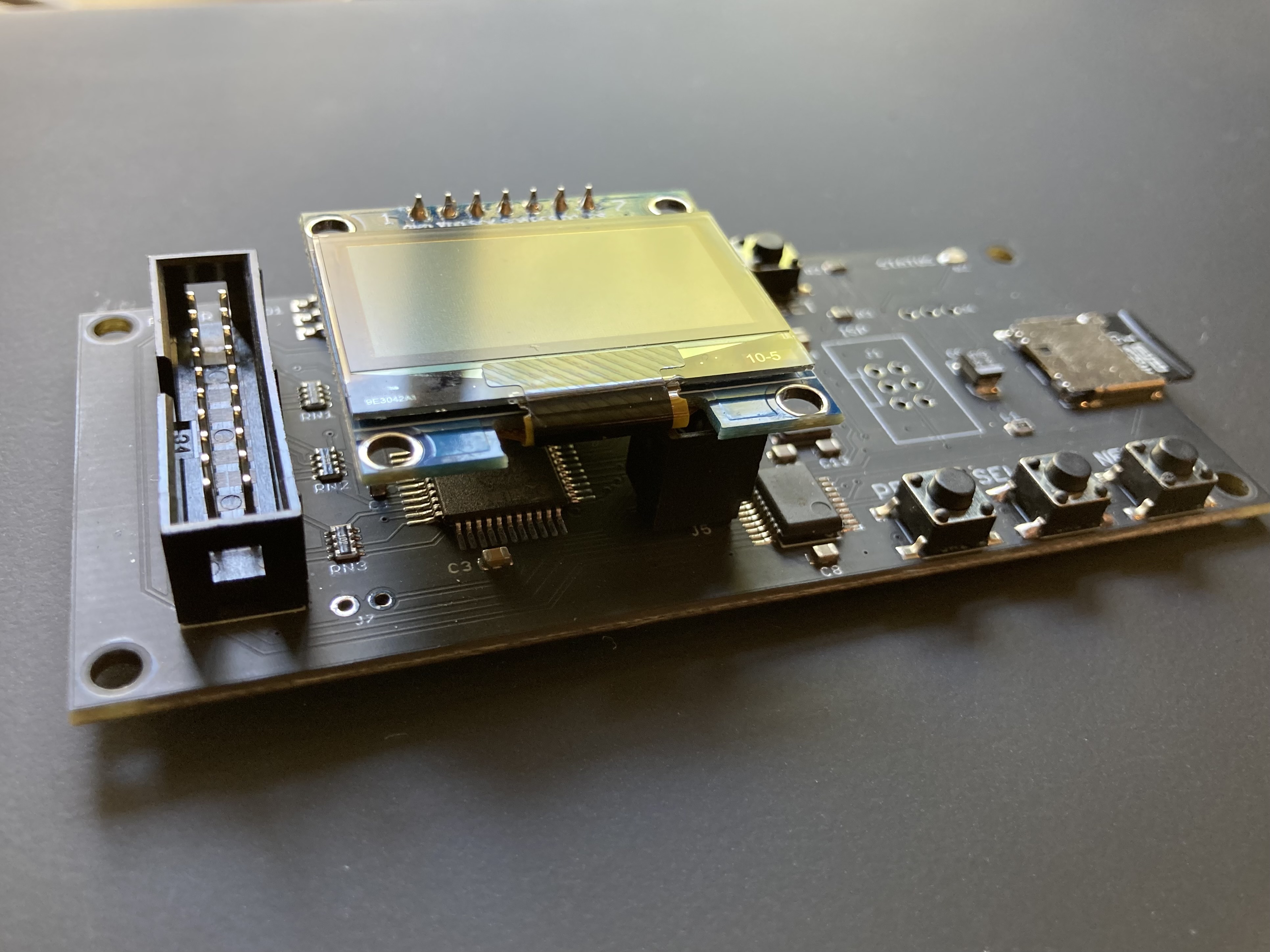

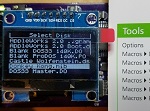
It looks like i solved it with Steve great advices now it’s working like charm. wonderful product with goos dervice 👏
I probably discovered the same problem as rami. If you place the emu into a case, you can’t tighten the screws too much. The stems for the buttons are a bit too long. If you turn the emu on, and the screen immediately shuts off, the problem is that the top lid is pushing down on the stems, which then push down on the buttons. I had to loosen the nuts to give the stems some room. The permanent fix is to stick a piece of tape between the top lid and the walls, and that’ll avoid the lid from pushing down too much.
I ended up 3d printing a case for mine. It won’t win any design awards but it works well. I’d post a picture but I don’t see any means of doing so here.
Hi Steve, do you have these in stock, and are you taking into consideration the latest comments to add just a bit more solder to the LCD part to avoid losing image?
Yes they’re in stock – the “add to cart” button above and the BMOW store page reflect the current stock status. I don’t do back orders, so if it’s listed as available for purchase, that means it’s in stock. I don’t recommend resoldering but I’m glad it’s helped a few people. Each LCD is tested and hand-adjusted prior to sale to ensure it’s working well. The hardware is covered by a one year warranty, should you run into any problems down the road.
Sorry you’re having trouble, Peter. For 1-on-1 customer support of individual issues, please get in touch directly using the “contact” link at upper-right, and I’ll do my best to help.
Sorry you’re having trouble, Thomas. For 1-on-1 customer support of individual issues, please get in touch directly using the “contact” link at upper-right, and I’ll do my best to help.
How big of an SD Card does the FloppyEmu Model B support? SHXC? SDHC only? The reason I’m asking is because now that .WOZ support is in Beta, I’m seriously thinking of much larger SDCards for mine, and wanted to know what the max size supported actually is. Yes, I’m expecting a ton of .WOZ images, eventually to be out there, plus my own personal ones, when I get my own AppleSauce device 😉 Thanks for this device BTW, it’s super handy, as you well know 😉
Smaller capacity cards perform better for writing data, so I wouldn’t recommend going with a huge card. A 32 GB SDHC card is large enough to hold hundreds of thousands of Apple II disk images. I’m not sure if the SD library in the firmware can handle SHXC cards, but if somebody has one and wants to try it, please let me know what you learn.
I ended up trying it (SDXC) before you responded.
So the 1st 16gb Class 10 SD card (Samsung EVO) got destroyed in about 3 weeks of use in the device (the power surge thing I suspect, since I was quite often removing and inserting the card as I was tinkering with it and learning how to use it etc. I now have a label on the FloppyEmu to remind me to only insert and remove the SD card when it’s not powered at all.).
The 2nd 16GB card (the 2nd of the same type as above- I bought 2 at the time) has worked great, but I haven’t been removing and inserting it all that often since I’ve now got it setup and don’t do that activity much anymore.
So when I wrote the above question, that card was in it. (just a bit too small, as you pointed out above). So I ended up with a 64gb SDXC card (Lithium-Ion battery expansion in a smartphone- and the SD card needed a new home) and I had it on hand to try. So I did, and it works great and no more full card! (for the record it’s a 64gb Samsung EVO Class 10 and UHS-1 micro SD card)
Please see the notice at the top of the page, in red – targeting early March.
Sorry for my poor English.
A few days with both Macintosh and Lisa I have many problems with SD Fatal Error
The problem is not always at the same point, installing Lisa Office, for example, I have problems sometimes on disk 1, sometimes on 2 sometimes on subsequent and I can never complete the installation.
I have downloaded the latest firmware and I have a card with the firmware Lisa and a card with the Mac firmware and passing the floppyemu from one to another, each time I change the card and reload the firmware.
I never had these problems until today. Since I installed the Lisa firmware Fatal Error have started and now even restoring the Mac firmware remain
Hi there,
I’ve been using these floppy emulators on a Quadra 950 (as a floppy, natch) and an enhanced Apple IIe (with Liron controller, as both a 5.25″ replacement and a dual-slot Smartport drive).
I’ve just received a IIc+, and I absolutely cannot get it to recognize the emulator as a Smartport hard drive. No problems whatsoever on both the internal header and the external port as 3.5″ dumb drives. Slotscan shows that an internal 3.5 is attached to S5D1 whether it’s actually there or not, but will only recognize a drive at S5D2 if it’s set to dumb 3.5 mode. No joy at all getting it to see it in HD mode.
I’m obviously missing something really simple. Can someone point me in the right direction?
Thanks,
Chris
It is possible to have a unified firmware with 3 position switch to be able to select the firmware needed? It must be a easy way to implement that needed feature.
Curious is the .woz files supported with Rev c? I got my floppy emu a week ago and absolutely love it! I have one running on my Apple IIe. When I try to load a .woz file it says not supported. I am happy with the .dsk ones but was just curious about the .woz file. Great product I absolutely love it.
Yes it’s supported on the Model C. You’ll need firmware apple-II-0.2G-F23 or newer.
Hello,
I have a macintosh G3 computer that I was thinking of re-installing with the emu, but I realize it’s not on the list… Is the flopp of that different that I cannot use the floppyemu?
Thanks
If it has a 10×2 pin floppy connector on the logic board, then it should work.
really cool but what makes it so pricey? being over a hundred dollars it is often more expensive then the classic mac in question. maybe if you got into contact with a manufacturer you could make loads of these of cheap.
Just received it. The case was a bit fiddly to put together, and it might be nice to have some standoffs for the screen, but all in all, it’s amazing.
I purchased it for use around The National Museum of Computing. Prevents me having to hook up a PC over serial to an Apple II, use ADTPro on both Machines and hope it works. So much faster and hassle free. Is there anyway we could have a unified Firmware for both Mac+Lisa+Apple II, or is that a memory constraint problem?
Best $175 (including import duties) I paid for a solution to keeping the Apple kit alive. Thanks for the quick delivery.
Perfect emulator. I’m using it on my Mac Classic. The design is great. Congratulations Steve …
Hi,
Back in March of 2014 on this blog you have a link to a post on how to build your own, but that link now just brings you back to this page. Do you no longer share your schematic? If not, that is understandable, as I see a great deal of effort has gone into this product. I would, however, love to build my own as I have the expertise and time to build them, but not the funds to purchase the assembled units. I would be using them in several of my collection, so would probably need 5 or so of these just so I don’t have to keep moving them around.
Thanks,
Bill
I think you’re referring to the 2012 technical plans for the original prototype hardware, predating the Model A? Unfortunately a couple of people in Eastern Europe and Asia were abusing it and flouting the license terms, so I had to remove it.
My eyes are starting to bug out searching for this so I’ll pose the question in here now. :-O
[limit on number of files within a folder question]
Is there a hard limit to the number of disk image files that the Emu will catalog to display within a folder on the microSD card? Is there a practical limit? (i.e. speed of cataloging file nemes etc.)
I ask because I used some automation to aquire and prepare quite a lot of disk images (specifically the 5.25 140K ones) into one folder on the card and it only displayed so many. My guess was the array of names was limited to 256-ish. It also gets a little slow to list a directory with so many. (I get that)
I also need to consider renaming the image files so they effectively fit onto the screen without missing important information (like disk number, back/front etc. for multi-disk applications/games).
Anyway, this is an incredible nostalgia boost for me getting to play with this vintage hardware I cut my teeth on again. Thanks Steve!!
K.T.
The max is calculated dynamically based on filename lengths, but the practical limit is probably around 50 entries per directory. As you found, scrolling gets pretty slow after that.
THANK YOU Steve! Was up and going with the Floppy Emu on my (gorgeous but til now recalcitrant) Mac Plus within an hour of it showing up in my mail. 55min to assemble the great case, 5 min to swap in the appropriate firmware. Don’t know what else to say, but THANKS!
Great device! But I have one question. The s/w collection includes a bootable hard drive image, but it’s OS 6. There are OS 7 upgrade disk images, but I can only mount them by disconnecting the HD image. How can I upgrade the HD image to OS 7? Or is there a bootable OS 7 image available?
Traveler – you would need to create your own System 7 image. You could do it by duplicating the System 6 image, then upgrading in place. Note that every system capable of booting from the FloppyEmu in hard drive mode is capable of running System 6, so it’s not like there is a system that could boot from it physically, but can’t because of the disk image.
So glad to see .WOZ read support! It’s so much fun playing these games from true images rather than cracks! Can we expect .WOZ write support to be added in a future update? Either way, thanks so much for this great product! It’s earned a permanent place in my set up!
Steve – What are the differences between Model B and C? I have Model B and am wondering if it is worth spending the $$ to get a Model C.
Steve, found this on VCFED you might be interested in…
“Well, unfortunately 5.5V is a bit on the edge. This particular PSU was sent to me because it seems the only thing that could have damaged two “FloppyEMU” boards. Unfortunately I haven’t yet found a schematic of this FloppyEMU, but it uses a Xilinx XC9572XL CPLD directly connected to 5V I/O. This is usually fine since this part is rated up to 5.5V You see the problem here? Both FloppyEMU boards have a shorted CPLD”
Some PSUs on the Apple IIs aren’t well regulated. The original poster doesn’t go into detail, such as if the PSU was from a Apple clone.
http://www.vcfed.org/forum/showthread.php?70208-ASTEC-AA11040C-repair
Is it possible to control this device over the ISP? If not currently would you be interested in a collaboration to make this possible?
I would be interested in adding the ability to list/select the disk images using a serial connection allowing this device to be interfaced and controlled over the local serial port or a network serial adapter.
Thank you Steve. What a great little device. I didn’t know about this product until Perifractic’s Retro Recipes on YT featured it in his channel.I just received it yesterday and very happy.
Have you thought about emulating the sound of the floppy drive like the 1541 Ultimate cart for the c64 does ?
hi – will this work on an lc 475 ? i saw lc, lc ii, lc iii and lc 5xx, i’m just curious before i order. thanks-
how can i do for a .dsk file read an write into floopyemu? any .dsk file i put in it, gets a padlock and does not can be writed.
Belated answers for a few past questions:
– Christopher, there are no further WOZ plans at this time beyond what’s already present.
– Ken, the Model C is described here: https://www.bigmessowires.com/2019/03/05/introducing-the-floppy-emu-model-c/ If you’re happy with your Model B then there’s probably no compelling reason to replace it.
– Matthew, ISP control is not supported and not possible. Those pins are already used for other purposes.
– Josh, it will work on any Mac with a standard 19-pin external DSUB or 20-pin internal 10×2 rectangular connector. This includes the LC475.
– Raphael, please use the Contact link for one-on-one customer support issues.
Hello, I have a Quadra 605, which only has a SCSI port (as far as I understand). Can i use the EMU? If so (connecting it from the isnide of the machine, i guess) will it work only as a Floppy emulator, or may I’ll be able to use it as a hard disk to boot from ti as well? Thanks for your help and keep on doing this amazing work.
Please see the compatibility table at https://www.bigmessowires.com/floppy-emu/#compatibility for information. The Quadra doesn’t support HD20 Hard Disk mode, but you could use it in floppy disk mode if connected internally.
Thank you. Yes, i had seen the table before but because the 605 is the simplest one of the Quadras, I just wanted to make sure it could work on it (since it has no disk port, etc). BTW, the Rom-inator works on it as well? Last question, if i use the EMu as a floppy ont he 605, may I boot from it? Thanks for your support
Yes, you can boot from the Floppy Emu – please see the FAQ above. None of the Quadra series is compatible with the ROM-inator II. Please see the list of supported computers at https://www.bigmessowires.com/mac-rom-inator-ii/
The newly updated firmware Apple-II-0.2K-F25-modelBC and Apple-II-0.2K-F22-modelA do not support SD cards very well. There are often “FATAL ERROR SD read error R” errors, and replacing them with 0.2I version does not have this problem. I hope you pay attention to it. Thank you.
I have a Macintosh SE SuperDrive (FDHD) with a dead SCSI bus. I have tried just about everything to try to fix it with no luck. I remembered hearing about this nifty little device from somewhere a good while ago. Since the SE supports HD20, i can now finally use the system without constant disk swapping and my failing disks. The price kind of surprised me at first, but i am happy to say this has been the best $133 i have ever spent. Thank you so much Steve for making such a useful and awesome device! I do have one question though.
Since i plan to use my Floppy Emu a lot, do i need to worry about the OLED display burning in or failing? If it does, are replacements available for purchase?
Thank you.
-Chandler
Any chance for a ‘clear’ acrylic case for the Model C? Sorry, I’m not a fan of the frosted look.
Floppy Emu will be back in stock in about 2-4 weeks. There’s no clear case option – all the available accessories are listed above. The firmware has a “screensaver” behavior to prevent OLED burn-in.
The Jumbo OLED Fun posting leads me to another idea:
Why not adding an HDMI output connector instead of an OLED as display?
On the other hand, I think this would be way too oversized, isn’t?
supporting HDMI output would be significantly more difficult. These OLEDs communicate via a simple serial interface (I2C or SPI) which is very low bandwidth and doesn’t depend on any particular timing. They’re character displays which buffer the screen contents on-board. You just sent text to them.HDMI on the other hand requires sending a high resolution bitmap dozens of times per second with very tight timing constraints. It would be completely impossible to do in the microcontroller used in the Floppy Emu.
After a few weeks of delay, the Floppy Emu Model C is now back in stock. Thanks for all the interest – I will be sending a restock notice to everyone who asked for one.
Hooray! I got one. Can’t wait to see how it runs with my Mac SE with a Radius Accelerator 25, Plus and IIe. Thank you so much!
Hi, is your Floppu EMU Model C compatible with an Apple IIe Enhanced (equipped with a classic DISK II card).
I am asking the question because of a possible conflict with the 128K configuration of RAM on the motherboard.
Yes it is compatible. Please see the compatibility table above. The hardware mimics an external disk drive, and doesn’t have any special dependencies.
Help!
I begin to use floppy emu recently.
My Macintosh is color classic.I connect internal FDD connector.
it seem to move well,but on Mac screen,message apear and loop.
“Disk initialization failed because the disk is locked!” I push “OK”,but same message apear and loop.
What can I do?
Noother drives connected.I boot from floppy emu.
Macintosh floppy disk images can’t be initialized that way with the Floppy Emu. If you need a blank disk image, instead of initializing it on the Mac, use one of the blank disk images provided on the SD card. Please use the Contact link at upper-right of the page if you have any more customer support questions.
because of my poor english,misunderstanding.
I am not tring to initialize FDs. I can read terget FDs,But that message apear and cannot escape this stuation. It looks like another drive exist and inserted a noninitialized locked disk.
I am not sure what you mean, sorry. Please use the Contact link at upper-right of the web page to contact me directly, if you have any more customer support questions about this.
Hey Steve, just wondering if, for people like me that need to change the firm ware between Apple II and Macintosh (back and forth), is it the right procedure to, when moving the files to the SD card, replacing them or first you should delete the ones you dont need and then putting the new ones on it. Does it make any difference?
Either way is OK.
Hello. I have been having some card error issues with a competitors product (wDrive’s in Smart Port, 5.25 woz is working in my testing with that adapter) and I just ordered the floppy emu to act as a replacement instead. If I use the wdrive in 5.25 emulation mode only (not smart port) will it work with the floppy emu & daisy chainer accessory on the apple IIGS?
It they won’t work together with the daisy chainer, other thought was to use the A/B switch instead, and switch between the floppy emu (for 3.5 & smartport emulation) and the wdrive (for woz 5.25 write support.) Does the a/b switch work with the apple IIGS?
I know there are probably not may people using both devices together, but it never hurts to ask and see if someone had experimented with using both before me.