

Floppy Emu and the Apple Pippin

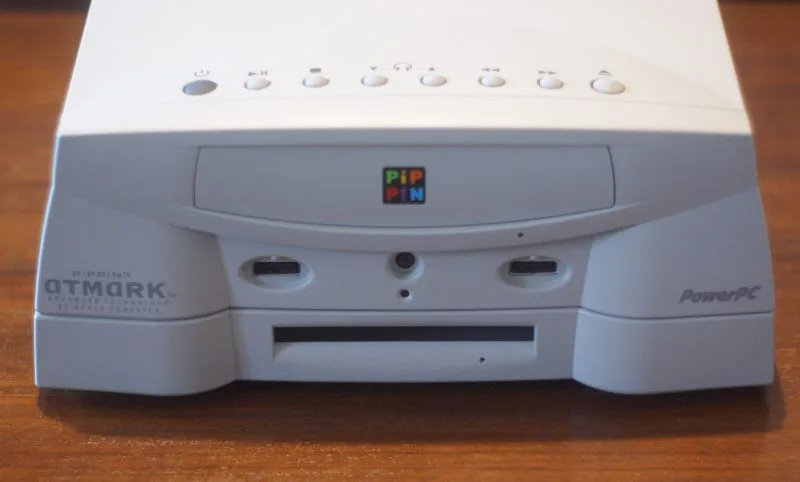
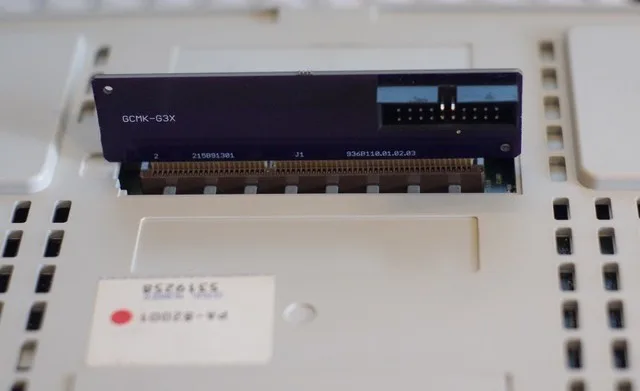
Remember the Pippin, Apple’s ill-fated attempt to enter the video game market? The hardware was effectively a modified Macintosh, running a customized version of System 7.5. The Pippin lacks any standard floppy disk connector (internal or external), but it does have a proprietary PCI-based docking connector for expansion. 20 years after its release, Pierre Dandumont has developed an adapter for the Pippin’s docking connector, making it possible to attach a Floppy Emu disk emulator. And it works!
During the Pippin’s lifetime, Apple and Bandai sold a floppy adapter for the console, and many games can use it. Pierre describes the official accessories on his blog (French language). These accessories are very rare. Working with a colleague, Pierre made a copy of the PCB inside the official adapter, which is now available on OSH Park.
Pierre has also been busy with other floppy hacking exploits. He successfully added a Floppy Emu to a first generation Bondi Blue iMac, which famously lacks a floppy connector – it was the first Macintosh without a floppy. Apple included an unpopulated connector footprint on the motherboard, so with a little bit of soldering and the proper ROM, the iMac can have a floppy drive where it never did before.
Here’s the explanation from Pierre:
I’m a big fan of Macintosh, and when I discovered the Floppy Emu, I decided to order one. I used it in old Macs to transfer some data, play Prince of Persia or retrieve data without going through a network. Like all buyers, I guess.
But on my blog, the Journal du Lapin (mostly in French, sorry), I like to show hacks, or curiosities. I had sent some of my tests to Steve and he offered to publish here.
The Pippin
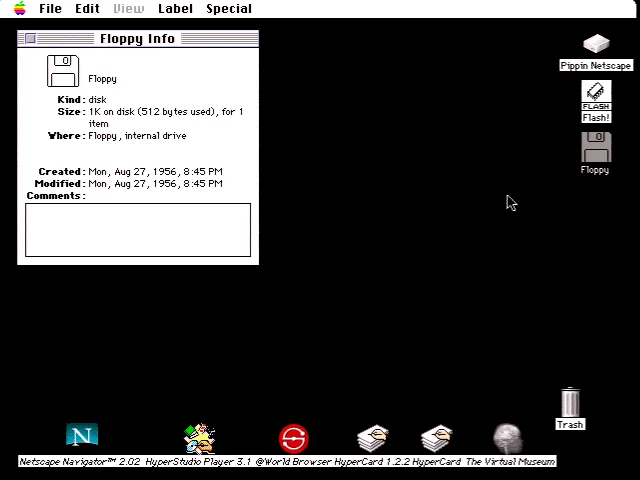
For those who do not know the console of Apple and Bandai, it is a game console released in 1996, and very few copies were sold (about 40 000). Apple offered an optional floppy drive, which was to be placed under the console. It contains a simple PCB with a standard 20-pin connector. With a friend, we designed an adapter and then I plugged the Floppy Emu on the console. Some games allow you to save data on a floppy disk rather than on the internal flash memory (128 Kb). For example, it is possible to save images from a Dragon Ball Z game.
The iMac Bondi Blue
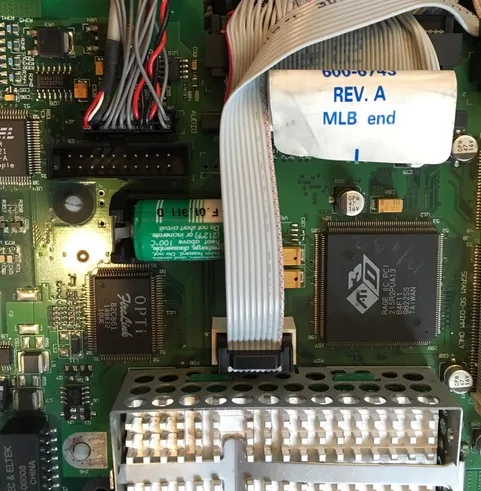
More amazing, the iMac. The first iMac (Bondi Blue, in 1998) did not officially have floppy drive, but Apple had left the traces of a connector on the motherboard. Obviously, the drive had been planned until a rather late date in the development of the iMac.
So I opened my iMac, soldered a 20-pin connector and connected the Floppy Emu. With the appropriate version of Mac OS, it works perfectly and it is possible to use the floppy drive with an iMac. In practice, it works with Mac OS 8.1 (the original system) and Mac OS 8.5, but not with Mac OS 8.6 or Mac OS 9 (and of course Mac OS X). Apple has actually blocked the floppy drive directly into the ROM from version 1.2. The iMac is the first Mac with a NewWorld architecture, that is, it uses a “ROM” that is loaded from the hard drive, while the previous Macintosh used a real ROM, that can not be easily updated. Since Mac OS 8.6 was delivered with a 1.4 ROM version, the floppy drive does not work with this version of the OS.
In both cases, the Floppy Emu perfectly replaces a conventional floppy disk drive and greatly simplifies testing. Thank you Steve for your work.
Great stuff!
An iMac with Mac OS ROM 1.1.5 will boot Mac OS 8.6 (I’ve personally tested it), possibly also Mac OS 9. See https://68kmla.org/forums/index.php?/topic/20085-internal-floppy-drive-on-imac-g3-firmware-downgrade/page-3#entry203532 for an explanation of why 1.1.5 works but 1.2 does not. tl;dr: Apple removed the .Sony and .MFMFloppy drivers from Mac OS ROM 1.2.
Awesome!
Thank you Steve 😉
Can you launch software on the Apple Pippen off the Floppy Emu device?!
If so I wonder if it would be possible to make a bootloader app the could launch homebrew games.
Then you could replace the CD drive with a SCSI to SD adapter.
Really great article!
I love how well it is researched.
Though I would recommend typing in smaller paragraphs so it is easier to read.
Well done!