

ADB-USB Wombat firmware fix for unrecognized USB keyboards and mice
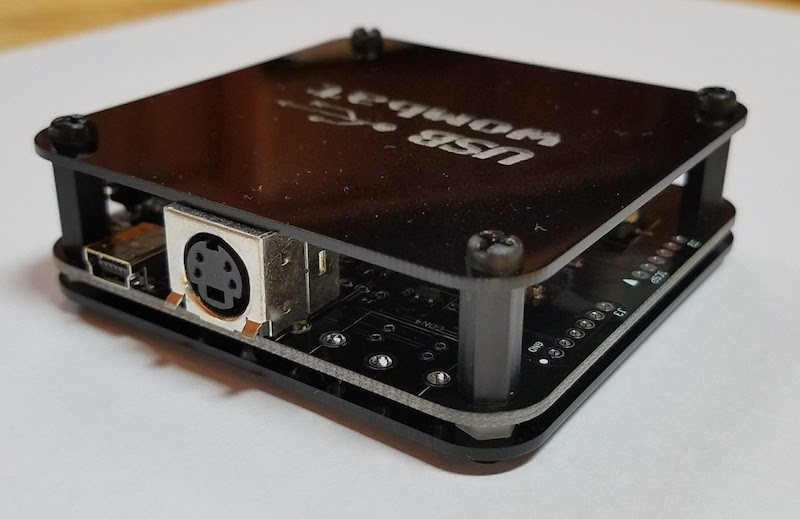
Mea culpa time here. Since the beginnings of the Wombat there have been reports that certain USB keyboards and mice weren’t recognized by the device. Nothing happened when typing or moving the mouse, and the Wombat’s activity LED didn’t blink. The affected devices were usually fancier keyboards and mice with lots of buttons and features, as opposed to plain vanilla $8 two-button mice and generic 101-key keyboards. I had always chalked this up to some unknown issue in the Microchip USB stack code for handling of peripherals with multiple USB interfaces or a single interface with multiple types of data. It was something in the bowels of that code, which I didn’t write and didn’t understand too well, so I treated it as a regrettable known incompatibility.
Recently a few Wombat customers reported more problems like these related to the Logitech Bolt USB receiver, and I decided to take another look. One helpful customer sent me a dump of the Bolt’s USB HID report descriptor as reported by Linux. I dug through the code with the help of AI, attempting to analyze how the USB stack would handle this report descriptor. It looked hopeless, until…
After wading through thousands of lines of mind-numbing USB goo, I found the smoking gun. Upon completing a USB transfer, the code was storing the number of bytes transferred in an 8-bit local variable and then comparing it to the 16-bit expected transfer size. The result was that any transfer larger than 255 bytes would always fail! Please queue the laugh track and sad trombone sound effects.
What does this have to do with composite USB devices? Nothing, except that composite USB devices have more interfaces with more data to report, resulting in larger report descriptors that are more likely to exceed 255 bytes.
Firmware 0.3.11 was released yesterday to fix this bug. It’s not just something relevant to the Logitech Bolt. If you’ve been using the Wombat in USB-to-ADB mode and encountered certain keyboards or mice that just mysteriously didn’t work with the Wombat, please try the new firmware. There’s a good chance that this will fix it.
Read 2 comments and join the conversation2 Comments so far
Leave a reply. For customer support issues, please use the Customer Support link instead of writing comments.
Some USB devices have obscenely long HID report descriptors. One example I found is the Sony DualShock 4 gamepad (as used on the PlayStation 4), which has one 507 bytes long! Mostly because it has a bazillion Feature items each with their own Report ID and vendor-specific Usage. No idea what they’re used for.
Was the error in the Wombat code or the Microchip USB stack?
Oh, and a pedantic correction: a report descriptor won’t be large because a device has multiple interfaces. A report descriptor is only related to a single interface, so a descriptor will only be large because it’s large. To paraphrase a meme: “It’s like that because of the way it is.” 🙂
Thanks for the clarification on the non-importance for descriptor size of having multiple interfaces. That’s funny about the DualShock descriptor, I can see why it would need to be so large! The Bolt receiver I was looking at had one report descriptor that was something like 470 bytes for a digitizer. I didn’t look in detail, but I think the receiver has report descriptors for all the devices that could possibly be paired with the Bolt, regardless of whether they’re actually currently connected. That’s the same approach the Wombat itself takes when operating as a USB device.
The byte/word bug was in the Microchip USB code. It’s not a maintained vendor library so much as sample code that Microchip provides for reading keyboards and mice through hubs. For a small-brained person like me, it’s incredibly complicated and difficult to follow. I feel like I understand very well how ADB communications with peripherals work, but the equivalent on the USB side is 100x more complex, and I’ve mostly been treating that low-level USB code as a black box.