

Too Many ARMs!
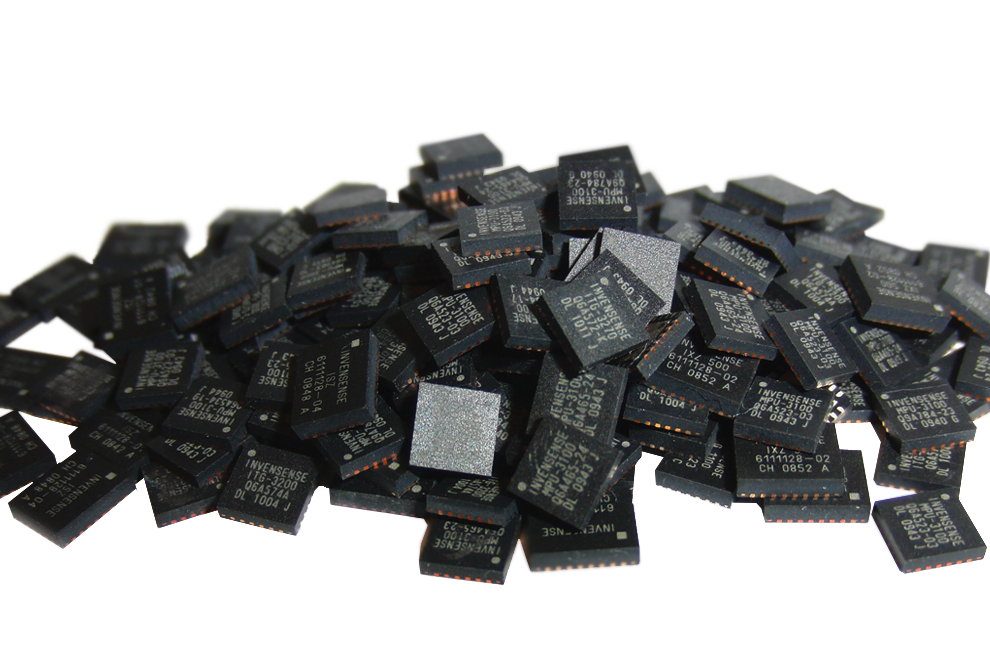
While I’ve been working on my USB-to-ADB converter with a PIC32, I’ve received a steady barrage of feedback saying I ought to consider an ARM Cortex-M microcontroller instead. There are several reasons I haven’t done that, but one of the biggest reasons is that there are simply too many ARM options for me to keep them all straight! Everyone knows what an AVR is, or a PIC, but my mind is a gray blur when it comes to the various LPC, MSP, and XYZ microcontroller offerings based on ARM cores. While having so many ARM options is good from a price competition standpoint, I have to believe this fracturing of the ARM Cortex-M segment hurts it in its competition with AVRs and PICs. If there were only a single big player making and promoting ARM Cortex-M microcontrollers, I suspect they would have made bigger inroads against Atmel and Microchip.
To help clear the mental fog, I decided to make a list of all the ARM Cortex-M microcontroller families I could name off the top of my head, plus any that have been mentioned here recently by commenters. This isn’t meant to be an exhaustive list, but just the options that are mostly likely to be of interest to hobbyists. I did 10 minutes of research into each one, to find some basic info on distinguishing features and pricing. Maybe this will help you, as it helped me. Pricing is Digikey’s lowest listed price for a device with at least 128K of program Flash memory, in a hobbyist-friendly package (no BGA or QFN), and in single unit quantities.
SAMD (Atmel) – ATSAMD20E17A-AU $3.44, ATSAMD21E17A-AU $3.65. ARM Cortex-M0+. Speeds to 48 MHz. 16K RAM. SAMD20 supports USB Device. SAMD21 supports USB Device and Host. A larger version of the SAMD21 is used in the Arduino Zero.
STM32 (ST Microelectronics) – STM32F070CBT6 $2.66. ARM Cortex-M0. This chip runs at 48 MHz, while others in the STM32 family support speeds to 120 MHz. Supports USB Device. STM32L0 family is Cortex-M0+, STM32F1 and STM32F2 families are Cortex-M3. I did a review of an STM32F1 board a few years ago.
MSP (Texas Instruments) – It turns out this isn’t a 32-bit ARM Cortex-M, but a 16-bit microcontroller based on something called CPUXV2. I’m not sure how it got into the ARM part of my brain.
Launchpad (Texas Instruments) – This isn’t a microcontroller at all, but a series of development boards based on the various TI parts. More brain pollution.
Stellaris (Texas Instruments) – A family of higher-end ARM Cortex-M3 microcontrollers priced at $6.50 and up. This is probably not what I’m looking for, but it’s impressive how well TI’s marketing department has infected my brain with their brands. Does TI actually make a low-end ARM Cortex-M microcontroller? I couldn’t find one.
LPC (NXP) – LPC11E67JBD48E, $4.30. ARM Cortex-M0+. 50 MHz. 20K RAM. Other members of the LPC family are Cortex-M0 and Cortex-M3, with speeds up to 200 MHz.
Kinetis (Freescale) – MKL16Z256VLH4, $4.05. ARM Cortex-M0+. 48 MHz. This device actually has 256K Flash and 32K RAM. Smaller Kinetis devices with 128K Flash are available, but are only offered in QFN packages.
PSoC (Cypress Semiconductor) – CY8C5267AXI-LP051, $6.50. ARM Cortex-M3. PSoC 5 @ 67 MHz. 32K RAM. The PSoC 4 is a Cortex-M0 device and also worth considering, but the models with 128K+ program Flash memory are only offered in QFN packages. The interesting thing about the PSoC 4 and 5 families is that they include configurable logic blocks in addition to the standard CPU core and peripherals. It’s like having a tightly-integrated CPLD built into the microcontroller.
Wikipedia has a small reference table that describes some of the differences between the M0, M0+, and M3 cores.
Suggestion to semiconductor manufacturers: if you want to sell a line of microcontrollers that people will actually remember, give it a pronounceable name, instead of some random acronym. Only TI and Freescale did this.
Software and Tools
OK, maybe that list wasn’t too enlightening, other than to identify the major players. If I’m choosing a microcontroller family to invest time in learning, I’m probably less interested in a $0.60 price difference or 4K of extra RAM, and more interested in the quality of the vendor tools, documentation, peripheral libraries, and examples. I’ll also be interested in the availability of low-cost development boards, and the size of the developer community. How do the options listed above compare in those respects? Who’s got a nifty extra feature, like a built-in bootloader, or some cool hardware peripheral, or a software library that doesn’t suck? Leave a comment and tell me your experiences.
The “elephant in the room” when it comes to ARM Cortex-M development is setting up the toolchain. I described this in my old STM32 review, and it wasn’t a fun process, but that was four years ago. Maybe things have gotten better since then? I know some people are perfectly comfortable installing Eclipse along with a plugin from here, a compiler and linker from there, and a debugger from some other place. Personally I’d rather use an IDE that has as many pieces as possible bundled together, so I can skip the setup and spend more time working on my actual project. Since my earlier review, CooCox seems to have remained popular, and something new called Em:Blocks has also grown in popularity, but most people appear to still be rolling their own toolchain.
Read 15 comments and join the conversationMacintosh System Boot Disks

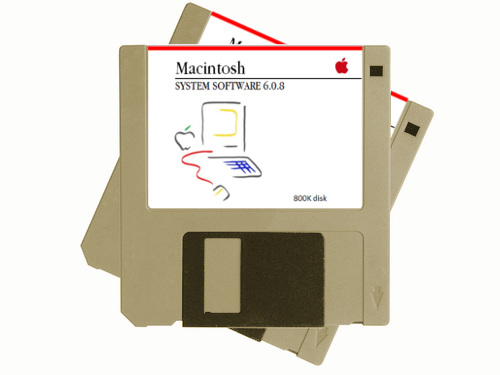
Did you find an old Mac system in the attic, but it won’t boot up? Was your Craigslist impulse buy delivered without any software? Do you need SCSI utilities to format your hard disk, or a terminal program to connect with the outside world? Macintosh system boot disks, applications disks, and utilities disks are now available in the BMOW store. Get rid of that flashing question mark!
This service will create 800K or 400K Macintosh floppies with essential software for your old Mac Plus, SE, Portable, or similar vintage Mac system. It’s all freely downloadable software from Apple and other sources, and I’m offering this service for computer collectors who can’t create 800K/400K disks on their own. These are are DS/DD double-density floppies, written using Apple’s unique variable-speed recording method. The oldest Macs can’t read common 1.44 MB floppies, and PC and USB floppy drives can’t create 800K/400K disks. The only way to create them is with a 25+ year old floppy drive from an Apple computer.
My primary focus is still on the Floppy Emu solid-state disk emulator, which is also available in the BMOW store. It’s a complete Macintosh and Apple II disk emulator solution that supports an unlimited number of disks downloaded from the web, and hard disk emulation too. But sometimes you just need a floppy or two in order to bootstrap that old system, and Floppy Emu would be overkill. If you’re in that position, head over to the BMOW store and pick up a disk.
Read 2 comments and join the conversationThe End of Things
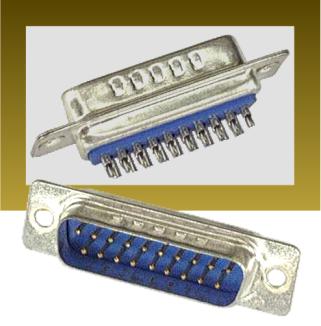
After predicting the end of the DB-19 connector supply for over a year, it’s finally happened. I recently sent my last stockpile of new-old-stock DB-19s to the board shop for assembly of more Floppy Emus. I have two left that I’m keeping as souvenirs, and that’s it. I’m sure there are still a few left somewhere in the world, hiding out in some obscure surplus warehouse, but they’ve become so difficult to find that they may as well not exist.
This also means the end of the Universal Adapter for Floppy Emu Model A, because building one requires a DB-19. I think I have two or three left, and when they’re gone that will be the end.
My stock of Floppy Emu Model B boards is nearly exhausted as well. I still have enough of the older Model A for the time being, but I expect the Model B will be sold out within a week. If all goes as expected, it will hopefully only be a short sell-out, since I’m expecting a new batch of Model B’s from the board shop in a few weeks. But later this year when those are all gone too, things will get interesting.
I’m working with a group of other vintage computer collectors and parts dealers to manufacture a large run of new DB-19 connectors. As far as I’m aware, these will be the first new DB-19s made anywhere in the world in the past couple of decades! More details on this soon.
Be the first to comment!USB to ADB – Multitasking Two Interfaces
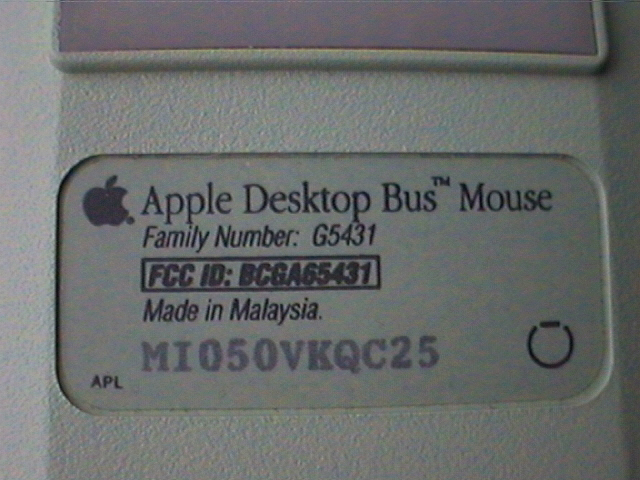
It’s time for a new progress report on my USB to ADB converter project! My goal is to design a simple PIC32 device that enables USB keyboards and mice to be used with vintage ADB-based Macintosh and Apple IIgs computers. You can read my earlier reports here: 1, 2, 3, 4, and 5. I don’t know when I’ve ever spent so much time investigating the feasibility of a project, without actually doing the project. Hopefully all this preparation will pay off.
Good news: I spent some time plowing through the details of Microchip’s USB library, as well as Suwa Koubou’s modified version, and things are beginning to make much more sense. Hosting a “simple” USB HID device like a mouse or keyboard is proving to be much more complex than I imagined, once you factor in all the behind the scenes work that would normally be handled by an OS or driver code. While I certainly don’t understand it all, I can say I understand the basic framework now. That should make life much easier as I go forward.
Bad news: the Microchip PIC32 tools and libraries continue to disappoint. On top of my previous complaints, I’ll add the poor quality of the Microchip USB stack source code. It looks like something that was hacked together by a team of student interns over a period of years. It’s a confusing and messy overall structure, with heavy use of #defines for function names, many lines commented out, comments that says useless things like “HHHHHHHHHHH”, hard-coded assumptions, debug print messages… not good. Maybe I’m looking at the wrong code? It definitely doesn’t feel like a professional-quality software library you can rely on for a real product.
More bad news: I’ve also discovered that the MPLAB X debugger is flaky. It will often stop in the middle of a debugging session and report “user program finished”, even when I can tell the program is actually still running. And I found that if you set a breakpoint while the program is running, it won’t necessarily work. You have to pause the program, set the breakpoint, and then resume. I only discovered that by accident in a moment of frustration.
The urge to throw the PIC in the trash and start over with something like the SAMD21 is growing, but I still haven’t done it. I keep rationalizing that I’ve already come this far…
Multitasking ADB and USB
The major bad news relates to servicing the ADB and USB interfaces simultaneously. I wrote about this concern previously: if USB-related interrupts happen too often and take too long to service, they may interfere with the software-derived timing of my bit-banged ADB interface. I did some earlier tests by setting breakpoints inside the USB interrupt handler, and determined that interrupts are only used for USB device attach and detach events. So my concern was unfounded… or so it seemed. In reality I was bitten by the breakpoint bug that I only recently discovered, and the USB interrupt actually fires at least once every millisecond, plus additional times when transfers are completed. Doh!
I thought I might still be OK if the USB interrupt handler was very short, so its impact on ADB timing would be minimal. ADB data is encoded at 1 bit per 100 microseconds, and given its encoding method, a timing error of up to 10-15 us could probably be tolerated without causing errors. Using the PIC32’s built-in core timer, I was able to measure the typical and worst case execution times of the USB interrupt handler, and it was about 50 microseconds at 80 MHz with code compiled using -O1 optimization. That’s definitely too slow to avoid causing ADB timing problems. What’s worse, for the final device I’d planned to use a cheaper version of the PIC32 that only runs at 40 MHz, so the interrupt handler time would actually be 100 microseconds.
So it seems that naively combining a USB keyboard/mouse example with my bit-banged ADB implementation is not going to work. What are my alternatives?
UART Hacking
If there were a hardware ADB peripheral on the PIC32, then there would be no problem. ADB bytes could be read in/out of a buffer by the hardware peripheral in parallel with USB activity or other unrelated code, and then handled later in the main loop via polling, or via an ADB interrupt. Of course there is no ADB peripheral, but maybe the UART could be abused to do the job? ADB is sort of like serial communication, in that there’s no independent clock, and it runs at a fixed bit rate. But it’s unlike serial in the way bits are encoded. Instead of a simple high voltage for logical 1 and low voltage for logical zero, ADB encodes every bit as a pulse whose width determines its logical value. There are also some non-data signalling elements in a typical ADB transmission. But maybe I could run the UART at like 10x the actual ADB data rate, and capture the oversampled ADB waveform in a buffer for later analysis through software.
I think this UART hacking idea might almost work, except that serial communication always involves a start bit, at a minimum. It’s how the UART knows that a new byte has begun, but ADB communication doesn’t include a start bit. That would likely cause weird problems when reading and writing UART-as-ADB data. Maybe this could be overcome… I’ll need to think about it more. Unfortunately my PIC32 dev board doesn’t have the UART pins broken out to a header, or to anywhere I can solder, so I’d need to get new hardware if I want to try this route.
SPI Hacking
If the UART peripheral can’t do the job, maybe the SPI peripheral can? SPI uses an explicit clock signal, which ADB lacks, so that’s obviously a problem. But there’s no framing or start bits to worry about, which is good for the kind of hackery I’m envisioning. If the microcontroller were configured as SPI host, then it would wiggle the clock line for SPI reads and writes, but I could leave that signal unconnected and ignored. It’s so crazy, it just might work. But again, my PIC32 dev board doesn’t have the SPI pins broken out anywhere, so I’d need new hardware to explore this.
One point I’ve glossed over with both the UART and SPI hacking ideas is that ADB is an open collector bus. The host and devices pull it low when needed, but never actively drive it high. Instead, there’s a pull-up resistor to do that job. I’d need to include some extra circuitry to adapt UART or SPI traffic to an open collector bus.
Timer Hacking
Another approach would be to replace my software-derived ADB timing with hardware timers and pin state change interrupts. For reading ADB traffic, instead of polling in a tight loop in order to measure the widths of pulses on the ADB bus, I would use a pin state change interrupt and then determine the pulse width by checking a timer value in the interrupt handler. For writing ADB traffic, I would use hardware timer interrupts to change the ADB bus value at appropriate intervals. That would eliminate busy loops, and enable the USB and ADB communication to happen in parallel to some extent.
This would only work if the ADB pin state change and timer interrupts had higher priority than the USB interrupt, else USB interrupts would still introduce ADB timing errors. And this approach might possibly introduce USB timing errors, if the USB interrupt handler were delayed from executing by one of the ADB-related interrupts. Another concern is the latency for context switching and entering the ISR handler, after a pin state change occurs. This would need to happen quickly, even if the USB interrupt handler had been in the middle of executing, in order for ADB timing measurements to be correct.
Two Microcontrollers
My final idea is to use two wholly independent microcontrollers: one for ADB and one for USB. They would communicate with each other using SPI or another method supported with a hardware peripheral. That would probably work, but wouldn’t exactly be simple, as now I would have two different microcontrollers each managing two different interfaces in parallel. It would also increase the cost and complexity of the board, and make firmware updates more difficult. But it still might be a reasonable solution overall.
To be honest, I don’t love any of these ideas. I’m sitting on my hands for now, hoping that a better approach will jump into my mind. Here’s hoping! 🙂
Read 30 comments and join the conversationCrikey! USPS International Shipping Costs

Running a mail-order business gives me many opportunities to think about the cost of shipping. I’ve just made a change to the BMOW store that enables small, lightweight packages sent within the USA to be shipped by USPS First Class Mail rather than Priority Mail, cutting the shipping cost in half. Woohoo! But that’s about all the help I’m going to get from the US Postal Service, and I’m slowly realizing that USPS has some of the least competitive postage rates in the world.
A typical BMOW package weighs about 10 ounces, or 283 grams. To mail that package to the UK, Australia, Germany, or other countries where customers may live costs me $22.75 in postage via “First-Class Package International Service”, which is the cheapest option available. That’s a significant amount of money. If my store sells a 10 ounce item that costs about $20, it’s unlikely anyone outside the USA will be buying it, unless they relish paying more for postage than for the item itself.
I decided to compare the cost of international shipping for a comparable 10 ounce / 283 gram package, sent from a few other major countries:
| County | Cost for shipping 283g International Package |
Cost in US Dollars |
| USA | USD $22.75 | $22.75 |
| Canada | CAD $19.39 | $14.90 |
| UK | £14.90 | $21.20 |
| Australia | AUD $14.10 | $10.83 |
| Germany | €3.70 | $4.22 |
The US has the most expensive international postage rates of any of these countries. (But at least this gave me a chance to learn how to type £ and € on a US keyboard, where those symbols don’t appear.)
The real anomaly in international shipping is China. Sending a package from the USA to China costs me the same as to any other country. But sending a package from China to the USA appears to be nearly free. Take one look at any of the many “free shipping” deals available from Chinese sellers on Aliexpress, eBay, or similar sites, and you’ll wonder if reality has been suspended. And it’s not that they’re absorbing the cost of shipping into the item price. Take this LED voltage meter for example: it costs $0.78, is available in single quantities, and ships free to the USA. Granted the delivery time stinks (up to 40 days), but at that price few people are complaining. How are postage prices like that possible? I can’t even ship within the USA for that price, let alone internationally.
I’m always looking for the most economical way to get BMOW packages to customers. I only wish USPS could be more help!
Read 17 comments and join the conversationUSB to ADB Progress – Good News and Bad News
I’m still chugging away slowly on this USB to ADB input translator concept, using a PIC32 starter kit. First the good news: the ADB end of things is pretty much finished. I’ve designed a demo that creates a phantom mouse on a Mac SE, and when I hold a button on the starter kit, it moves the mouse around in lazy circles. It also coexists happily with other real ADB peripherals, remapping itself if necessary to avoid ADB address conflicts, and asserting the SRQ signal as necessary when it needs attention to report new mouse movement data. So that part is looking good.
Now for the bad news: the USB side is looking to be much more difficult than I expected. I’m struggling to create even a simple demo of reading from a USB mouse, let alone dealing properly with keyboards or USB hubs. Microchip only provides a single USB Host example project for the starter kit, which writes a file to an attached USB storage device. It works, but it doesn’t tell me much about how to handle a mouse or keyboard, and all of the USB specifics are in a separate pre-compiled library.
My search for a simple USB example is made harder by the fact that most PIC example code was designed for older Microchip compilers, and needs modification to get it working with the latest XC32 and MPLAB X. I found this example by Suwa-Koubou, who modified Microchip’s USB library to add support for multiple, cascadable hubs. It includes a simple example program that displays messages when USB devices are attached and detached, as well as examples of dumping input data from a mouse, keyboard, and joystick. Sounds great! But it was designed for the older MPLAB 8 and C32 compiler.
I spent a few hours trying to update and port this example project, but I ran into several problems while trying to update it. Something about the interrupt declaration mechanism has changed (shadow registers?), and it was designed for a different model of PIC32. I updated the code as I thought was needed, but the modified example doesn’t work. It never logs any attach/detach events, and doesn’t really do anything at all, except once when it crashed after I attached a USB keyboard. So more work is needed there.
Assuming I can eventually get the code working for reading from a USB mouse and keyboard, through a hub, I’m still worried about how to multitask the USB and ADB interfaces. My understanding of the USB Host implementation is shaky, but I think some events are handled by interrupts, while other activity requires periodically calling USBTasks() from the main loop, every 1 ms or so. Both of those present potential problems for the ADB interface, which bit-bangs the ADB protocol using a purely software-based implementation. ADB transactions can take about 3 ms, plus a few milliseconds more waiting for an attention or reset signal. If I don’t call USBTasks() during that period, it may starve the USB Host controller and cause errors. But if I insert periodic calls to USBTasks() inside the ADB code, it may cause ADB timing errors depending on how longUSBTasks() takes to return. Similarly, if a USB interrupt fires in the middle of an ADB transaction, and it takes more than a few microseconds to complete, it may cause timing errors for any ADB transaction that was in progress. Hmm…
Read 14 comments and join the conversation